If you jailbreak your iOS device to enjoy the programs that do not comply with the standards and conditions of the official Apple App Store, such as Bluetooth file transfer program Or call blocking programs, modified themes and other programs that are made available on the Cydia store as an alternative solution for a price or for free. But one of the most important challenges that we face with jailbreakers is that these programs lose them every time you make an update to your iOS system, and after jailbreak you have to install them again, as these programs cannot synchronize or back up them with your computer or iTunes as the official programs of the software store This dilemma, which was difficult to get out of, has become today, there is a solution to it, and now you can back up your unofficial programs and restore them through an application called xBackup, and with this, updating your device and retrieving those programs will happen faster, saving you time and effort.
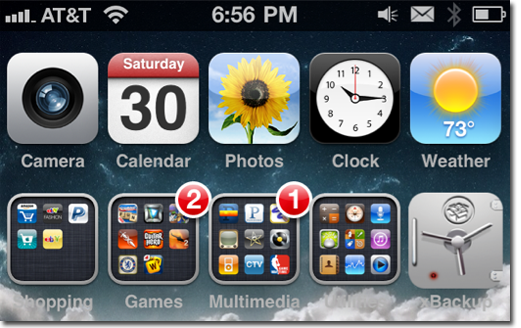
The xBackup app is available on the Cydia Store at the BigBoss Repository at $ 1, so all you have to do is search for xBackup and then buy it.
How to make a backup copy of Prague Cydia before performing an update or restore for your device
- First, run xBuckup and then press Backup before updating your device to a newer version of the firmware
- (Please be aware that some versions of Freemore may lock your network, so please check Our articles related to the framewire update)
- Link your device to iTunes, and perform a sync to take a backup copy of your device's files
- Now you can update the framewire because iTunes now contains a copy of the programs that were downloaded via the jailbreak in the back-up files
- When the update is finished, re-jailbreak it
- Download xBuckup again from Cydia
- Then open the application and click on the Restore option, and here you will find that the previous programs have returned to your device


113 comment