At a moment we say, thank God we have finished the development Book applicationThere's nothing more to add. Thanks be to God, the app already has all the features of any other Quran app, and some features not found in other Quran apps. But suddenly, we see an idea… an idea that isn't new, and it's not ours, but its implementation was never correct; no one could implement it properly. So we go back to the app and start implementing it again… the joy and the torment of striving for the best possible user experience, especially with apps whose goal is to draw closer to God Almighty.
Khatmah in the Quran application
We were never convinced that Quran apps should have a "Khatmah" feature, or a way to track your reading progress. It's like telling me a recipe app should put food in my mouth. My friend, track your reading progress yourself using bookmarks! Completing a reading is a voluntary act, and there's plenty of flexibility in that, so why restrict it?
But after scrutinyWe realized the problem wasn't the concept itself, but rather the cumbersome or complicated implementation in most apps. Therefore, we wanted to present "Khatma" in a smart way that interacts with you, encourages you, and seamlessly integrates into your daily routine, rather than being just a cold, digital counter.
Begin the recitation
Starting the Khatma is very easy; from the main menu, click on “Start Khatma”, and then a screen will appear asking you about the duration of the Khatma, and there is also an option to add a reminder at the time you prefer.
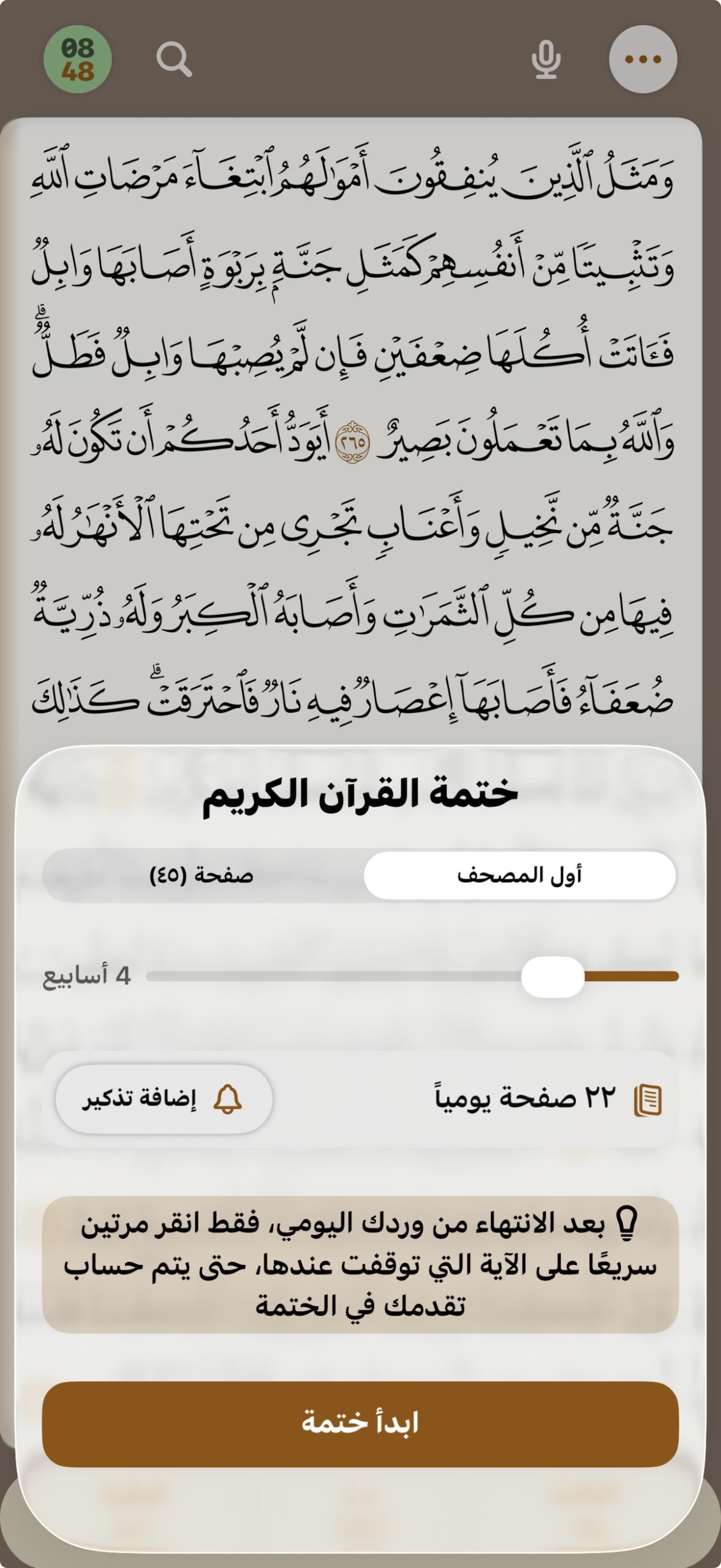
It's that simple. A new reading begins, and the app calculates how many pages you need to read daily to complete the reading within the allotted time. Despite its simple interface, it offers a unique option not found in other apps: starting the reading from the current page. This is because some users may have already begun a reading on another app or with a printed copy of the Quran, and the app will calculate your progress accordingly to suit the reading timeframe.
Focus mode (no more distractions)
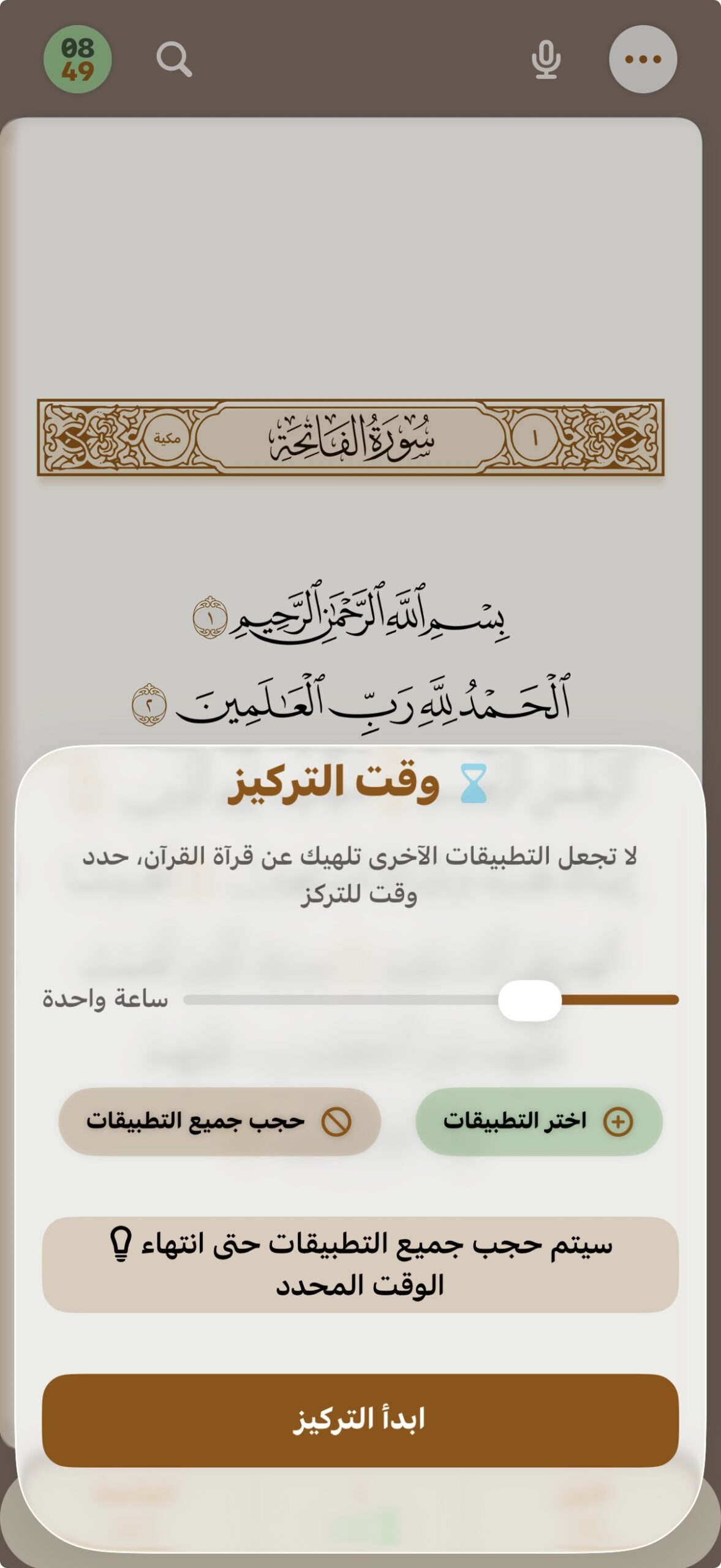
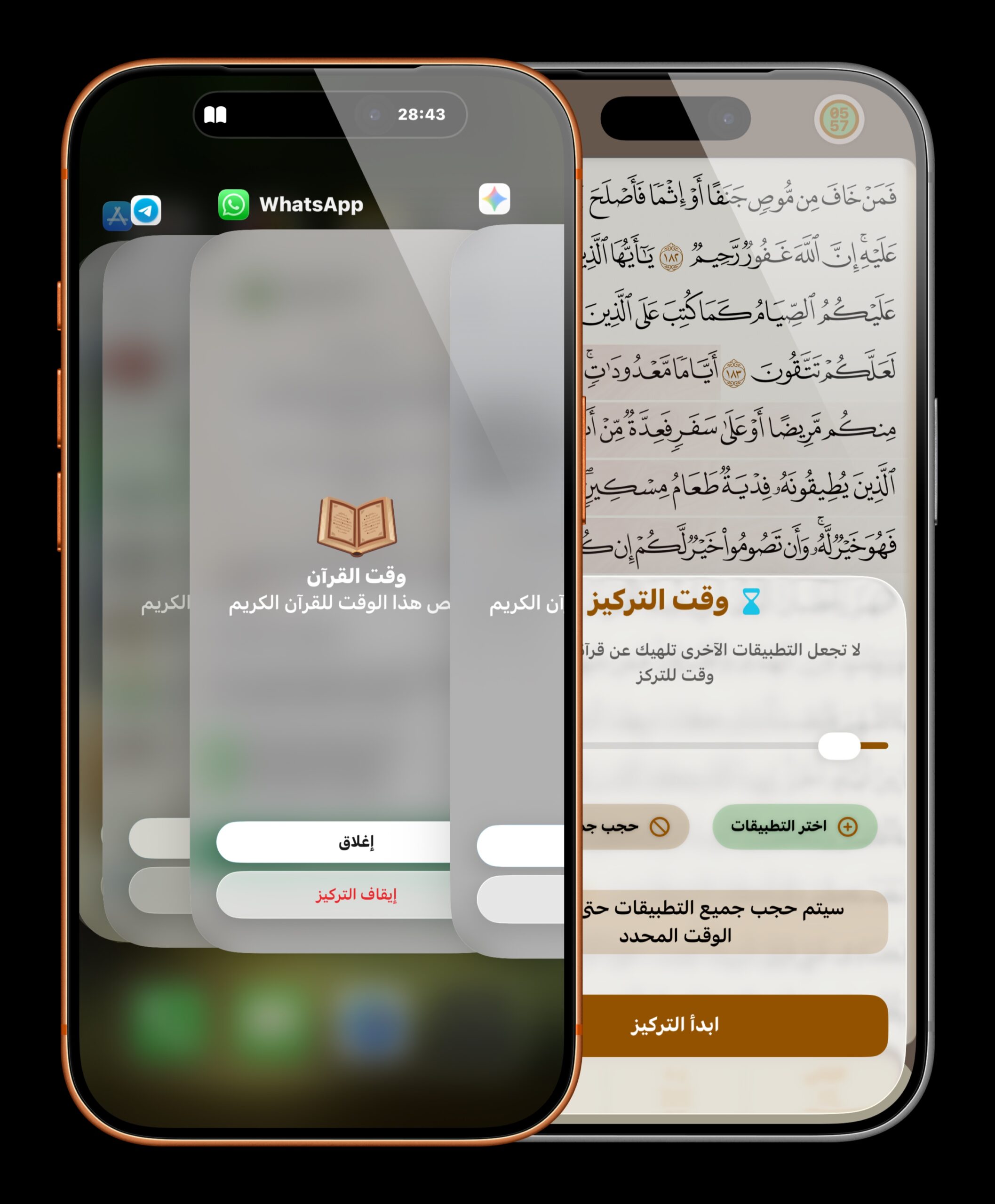
Now we come to the special part; after you begin reading, the app asks you to enter focus mode (or you can activate it manually). This screen allows you to choose your reading time and blocks all other apps on your system. So, if you're tempted to check WhatsApp or Instagram, a gentle screen will remind you that it's Quran time and you should return to your reading.
This interface appears over blocked apps, displaying a Live Activity counter showing the remaining time to help you stay on track. The system is smart enough to suggest automatically activating this mode as soon as you start your session.
Track progress intelligently
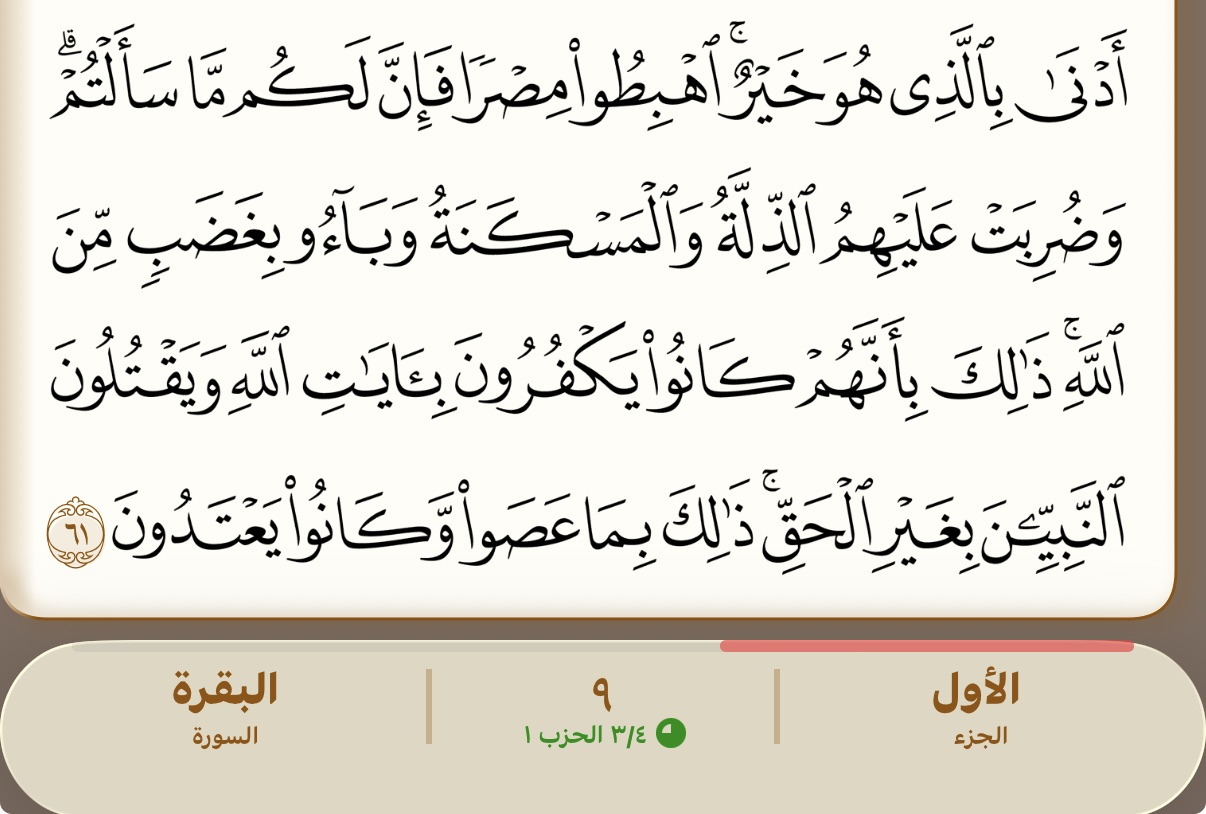
Now that you are focused and reading the Quran, you will find a progress bar at the bottom that counts the number of pages remaining until you finish your daily recitation. When you finish, this bar will turn green, and a message will appear for the first time instructing you to double-tap the verse to save your progress in the recitation.
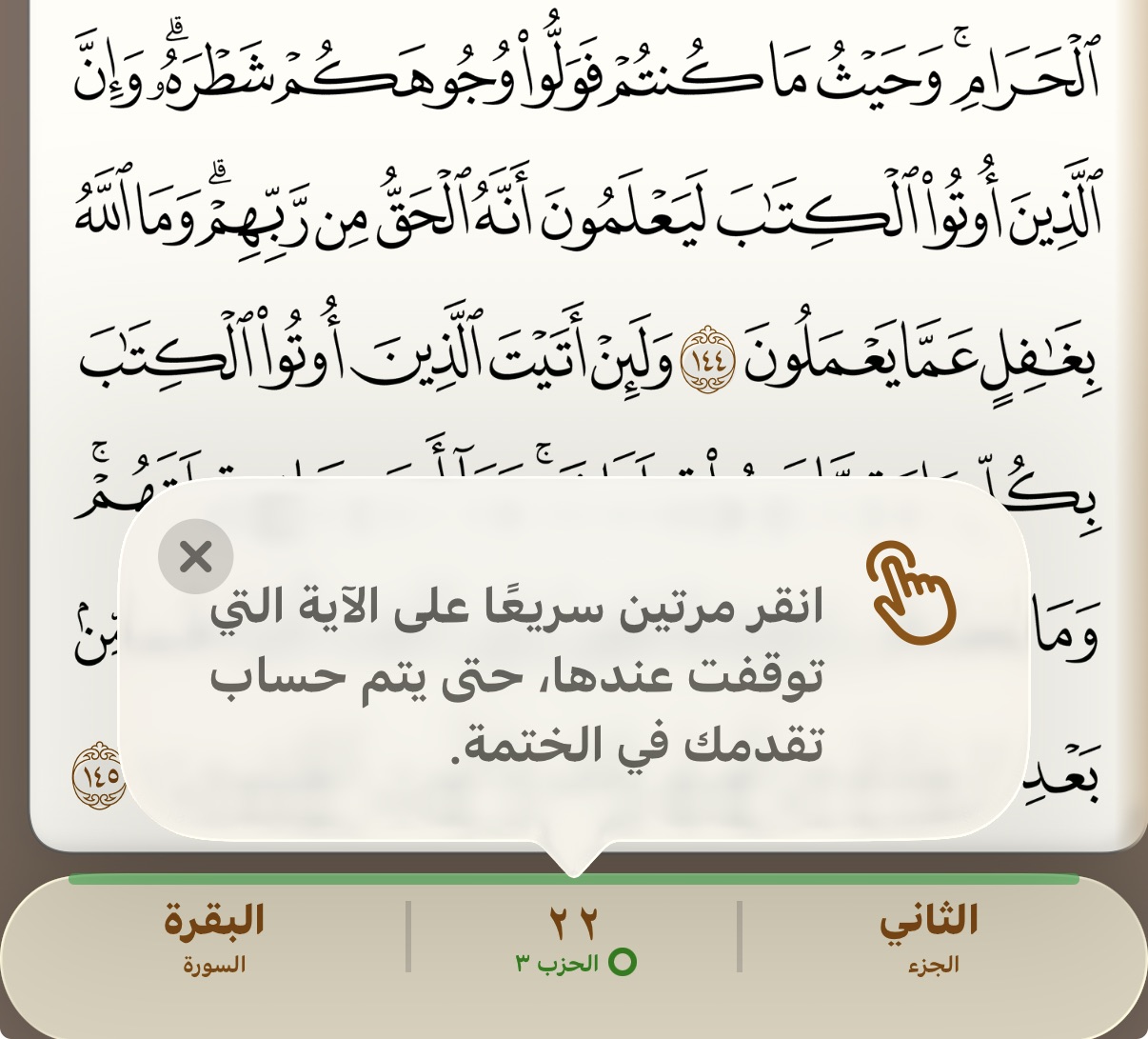
Because you might skip ahead or become lazy and read less, the app will keep track of your progress. Next time, all you have to do is tap "Complete Your Recitation" and it will calculate the remaining days until you finish your missed portion.
Now it's easy to start a plan to read the entire Quran, track your progress page by page, set a target duration, and receive daily reminders to stay on track. Upon completion, you'll celebrate with a beautiful, shareable achievement card. The total number of completions is also tracked in the analytics section, allowing you to see your progress over time.
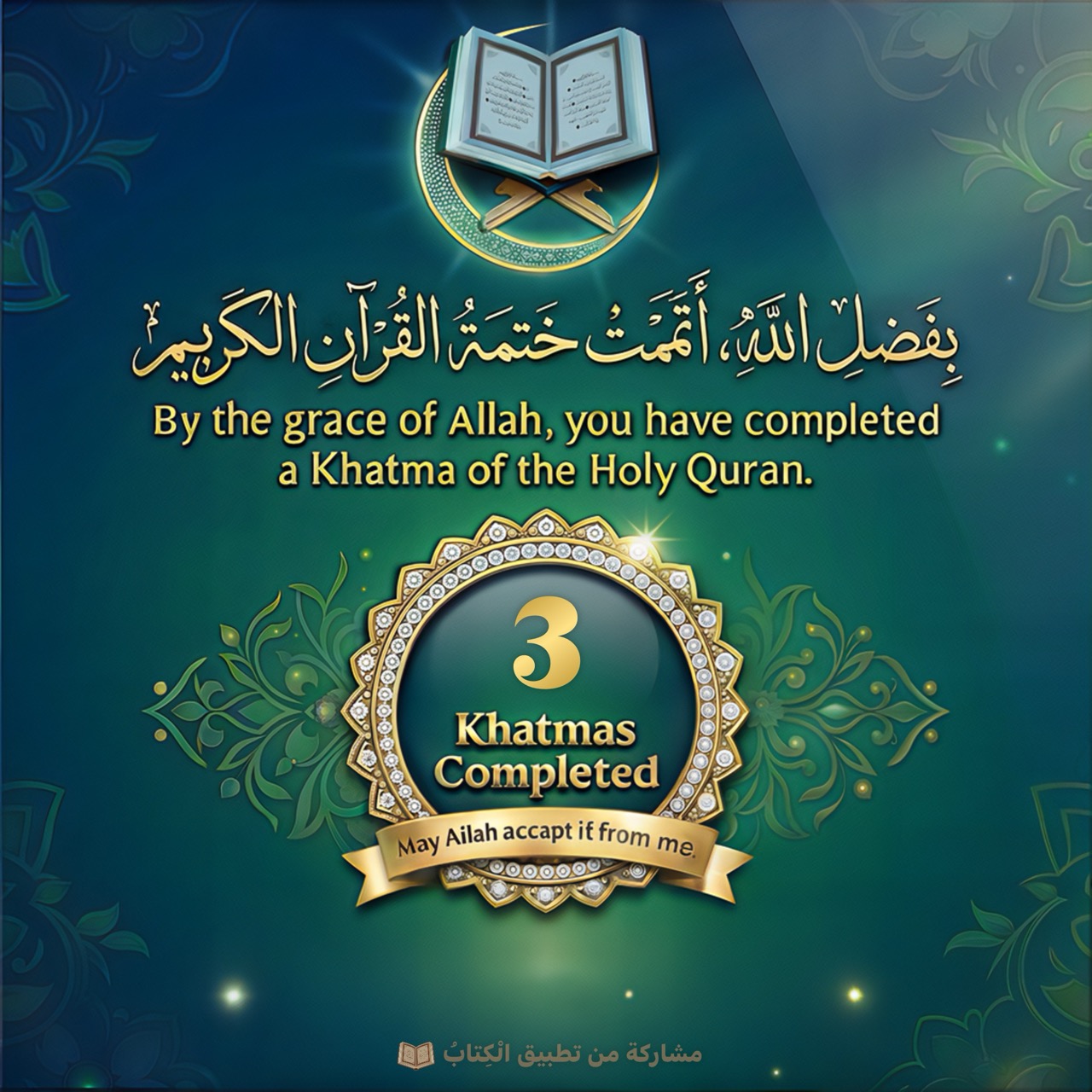
Seal widget for home screen
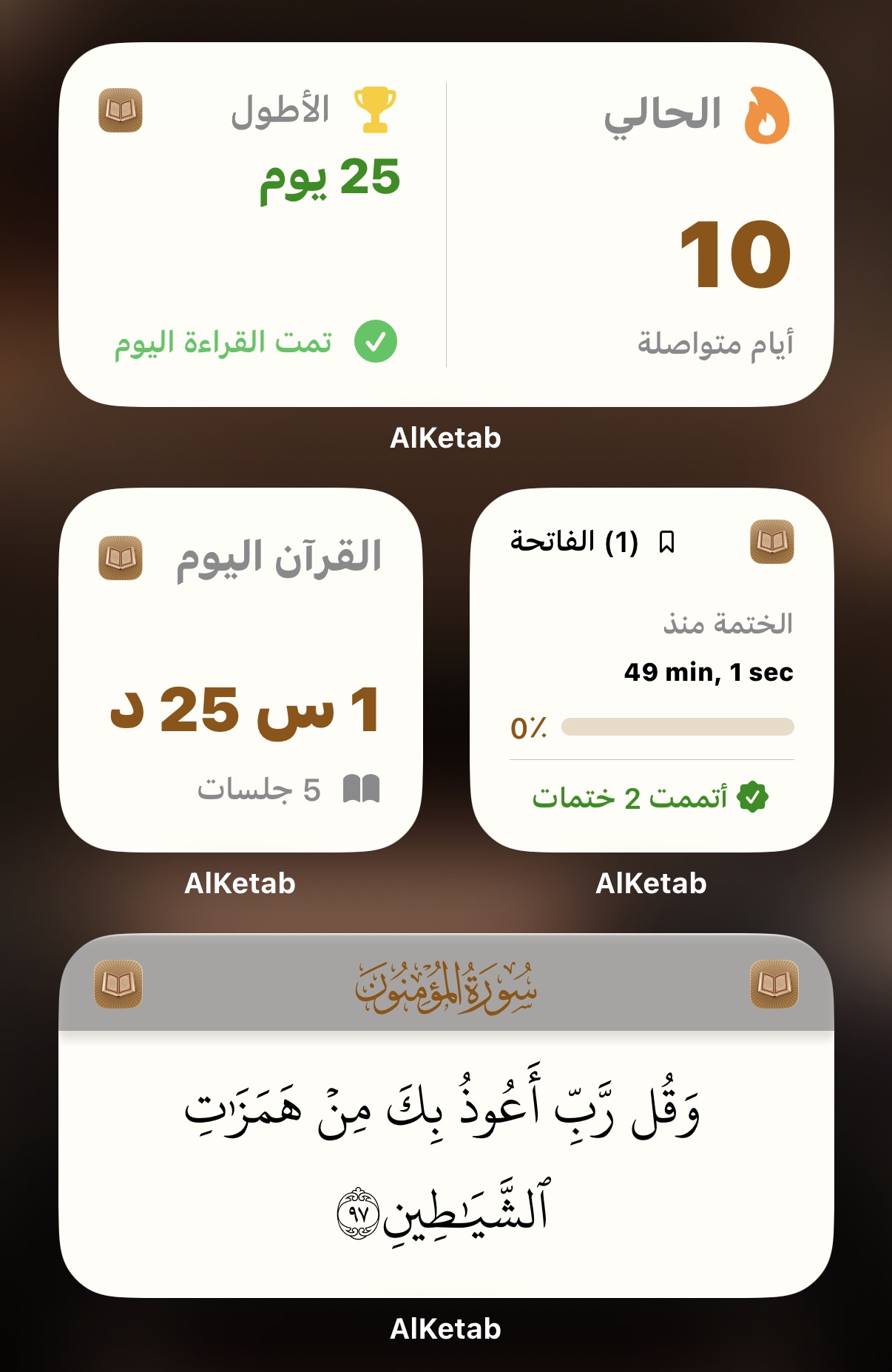
Keep the Quran always in sight. Quickly track your progress with a new home and lock screen widget that displays the current surah, verse, and progress bar, designed to complement the system's interface aesthetics.
Book Assistant (Your Smart Companion)
Next, we come to a feature that we believe has never been properly implemented in any of the apps: the "Smart Quran Assistant." This assistant isn't just a voice assistant that plays Quranic verses; it understands you, knows what you want, and controls the entire app.
It is a voice-activated Quran companion (or keyboard if the place is not suitable for speaking), understands your commands and helps you navigate the Quran. Speak to it naturally — say, for example: “Play Surah Yasin with the voice of Mishary from verse 10,” or “Go to Ayat al-Kursi,” or “Look for verses about patience,” or even “Play the verse in which it is mentioned: ‘So your sight today is sharp.’”
It's so smart you can tell it, "Play the current surah." The Book Assistant knows your reading progress and encourages you to continue. And thanks to deep system integration, the assistant is also available via Siri Shortcuts for an even easier and faster experience.
Download the book app for free now and take advantage of the gift.

An application like the book has been under development for a long time and has a high cost, especially since it uses artificial intelligence in some features such as the book assistant, recitation correction, reading tracking, and others… but thanks be to God There are those who donatedThis app costs a full year, but this offer is for a limited time. You are not obligated to accept the gift. If you like the app, you can contribute and pay the subscription fee. If you don't want to pay anything or even receive a gift, that's perfectly fine; all the app's features are yours free of charge. The important thing is that you read the Book of God Almighty; that is the goal.





25 comment