It has always been the dream of every Apple enthusiast to hold full power in their hands, and now with the new M4 chip, we can talk about something that goes beyond just fast web browsing or video editing. We are talking about turning your Mac into a private AI server that runs entirely “locally.” No internet, no monthly subscriptions, and no worries about big tech companies spying on your data. The idea of running an AI model that performs research, planning, and coding tasks directly from your device’s hard drive is the pinnacle of technical enjoyment that a Mac user can experience today.

The Maze of Settings and Tool Selection
It is not as simple as opening an app and downloading a model; entering the world of local models is somewhat like building a computer from scratch. You must first choose the platform that will manage the model, whether it is Ollama, llama.cpp, or LM Studio. Each platform has its quirks and limitations, and not all of them support the same models. Then comes the biggest challenge: choosing a model that fits your device’s 24GB of memory while leaving enough space for your other applications to run smoothly.
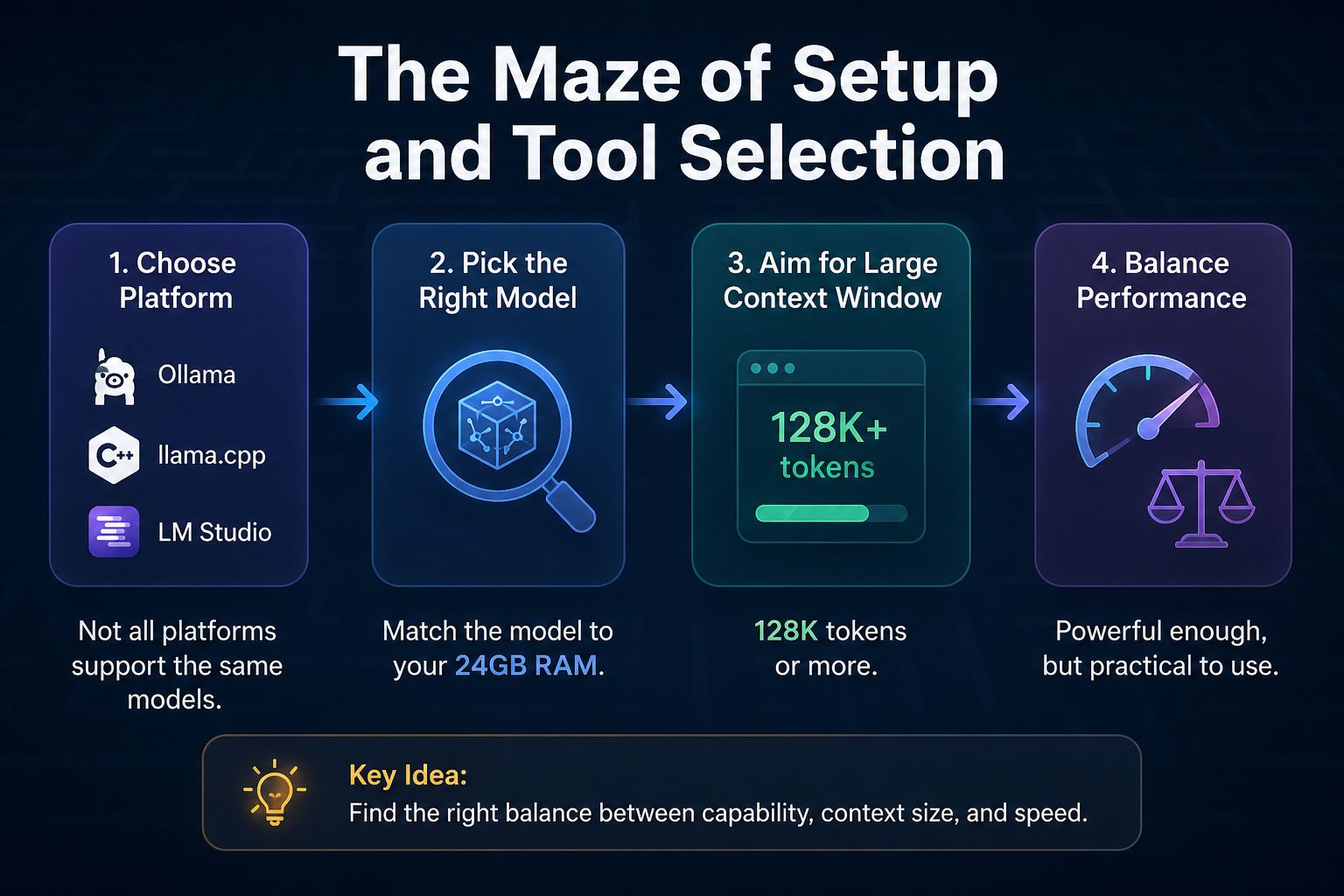
The goal here is to find a model that offers a large context window, preferably 128k tokens or more. Experiments with models like Qwen 3.6 or GPT-OSS 20B have shown that although they are technically capable of running within the memory, they can become practically unusable due to extreme slowness, while other smaller models like Gemma 4B might struggle to execute complex tools and tasks.
The Unsung Hero: Qwen 3.5-9B
After extensive testing, the qwen3.5-9b@q4_k_s model stands out as the best-balanced choice for a MacBook Pro with 24GB of memory. This model runs at an impressive speed of up to 40 tokens per second, with “Thinking Mode” enabled and the ability to use coding tools successfully. Although it may occasionally get distracted compared to giant cloud models, it remains an impressive performance for a portable device that requires no network connection.

To achieve the best results in precise coding tasks, it is recommended to fine-tune the settings, such as setting the Temperature to 0.6 and enabling options like top_p=0.95. These small technical details are what make the difference between a smart answer and one that enters a vicious cycle of repetition.
Interactive Workflow: Human and Machine Side-by-Side
We must be realistic; local models like Qwen 3.5 are not yet ready to build a complete application with the click of a button as advanced cloud models do. Instead, they require an interactive workflow where you take the lead and use the model as a research assistant or a smart “Rubber Duck” to review code or instantly recall details of complex programming languages.
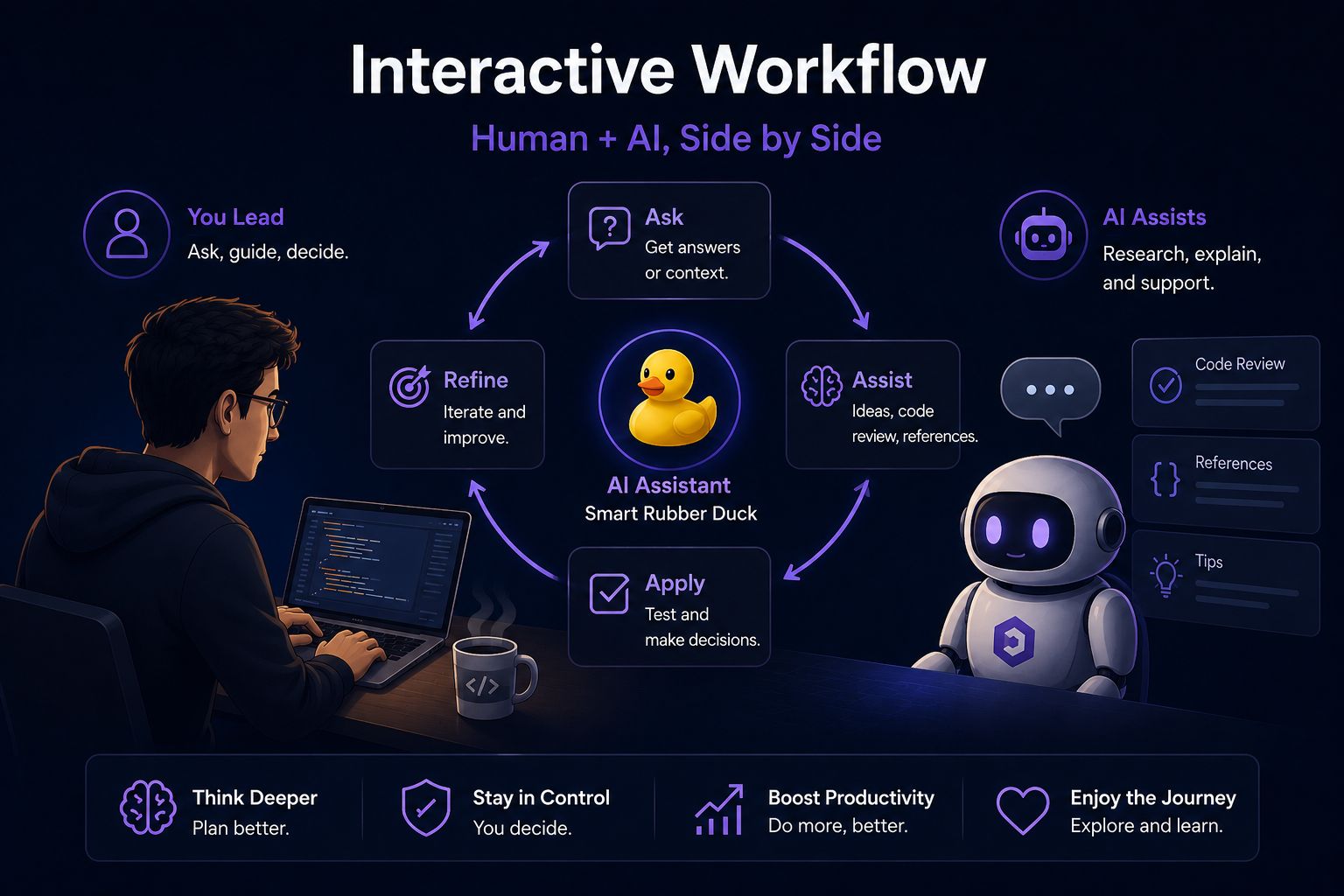
This working style, while requiring more mental effort from you, encourages you to think and plan better. You are not delegating thinking entirely to the machine; rather, you are using it as a tool that enhances your productivity without losing control over the project. It is a fun and sustainable technical experience that reminds us why we loved technology in the first place: the ability to tinker with tools and discover the limits of what is possible.
Source:



Leave a Reply