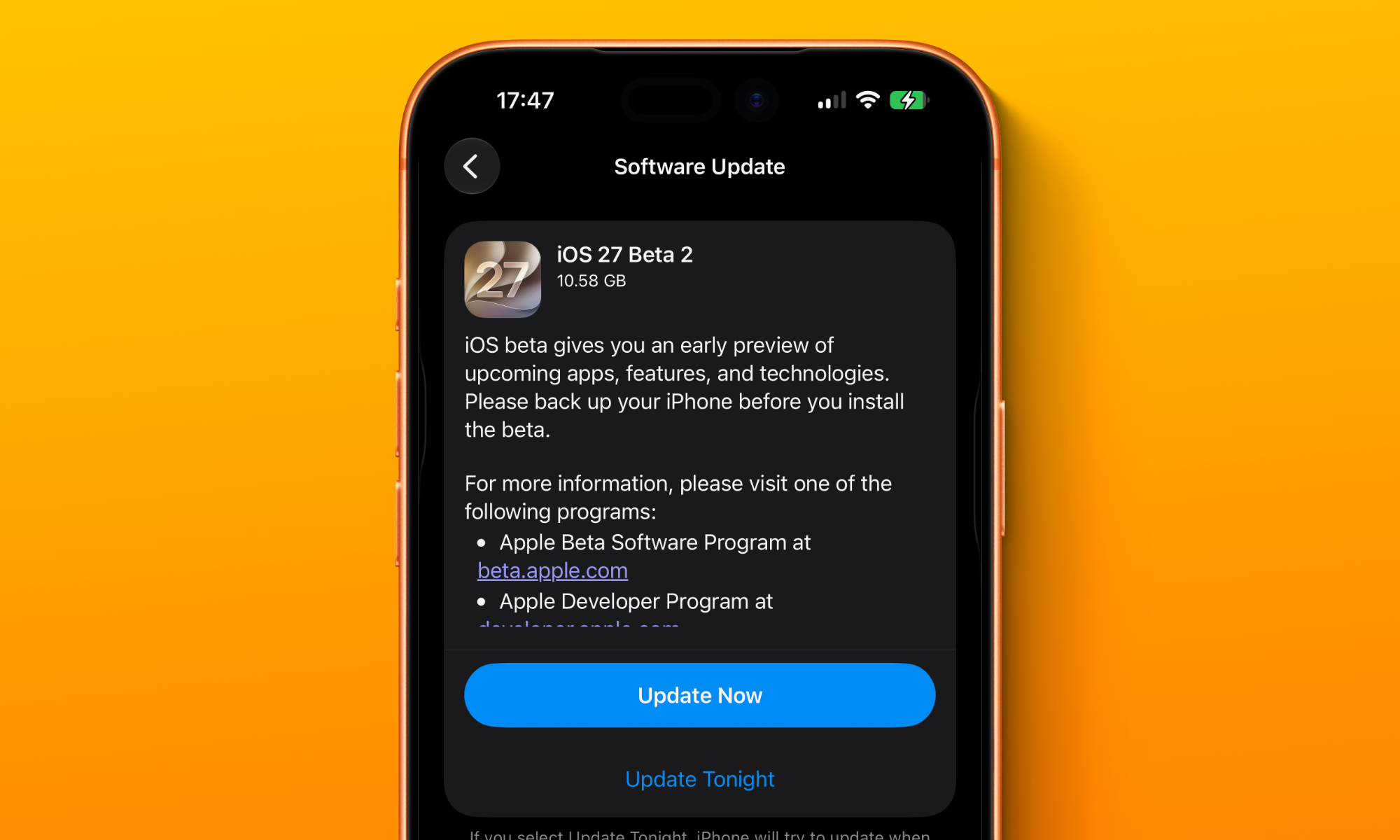
Two full weeks have passed since Apple treated us to its Worldwide Developers Conference (WWDC) and released the first beta version of the highly anticipated iOS 27 operating system. Following Apple’s usual schedule, it is time for us to receive the second Developer Beta. Although the first beta brought us almost everything Apple showcased, this new release proves that Apple still has more surprises and small, wonderful features up its sleeve that make the system experience more mature and enjoyable.
“Write with Siri” feature with entirely new intelligence
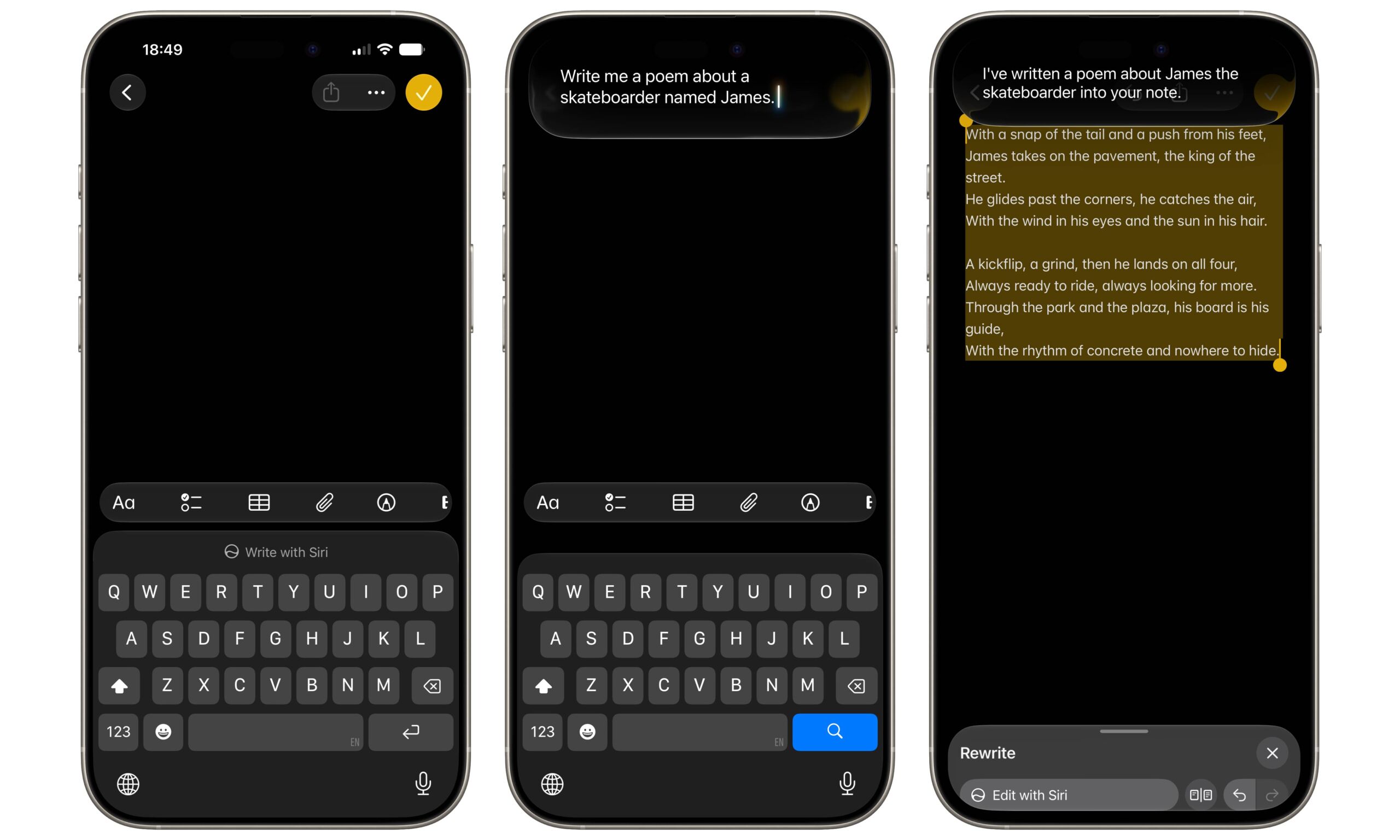
The first beta version saw a notable absence of the AI-powered “Writing Tools” we were previously accustomed to. The reason for this is that Apple was working behind the scenes to replace them with a smarter and more capable version powered entirely by the upgraded Siri under a new name: “Write with Siri.” It seems it wasn’t quite ready for release in the first beta, but it has arrived today to make its presence strongly felt.
The general concept is very similar to the previous tools, but it offers an innovative user interface for activation and control. The most prominent feature is the appearance of the “Write with Siri” option directly in the keyboard suggestion bar. Once you tap it, you can make a direct request to Siri in natural language, asking it to draft text from scratch, review and correct written text, or rewrite an entire paragraph to suit your purpose.
The new interface has become simpler; the old ready-made templates, such as drafting text in a “friendly” or “professional” style, have been removed, and the reliance is now entirely on explaining what you want to Siri yourself. Even better, you can do this directly via your voice, as Siri now has full awareness of what is happening on the screen and will read what you are working on to draft or edit based on your request smoothly and without complex steps.
RCS messages get reactions and in-line replies with Android
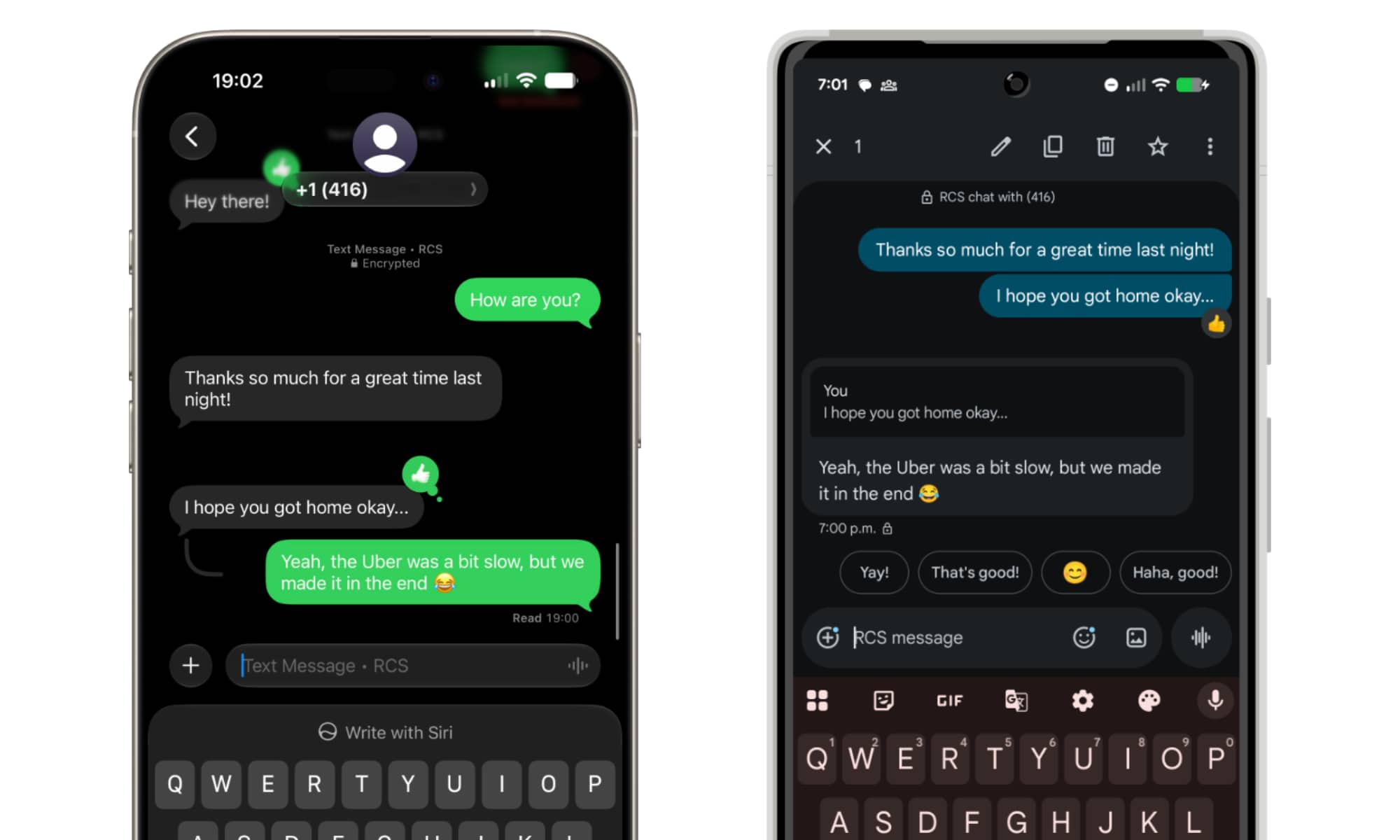
When Apple announced support for End-to-End Encryption (E2EE) for RCS messages earlier, skeptics feared that Apple would limit itself to this security aspect only to clear its name in the privacy field, ignoring any interactive features that might make the chat experience with Android users close to the exclusive iMessage experience. However, the second beta partially proved this theory wrong, as Apple finally brought Emoji Reactions and In-line Replies to RCS messages.
Although these features technically belong to the slightly older RCS protocol (Universal Profile 2.7), their arrival significantly enhances communication fluidity. Now, when you receive a message from a friend using Android in an RCS chat and long-press on it to add a reaction like a heart or a thumbs up, the actual reaction will appear directly on their device.
Goodbye to those annoying days when reactions arrived as funny text messages telling you that the other party “Liked…”! Conversations will now be more interactive and organized, and you can reply directly to a specific message within the chat using the in-line reply feature to avoid cluttering the conversation and follow long discussions easily.
Apple Wallet app expands with “Insights” financial analytics
It seems that iOS 27 is paving the way for expanding a great feature that was previously exclusive to the Apple Card: detailed financial analytics and expense charts. Previously, only Apple Card users could intelligently track their daily and monthly expenses, but Apple had previously attempted to bring this feature to other cards via “Connected Cards” in iOS 17.1, which remained very limited in the UK due to its reliance on the Open Banking interface that American and global banks have not adopted sufficiently.
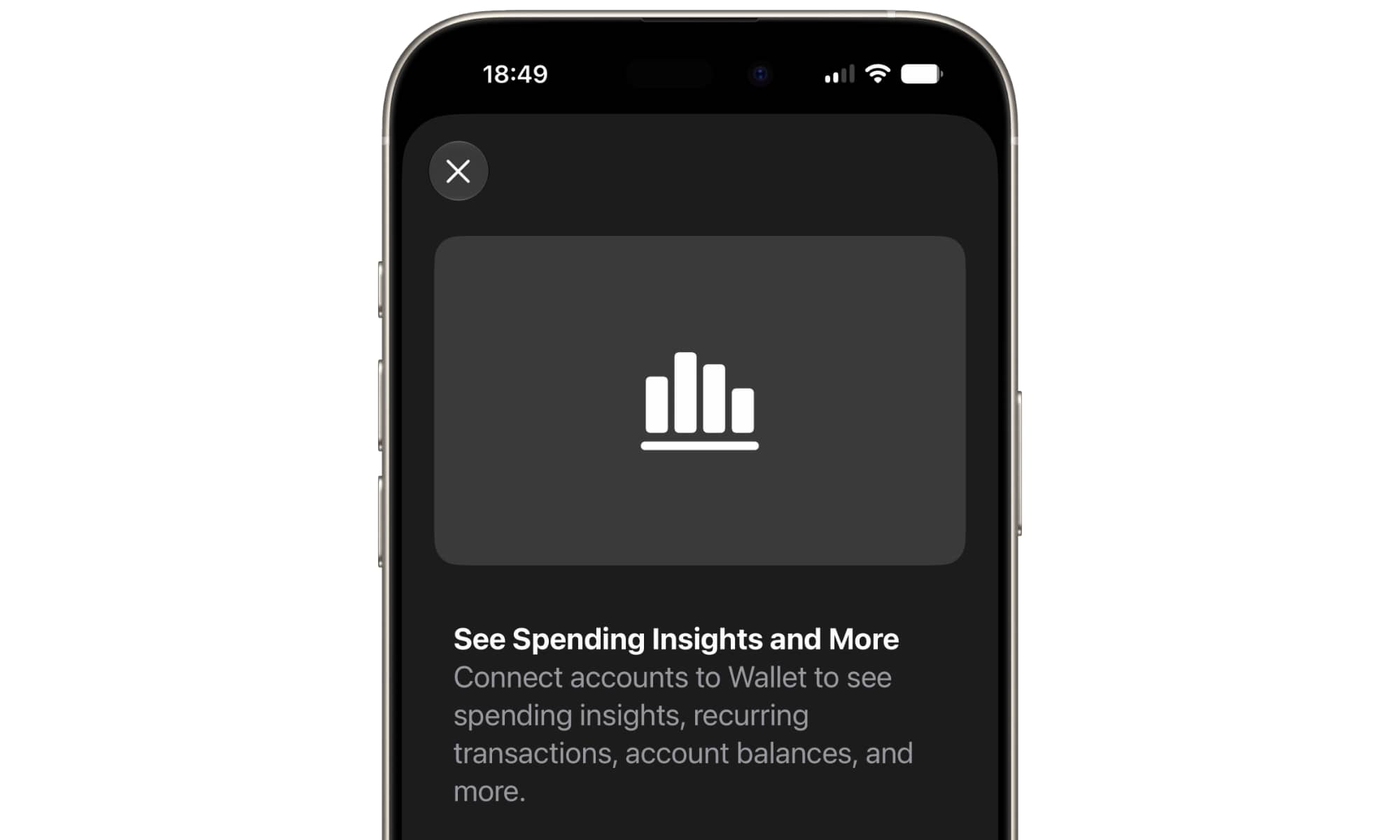
In the second beta of iOS 27, an interesting new welcome screen appears under the name “Spending Insights.” The screen clearly states that you can now “link your financial accounts to the Wallet app to view spending analytics, recurring transactions, account balances, and more.” Although the feature does not seem to be fully functional yet in this beta update, its mere appearance is cause for optimism.
Although this option appeared to some US users perhaps by mistake, or as a preliminary step, it is logical that the feature will expand to users in the UK given the readiness of their open banking system. We hope that Apple is planning to establish broader banking partnerships that will allow all iPhone users around the world to enjoy smart and unified financial management directly from the official Wallet app.
Update Apple TV devices directly from the Home app on iPhone
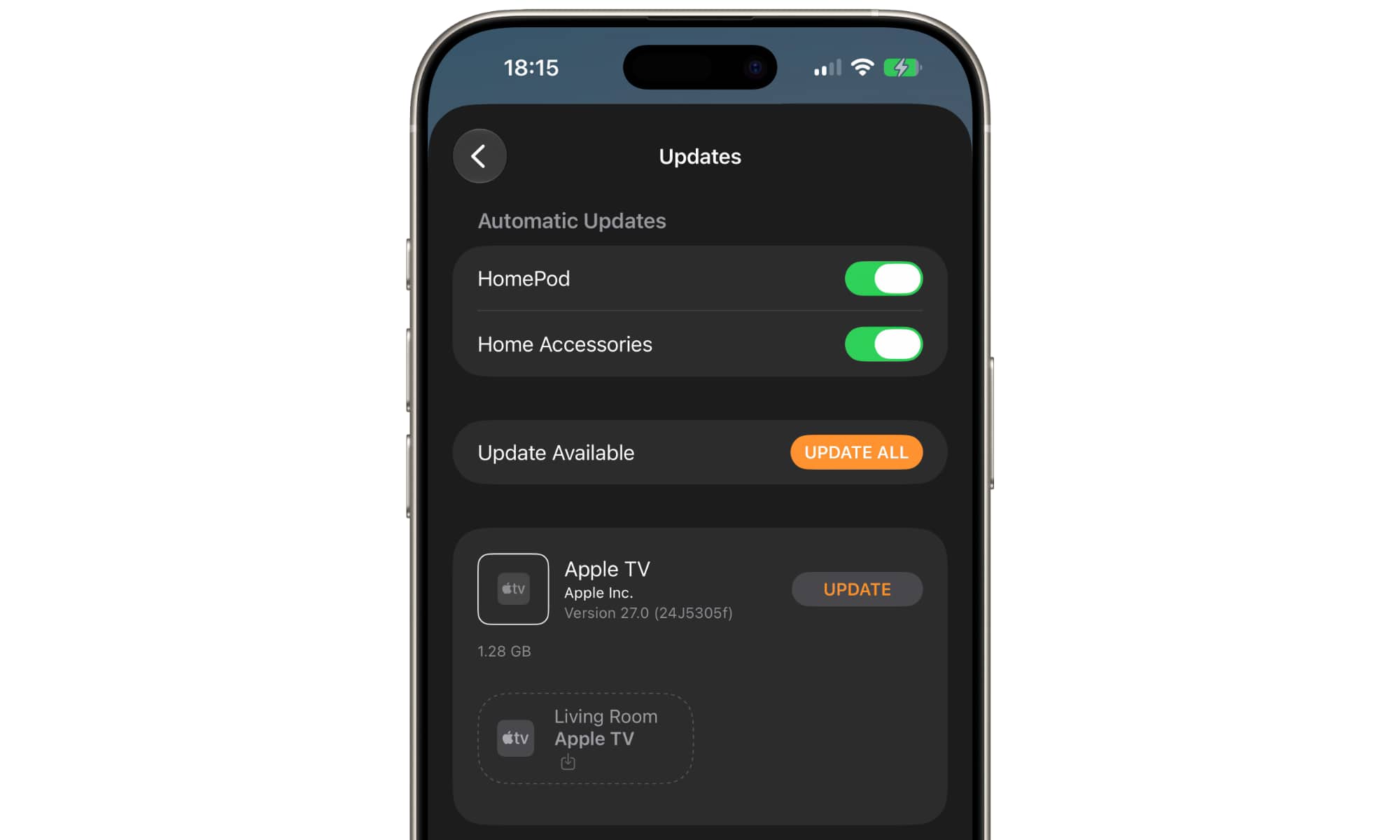
In a smart move that increases the cohesion and integration of the Apple ecosystem, iOS 27, along with tvOS 27, has brought a small but extremely practical and convenient feature. It now allows you to start and install software updates for your Apple TV directly from the Home app on your iPhone, just as you do with HomePod devices.
This feature will be a real gift for anyone who owns more than one Apple TV in their home, as it allows them to manage and update them all at once with a quick tap from the iPhone, without the need to find the Siri Remote and navigate through long, traditional settings menus on each device separately to install the update independently.
Although the feature was technically added since the first beta, it did not appear in a practical and effective way until today with the launch of the second beta of tvOS 27, as it necessarily requires both the iPhone and the TV to run the current beta versions of iOS 27 and its accompanying updates for the system to work correctly and cohesively.
When will iOS 27 be officially available to everyone?
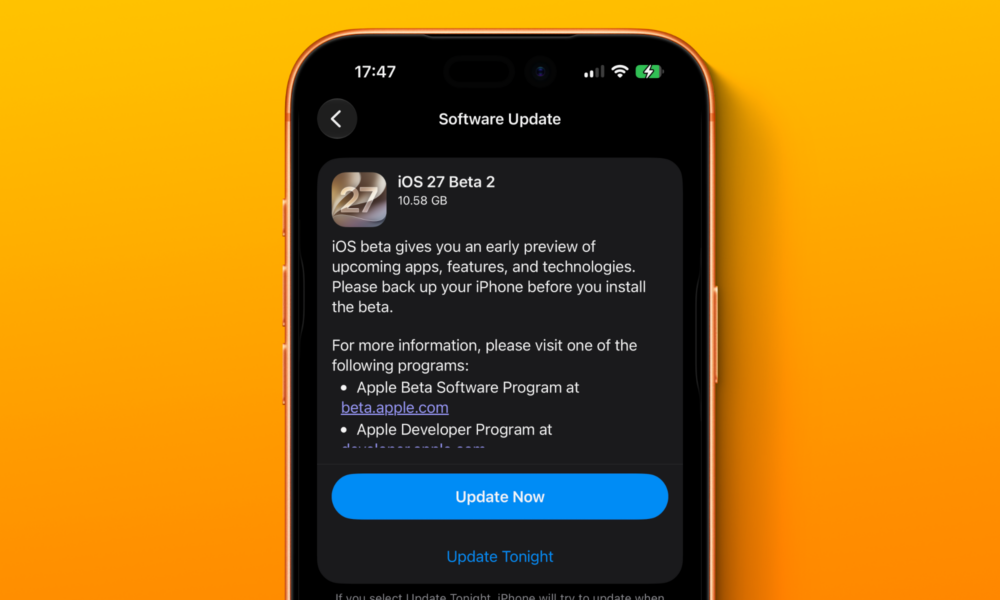
Since we are still in the second Developer Beta, the system is still in a very early stage that falls under the “install at your own risk” category. Although Apple allows everyone to register as usual and download beta versions for free and easily, we never recommend installing this update on your primary device that you rely on in your daily life, unless you have a spare iPhone dedicated to testing purposes and dealing with bugs and the expected rapid battery drain.
As for adventure-seeking enthusiasts looking for a bit of excitement but with a higher level of safety and stability, Apple is expected to release the first Public Beta of iOS 27 sometime in July. Meanwhile, the vast majority of users who prefer a stable system free of any software defects will have to wait until the final official launch, which will come as usual in September, coinciding with the unveiling of the new phones.
Source:

Leave a Reply