With the official launch of iOS 27 approaching and everyone eagerly awaiting the stable version, Apple has released the fifth beta (Beta 5) for developers and enthusiasts. This version is not limited to the usual bug fixes and performance improvements; it also brings new design touches, refinements to the Liquid Glass visual language, and practical features that make the iPhone user experience smoother and smarter.
New Icons and Liquid Glass Design Language Updates
The fifth beta version refines the main interface with noticeable updates to the icons of built-in applications. Changes include icons for Safari, Siri, Settings, Remote, as well as the App Store and the Preview app. Some of these icons have been completely redesigned using the Liquid Glass visual language, while others have received more depth and clarity.
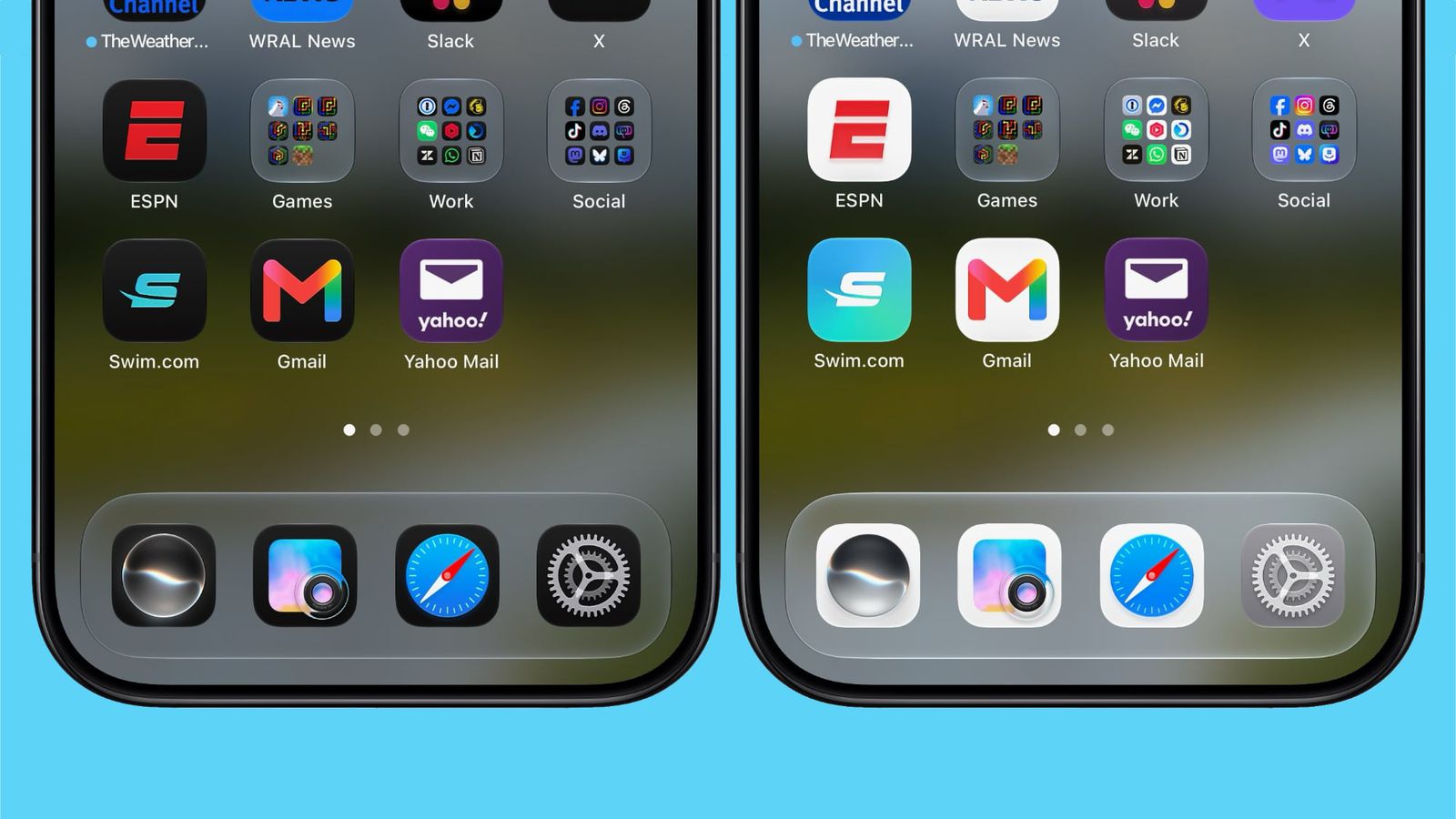
Apple didn’t stop there; it also adjusted the transparency option in Liquid Glass settings to be clearer compared to previous beta versions, giving glass elements higher visual sensitivity and a reflection that is more consistent with the wallpaper.
Siri Voice Customization and Contact Improvements
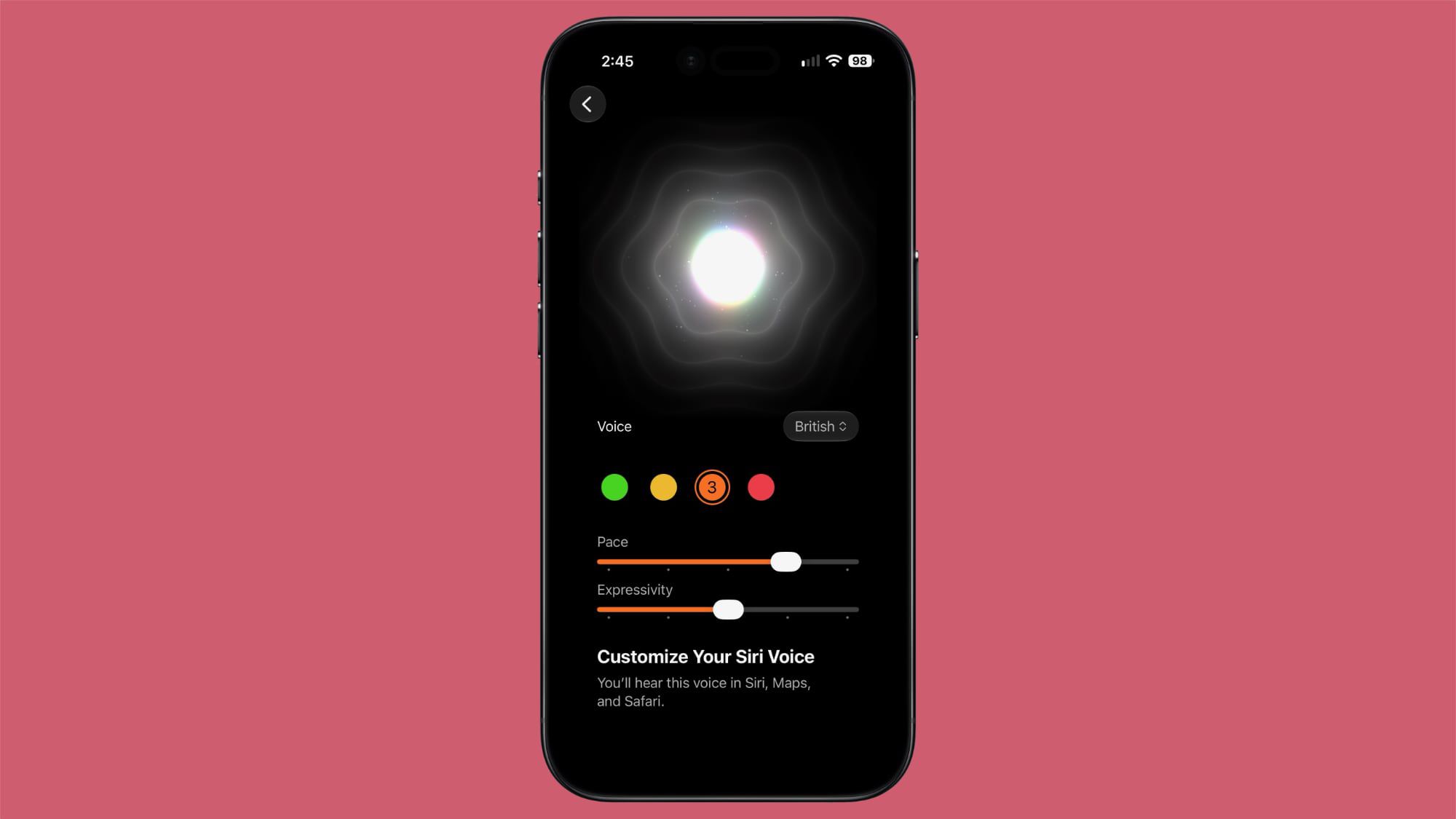
As part of the development of AI-powered Siri, Apple has provided new options for more precise voice customization. You can now adjust the pace and expressivity for all seven American voices and four British voices. Since this advanced audio processing is performed entirely on-device to maintain speed and privacy, the feature is exclusively limited to the iPhone 17 Pro, iPhone 17 Pro Max, and iPhone 17 Air.
Contacts
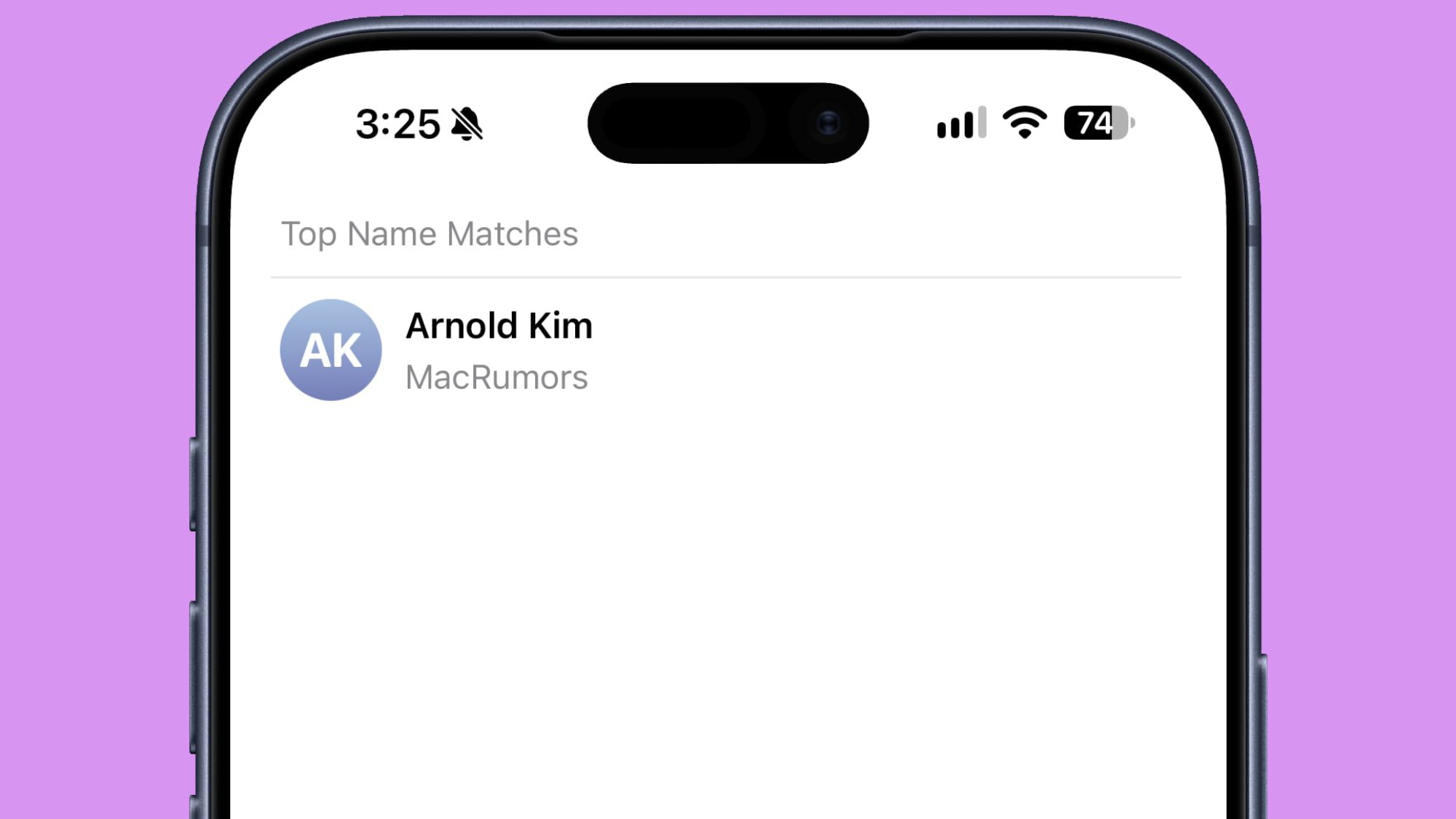
In the Contacts app, the system now presents details more quickly and easily; when a contact is associated with a specific company name, the company name will appear directly under the person’s name in the contacts list and during searches, eliminating the need to open the full contact card to identify the person’s professional affiliation.
Expanding Wallet Features and Splash Screens
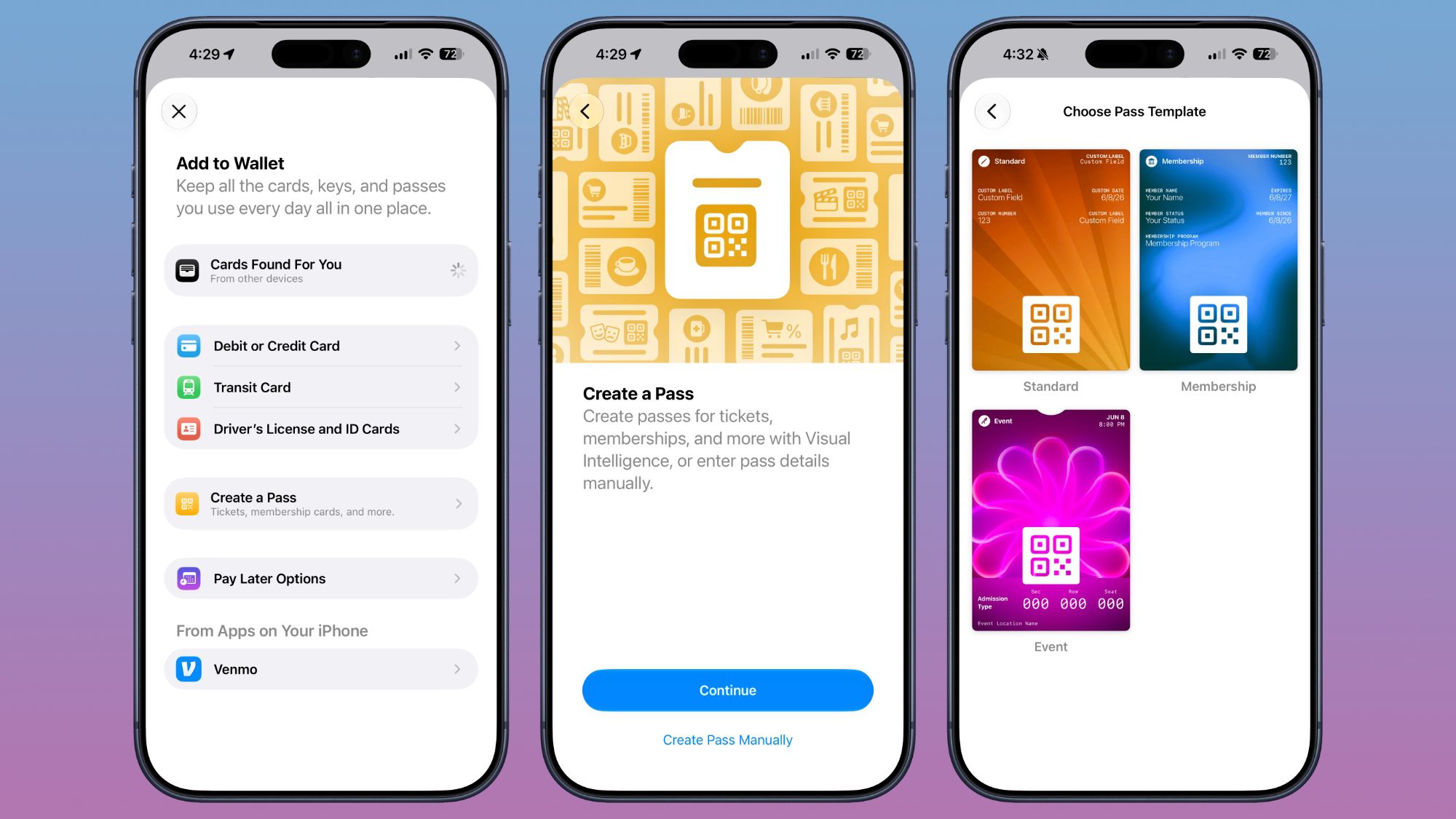
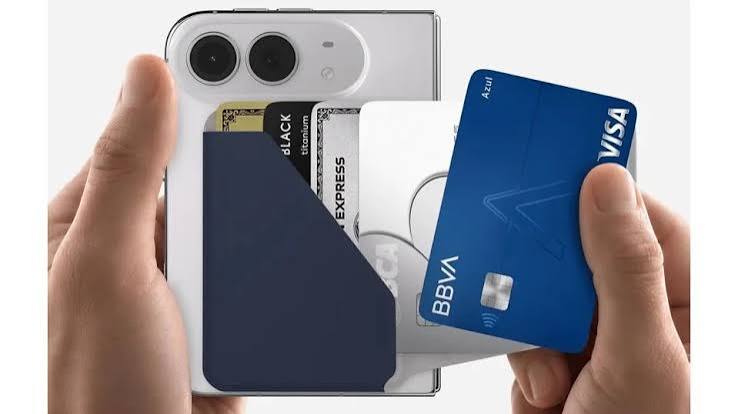
The Apple Wallet app has seen an expansion of the “Create a Pass” feature, which was previously limited to users within the United States. With this beta version, the feature is now available to users in several other countries, allowing you to convert cards and documents into organized digital passes within the Wallet.
Splash Screens
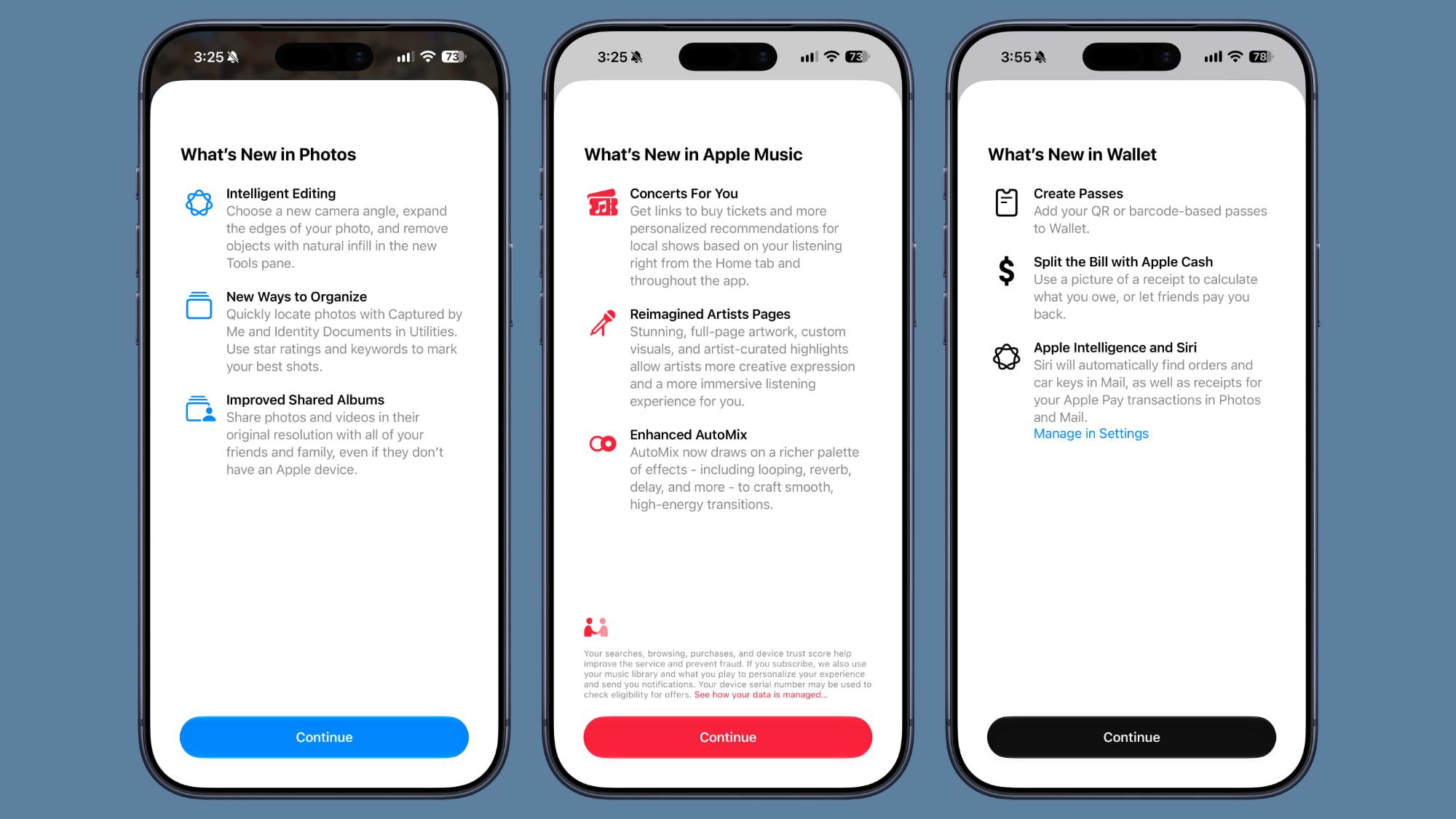
Apple has added new splash screens when launching the Photos, Wallet, and Music apps for the first time after the update. These screens highlight the new features and key changes that iOS 27 has brought to those applications.
Spotlight Search Improvements and Control Center Options
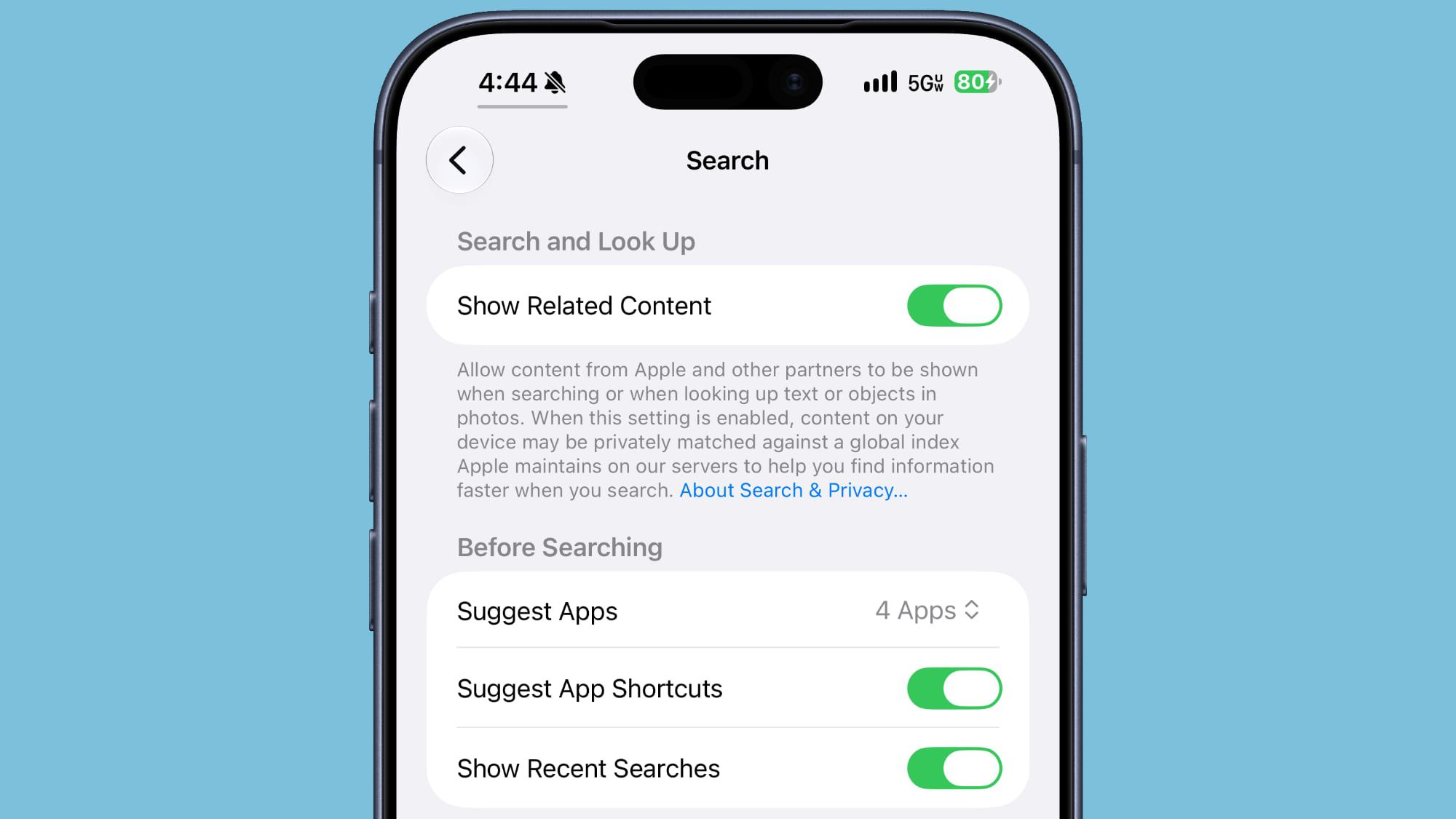
The search interface has received aesthetic and organizational touches; the animation when invoking the search bar or the Ask feature is now smoother, with suggestions appearing simultaneously with the search bar. Apple also added a new option at the bottom of search results called “Search the Web” for quick internet redirection. For better customization, you can now specify the number of app results shown in search (turn them off completely, or show 4 or 8 apps), with a dedicated button to control the display of app shortcuts.
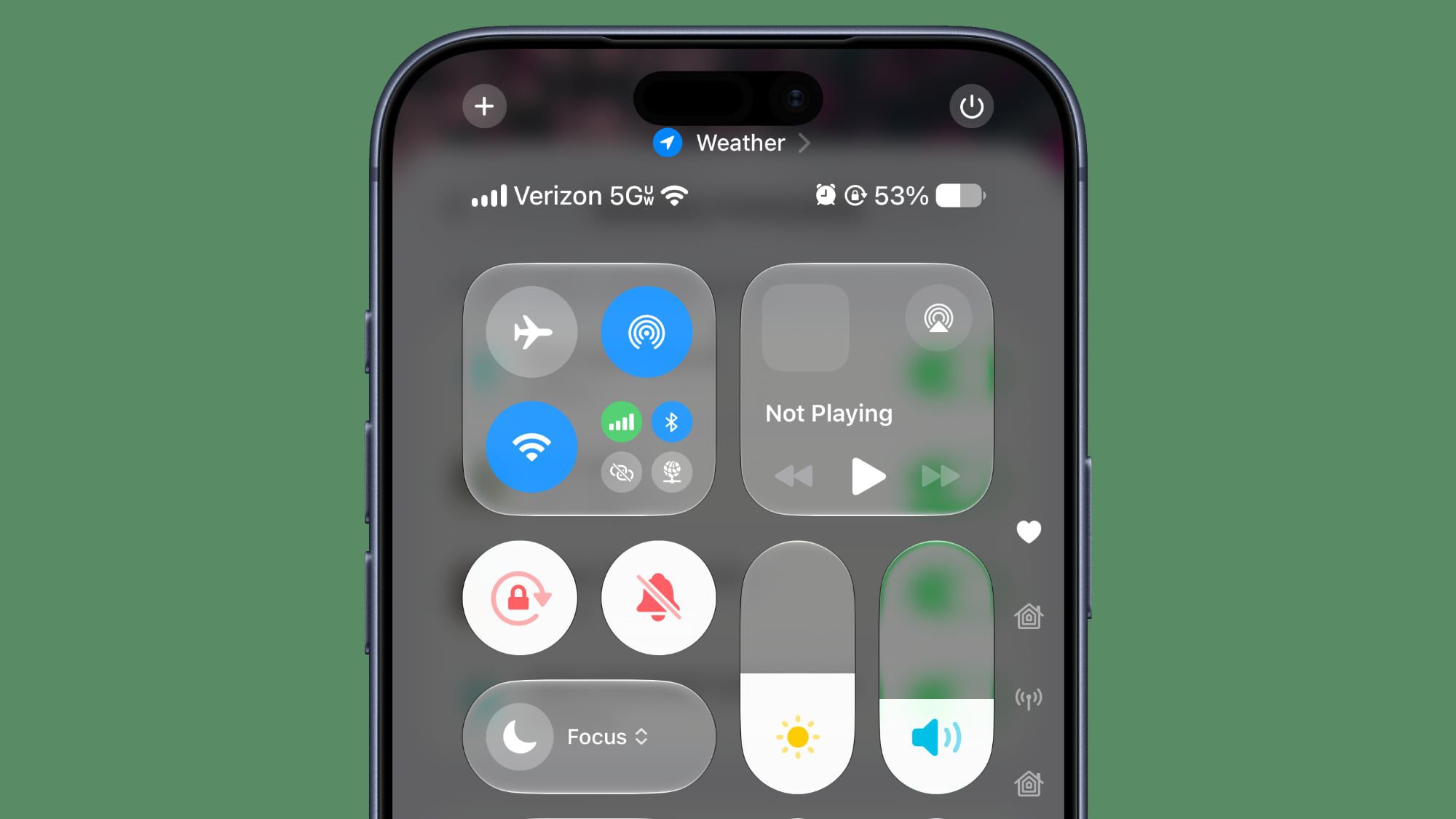
In the Control Center, a smart adjustment has been made; when the phone is connected to a Wi-Fi network, the Control Center will no longer display cellular data information to avoid unnecessary visual clutter. Regarding network connectivity, Apple has officially launched support for advanced 5G+ networks for users in Spain.
System Settings, Clock, and Battery Tracking Updates
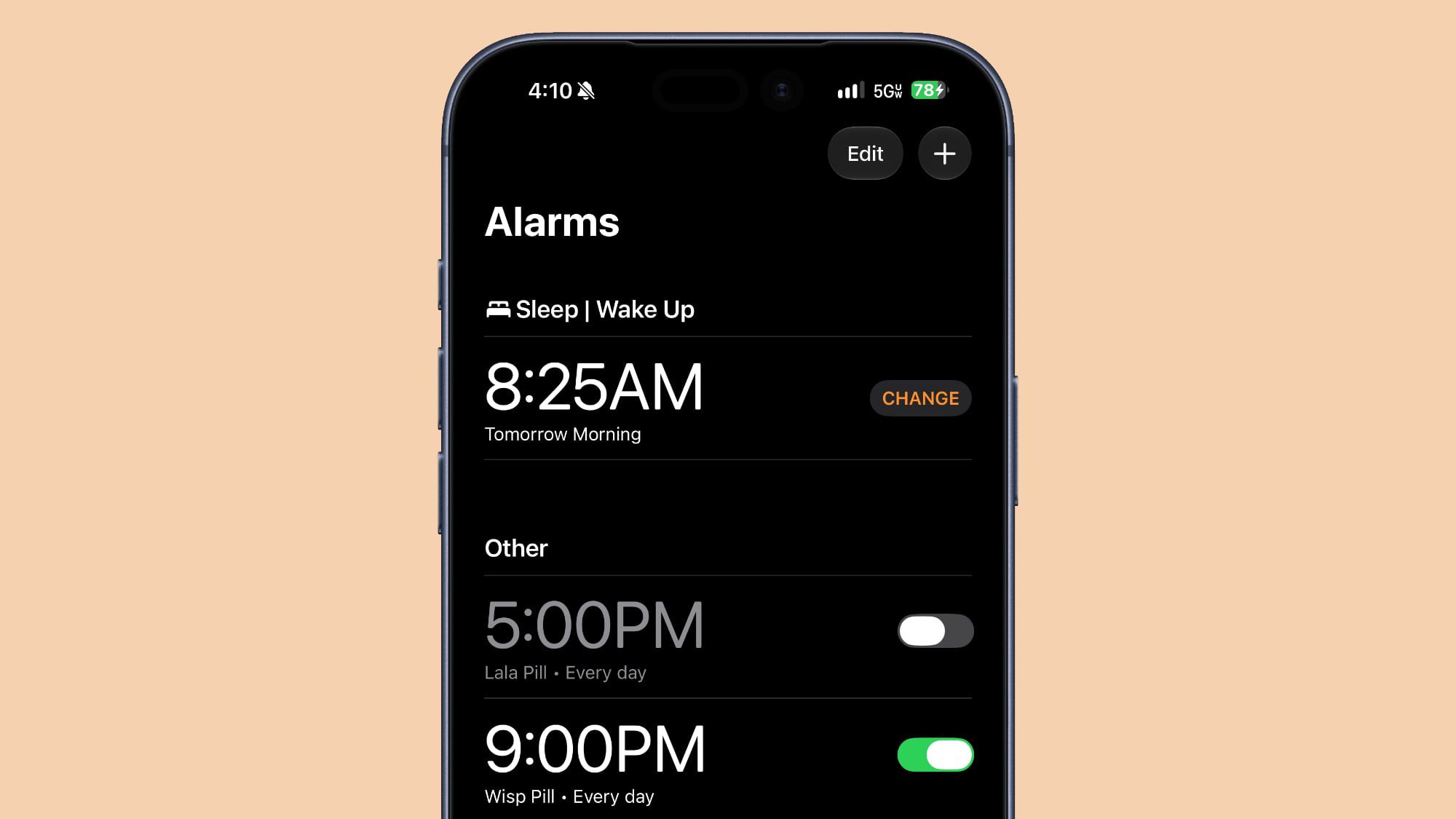
Changes also included subtle details in the system interface, as the Clock app received an update to the font used in the Alarms and Timers sections, making the text thicker and clearer.
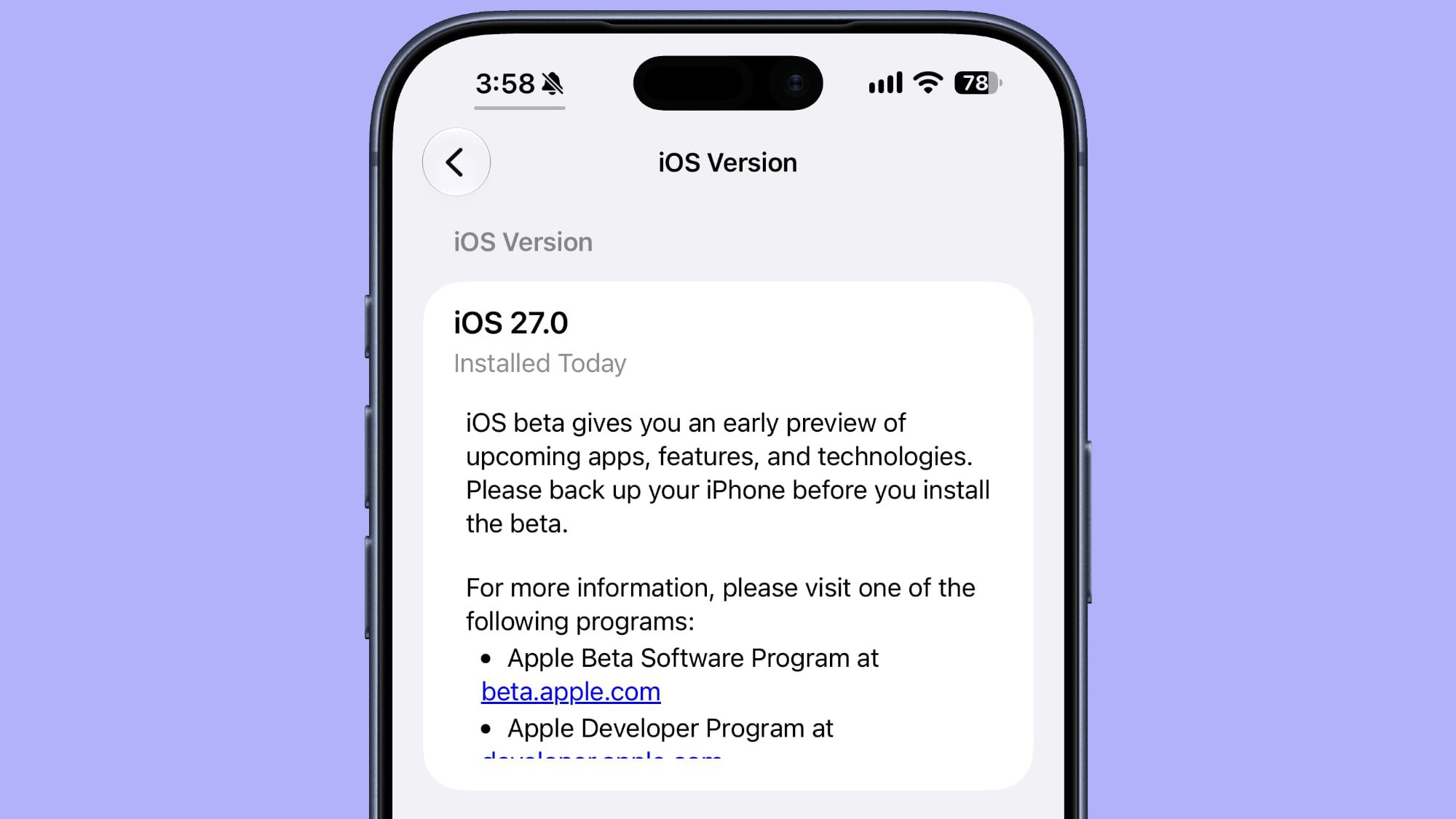
The About section (Settings > General > About) now directly displays the date and time of the last system update installation, in formats such as “Installed Today.”
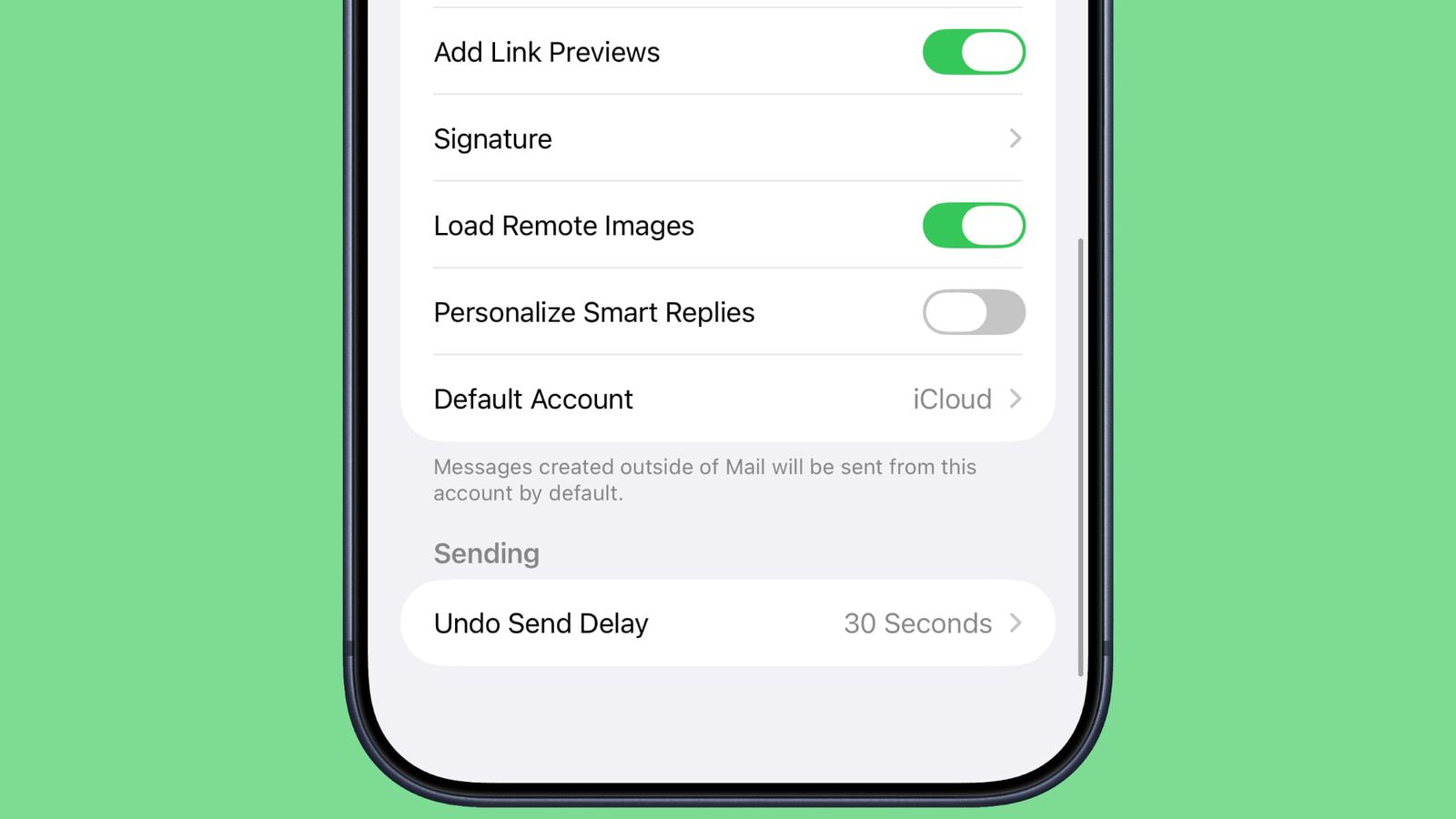
In the Mail app, Apple added a new option to control the “Personalize Smart Replies” feature. The feature comes disabled by default and can be enabled according to the user’s preference from Mail settings.
In the Battery section, the system now provides a smart alert that informs you if poor cellular coverage is the primary reason behind battery drain.
Source:
Leave a Reply