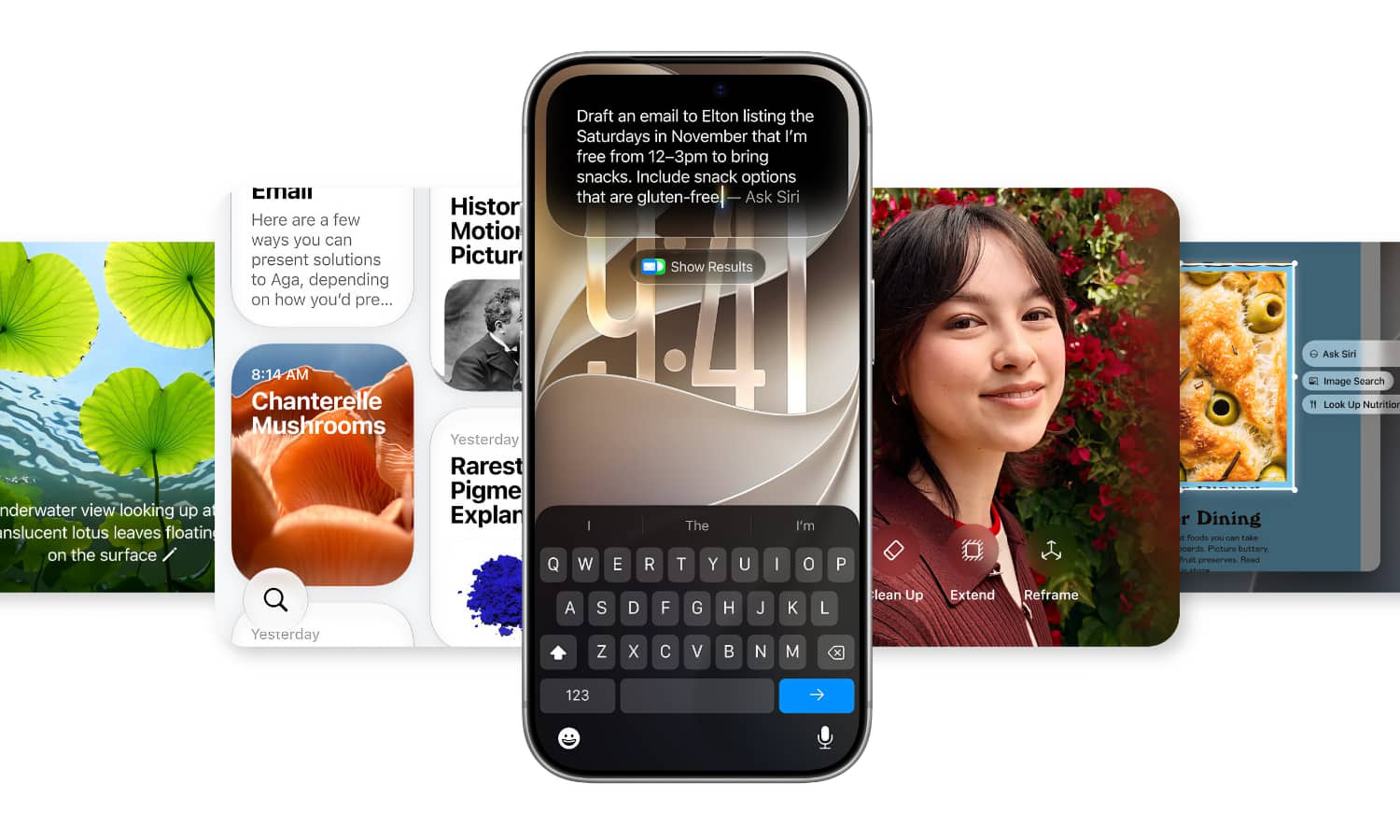
It has been quite a while since Apple launched its artificial intelligence system, and let’s be honest with ourselves: not every tool the company introduced was something we necessarily used every day. While generating custom emojis via Genmoji was fun, and summarizing long notifications might save you a few seconds here and there, none of those features brought about a radical shift in our daily interaction with the iPhone. However, the iOS 27 update has quietly changed the game. Apple has evolved its Apple Intelligence tools into purely practical utilities that touch the core of productivity. Interestingly, they are even available for base iPhone 16 models, provided they support this system.
Safari monitors web pages for you with the «Notify Me» feature
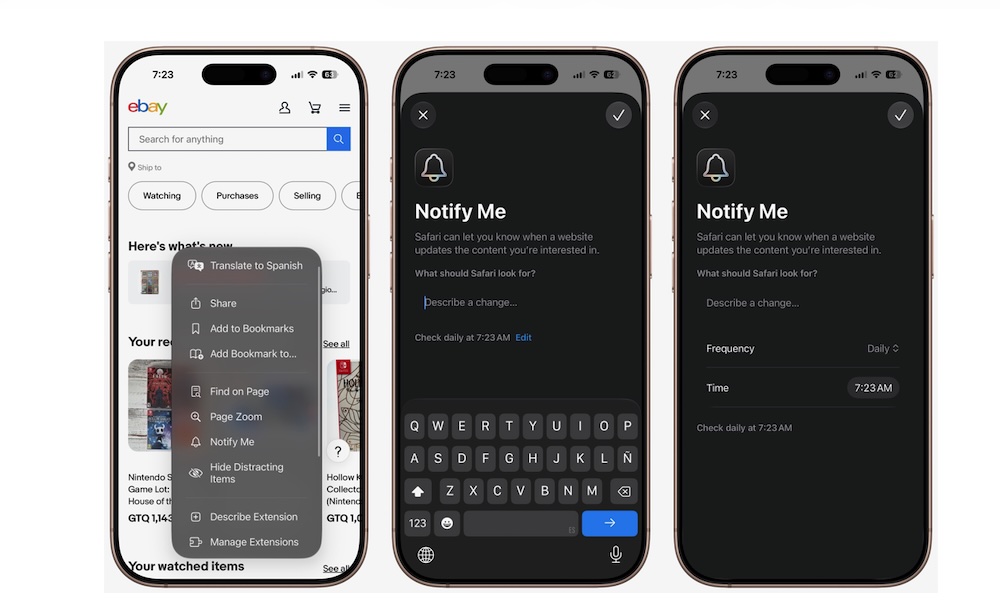
The «Notify Me» feature in the Safari browser is one of the smartest and most useful additions in iOS 27. Instead of reopening a page and refreshing it dozens of times a day waiting for an out-of-stock product to become available or watching for a price drop on a device you want to purchase, you can simply delegate the task of monitoring to the browser.
All you have to do is visit the site via Safari, tap the page menu, and select «Notify Me». Then, write a precise description of what you want to track in your natural language, with the ability to adjust the page check frequency from the settings option. Apple Intelligence then handles reading the changes on the page and notifies you as soon as the desired update occurs, without you having to exert any extra effort.
Create complex shortcuts with natural speech, no technical expertise required
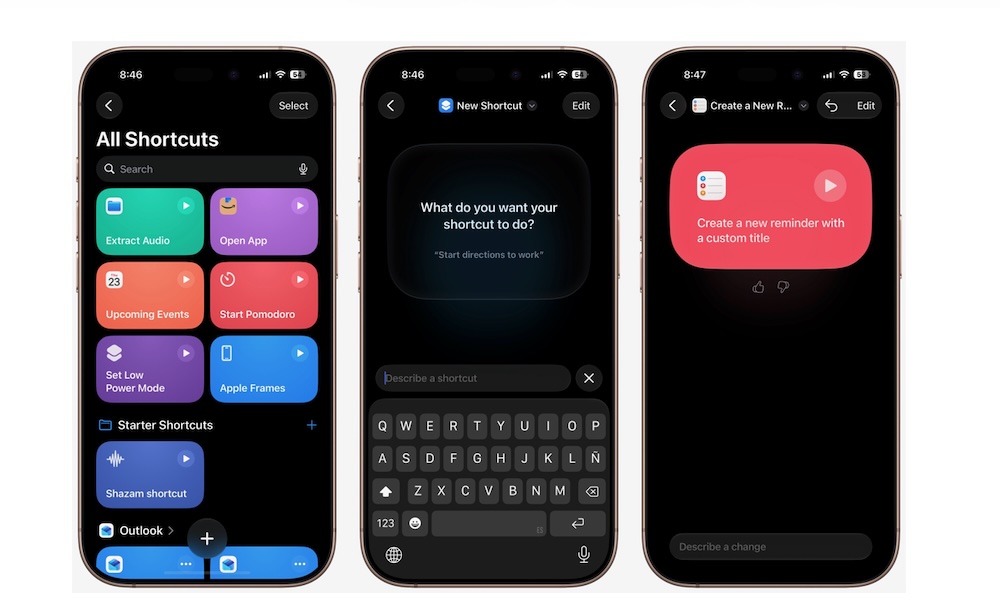
The Shortcuts app has always been a hidden treasure within the iPhone, but it has always carried a significant technical barrier; building a simple task sequence requires an understanding of conditions, variables, and the precise ordering of actions, much like mini-programming, which led a large segment of users to ignore it entirely. With iOS 27, this obstacle has completely disappeared thanks to Apple Intelligence.
You can now open the Shortcuts app, tap the plus (+) button, and simply write what you want, such as: “Send an automatic text message when I leave work” or “Turn on Low Power Mode as soon as the battery drops to a certain level.” The system analyzes your request, selects the appropriate software tools, links them together, and names the shortcut for you to test and edit as you wish, opening up the horizon of automation to everyone without complexity.
A qualitative leap in Photos app editing tools
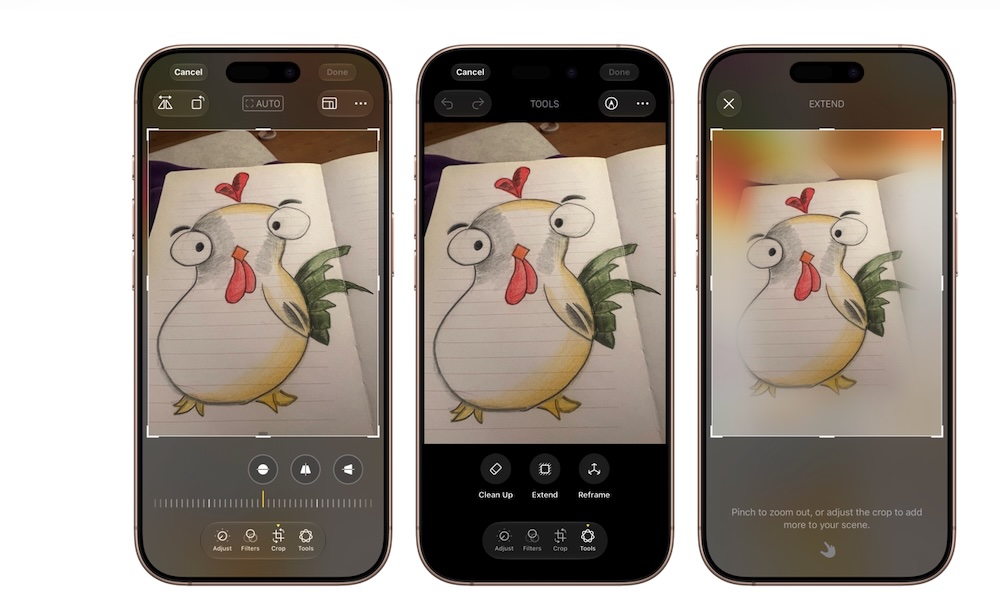
After Apple launched the Clean Up tool to remove unwanted elements from scenes, iOS 27 arrives to enhance its capabilities and add new generative options that make editing more professional and flexible. The Clean Up tool is now capable of handling larger objects and filling the resulting gaps with realism and tangible harmony with the rest of the background.
The most impressive tool is the «Extend» feature, which allows you to drag the edges of an image outward, letting Apple Intelligence generate a natural extension of the scene and complete the missing background seamlessly. Alongside it comes the «Spatial Reframing» feature, which resets the angle of the captured photo. If you took a portrait where you were looking directly at the camera, you can adjust the perspective to make it look like it was taken from a side angle, while adjusting eye tracking and facial symmetry to make the shot look completely natural.
Smart Reply in Messages mimics your true style

Smart Reply is not a new concept, but its eternal problem was its coldness and monotony; responses often sounded like they were coming from a formal automated clerk, which is an inappropriate style for messaging friends and family members. However, the new upgrade that the Messages app received in iOS 27 makes smart replies more personal and adaptive to your personality.
The system analyzes the nature of your previous conversations and your usual phrasing to suggest quick replies that match your tone and your true way of speaking. Of course, the user retains full control to review any response before sending it or to ignore it entirely, noting that these personalized replies are currently limited to English in preparation for supporting other languages in the future.
Image Playground app says goodbye to the cartoonish style and moves toward realism
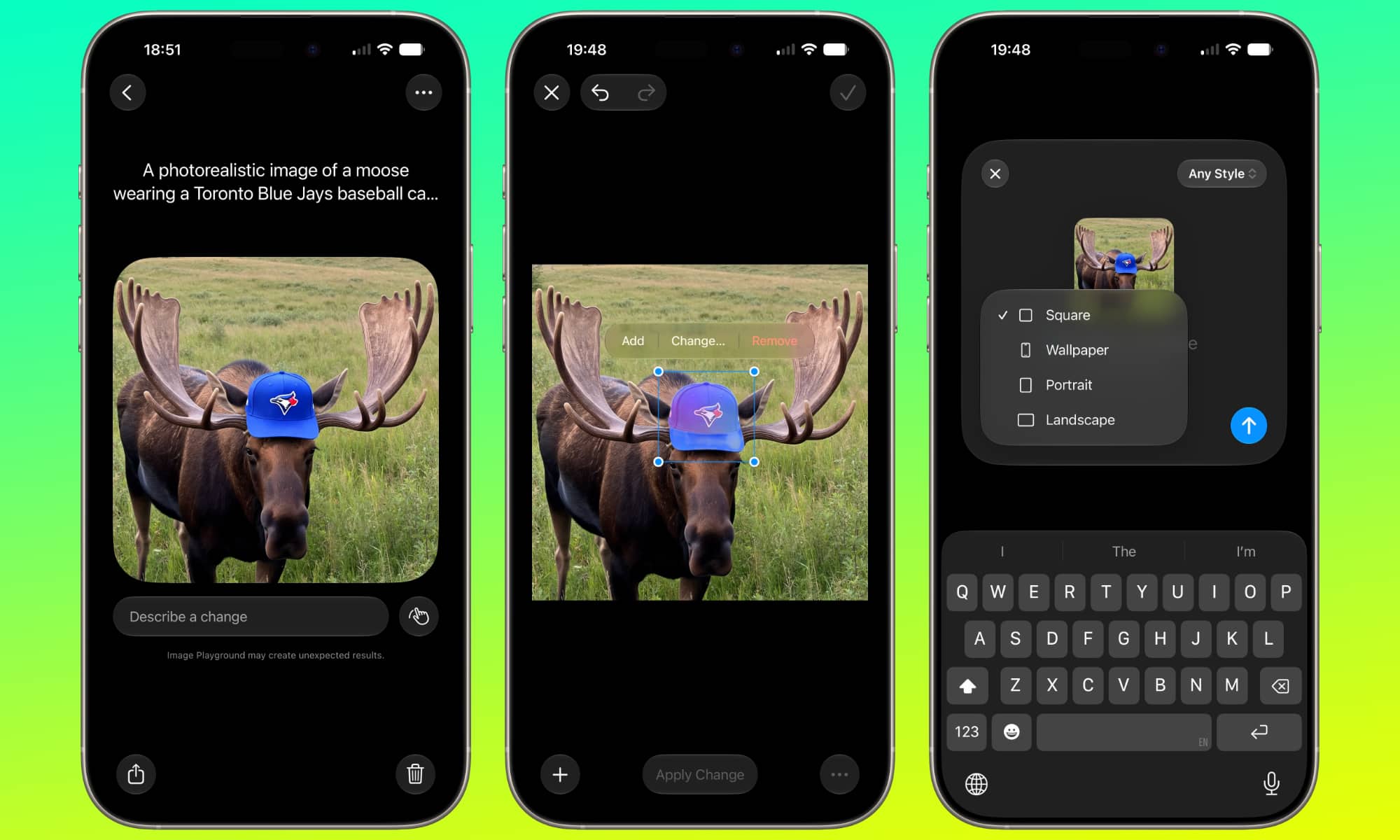
When Apple first unveiled Image Playground, generative images were limited to a graphic and cartoonish style with limited features and options, making the app more of a fleeting amusement compared to advanced image generation tools. In iOS 27, the company rebuilt the system to elevate the level of creation to new horizons.
The system is now capable of generating ultra-high-definition realistic images in multiple styles without being restricted to just emojis. More importantly is the selective editing method; instead of rewriting the description from scratch to change a simple detail, you can select a specific part of the image or circle it and direct the system to modify that specific element, giving you true precision control that rivals independent platforms.
Apple Intelligence finally turns from a technical showcase into real value
There is no doubt that Apple was late to jump on the generative AI bandwagon and was initially forced to rush to launch its system so as not to appear out of the competition, which resulted in superficial features in its first phase. But what we see with the iOS 27 system proves that the strategy of integrating intelligence into the core of the operating system has begun to bear real fruit.
The focus is no longer on dazzling the audience with superficial things, but on closing routine usage gaps within Safari, Photos, and Shortcuts, without burdening the user with additional subscriptions so far. It is a step that moves the intelligence system from the category of luxuries to the category of a practical assistant that truly saves your time.
Source:


Leave a Reply