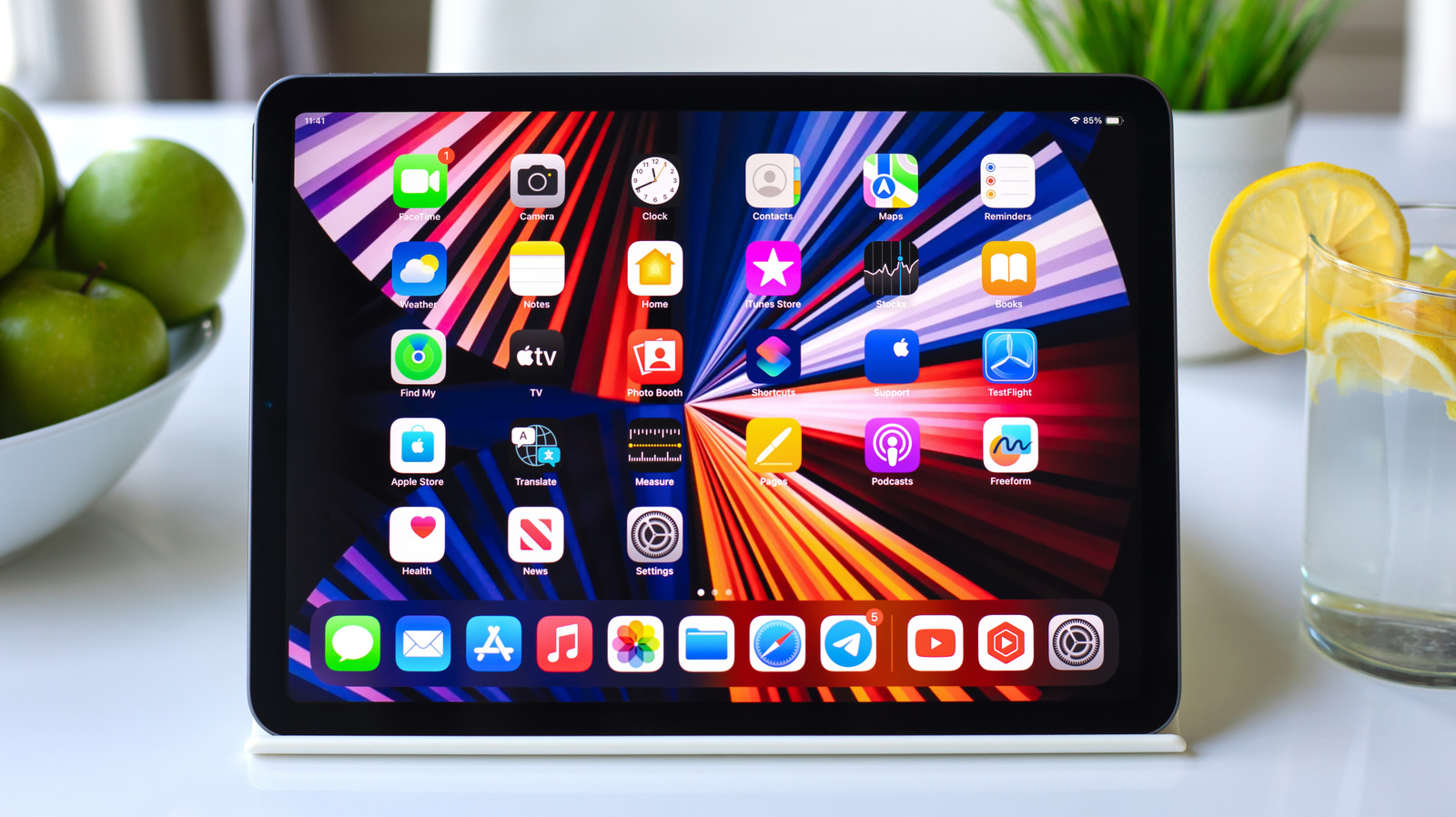
Many iPad owners do not take advantage of the true potential of widgets. Settling for traditional tools like weather or a simple calendar is a waste of your device’s spacious screen; these tools are capable of turning your home screen into a truly interactive and productive control panel. With iPadOS features and large widget sizes, the screen can now accommodate more information and direct tasks with a single tap, without the need to open apps.
How to explore and add widgets on your iPad screen?
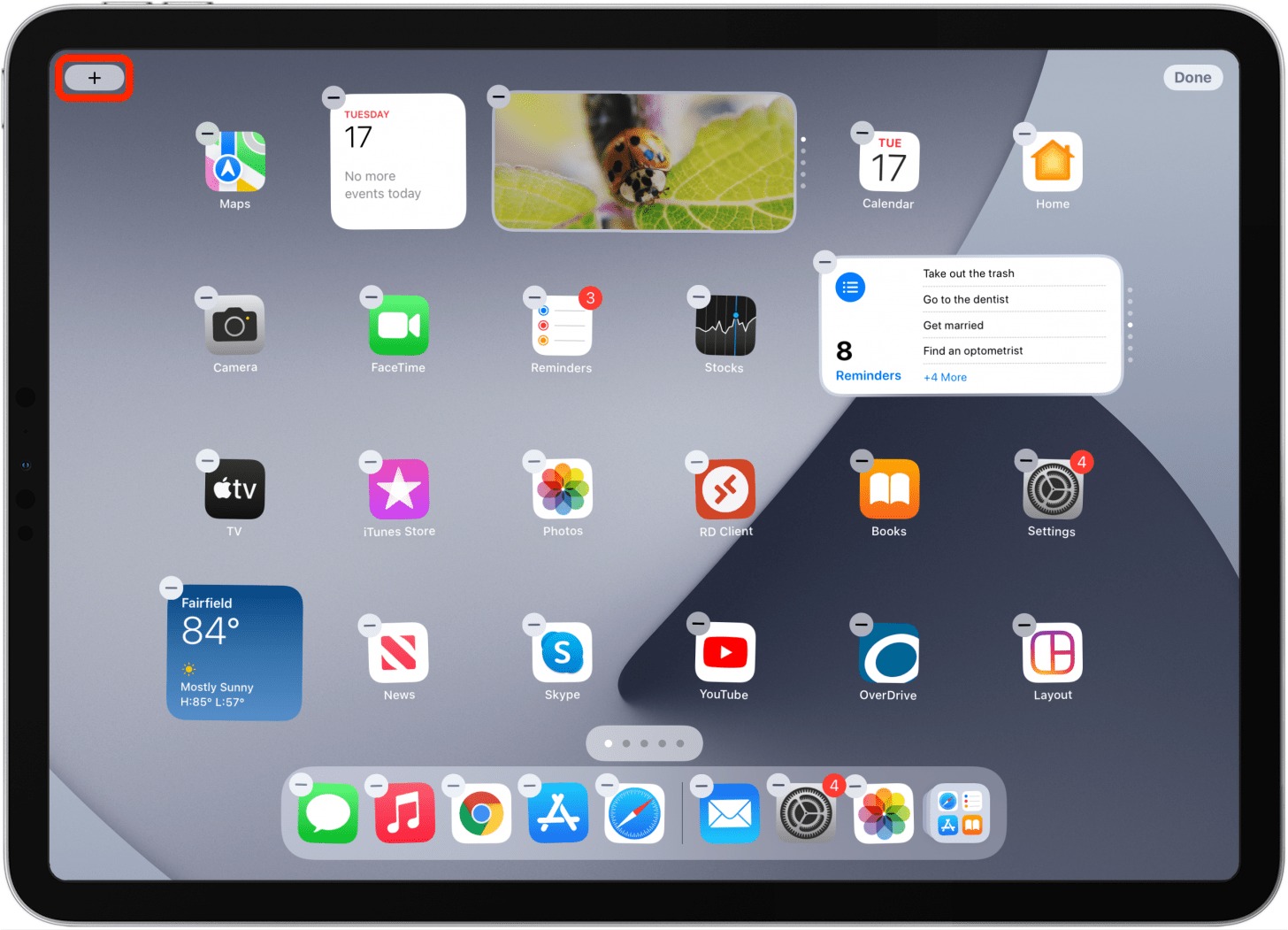
To explore the widgets available on your device, simply long-press on any empty space on your iPad home screen, then tap Edit and select Add Widget. You will find various options and sizes for each app to suit your usage style and preferred screen organization.
There is a quick trick some might overlook: you can easily turn the icon of any app that supports widgets into a widget directly by long-pressing the icon and selecting the desired widget size from the quick menu, keeping in mind that this feature is only supported by compatible apps.
1. Parcel Widget: Track your incoming shipments at a glance
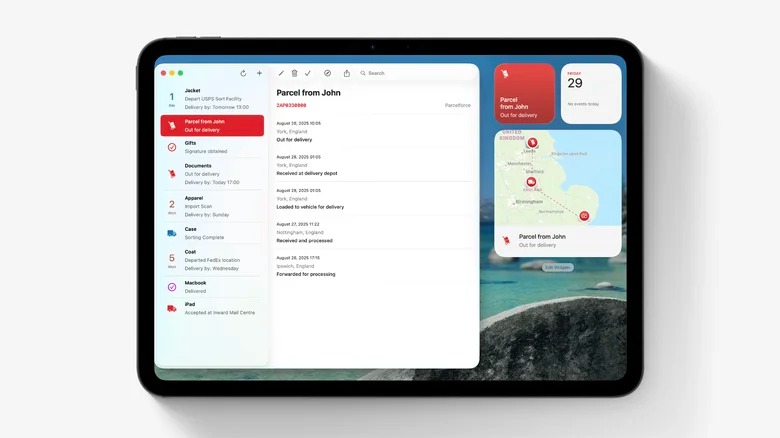
If you are constantly waiting for shipments and packages, the Parcel app widget saves you the trouble of opening the app every time to track your shipment’s progress. The app supports up to 300 shipping and delivery companies worldwide, including UPS, FedEx, DHL, Amazon Logistics, and others. It also offers a map widget in various sizes that shows you the current location of the package directly.
Adding shipments to the app is very simple and smart; linking your Amazon account allows packages to be added automatically without the need to copy and paste long tracking numbers. For any other shipping service, you can use the built-in scanner to capture the shipment barcode with the camera. The app also syncs seamlessly with Mac devices and web browsers. The free version allows tracking three shipments at once, while the annual subscription gives you unlimited syncing with real-time notifications.
2. Home App Widget: Instant smart home control with one touch
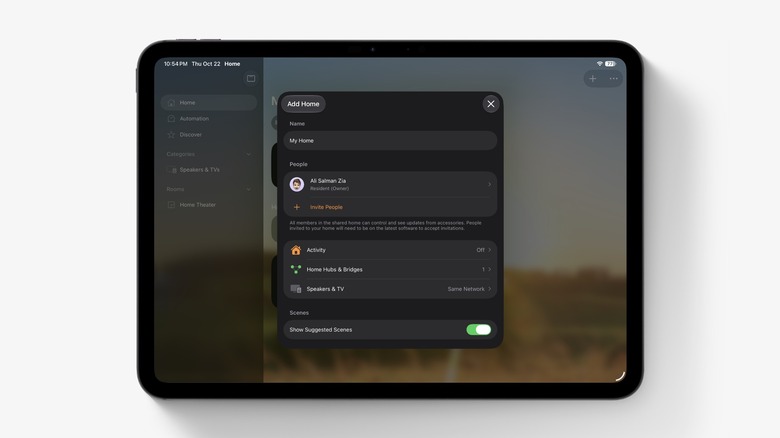
Instead of opening the Home app every time you need to turn a light on or off, the built-in Home app widget offers the ability to execute actions with a single tap, taking advantage of the interactive widget feature in the operating system. You can light up rooms, turn off smart plugs, or even open and close HomeKit-compatible garage doors without leaving your home screen.
The widget gives you full control and customization; by long-pressing it and selecting Edit Widget, you can select the accessories and scenes you need daily, such as an “all lights off” scene at night, while removing accessories you rarely use, providing you with very convenient response speed while you are sitting on your couch.
3. (Not Boring) Weather Widget: 3D weather in a game-like style
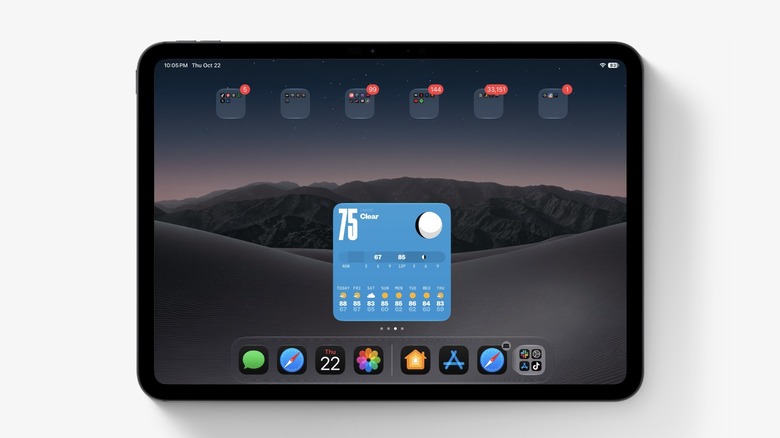
This is not the routine, boring weather tool you are used to; the (Not Boring) Weather app relies on interactive 3D graphics inspired by video game styles, adding an exceptional aesthetic and lively touch to your iPad screen and lock screen. The widget displays temperatures, precipitation chances, UV index, and wind speed in a charming visual way that makes checking the weather a real pleasure.
Despite the beautiful entertainment aspect, the widget relies on professional and accurate data sources such as Apple, AccuWeather, and the National Weather Service, and provides alerts for severe weather conditions like floods, storms, and heatwaves. The app also fully respects privacy and does not collect any data, and its annual subscription unlocks new themes and additional data on air quality and pollen levels.
4. Find My Widget: Track your devices, friends, and AirTags
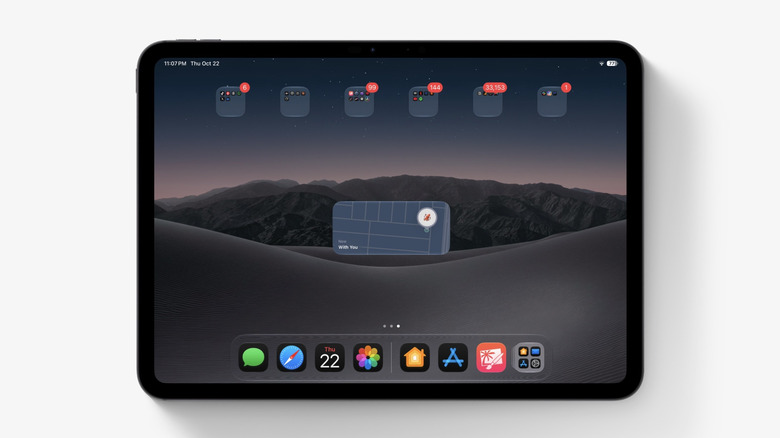
The Find My app widget puts the status of your devices, AirTag accessories, and trusted contacts right in front of you on the home screen. The widget displays the last detected geographic location for each item, so you can confirm the location of your wallet, bag, or keys before you head out in a hurry, without waiting to open the app and reload the map every time.
The widget’s power is enhanced by the massive and secure Find My network, which helps track Apple devices even when they are offline or completely turned off, by relying on encrypted and anonymous signals from nearby Apple devices. You can also enable the Notify When Left Behind feature to warn you immediately if you leave any item in an unusual place.
5. Endel Widget: Smart soundscapes for focus, sleep, and relaxation
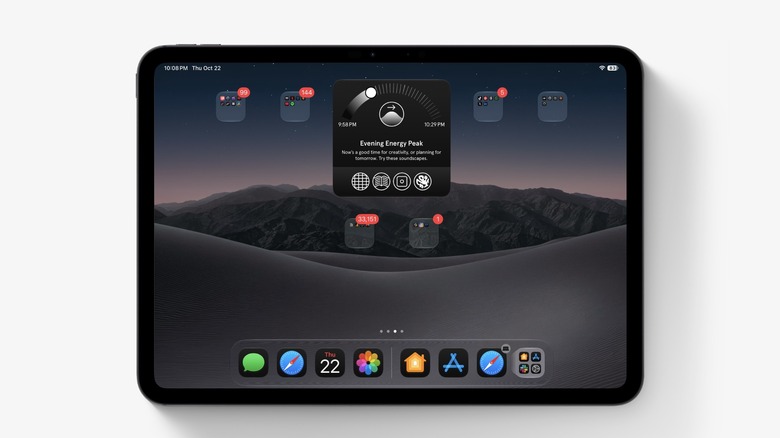
The Endel app generates AI-powered sound environments designed to help you focus deeply, relax, or sleep, and these sounds adapt in real-time to match your daily circadian rhythm. The home screen widget allows you to start an immediate sound session with one tap, saving you from the distraction of searching for music playlists before you start studying or working.
The sounds work without an internet connection to accompany you wherever you are, even on a plane. The free version offers focus, sleep, relaxation, and movement modes with 10-minute sessions, while the Pro subscription unlocks a rich library of colored noise, immersive Spatial Audio, and a focus timer to link productivity sessions with stimulating audio.
6. Mail Widget: Keep VIP messages front and center
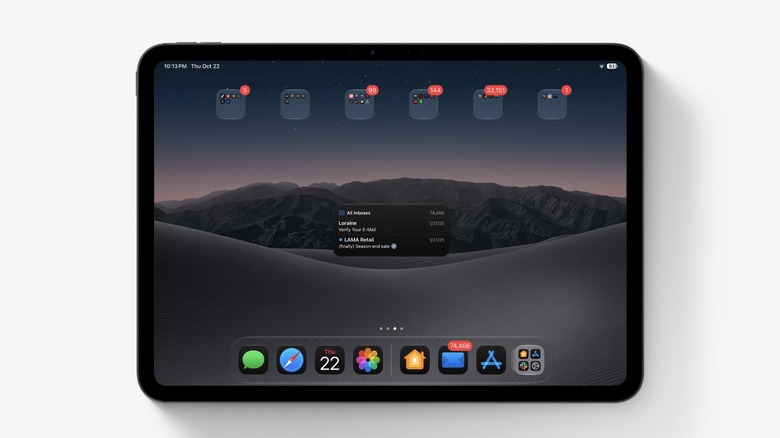
The built-in Mail widget in Apple’s system is distinguished by its ability to filter messages accurately instead of just displaying a cluttered inbox. You can customize the widget to show only unread messages from your “VIP” list; ensuring that messages from your boss, important clients, or your children’s school don’t get lost amidst piles of newsletters and promotional advertisements.
Adding any sender to the VIP list takes only a few seconds; all you have to do is open a message from the person in question, tap their name, and select Add to VIP, so they have a dedicated path in the widget that allows you to open and read their messages directly by touching them from the iPad screen.
7. Widgetsmith Widget: Unleash your creativity to design your own screen
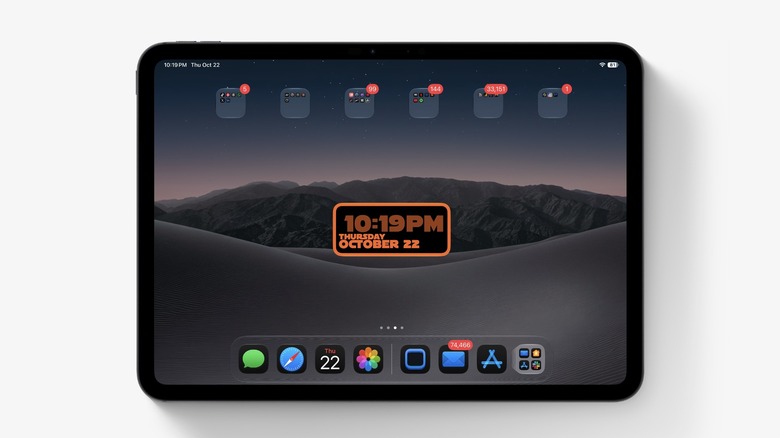
If you don’t like the default widgets enough, the Widgetsmith app gives you full control to design your own widgets from scratch. You can create widgets for time, weather, calendar, reminders, and photos, while customizing fonts, colors, and transparent styles that blend with your screen wallpaper in wonderful visual harmony.
The real secret of the app lies in the scheduling feature; you can program the same space on the screen to show the weather in the morning, then automatically switch to your schedule and calendar during working hours, and show a favorite photo or a personal reminder in the evening, making the screen smart and changing according to your time.
8. Screen Time Widget: Keep your endless scrolling in check
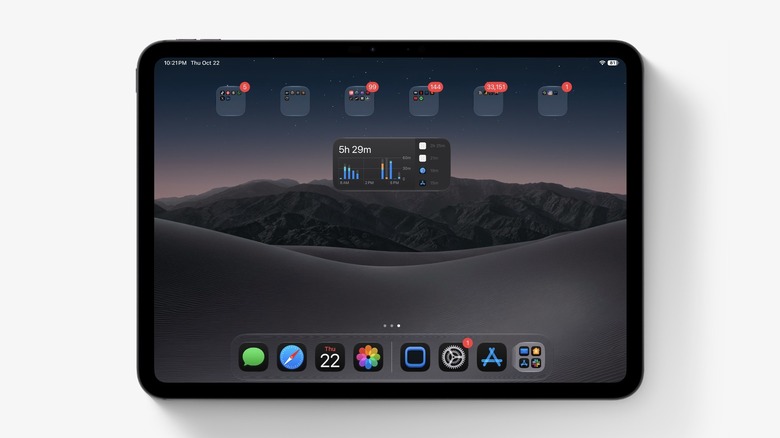
It is very easy to get lost in scrolling through social media and lose track of time. Here comes the built-in “Screen Time” widget to give you a realistic and honest check of the time spent directly on the home screen or in the Today View, whether by showing the daily total in the small widget or by detailing app and category usage in the larger size.
This widget gains double importance with scheduling features and time limits that put an end to consumption in categories like games and entertainment apps. It is an indispensable tool for parents to control their children’s iPad usage and monitor digital activity at a glance without diving into the depths of settings.
9. Craft Widget: Organize notes and tasks in one dashboard
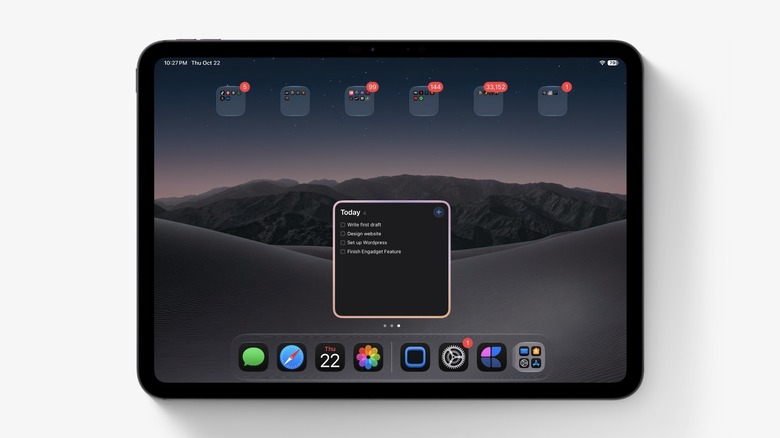
Craft is considered one of the most elegant document and task management apps on Apple devices, and its widgets excel with their high flexibility and utilization of screen space. You can pin a specific document to open it immediately, show a list of recent documents, or insert a task widget to check off completed items directly and interactively from the screen without opening the app.
The Craft widget utilizes the wide iPad screen perfectly; you can place the task widget next to the “Daily Note” widget to create a complete planning and productivity dashboard for your morning, with the ability to separate work workspaces from personal notes accurately and elegantly.
10. Journal Widget: Constant encouragement to record your thoughts
Many iPad users overlook the “Journal” app, even though the device’s large screen makes it an ideal place for writing and journaling, whether via the physical keyboard or through handwriting and drawing using the Apple Pencil. The spacious area provides a deeper and more comfortable journaling experience compared to a mobile phone screen.
The Journal widget helps instill the habit of writing and turn it into an enjoyable routine; the widget displays inspiring interactive suggestions that change throughout the day and points to your continuous journaling streak to motivate you. With the ability to create separate journals for travel or work and lock the app using Face ID or Touch ID, your privacy and personal thoughts remain completely safe.
Source:
Post Comment