Scammers no longer need to hack your account or crack complex security codes if they can simply convince you to do it yourself. With the terrifying evolution of artificial intelligence, voice cloning, and deepfake video calls, social engineering operations have become more persuasive and dangerous than ever before. In fact, the FBI’s Internet Crime Report revealed financial losses of nearly $8 billion in 2025 alone due to these scams. Because Apple does not stand idly by while its users are targeted, it has included a crucial security feature in iOS 27 called “Impersonation Risk Detection,” designed to expose the threads of a scam at the critical moment when a user is about to transfer money or change sensitive data.
What is the Impersonation Risk Detection feature?
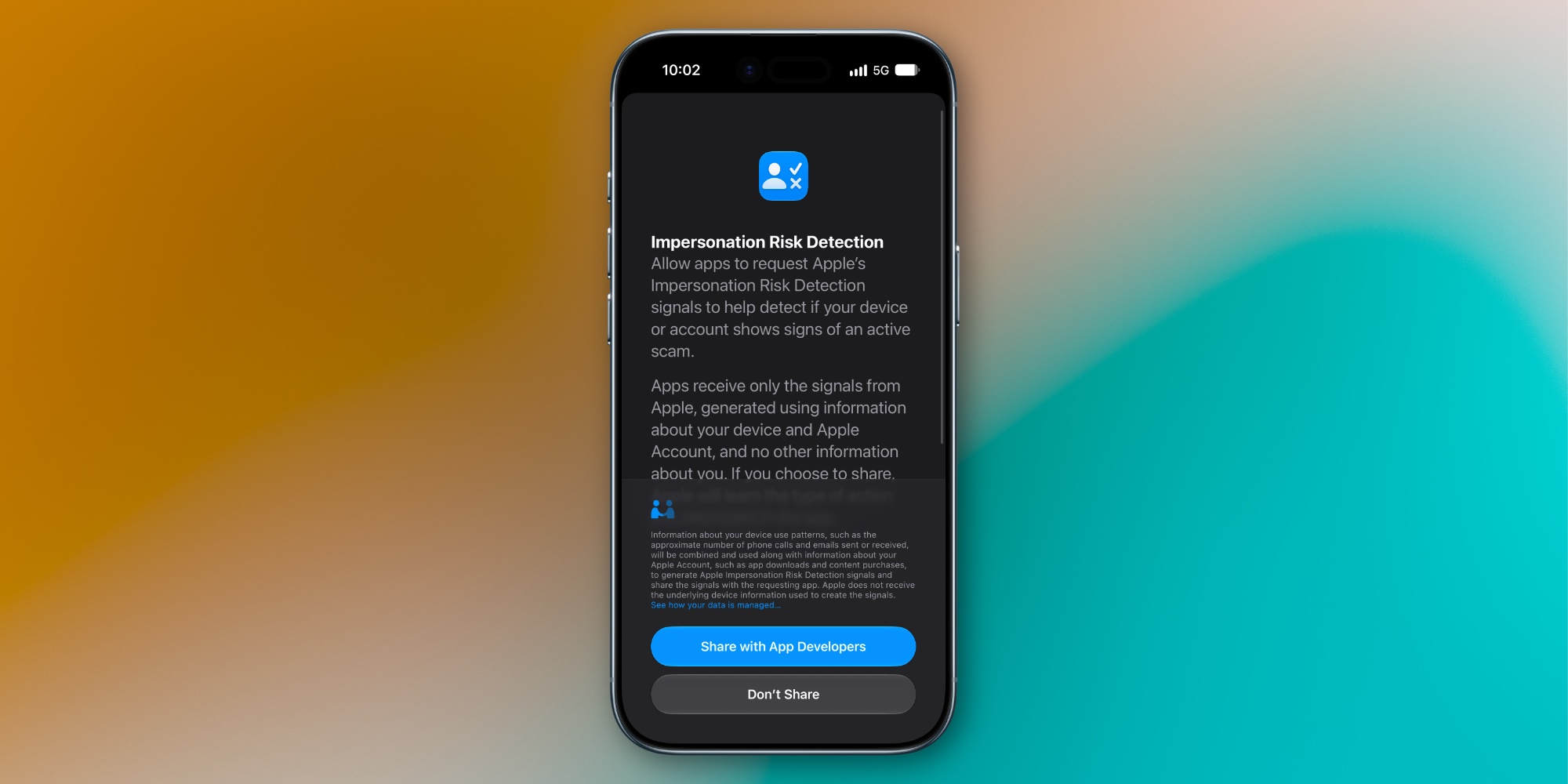
This new feature targets social engineering scams where a fraudster pretends to be a trusted entity, such as an employee in your bank’s anti-fraud department, an official tax collector, or even a relative in urgent trouble asking for financial help. The major dilemma in these scenarios is that they bypass the strongest security tools we rely on; technologies like Face ID, Passkeys, and two-factor authentication are designed to verify your identity, but in the case of fraud, you are the one performing the transaction yourself after falling into the trap, making the transaction appear perfectly legitimate to the bank and the system.
This is precisely where iOS 27 intervenes to plug this human loophole. The system does not just verify the identity of the person pressing the screen; it monitors the circumstances and context surrounding the action itself to determine if there is a suspicious pattern indicating that you are under pressure or psychological manipulation by an external party.
How does the technology work behind the scenes?
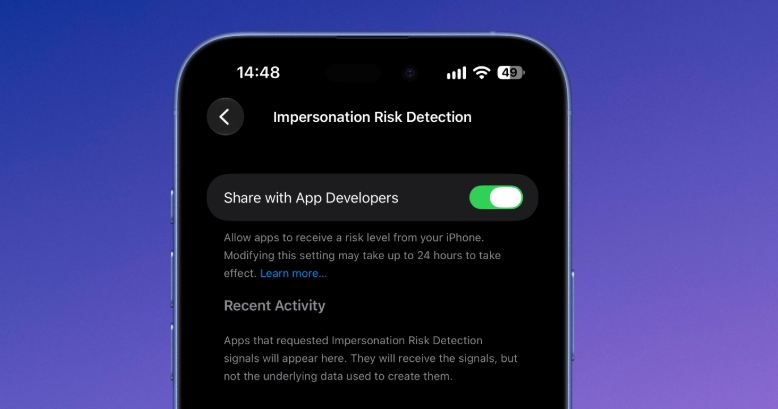
The feature does not act like a nosy guard bothering you with random notifications all day; rather, it runs in the background in coordination with the financial and banking applications that support it. When you initiate a sensitive step, such as sending a large payment, changing a password, or modifying account details, the app can call upon the operating system to perform a quick security risk assessment.
The iPhone then analyzes subtle signals including interaction patterns, timing, transaction context, sensor data, and Apple account information to estimate the situation and return a result at one of three levels:
- Unknown: No suspicious signs were detected. Apple confirms that this does not necessarily mean the transaction is absolutely safe.
- Medium: Some suspicious signals and patterns surrounding the process were detected.
- High: Strong and confirmed indicators of active fraudulent activity were detected.
The next step is left entirely to the banking app; Apple does not block the transaction automatically. Instead, the bank may decide to impose a waiting period before completing the transfer, ask you for additional identity verification, or display a warning screen clearly asking you if someone is communicating with you and directing you to perform this transfer.
What about privacy? Is Apple monitoring our accounts?
It is very natural for the system’s scrutiny of transaction activities to raise legitimate questions about privacy, which explains why this feature is disabled by default. However, Apple designed the feature to rely on strict security principles:
- On-device processing: All data used in risk assessment is analyzed within the device’s hardware and is never sent to Apple’s servers.
- Isolation of personal content: The feature cannot access your photos, messages, or emails at all.
- Confidentiality of data from developers: The banking app receives only the final risk assessment (High or Medium) without knowing the details or analytical data the system relied upon.
- Limited Apple knowledge: When requesting an assessment, Apple only knows the general type of action being taken, such as an attempt to make a payment.
Steps to enable the feature and the smart security trick
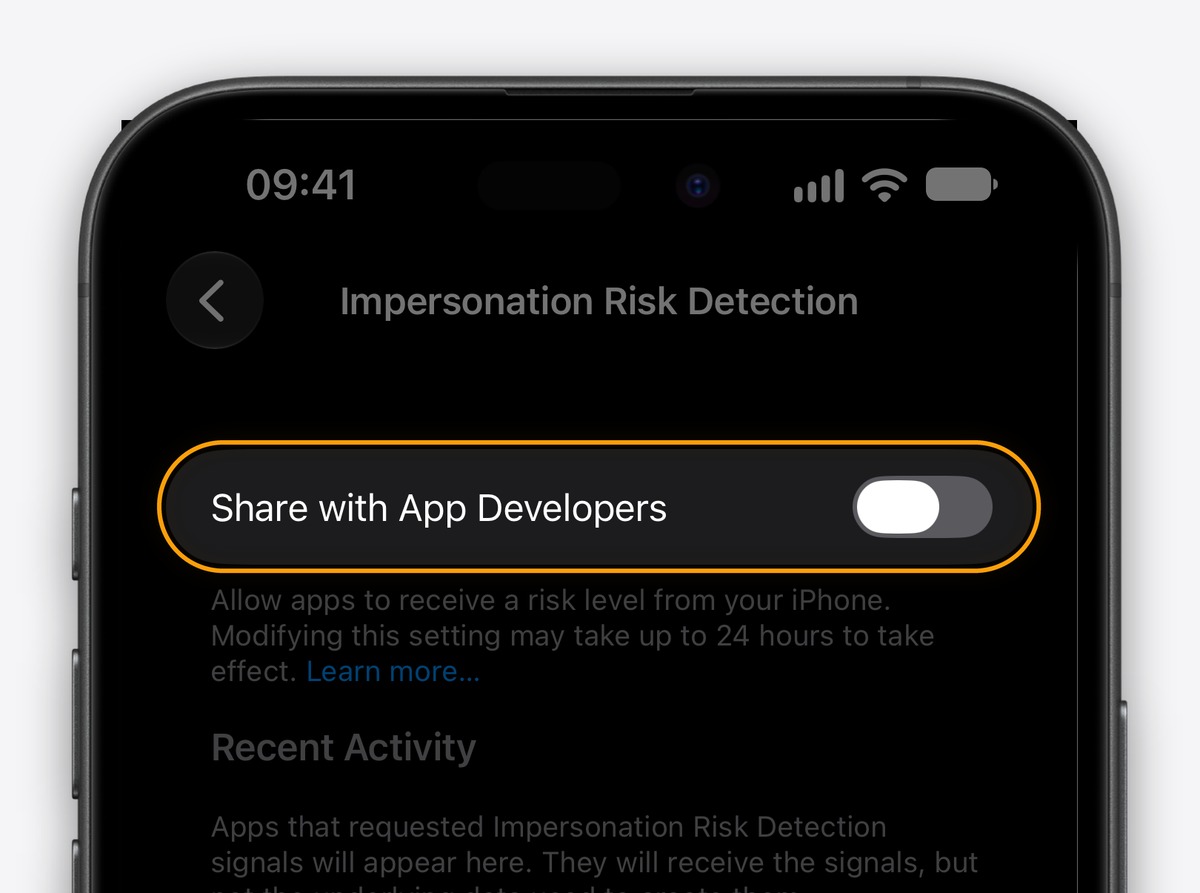
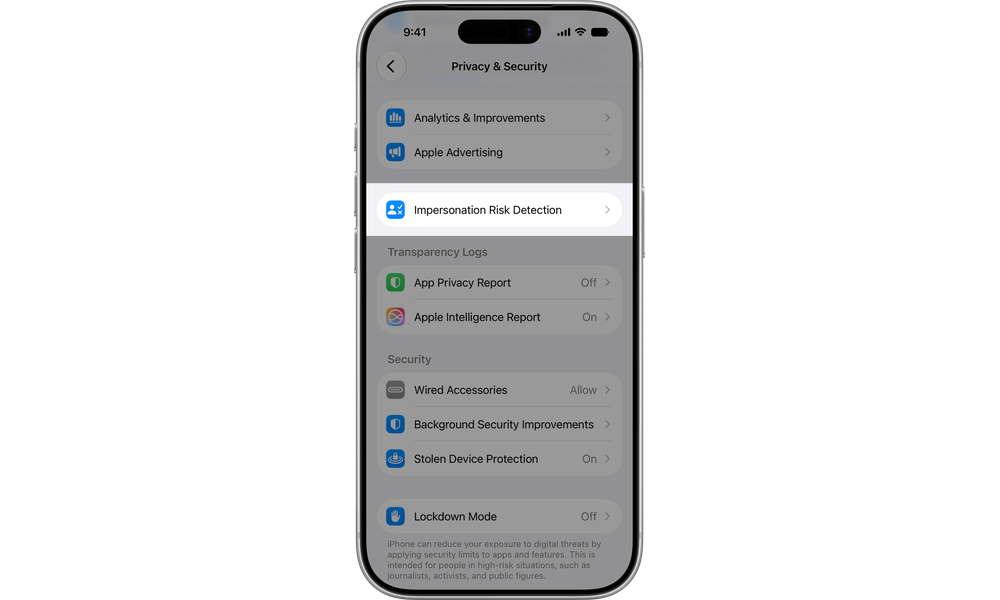
To benefit from this additional protection on your iPhone or iPad, you must first ensure you have updated to iOS 27 or iPadOS 27, then follow these simple steps:
- Open the Settings app.
- Go to the Privacy & Security section.
- Scroll down the list and tap on Impersonation Risk Detection.
- Enable the Share with App Developers option. The system may ask you to sign in to the App Store with your Apple account.
After enabling the feature, this page will turn into a full dashboard showing recent activity for apps that have requested a security check and the reasons for those requests, with the ability to easily revoke any app’s access to it. Apple has also added a brilliant security touch to prevent scammers from deceiving victims: if you are directed to disable this feature, the changes take up to 24 hours to take effect, which is enough time for the user to realize the trap before the protective shield is turned off.
While support for this feature in banking apps is still in its early stages and requires time for adoption by developers, spending half a minute to enable it on your device and the devices of your family members and the elderly could be the deciding factor between keeping your savings or losing them to a sophisticated fraud trap.
Source:


Leave a Reply