How many screenshots do you keep in your iPhone camera roll, knowing deep down that you will never open them again? The truth is, we all fall into this familiar trap; we collect links, images, and scattered notes, only for them to end up forgotten. This is precisely where the importance of Apple’s “Freeform” app comes in. It has been on our devices since the end of 2022, yet a large segment of users still ignores it as if it were a redundant default app, while in reality, it represents an interactive whiteboard that allows you to unload the chaos of your thoughts and organize them visually without paying a single penny in additional subscriptions.
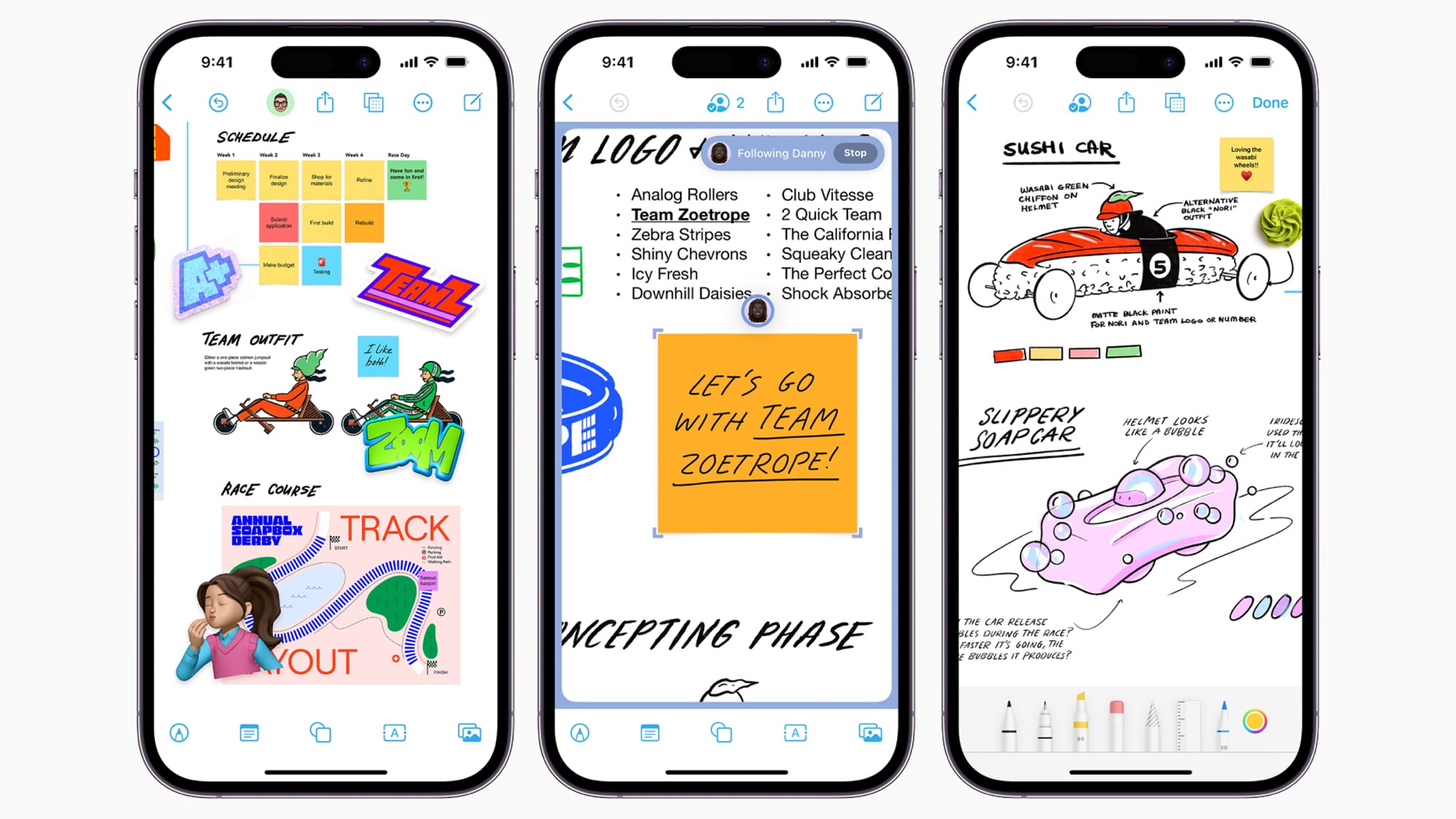
An infinite canvas to gather your scattered thoughts and projects
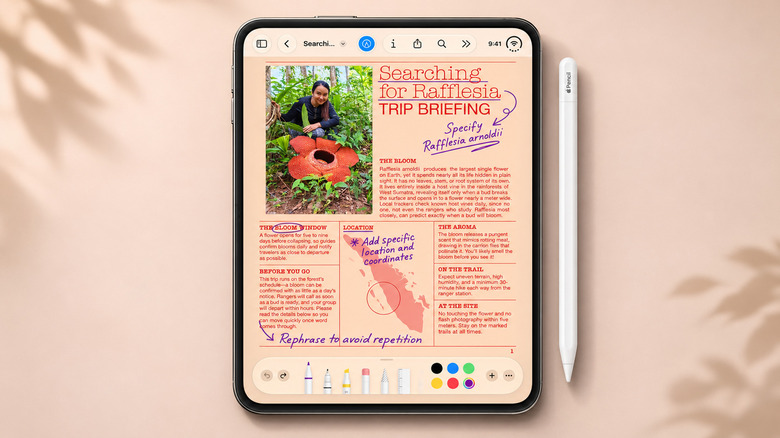
Instead of cramming details into traditional, restrictive bulleted lists in the Notes app, the Freeform app gives you an infinite white digital space that expands automatically as you add new content. You can simply scribble a quick sketch with your finger, stick on colorful notes, insert images, web links, PDF files, and text boxes, then move them around freely on the board until your idea takes shape and settles into its right place.
The true power of the app lies in its ability to create visual connections; you can draw smart arrows between related notes, zoom in on the board to focus on the smallest details, or zoom out to see the big picture of the project. The app also integrates exceptionally well with the operating system; Safari and the Photos app allow you to send links and screenshots directly to your board via the quick share menu without getting caught in a cycle of copying and pasting.
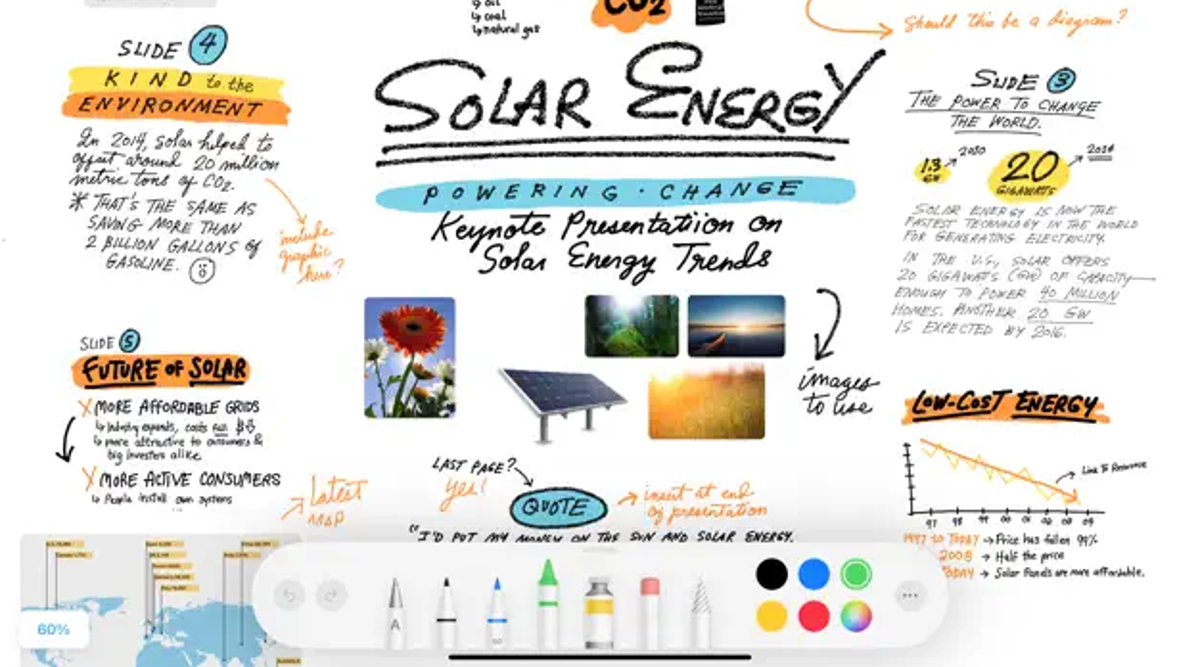
This interactive environment makes the app excellent for sketching a visual storyboard for a video you plan to film, or preparing measurements and drawings for a home DIY project. The app does not require owning an Apple Pencil at all, though iPhone Duo users running iOS 27.2 or later can use the Apple Pencil (USB-C) for precise drawing and handwriting. The app has seen successive updates that added Dark Mode and the ability to organize boards into folders, in addition to integration with the Image Playground tool for generating illustrations on supported devices, all while remaining lightweight and completely independent of basic AI requirements.
Real-time collaboration… and the Android dilemma
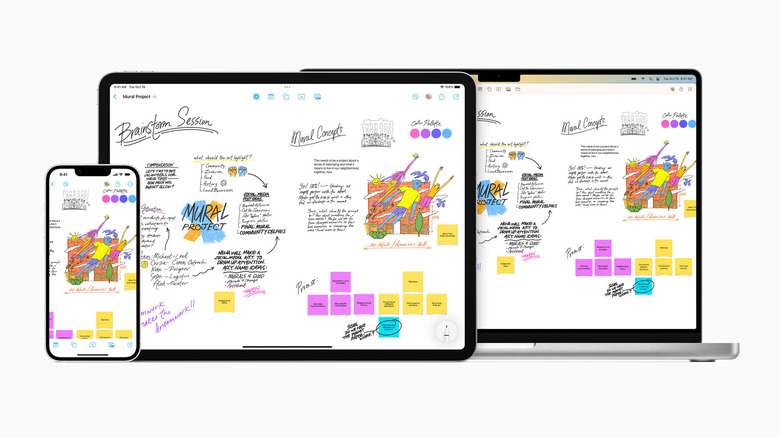
Group collaboration is the second pillar of the app; you can invite friends or colleagues to the same board and see their edits and additions in real-time. This makes planning a family vacation or brainstorming for a school project an interactive, fun experience that saves you from the distraction of hundreds of messages in chat apps. Thanks to instant syncing via iCloud, you can start capturing an idea on your iPhone and continue organizing its busy details on the larger screen of an iPad or Mac.
However, this seamless experience hits a closed wall as soon as Android users join the conversation; Apple requires every partner on the board to have one of its compatible devices, an Apple account protected by two-factor authentication, and the app enabled in iCloud. There is no web version for browsers and no Android app, which makes third-party platforms like Miro a practical alternative for groups using different operating systems, unless you settle for exporting your final board as a PDF file to share as a static document.
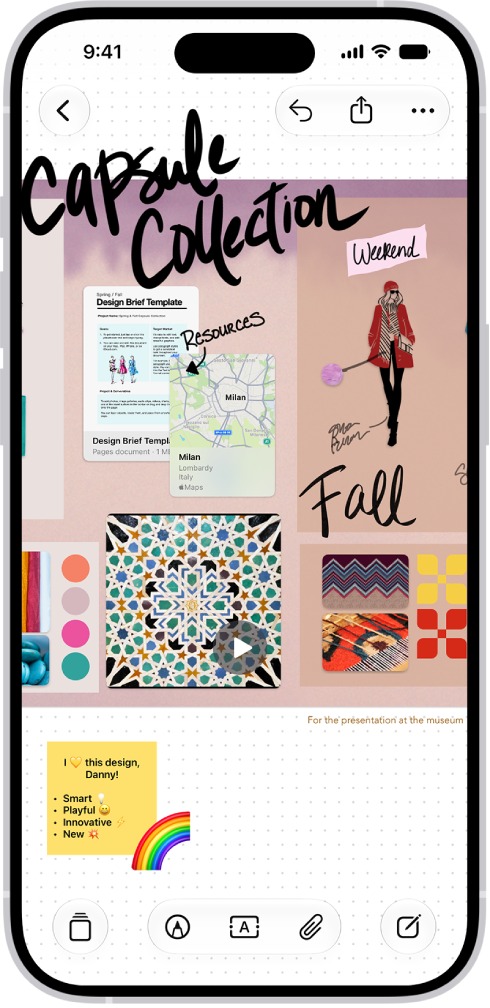
Also, managing large and crowded boards on the small screen of regular iPhones might require some patience and getting used to. Nevertheless, the core app with all its sharing functions remains completely free without any hidden costs, so you are not forced to subscribe to a paid Creator Studio package to organize your thoughts. If you deleted the app earlier because you thought it was just a burden on memory, you can easily restore it for free via the App Store.
Source:

Post Comment