At first glance, the Calendar and Reminders apps in iOS 27 appear identical to their predecessors, but don’t let appearances deceive you! These daily-use apps have received their share of “Apple Intelligence” features, making them smoother and smarter to use than ever before. Let’s dive into the details to see how these updates—subtle in appearance but profound in essence—will change the way you organize your day and schedule.
Natural language in the Calendar app: Write as you speak
The Calendar app now supports event entry using “natural language” thanks to Apple Intelligence. This means you can write what you want the way you speak, and the app will automatically recognize people, dates, and locations as you type, allowing you to add them with a single tap without any complexity.
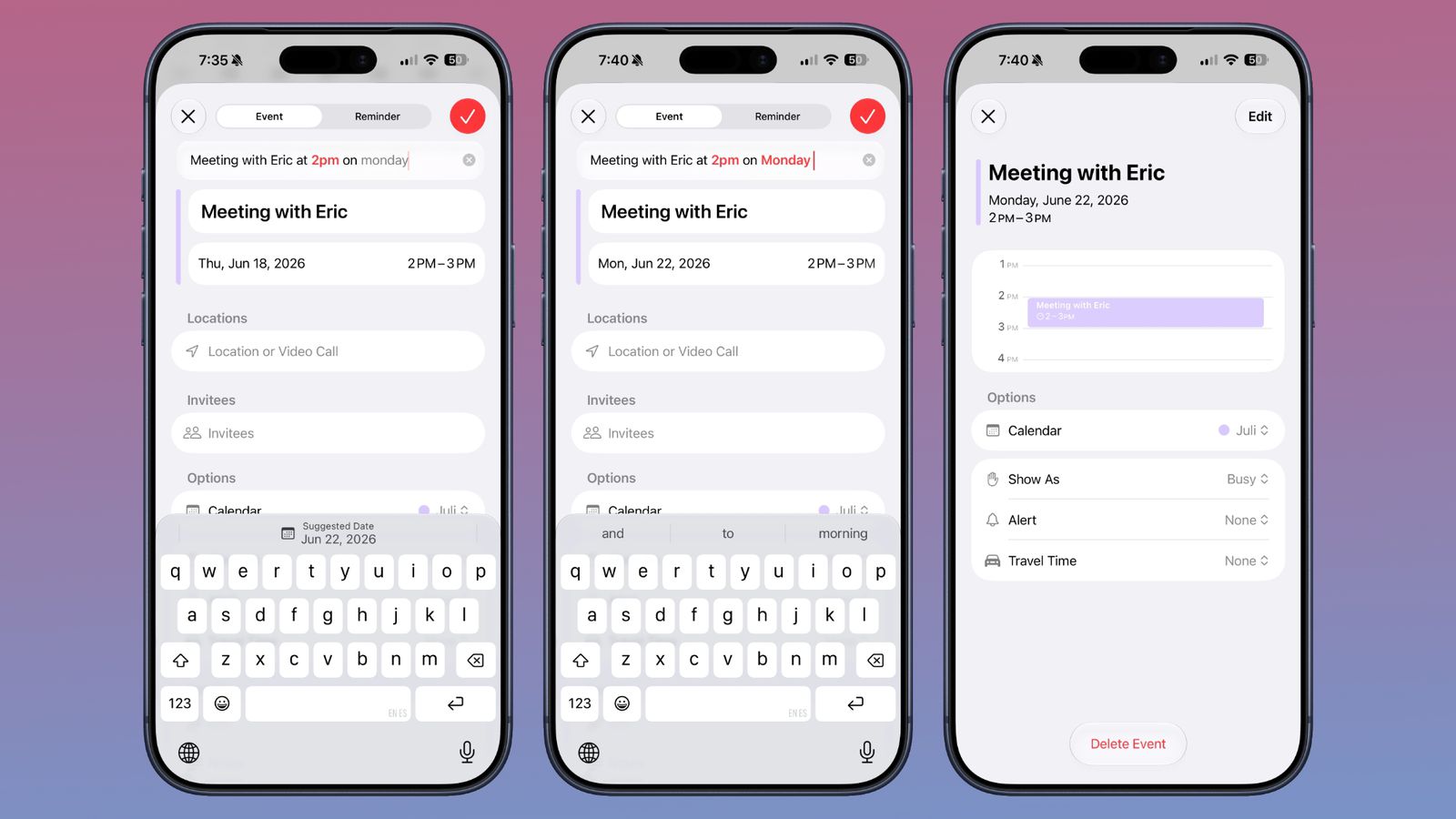
Although the feature hasn’t yet reached the flexibility of popular apps like Fantastical—as you still have to tap the date suggestion at the top of the keyboard if you want to select a date other than the current day—it is an excellent leap forward. The calendar will automatically set the time based on what you write without needing extra steps.
Reminders become smarter thanks to Apple Intelligence
The Reminders app has also received the same intelligent dose; you can now draft your reminders in natural language such as “Buy supplies at 6 PM today” or “Send photos to Ahmed tomorrow at 4 PM,” and the app will automatically populate metadata like time, date, and geographic location without any intervention from you.
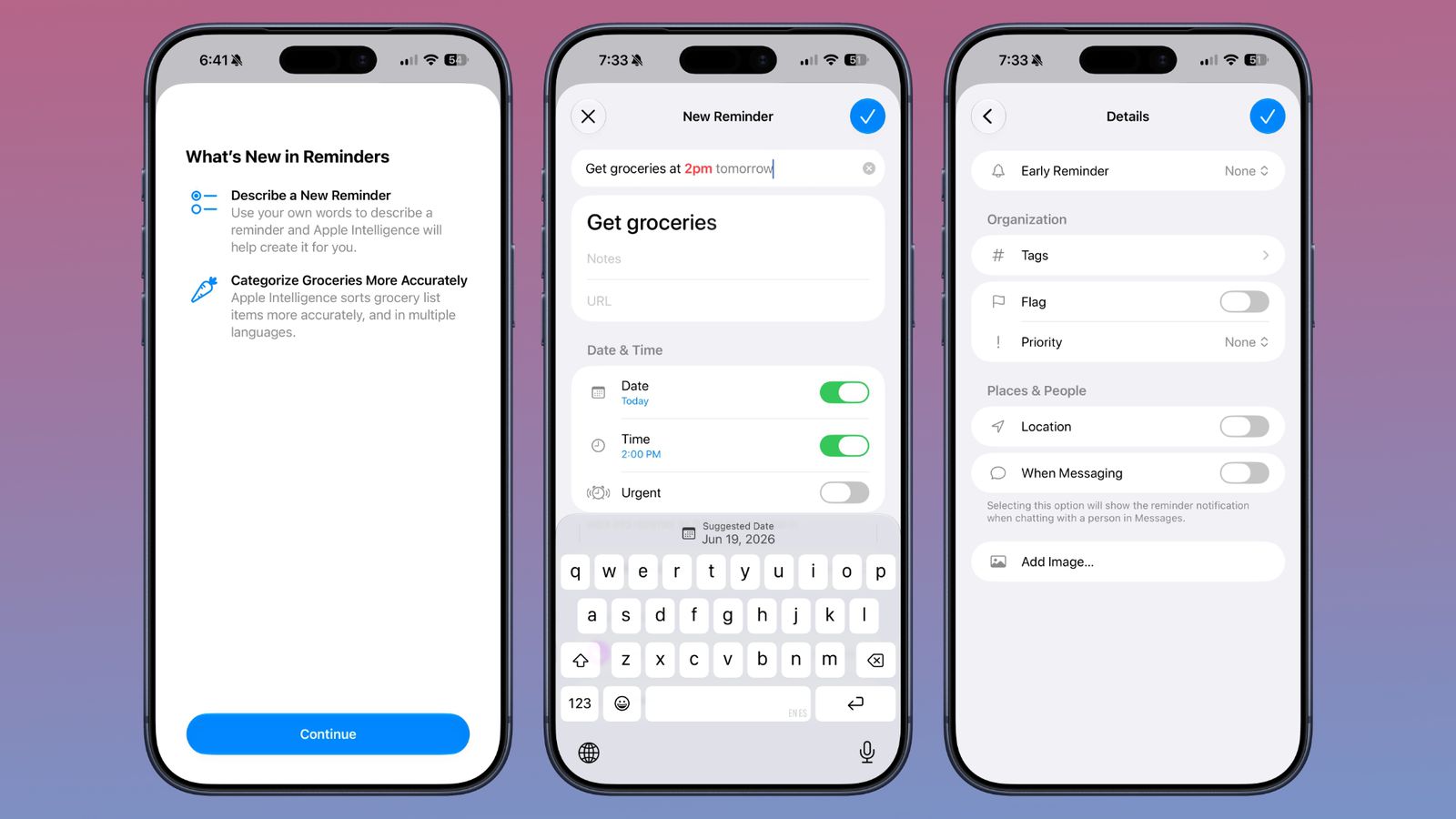
Since the feature is still in its experimental stages, you may sometimes have to manually tap suggestions to confirm the date and time, but it works automatically most of the time. Because of this reliance on natural language, Apple has removed the bottom toolbar for adding reminders and moved additional options like images or flags to the “Details” interface.
Event editing and smart holiday alerts
The event editing interface in Calendar is now simpler and faster for accessing time adjustments. If you change the recurrence of a specific event, the calendar is smart enough to apply these changes to all associated events intelligently and seamlessly.
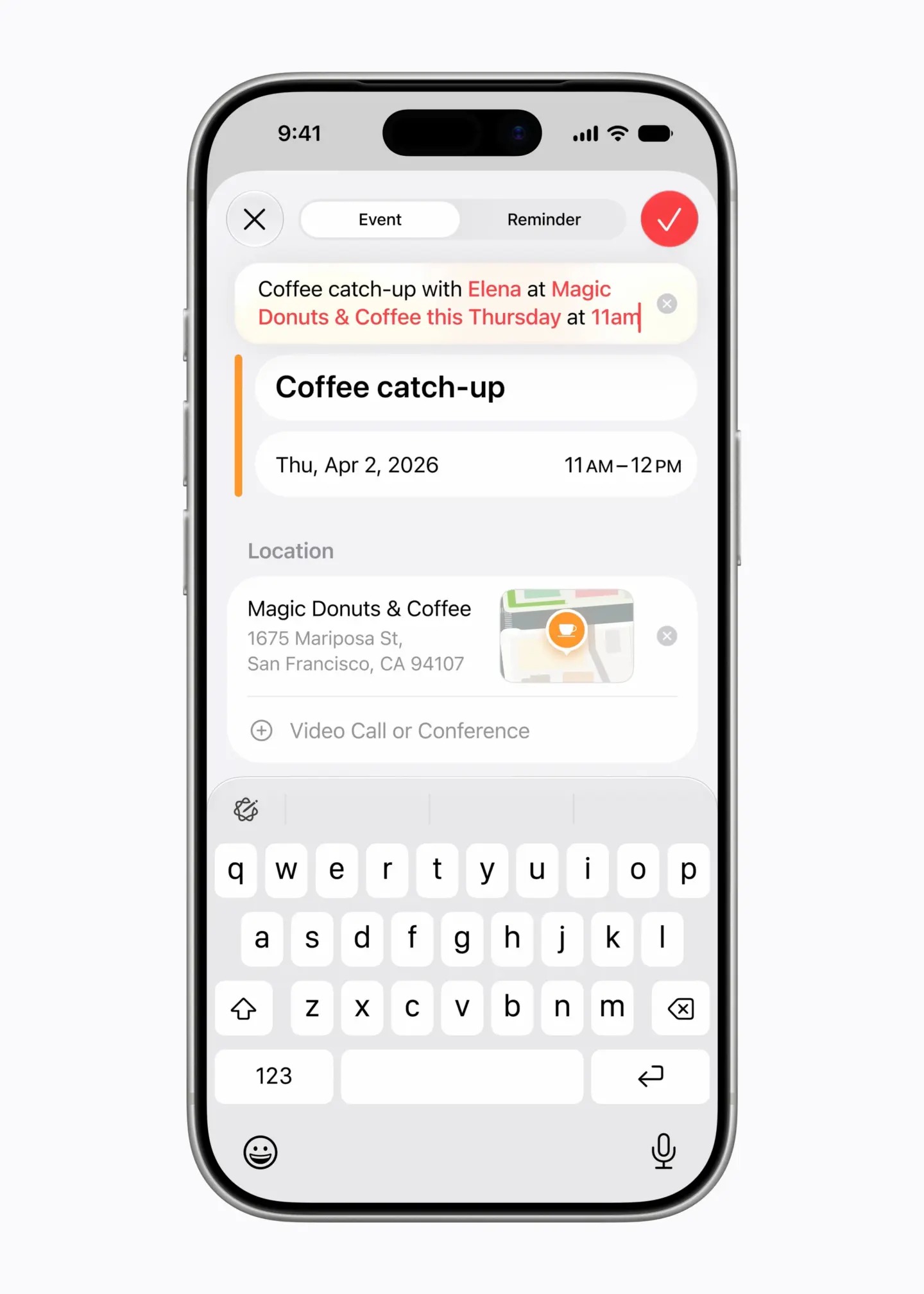
As for the most wonderful and thoughtful feature, it is the “Holiday-Aware Alarms.” The Calendar app tracks public holidays in your country and will alert you the day before a holiday to intelligently ask: “Do you want to change your usual wake-up alarm tomorrow?” so you can avoid waking up early on your day off and enjoy a good sleep!
Visual Intelligence and Siri: A superpower for daily productivity
The personal assistant “Siri” now has full access to your calendar and reminders, allowing it to add and schedule events with high flexibility through natural voice commands. It can even search across both apps to know your schedule accurately. Even better, it has the ability to add appointments to your calendar directly from other apps like Mail and Messages.

Additionally, Visual Intelligence in iOS 27 supports a great feature; if you have a printed document containing a schedule—such as your child’s sports training schedule—you only need to take a picture of it for the system to recognize all the dates and add them all at once to the Calendar app without any manual effort.
Additional improvements and system requirements
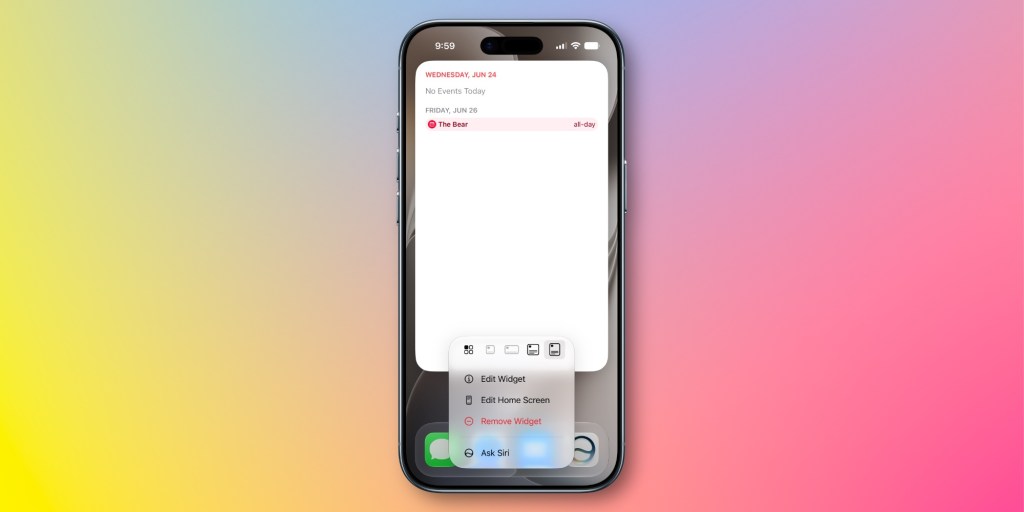
The updates didn’t stop there; both apps have received a new, massive “Extra-Large” widget size that takes up a full page on your screen to display the finest details of your day. Improvements have also been made to sorting grocery lists in Reminders and support for more languages, along with the addition of powerful new control actions in the Shortcuts app.
Please note that taking advantage of these advanced Apple Intelligence features in iOS 27 requires using an iPhone 15 Pro or any newer model.
Source:


Leave a Reply