The “Shortcuts” app on iPhones has always been that lurking technical monster; a super-powerful tool that most average users are afraid to approach for fear of entering a vortex of complex programming commands and confusing conditions. However, with the release of the iOS 27 operating system, Apple has decided to completely untangle this knot thanks to deep integration with “Apple Intelligence,” transforming the app from a tool for professionals only into a fun and easy-to-use feature that anyone can handle with intelligence and simplicity.
Describe what you want in natural language and let the system handle the rest
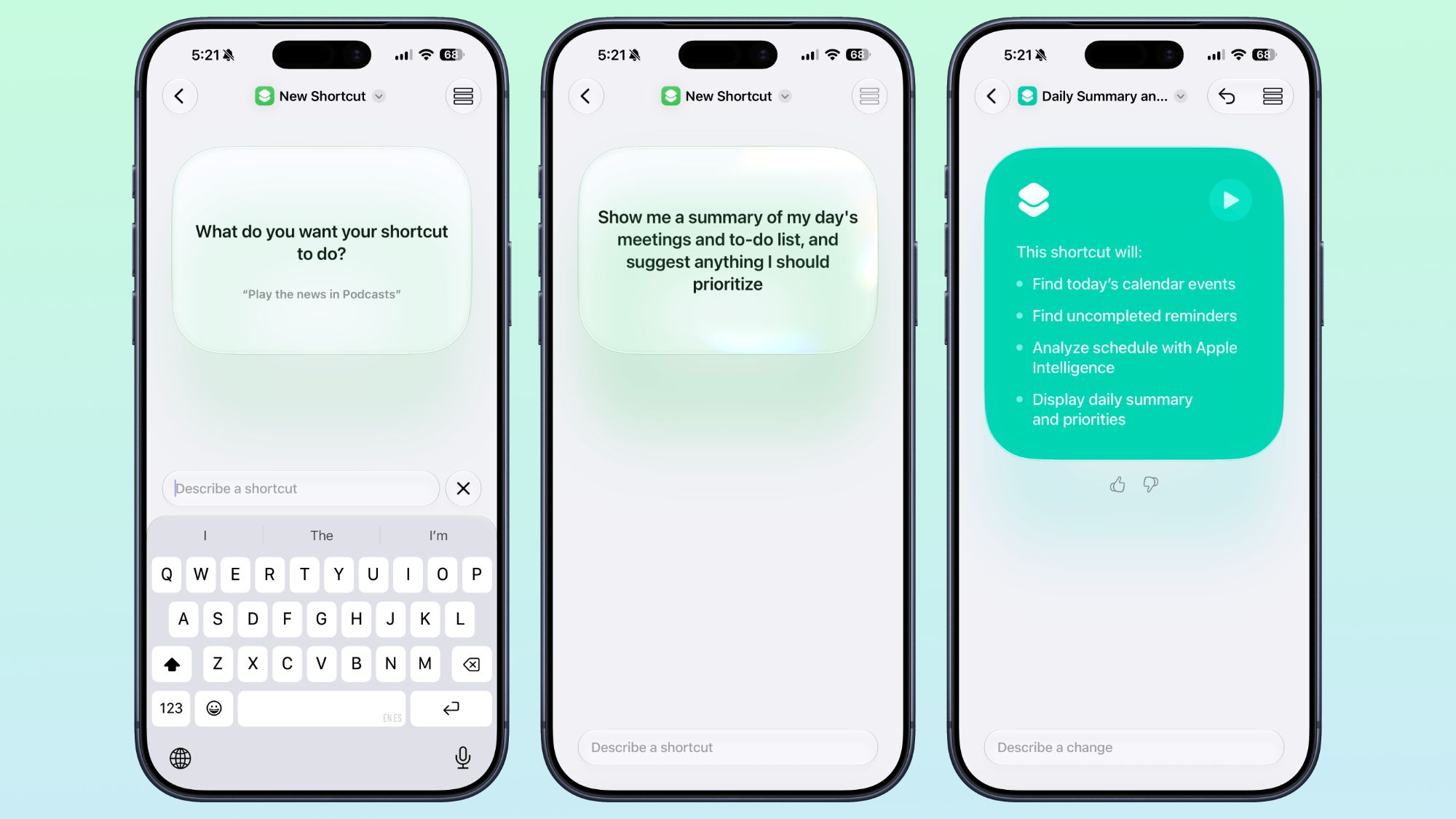
You no longer need to know how to arrange “programming blocks” to get the desired result. When you press the button to create a new shortcut in the Shortcuts app on iOS 27, you will be met with a revolutionary interface that simply asks you: “Describe a Shortcut.” All you have to do is write what you want in your usual natural language, and Apple Intelligence will automatically translate the words into precise actions and programming steps without any complexity.
For example, you can write a complex sentence like: “Every evening, set tomorrow’s alarm based on the first event in my calendar, then turn on Sleep focus, and dim the bedroom lights.” The system will understand the timing, search your calendar, set the alarm, and control your smart home lighting all at once without any complex manual intervention from you.
There are many examples that can be phrased in natural language, such as automatically stopping screen rotation lock when opening the YouTube app and re-enabling it when closing it, sending a text message to your partner with the estimated time of arrival when leaving work and playing your favorite podcast immediately, or even requesting a quick three-line summary of today’s tech news.
Editing and refining.. an interactive dialogue with AI
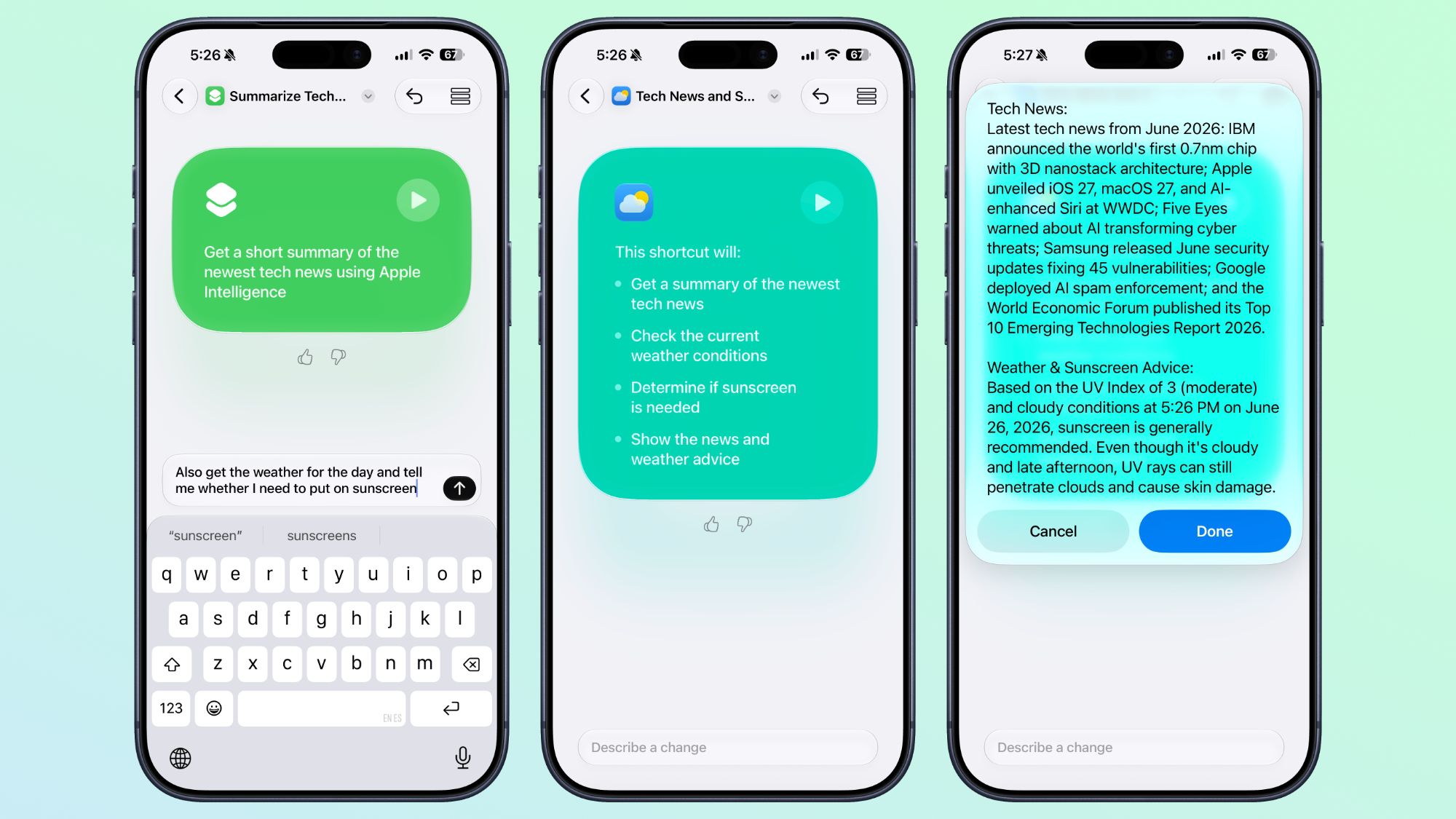
After writing your request, the app will show you a detailed outline of all the actions the shortcut will perform so you can ensure it perfectly matches your desire. If everything is in order, you can try it out immediately with a single tap to test its accuracy and speed, and it will be automatically saved to your personal shortcuts list to be used later via Siri, Control Center, or the Action button.
But what if you want to change a small detail in the shortcut after building it? This is where the brilliance of the “Describe a change” interface comes in, where you can simply tell the system to make an edit, such as: “Make this shortcut work only when I am connected to my home Wi-Fi,” and the AI will take care of reformulating the steps and adding the required conditions effortlessly.
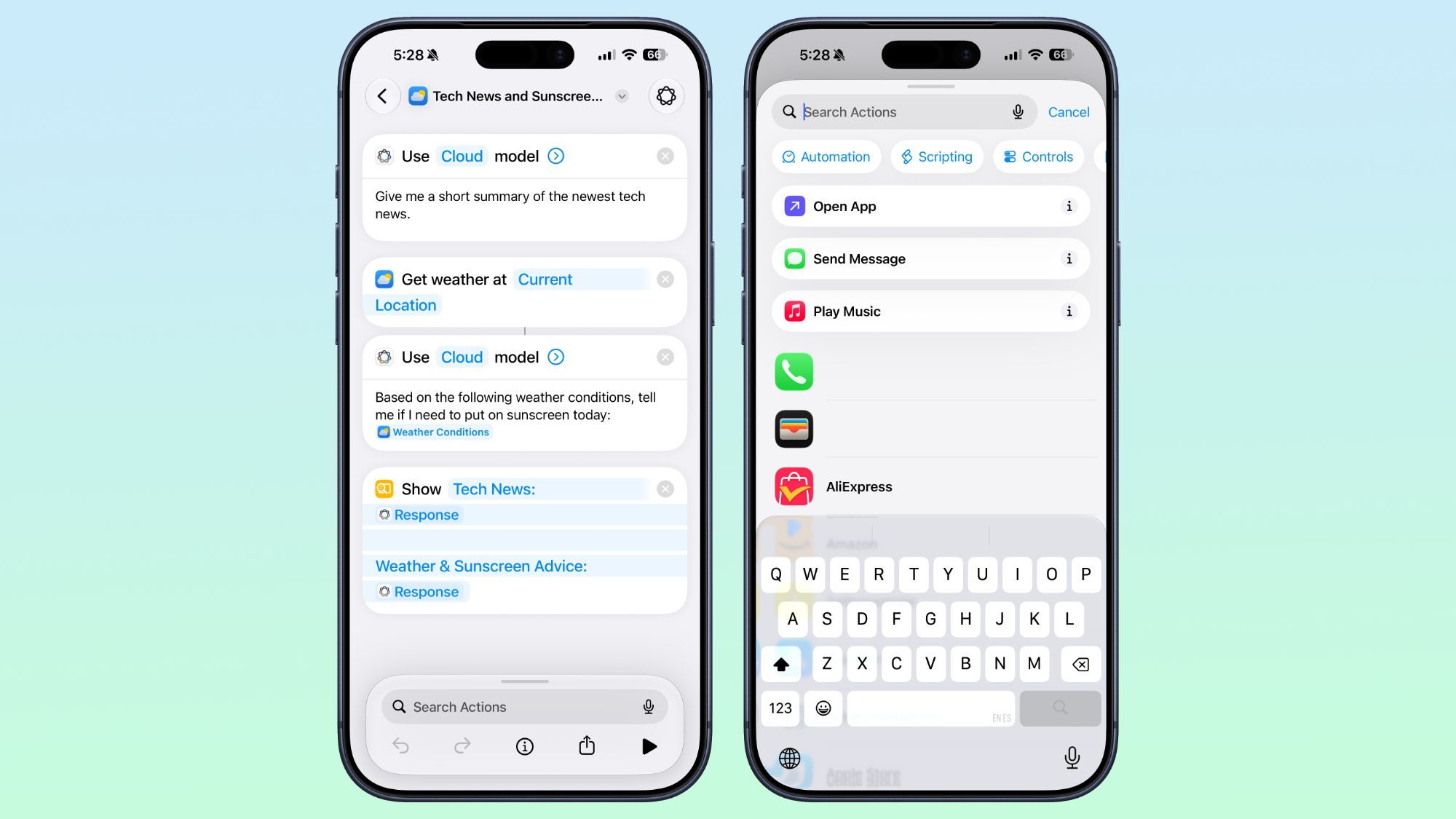
And of course, if you are a fan of traditional methods or want to add a fully advanced programming touch, you can always switch to the familiar manual editing interface to directly modify values and steps, and correct any errors that may appear during the current trial period of these intelligent models.
New automation triggers and actions open endless possibilities
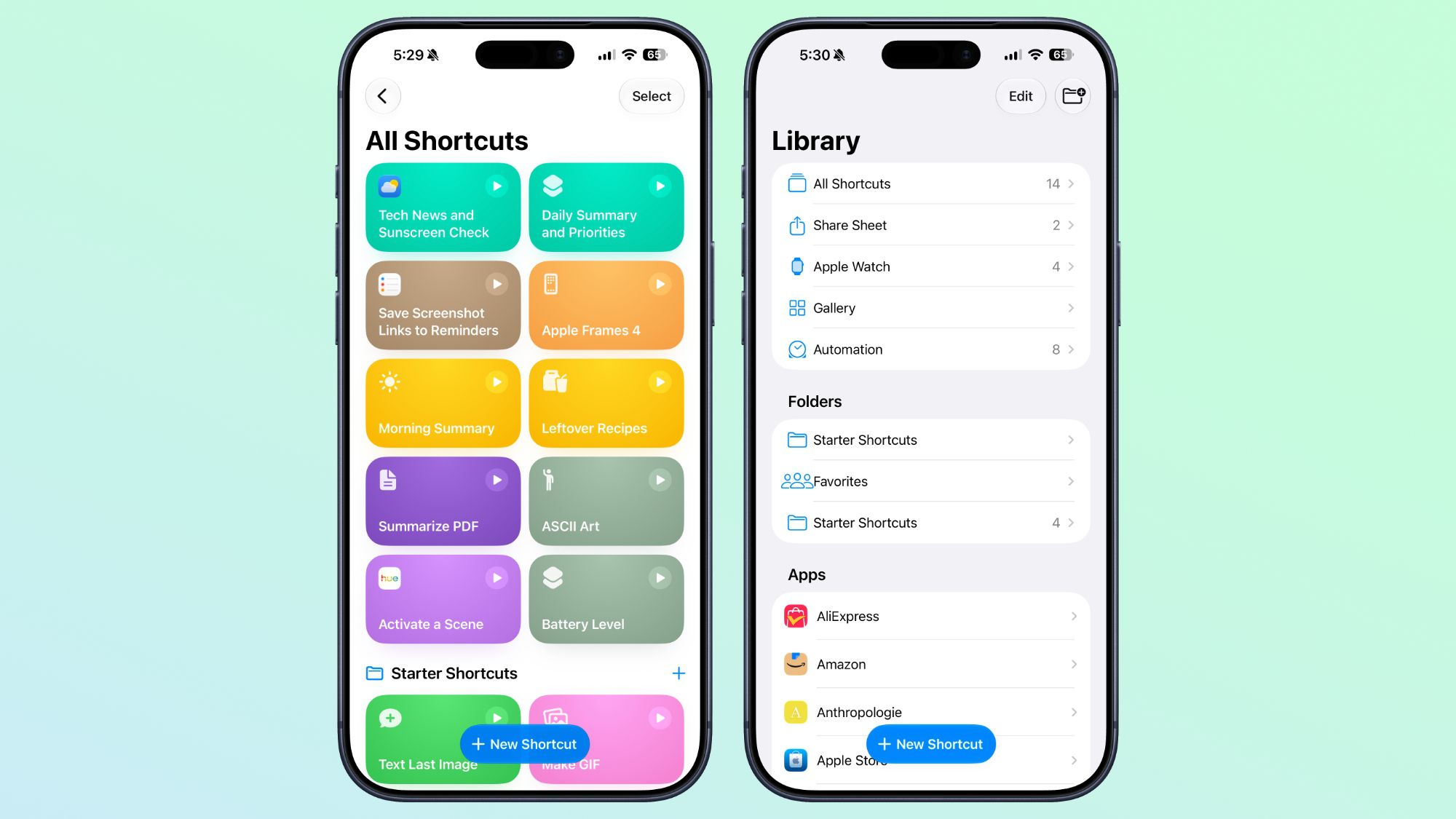
Apple’s update was not limited to making it easier to build shortcuts; the company also fully integrated automation into the app and eliminated the old division. You can now trigger automations automatically based on entirely new and vital triggers such as taking a screenshot, receiving a specific notification, connecting an external keyboard to your device, or even just starting a new workout on your Apple Watch.
Apple has also brought a huge set of new actions for core system apps. You can now automate recording voice memos in the Notes app, sending group messages in the Messages app, quickly searching within your conversations and deleting them, and advanced photo control such as favoriting, hiding, or enhancing them automatically.
The new actions also included enabling important accessibility features such as toggling mute for hearing aids, enabling the Vehicle Motion Cues feature to prevent motion sickness while using the phone in the car, as well as advanced actions for managing sections and lists in the Reminders app and the updated context and screen content feature to automatically fetch text and links.
Improved Apple Intelligence models and smart data storage
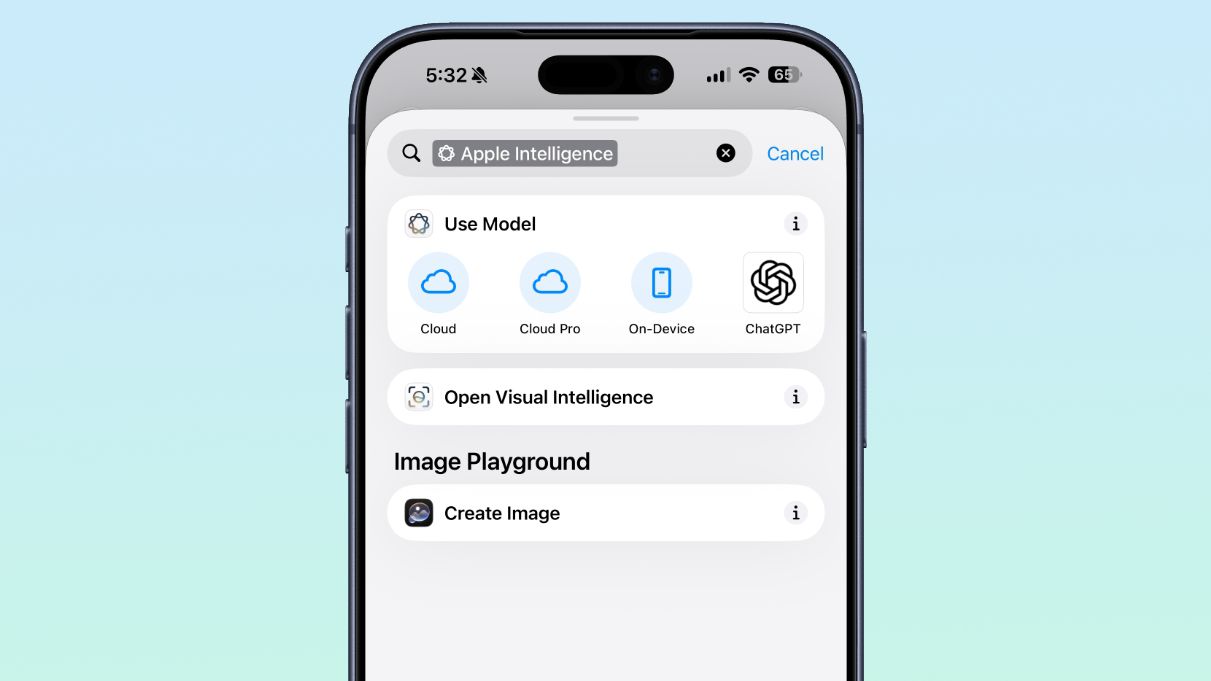
Shortcuts now benefit from the most advanced “Apple Intelligence” models that have full access to the internet and web search to fetch data and pass it into your shortcuts for accurate and immediate results. Apple provides three levels of command processing, including on-device processing, standard cloud processing, and Cloud Pro processing for tasks that require deep internet access.
The most amazing and time-saving thing is the ability of the new shortcuts to store and update data locally within the app itself. You no longer need to create complex external text files to keep variables; the shortcut can now remember values and update them dynamically, such as tracking the number of cups of water you drank today or updating and automatically modifying your shopping list.
Compatible devices and supported languages
The feature of creating shortcuts in natural language will be fully available not only on iPhones with iOS 27, but will also arrive on iPads with iPadOS 27 and Mac devices with macOS Golden Gate for a unified and seamless automation experience across all your smart devices.
To run these advanced features powered by Apple Intelligence, you will need a device that supports these technologies. This includes iPhone 15 Pro and later, iPads running M-series processors or iPad mini with A17 Pro chip, as well as Mac devices running Apple Silicon chips. The feature currently supports multiple languages including English, French, German, Italian, Portuguese, Spanish, Japanese, Korean, Chinese, and others.
Source:



Leave a Reply