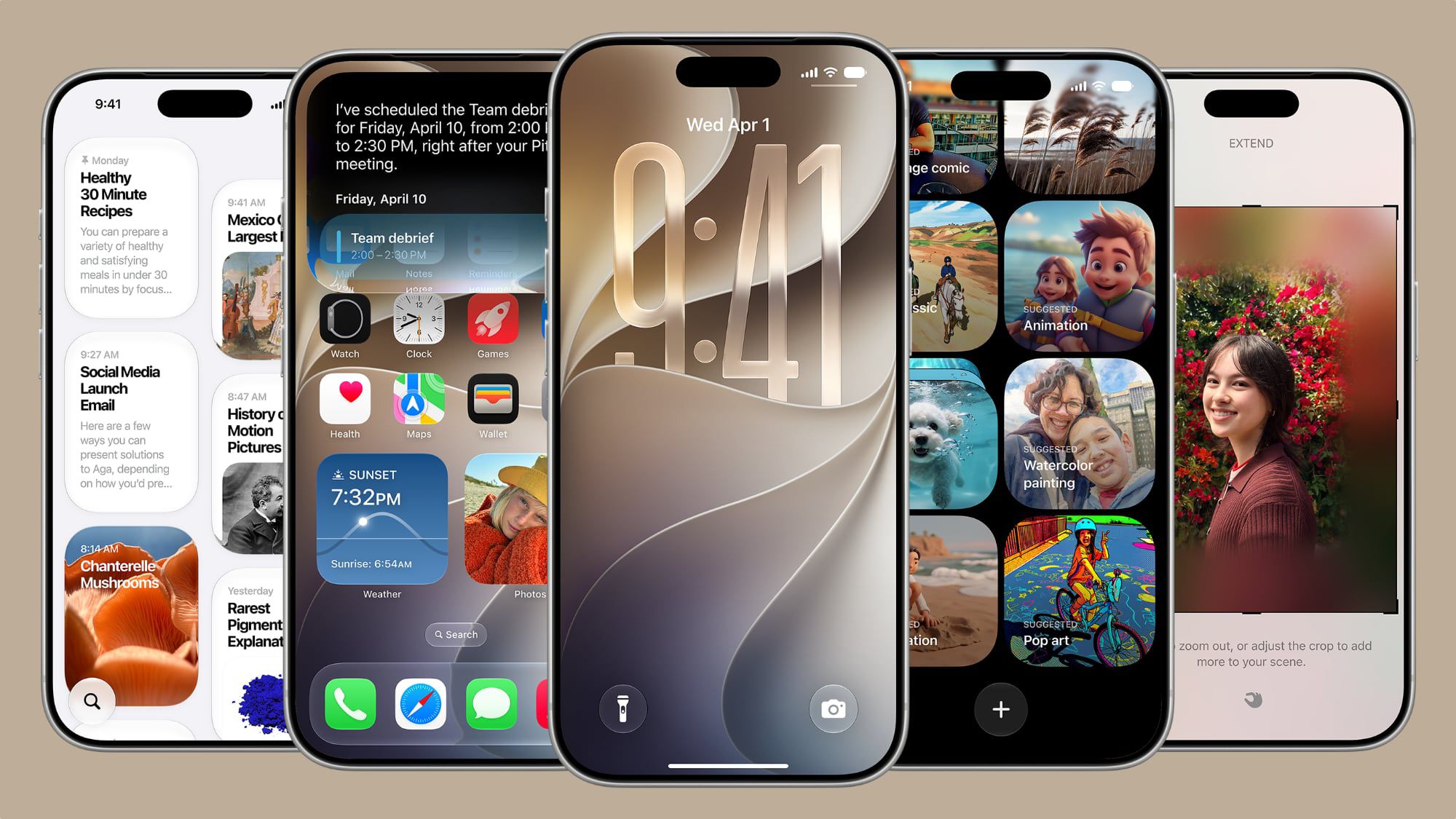
Apple has officially released the highly anticipated annual iOS 27 update to the general public, finally moving the system out of beta and onto iPhones around the world. As is customary with Apple’s major releases, the update brings a massive wave of upgrades and new AI-powered capabilities. However, the package is not entirely complete; at the last minute, Apple decided to delay two prominent features that everyone was looking forward to, meaning they will require more time in the company’s labs before seeing the light of day in upcoming minor updates.
Two Missing Features: Delayed to Future Updates
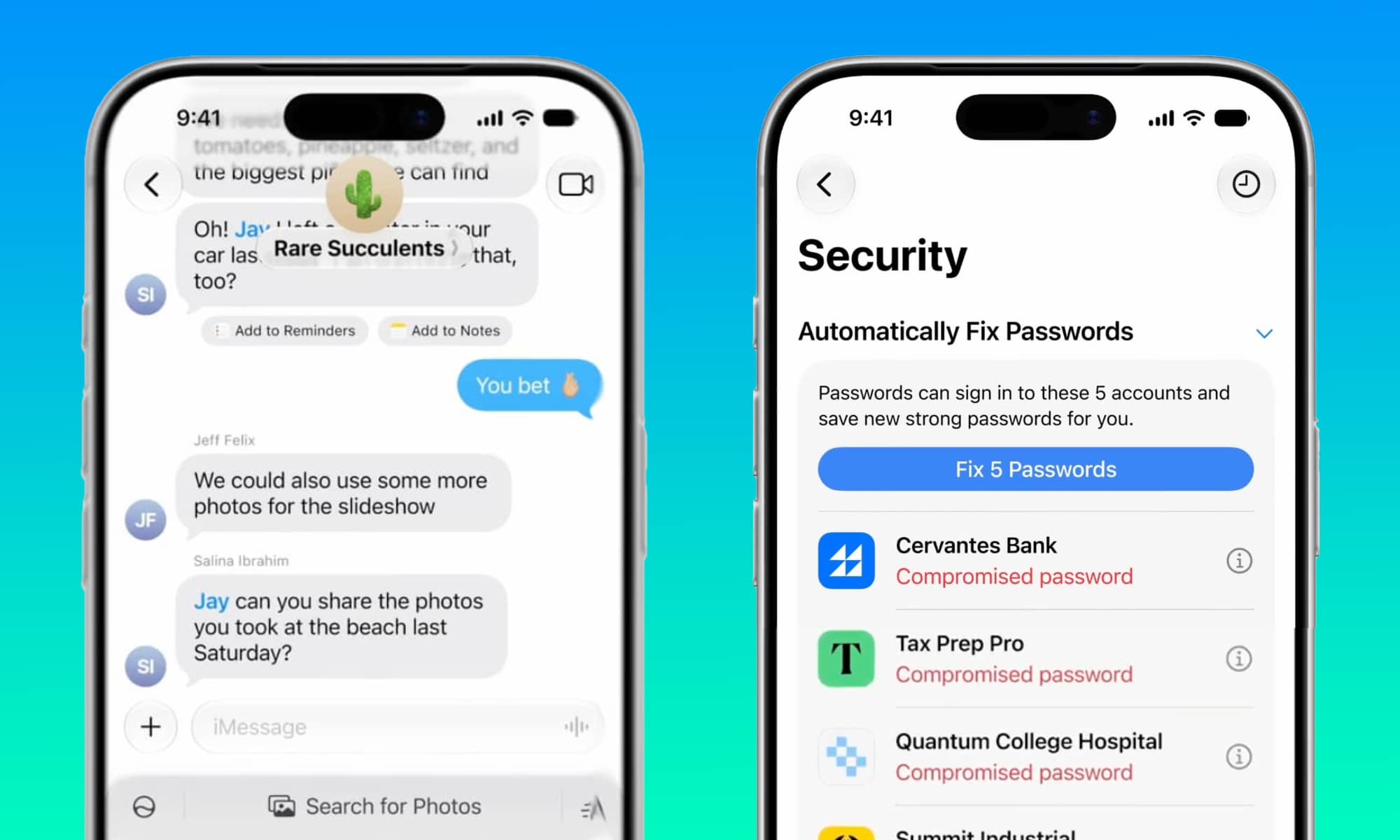
Apple quietly updated the iOS 27 page to clarify that the “Suggestions in Messages” and “AI Password Repair” features are coming in a future update, likely iOS 27.1. The Suggestions in Messages feature was already available during developer and public betas, offering smart contextual buttons to perform quick actions like scheduling events in the Calendar or searching for relevant photos. However, it was pulled just before the Release Candidate (RC) version, as Apple felt it was not yet mature enough.
The second delayed feature is the ability of generative AI and the intelligent agent to automatically repair weak passwords. This feature was not just intended to detect easy or compromised passwords; it was designed to take the initiative on your behalf by logging into websites, changing the password to a strong one, and saving it in the Passwords app. Despite being showcased at WWDC last June, it never appeared in the beta versions, and it seems its programming complexity led Apple to hold off before releasing it to the public.
Siri Becomes a Real Assistant.. But with Conditions
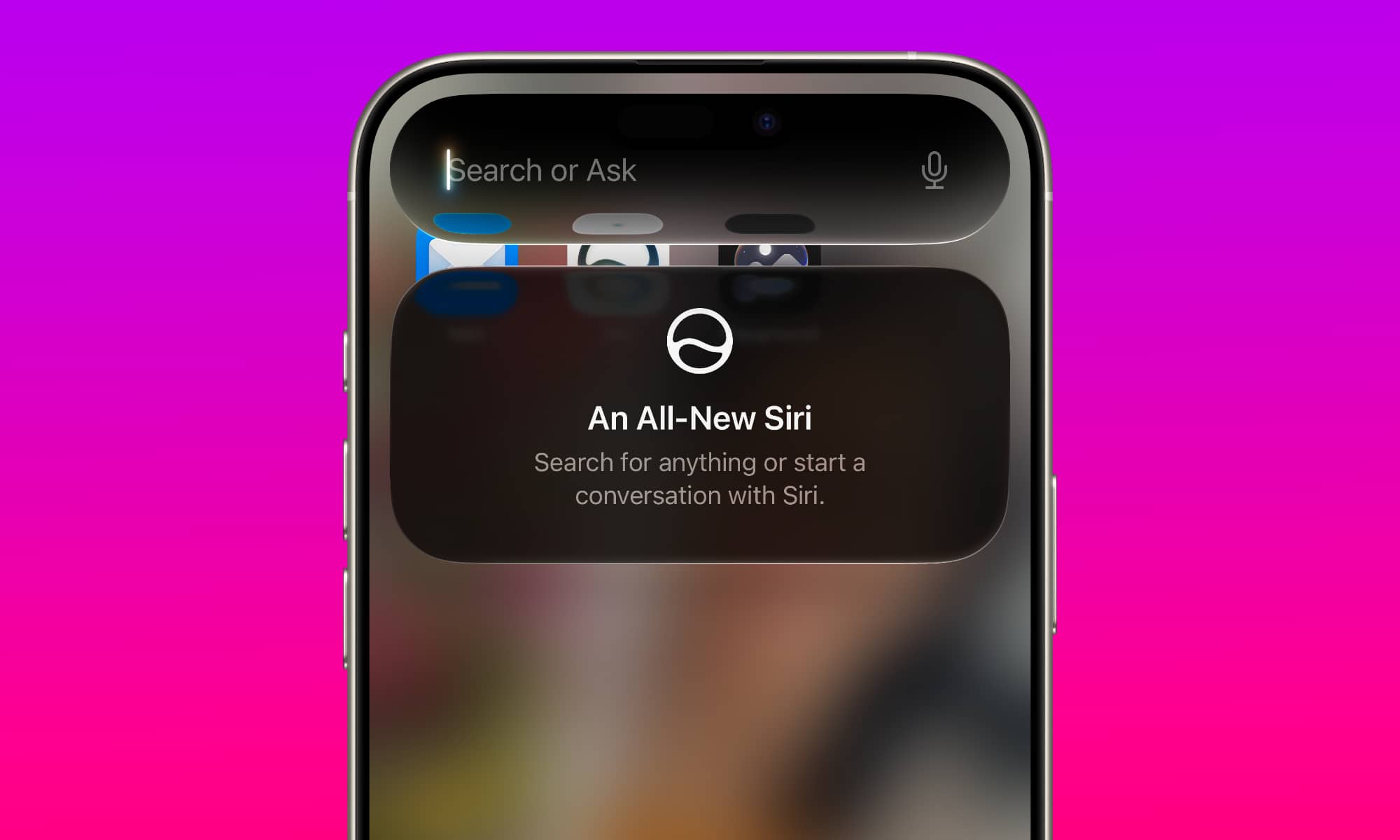
The most notable event in iOS 27 is undoubtedly the rebirth of the “Siri AI” voice assistant. After 15 years of merely setting timers, reminders, and providing witty answers, Siri has finally grown up to become a true personal assistant capable of understanding complex context and performing tasks within apps seamlessly. The new Siri relies almost entirely on on-device processing, a massive step that ensures your data privacy and provides ultra-fast, immediate responses without waiting for the cloud.
However, this leap comes with a critical hardware requirement. The new Siri capabilities require devices that support Apple Intelligence, namely the iPhone 15 Pro models, the entire iPhone 16 family, the iPhone 17, the iPhone Air, as well as the upcoming iPhone 18 Pro and iPhone Duo models. Although iOS 27 is available for installation on all phones that supported iOS 26 (from iPhone 11 onwards) and provides noticeable performance improvements for those devices, standard iPhone 15 models and older versions will continue to run the traditional version of Siri due to RAM and processor limitations.
The matter goes even further; some highly advanced features, such as Siri’s hyper-realistic expressive voices and advanced voice dictation, will be exclusive to the iPhone 17 Pro, iPhone Air, and newer devices, as they are the only phones equipped with 12GB of RAM, the minimum required to run Apple’s largest language models locally.
The New Arsenal of Apple Intelligence Features
The system upgrade comes with a complete suite of AI tools that reshape your daily phone usage:
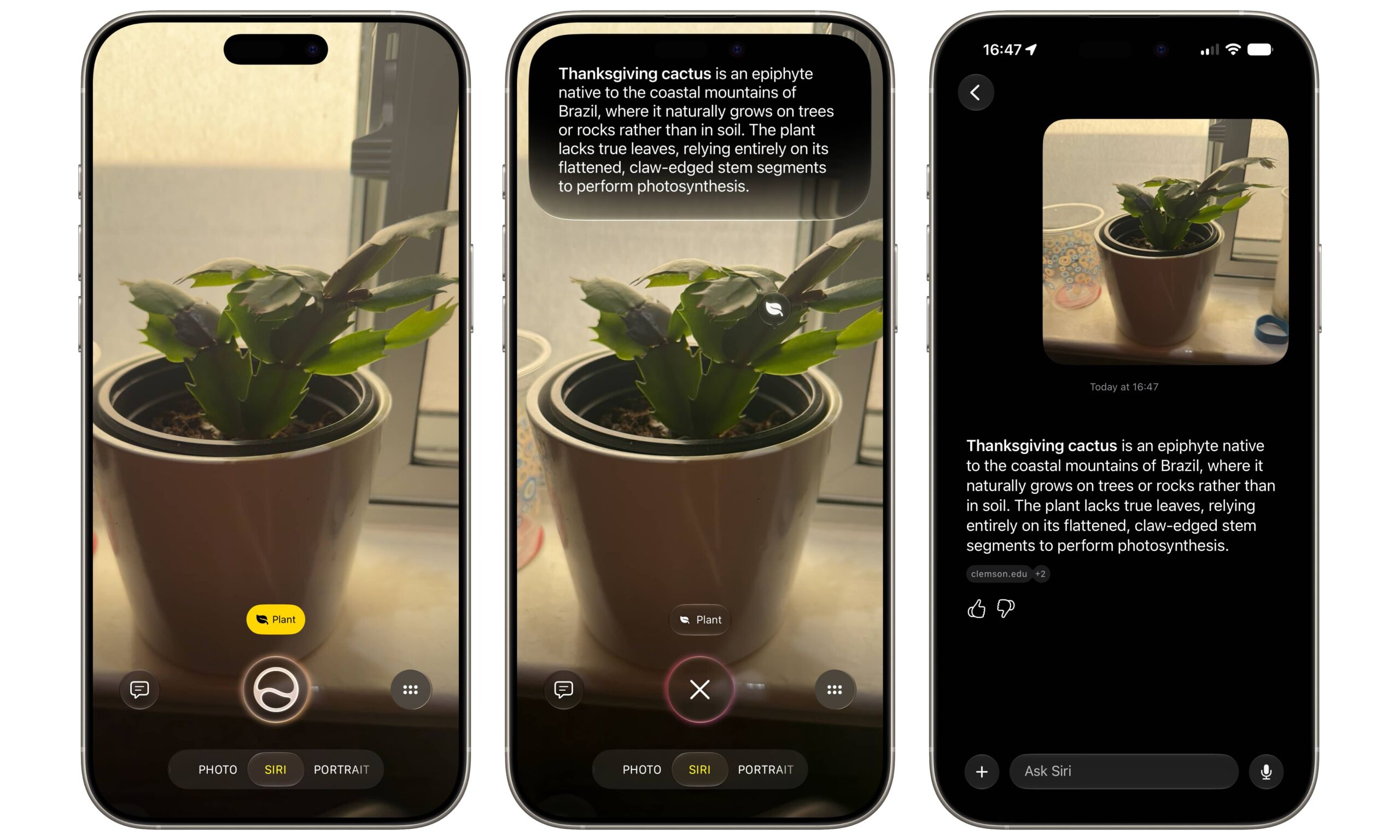
- Siri Integration in Camera: The Visual Intelligence feature is now integrated directly with Siri inside the Camera app to recognize what you see and answer your queries without relying on external tools.
- Image Playground App: Now allows for the generation of more advanced and complex images with support for hyper-realistic image generation.
- Three Revolutionary Photo Editing Tools: An upgraded Clean Up tool to precisely remove distracting elements, an Extend tool to intelligently expand photo edges, and the stunning Spatial Reframe tool to completely change the angle and perspective of a photo.
- Safari Updates: Automatic tab organization, a “Notify Me” feature to monitor changes on web pages and alert you, and “Describe an Extension” to create simple browser extensions using natural language.
- Calendar and Mail: Calendar support for natural language to create appointments just by typing a sentence, along with improved suggestions and search in Mail.
- Phone and Home App: The Phone app now displays contextual information related to the caller during a call, and HomeKit Secure Video cameras offer summaries and smart descriptions of what is happening at your front door.
Additions for All Devices and Restructuring of Shared Albums
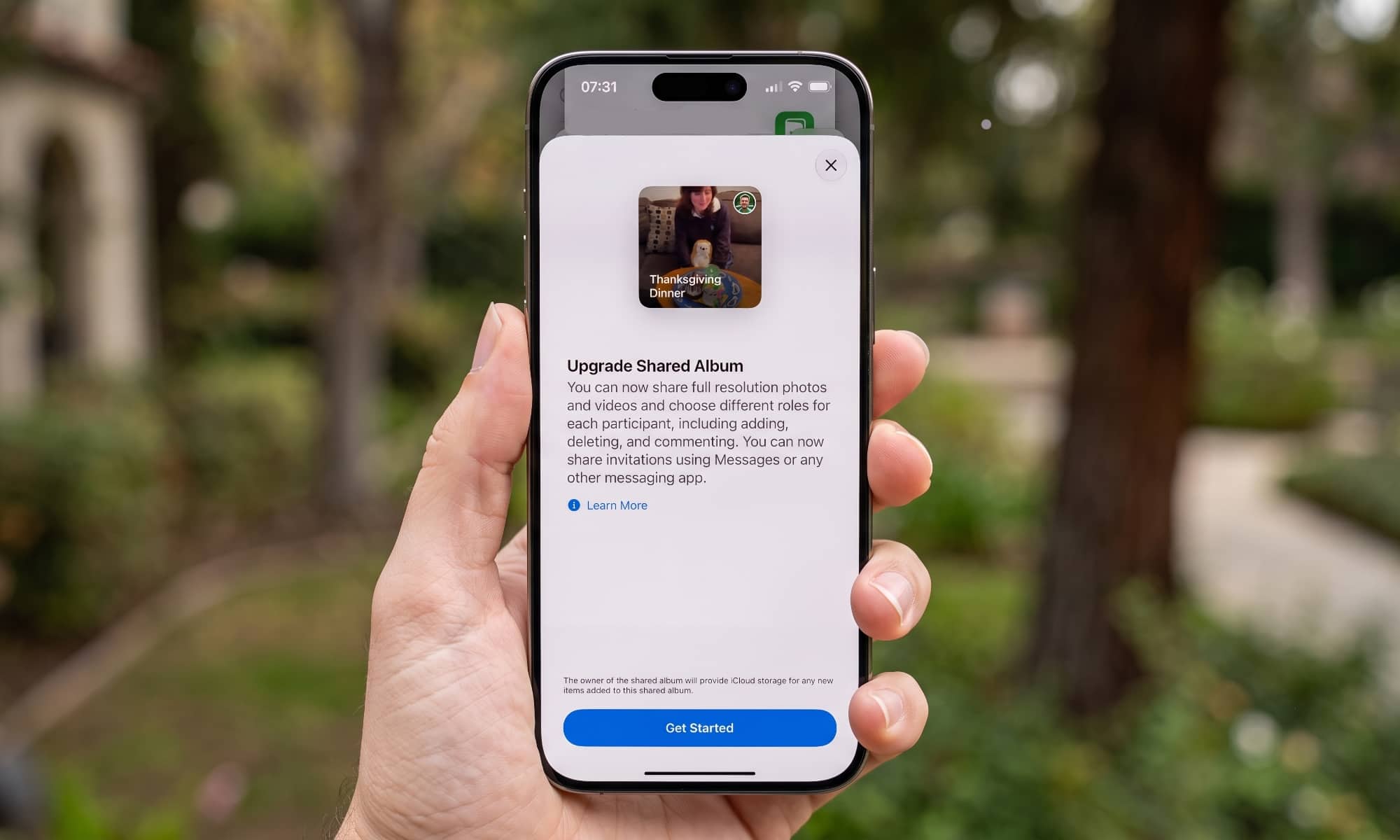
Apple has not forgotten owners of the iPhone 14 and older; the update brought clear interface improvements to the Apple Music app, including landscape mode, larger widgets, and an improved AutoMix tool, in addition to landscape mode support and new tools in the Weather and Find My apps. The Camera app also received new customization options for controls, support for dual capture mode in FaceTime, and the ability to create custom cards and tickets within Apple Wallet.
Regarding iCloud, the Shared Albums feature received the lion’s share of changes; albums can now be shared with everyone via web links, allowing Android and Windows users to contribute photos and videos for the first time. More importantly, it now retains media at its full original resolution, though this will begin to count against your iCloud storage plan.
If you do not have automatic updates enabled or prefer not to wait weeks for the automatic notification, you can start upgrading immediately by going to Settings, then General, and selecting Software Update to install the new system.
Source:
Leave a Reply