The Messages app is undoubtedly one of the most important daily apps on the iPhone, and in iOS 27, Apple has decided to give it an intensive dose of intelligence to get rid of some of the most annoying problems that have plagued users for years. By integrating Apple Intelligence technologies and improving many small details, the app has become smoother and less annoying for daily use.

Apple Intelligence understands the context of your conversations and suggests solutions
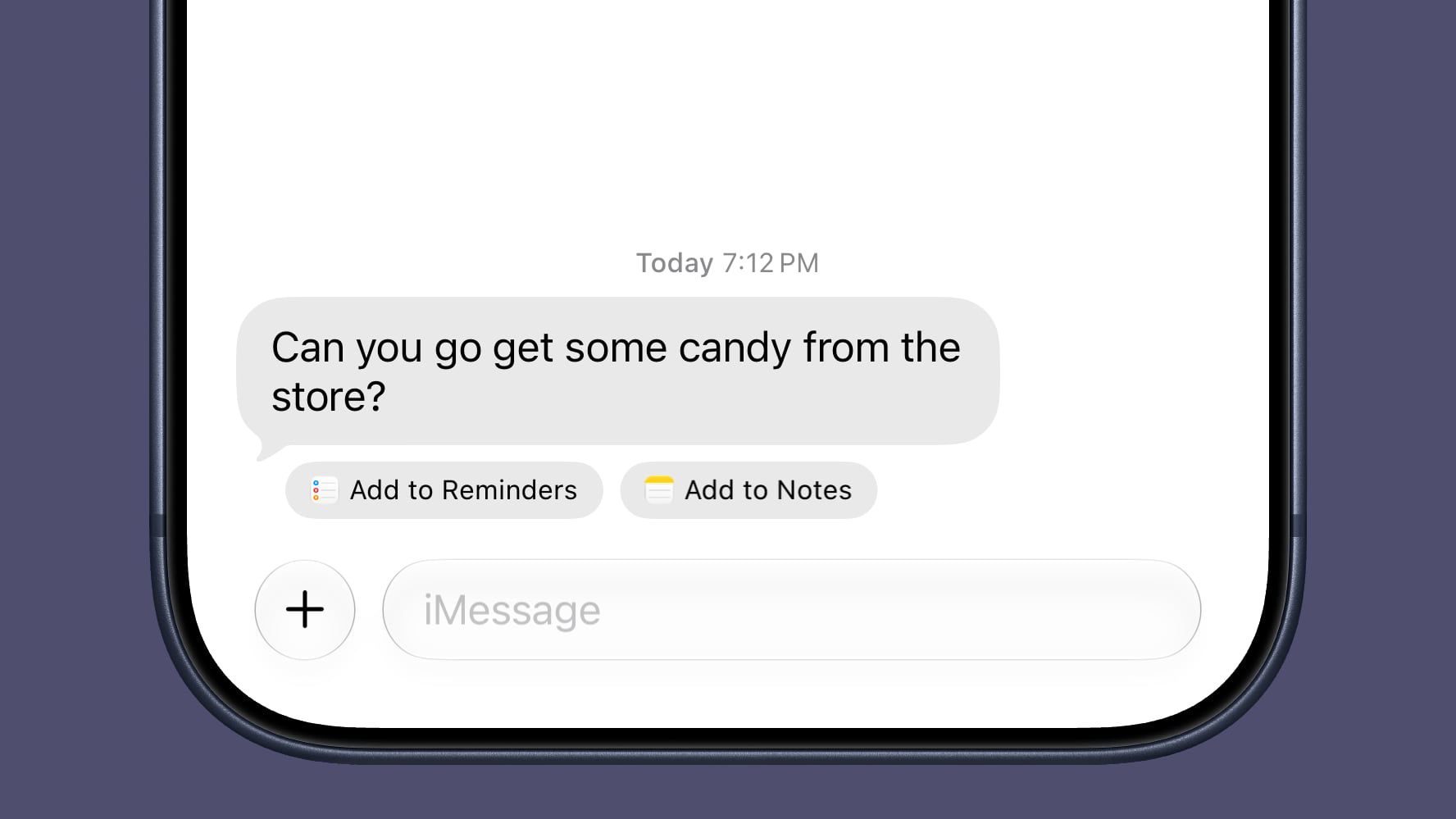
The Messages app is no longer just a means of transmitting text; it now understands what you are writing and what the other party is asking for, thanks to Apple Intelligence. If a friend asks you about a specific photo in a conversation, the app will immediately recognize the request and suggest the appropriate photo for you to send with a single tap, without needing to go to the Photos app and search for it yourself.
It doesn’t stop at photos; if you receive an invitation to an event, the app will immediately offer to add it to your Calendar. And if your family asks you to pick up some items from the store, the app will suggest adding these items directly to the Reminders or Notes app to make your life easier and save your time and effort.
Writing with Siri and AI integration
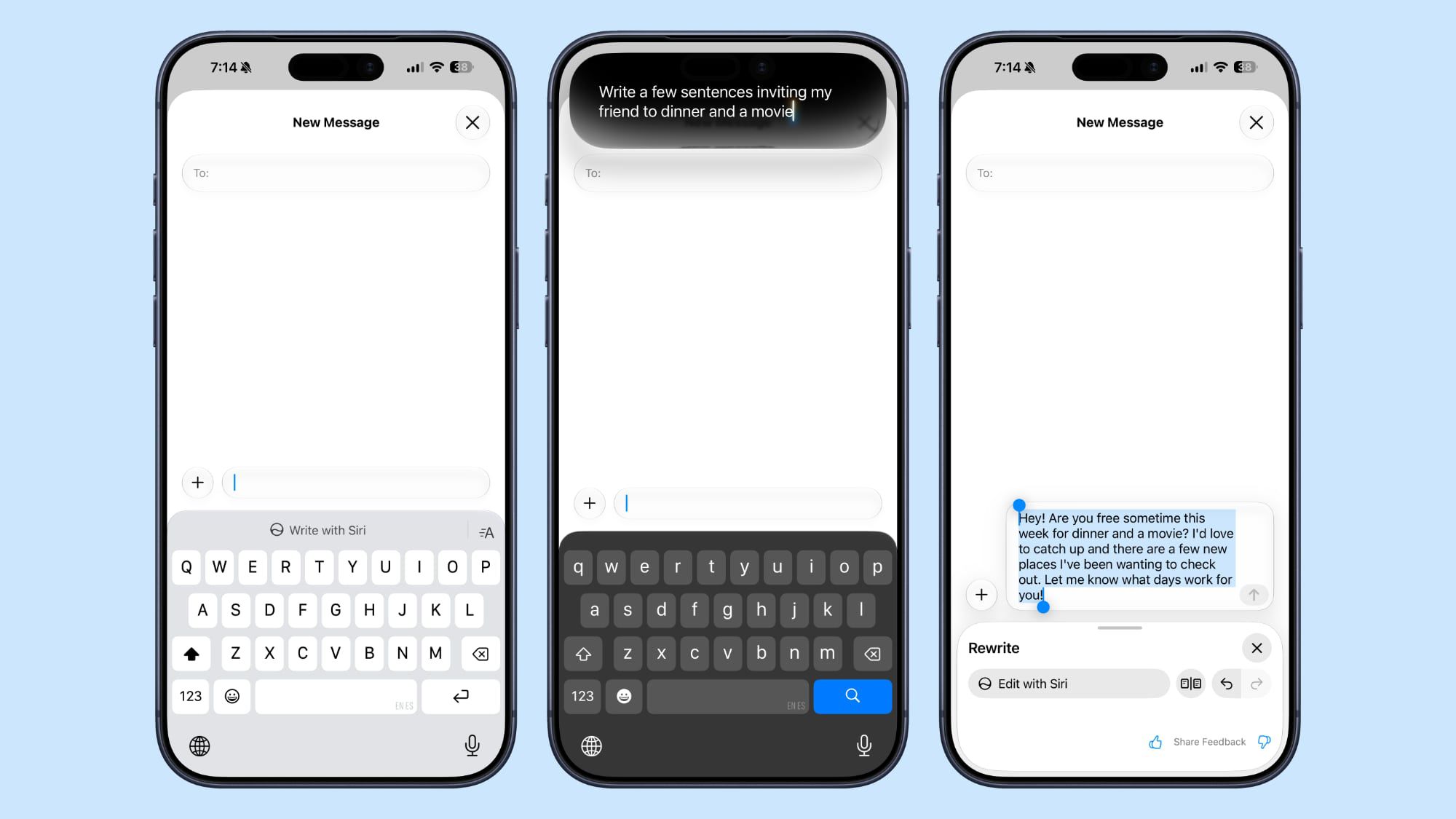
The “Write with Siri” feature completely changes how you draft messages. With a dedicated button located directly above the keyboard, you can ask Siri to draft an entire message for you, review and proofread what you have written, or even provide suggestions on the writing style to make it more appropriate for the situation.
The smart Siri assistant is also deeply integrated into the app, allowing you to search for photos, videos, links, addresses, and even old phone numbers within your previous messages with ease and speed, along with the ability to generate Smart Replies that adopt your own writing style to sound completely natural.
Quick doodles and a solution to the accidental voice recording dilemma
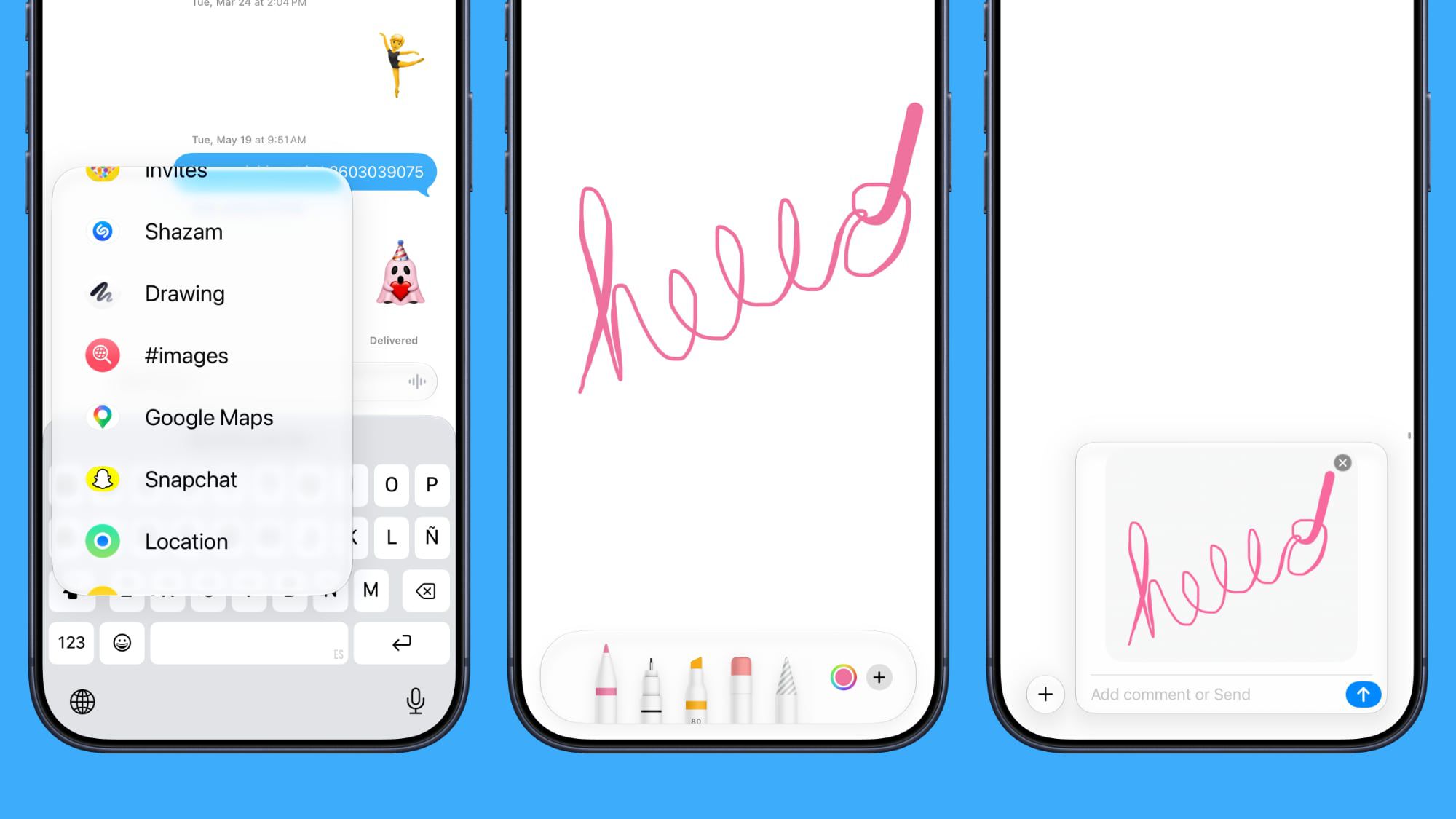
Bored with text and want to send a quick artistic touch? iOS 27 provides an entirely new drawing interface within the Messages app, accessible by simply tapping the “+” button next to the text field. This interface provides you with the same famous Markup tools available in the Notes and Photos apps, including pens, highlighters, and an eraser, with a wide range of options to choose your favorite colors for sending unique hand-drawn sketches.
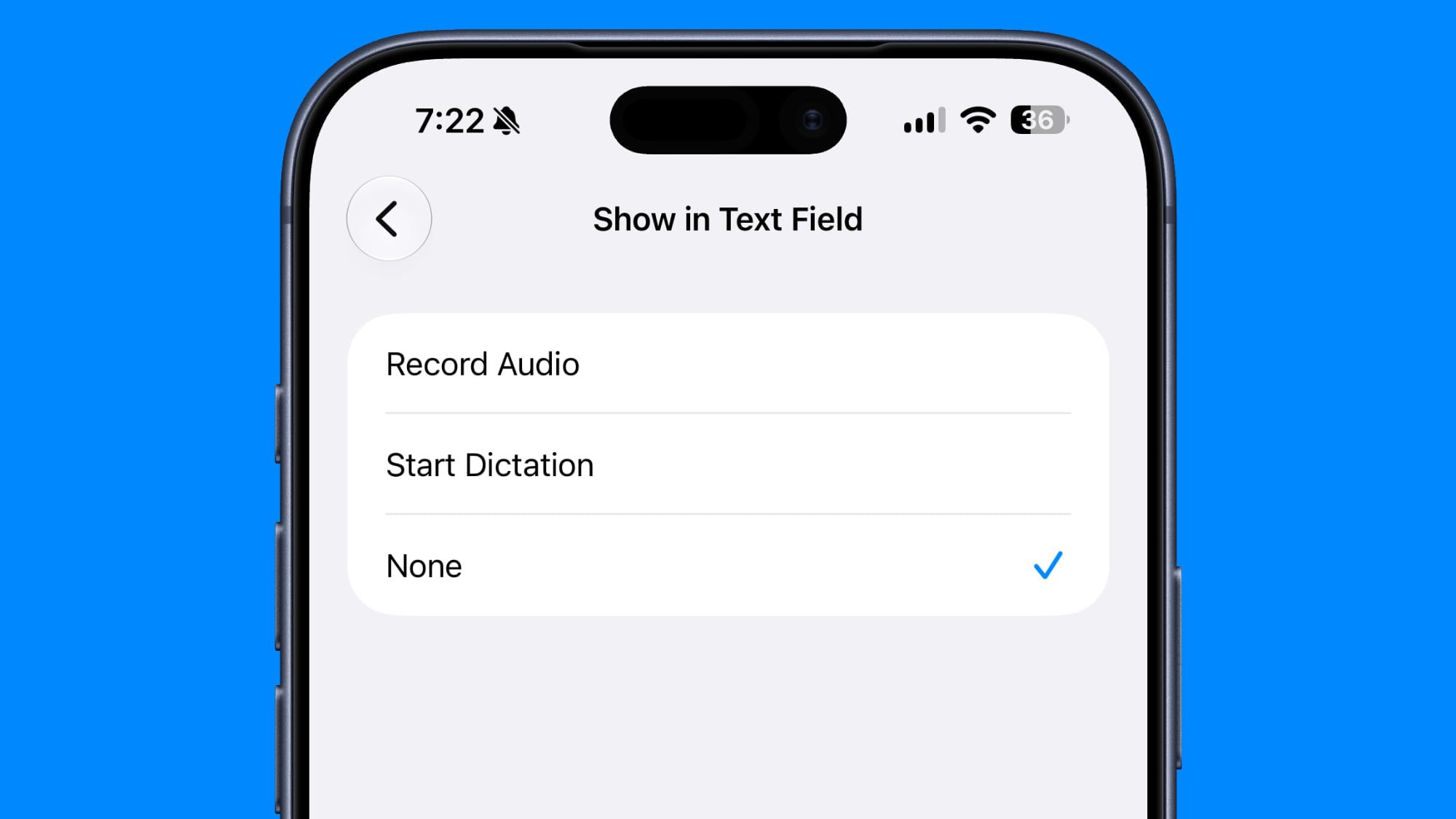
On the other hand, Apple has finally responded to complaints from millions of users regarding the voice recording button that gets pressed by mistake, sending empty recordings or random, embarrassing sounds! Now, in the Messages app settings, you can go to the “Show in Text Field” option and change the right button to be dedicated to dictation only, or even remove it entirely (None) to ensure peace of mind and never accidentally send a voice recording again.
Huge evolution for Genmoji and better interaction with Android
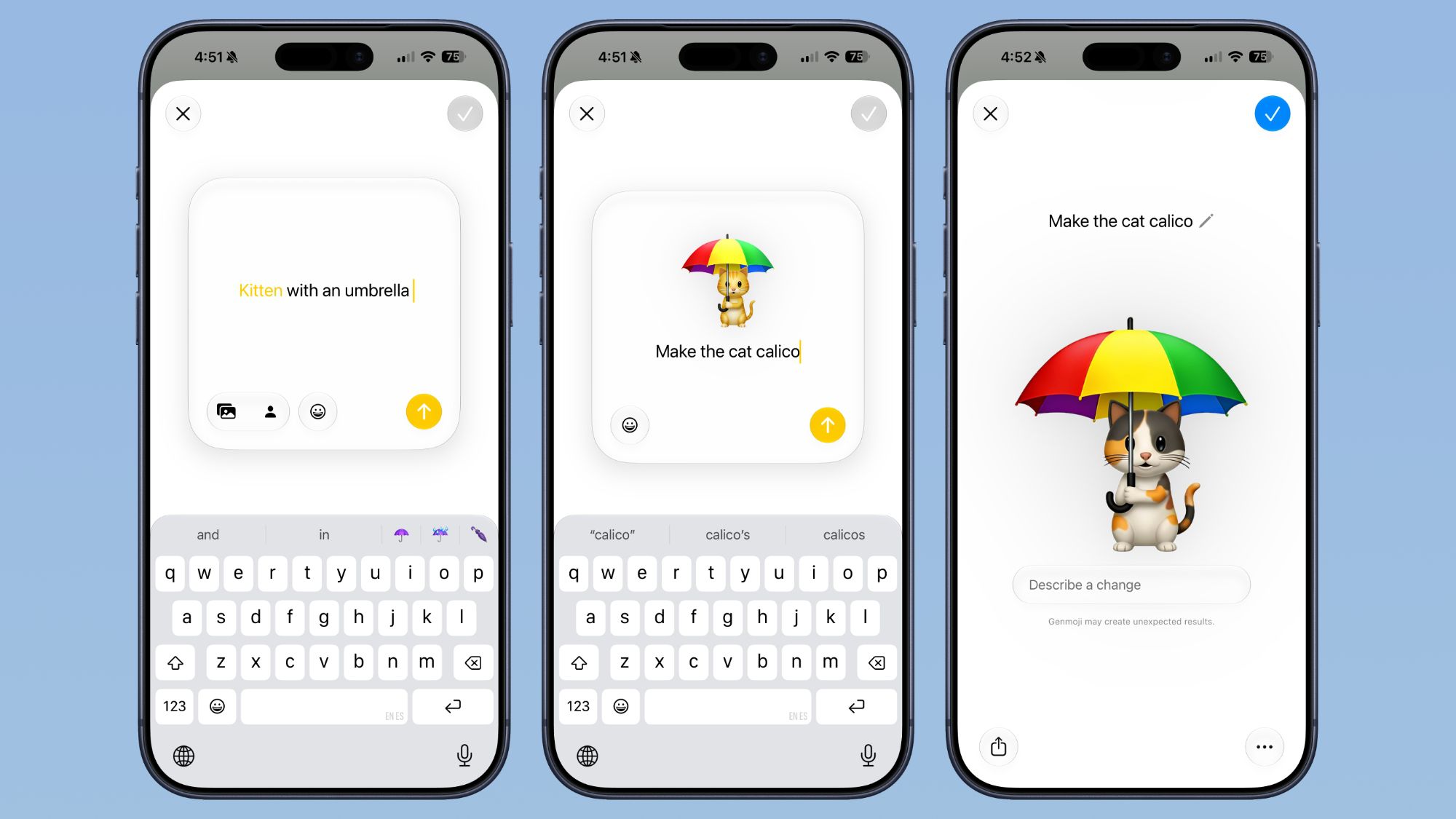
Apple has completely redesigned the Genmoji creation experience in iOS 27 to be more flexible and creative. You will find a new and improved interface that allows you to describe the emoji you want to create, with options to start from an existing emoji, choose a real photo from your library, or even select a specific person from your contacts. Thanks to the new “Edit Description” interface, you can make precise changes and adjustments to details and colors without having to regenerate the entire emoji from scratch.
As for Android users via the RCS protocol, the update brings long-awaited improvements; you can now long-press on any message to perform an inline reply within the conversation. Additionally, iOS 27 displays emoji reactions correctly and directly on photos and videos, which was broken in the previous version.
Sending, syncing, and searching with extreme reliability and speed
One of the most annoying things in the past was the failure of some messages to send when the network was weak without notifying you or asking you to resend manually. In iOS 27, the iPhone will automatically retry sending failed messages as soon as the signal is restored without any intervention from you. The app also now supports automatic resuming for sending large photos and videos; if the connection drops during sending, it will automatically resume the process as soon as you are back online.
Apple has also significantly improved the cloud sync engine to ensure that messages, read receipts, and interactive replies move quickly and without errors between your various devices like iPhone, iPad, Mac, Apple Watch, and Vision Pro. The process of fetching photos recently taken with the camera inside the Messages app has also become faster than ever, allowing you to share them immediately without delay.
Finally, improvements have reached the search engine and data indexing within the app, making it easier to find what you are looking for even using phone numbers or nicknames of your contacts. The big surprise is that photos and media that were temporarily deleted to save storage space on your device (Offloaded Media) will remain searchable within the Messages app with clear thumbnails appearing for them instead of empty squares, giving you a smart and integrated visual search experience worthy of the new system’s evolution.
Source:


Leave a Reply