We have finally reached the developer beta of iOS 27, and with it comes the AI-powered Clean Up tool for editing photos and removing unwanted elements. This tool, whose maturity we have long awaited, finally feels like it is worth actually using to edit our daily photos and make them look perfect with a single touch on our iPhone. But as is often the case with Apple, there is a major hurdle we must address that makes a real difference in the daily user experience.
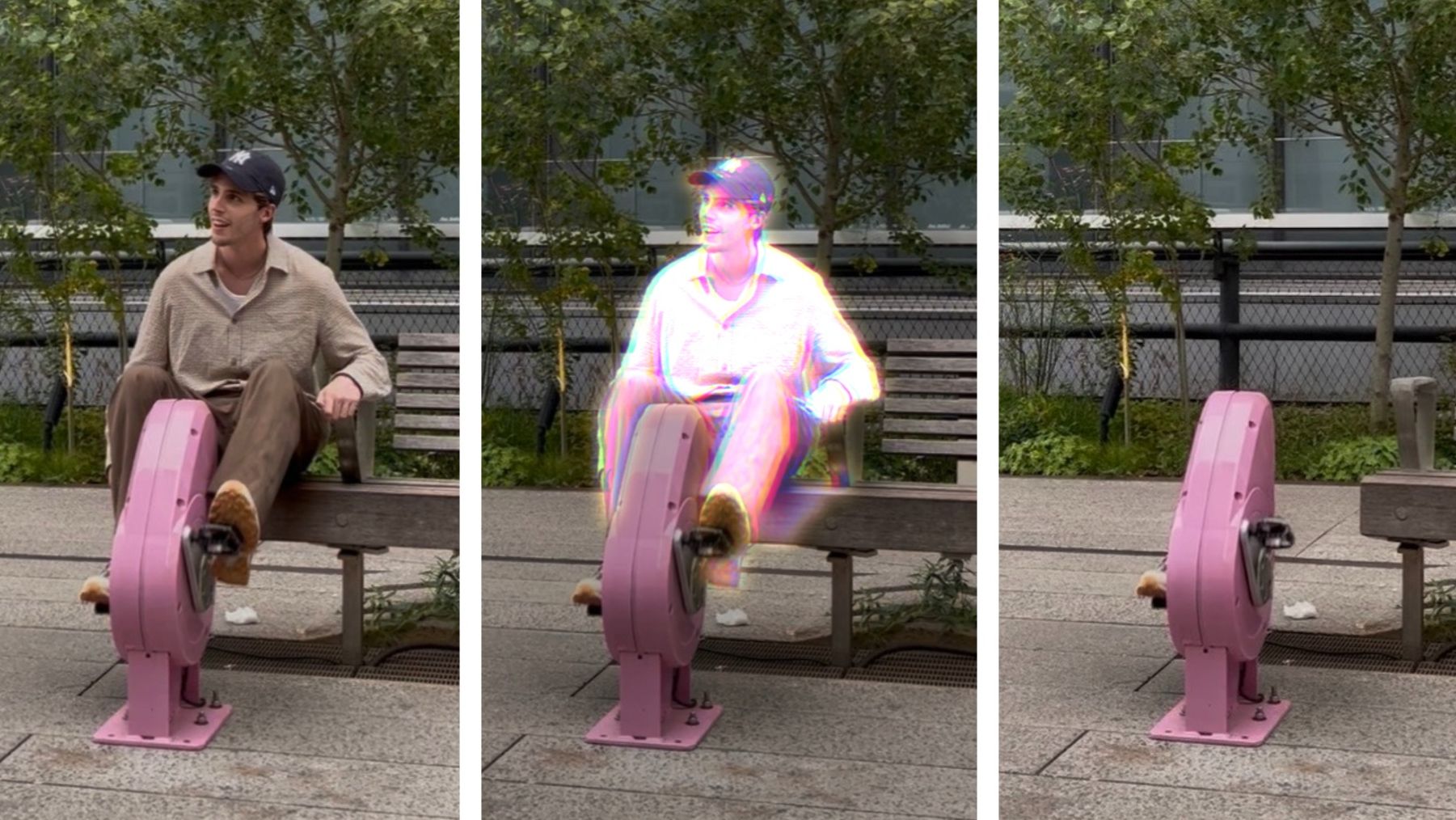
First impressions of the improved tool
When testing the Clean Up tool in the iOS 27 developer beta, the smart touches Apple has added are clearly visible. The tool has become much faster and more accurate at identifying elements the user wants to remove from the photo background. Apple’s AI seems to have learned how to handle complex details like lighting and shadows better than ever before.
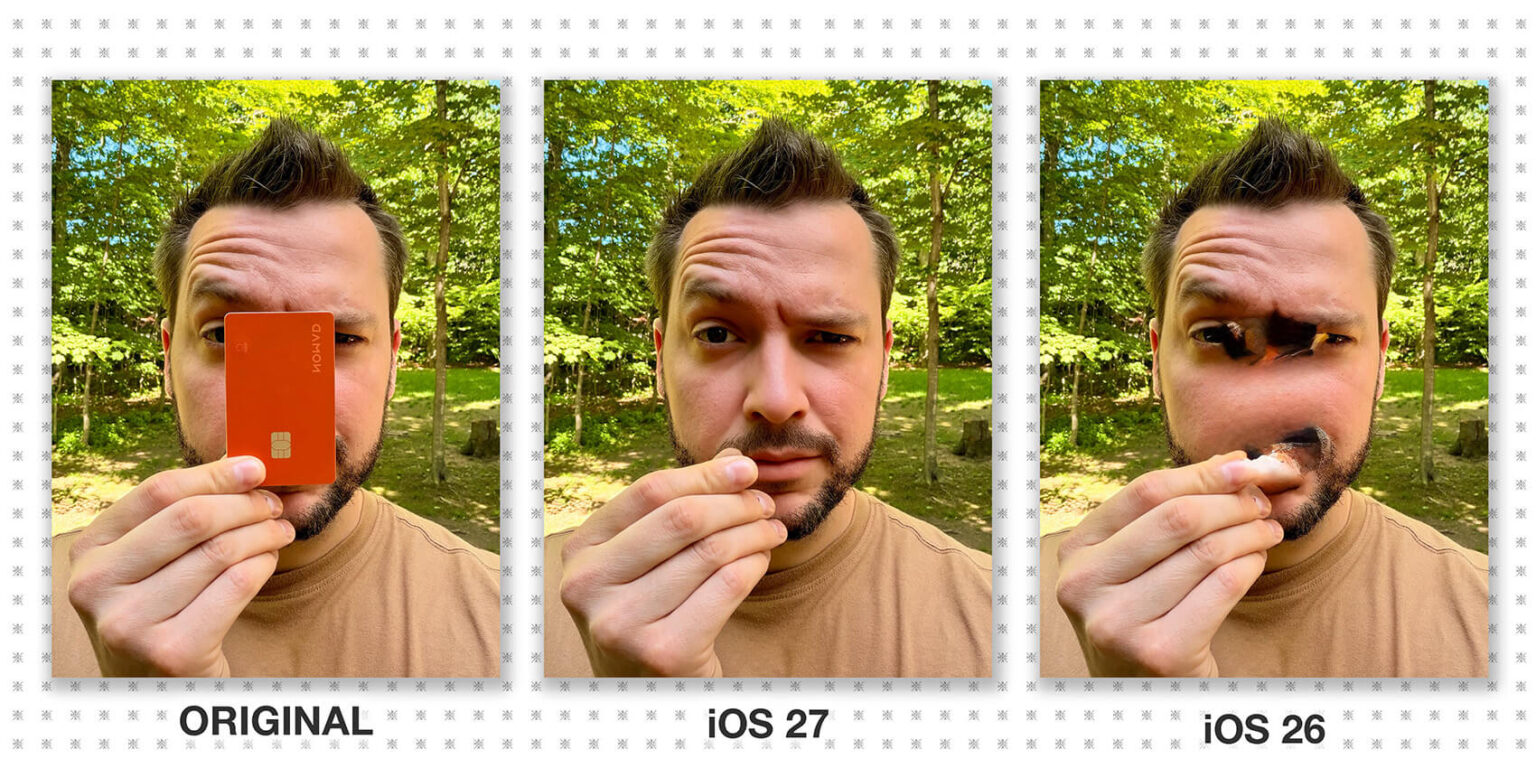
The beauty of these first impressions is that the tool no longer feels like a poorly performing experimental feature; it has become a real tool that photographers and iPhone owners can rely on to get rid of annoying details in their favorite shots without distorting the original image, finally making it a tool worth using.
The big comparison: iOS 26 vs. iOS 27
If we compare current performance to how it was in iOS 26, we notice a huge leap in quality. In the previous system, the Clean Up tool would sometimes leave blurry spots or inconsistent colors where the element was removed, making the edit look inaccurate or obvious to a trained eye. In iOS 27, Apple has largely addressed this issue by improving the generative AI-based fill algorithms.
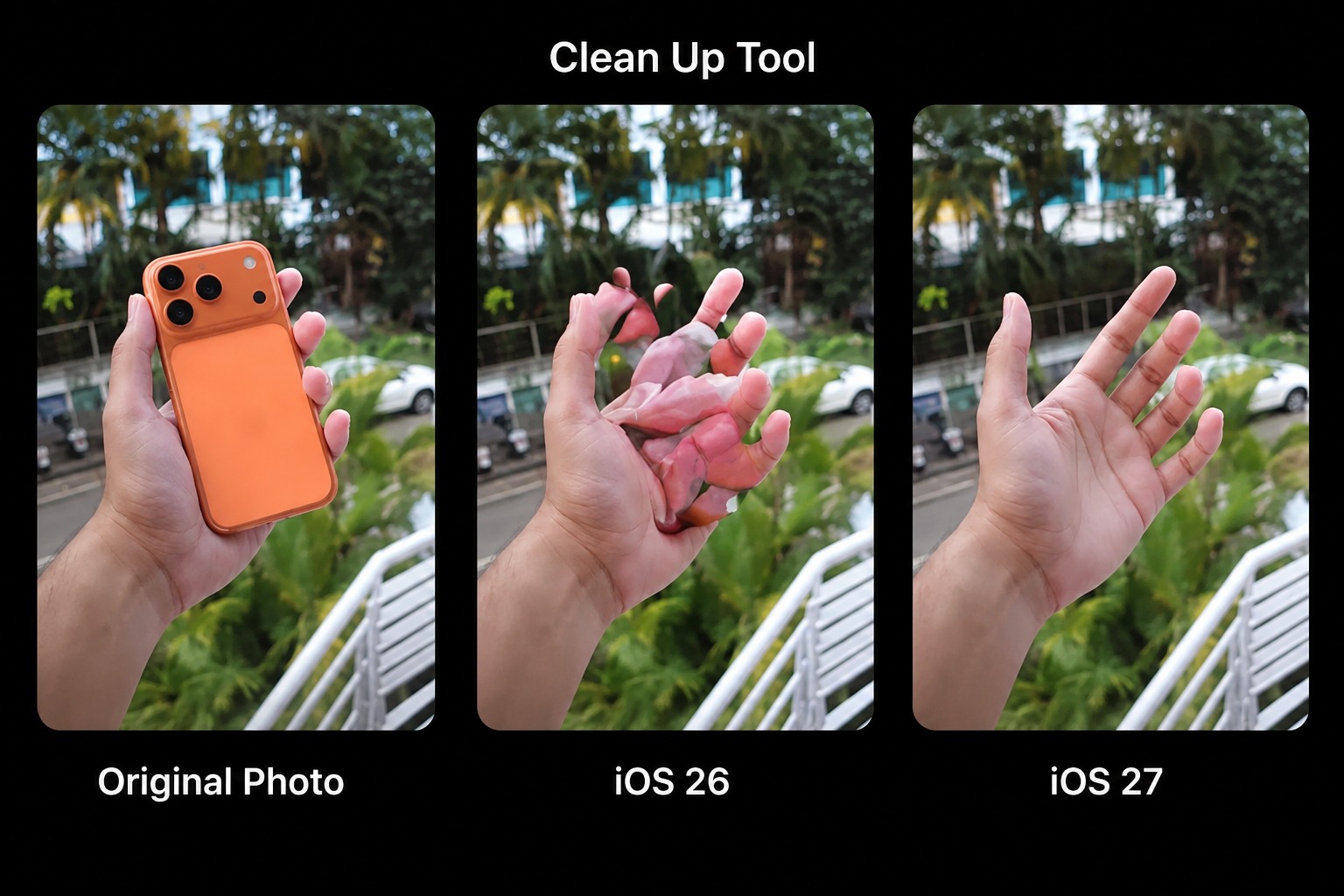
The results now look very natural, as the new system can understand the general pattern of the background and reconstruct it with intelligence that rivals professional photo editing applications. This represents a major success for Apple’s software engineers and a real evolution we have been eagerly awaiting.
The dilemma of choice: Fast vs. High Quality
One of the most important new additions to the Clean Up tool in iOS 27 is the option for the user to choose between two editing modes: Fast and High Quality. This option gives you great flexibility; if you want a quick edit to share on social media immediately, the Fast mode will get the job done in a fraction of a second.

However, if you are looking for a perfect, flawless shot for memories or printing, the High Quality mode takes a little extra time but provides ultra-precise processing for every pixel in the image. But always remember, despite all these flashy features, there is a major hurdle regarding performance and system compatibility that might make some users hesitate before relying on it fully during this beta phase.
Source:


Leave a Reply