Following the release of the first public beta of iOS 27 last week, Apple didn’t wait long and decided to impress us with the release of the fourth Developer Beta for the iPhone. Although this rapid release might surprise some, it follows Apple’s usual schedule with extreme precision, arriving exactly two weeks after the third developer beta. Since the first public beta was identical to the third developer beta, this fourth beta brings the real refinements and improvements we have been waiting for, especially those related to artificial intelligence and the personal assistant Siri, which is becoming smarter and more expressive every day.
Expressive Siri Voices: Six New Accents and More Precise Customization
If you visit the Settings menu, then Siri, then Voice on the new iPhone 17 Pro or iPhone Air, you will discover the most prominent change in this fourth beta; Apple now offers a set of seven distinct American voices represented by colors to make selection easier. Interestingly, the only two voices that were available in previous beta versions (which were represented by green and yellow) have been moved to the far right, becoming purple and blue as voices number 6 and number 7.
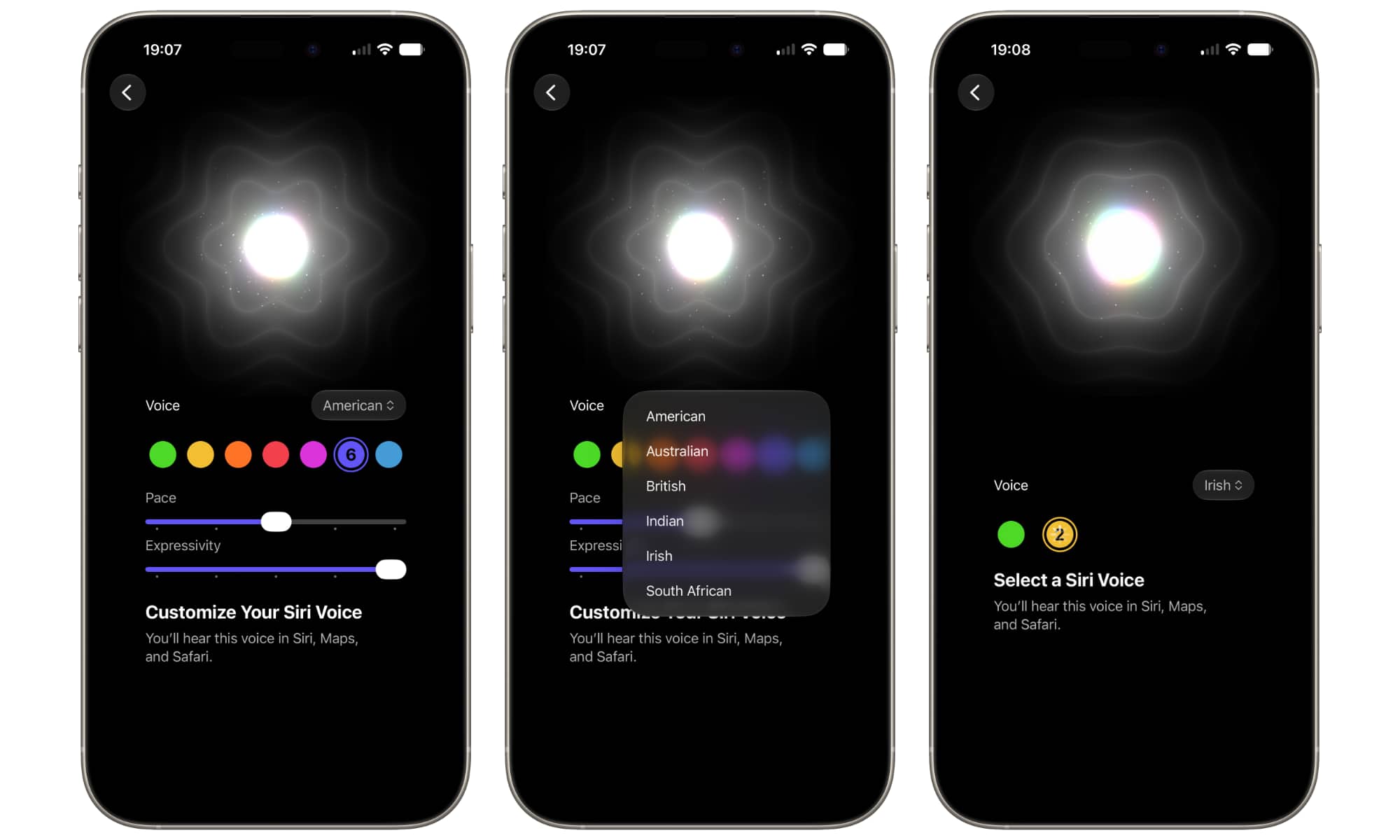
As of now, these two voices remain the only ones that support full customization via sliders to control voice pace and expressivity. As for the other five voices, when selected, the slider appears with a “Coming Very Soon” card, and they play a short, concise audio sample instead of the usual long phrases.
Apple didn’t stop there; it also enabled the dropdown menu for other accents in the fourth beta, allowing users to choose between Australian, British, Indian, Irish, and South African accents. The Australian and British accents each include four distinct voices, while the Indian, Irish, and South African accents offer two voices each. Although these accents do not yet support expressive customization options, they give Siri a wonderful global touch that paves the way for an unprecedented interactive experience.
Long-Awaited Practical Improvements and Significant System Changes
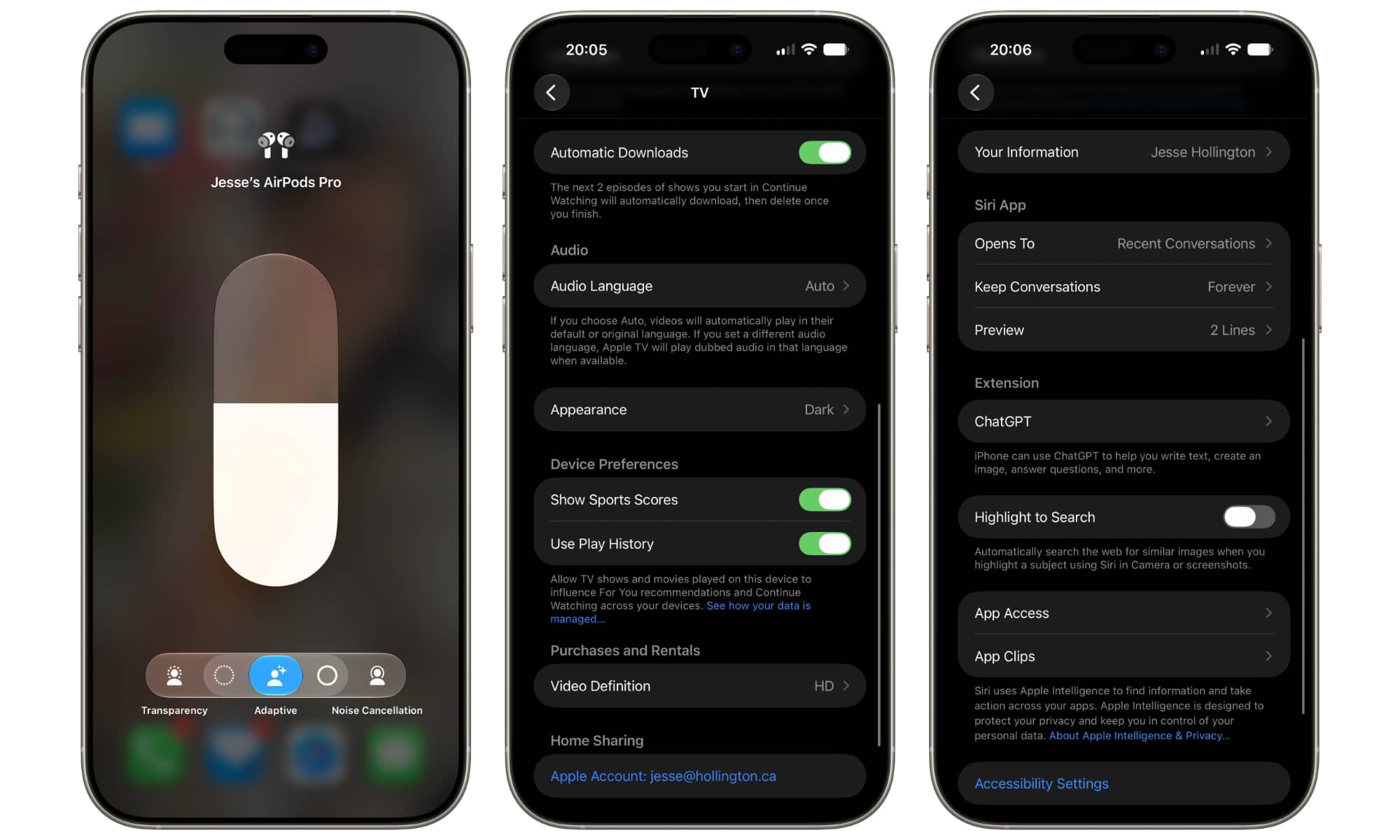
Siri’s voices were not the only update in this version; they were accompanied by a set of practical improvements that make the iPhone user experience smoother, smarter, and wonderfully meet daily user needs. Here are the most prominent changes we spotted in the fourth developer beta:
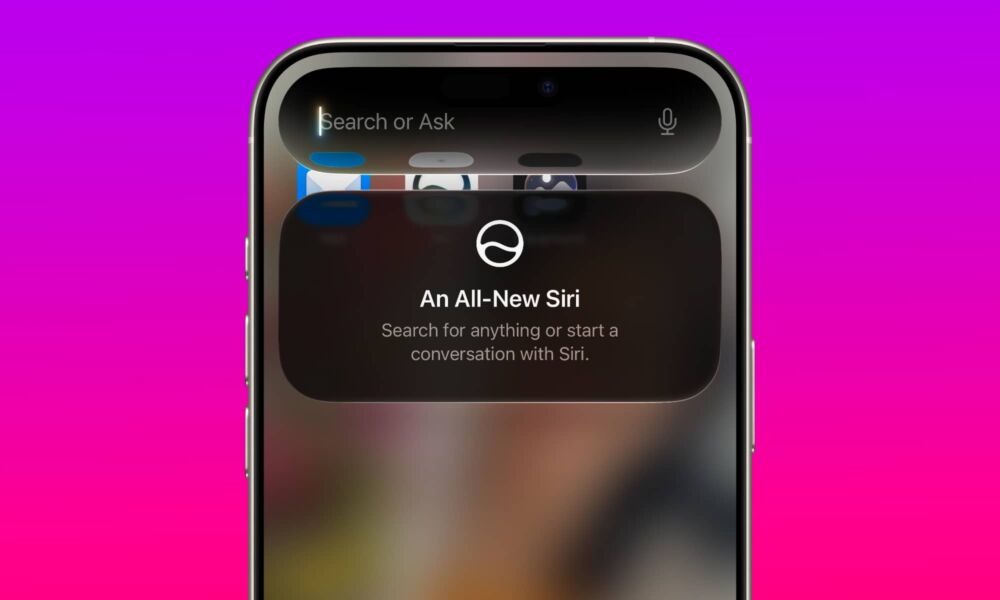
- Siri Conversation Preview and Welcome Card: Apple adds a new option in Siri settings that allows you to specify the number of preview lines you want to see for each conversation in the Siri app (just like the feature in the Mail app). A welcome card also now appears explaining the new Siri features when swiping the screen to access the search or query interface for the first time.
- Automatic Downloads in the TV App: The Apple TV app has received a long-awaited smart feature: the “Automatic Downloads” option for the next episodes of series in the “Up Next” list. The app automatically downloads the next two episodes and deletes the ones you have finished watching to save storage space.
- Smart Management of Cellular and Wi-Fi Data: A new toggle switch named “Use Cellular Data with Wi-Fi” has been added within the settings of each registered Wi-Fi network. This represents a more precise and customized version of the famous Wi-Fi Assist feature, allowing you to identify weak networks you want to support with cellular data with greater accuracy.
- AirPods, Camera, and Photos Options: AirPods in the Control Center have received the updated Adaptive Audio slider. In Camera settings, professionals can now choose between ProRes Log format and the new ProRes Log 2 format. Also, a “Zoom Photos to Fill” feature has been added in Photos settings to automatically crop shots whose dimensions are close to the phone screen’s dimensions.
Source:



Leave a Reply