It seems that Apple has finally decided to transform the Notes app from a simple space for quick grocery lists into a powerful productivity tool that rivals the strongest third-party apps in the upcoming iOS 27 update. The new update, currently available as a developer beta, comes with four key features aimed at facilitating writing, organizing, and instant navigation between texts and files, making the note-taking experience smarter and more enjoyable.

Siri AI: Your Personal Assistant Writes for You
With the arrival of Siri in its smartest and most personalized version (Siri AI) to iPhone 15 Pro and newer devices, you can now rely on it entirely to create brand-new notes with content generated completely by artificial intelligence. For example, you can ask Siri to create a note listing all iPhone models compatible with the iOS 27 update, and it will fetch this information from the web, draft it, and format it directly within the note without any intervention from you.

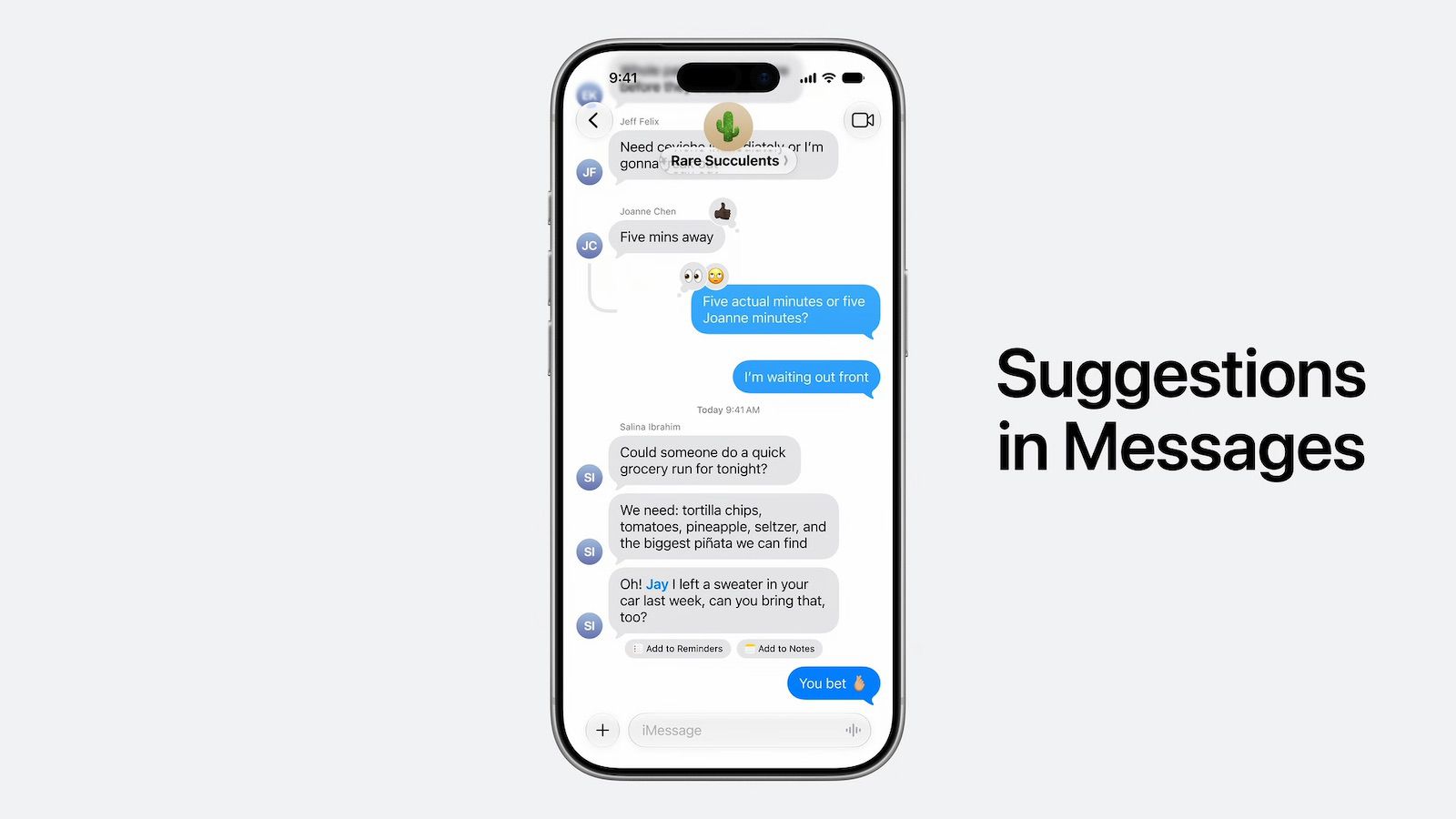
In previous versions of the system, Siri was limited only to transcribing the words you spoke literally. Now, thanks to AI, Siri will also show a smart shortcut labeled “Add to Notes” below specific messages in the Messages app based on the context of the ongoing conversation to facilitate saving important information instantly.
Markdown Copy and Paste Support
The iOS 27 update introduces a long-awaited feature for writers and developers: the ability to copy and paste text formatted in the popular Markdown language created by John Gruber. This language allows you to format text quickly and smoothly without needing to use complex HTML codes or leave the keyboard.

You can now write the formatting symbols to appear directly as intended, such as:
- Bold text: By adding two asterisks around the word ** … **
- Italic text: By adding one asterisk around the word *…*
- Embedded links: By writing the text between brackets and the links between parentheses [Apple](https://apple.com)
- List items: Using a dash before the word –
If you copy text containing Markdown formatting and paste it into Notes, the text will automatically appear with the correct formatting as bold or italic. Conversely, if you select formatted text within the app, you will find a new option in the quick menu called “Copy as Markdown” so that the formatted text turns into codes ready to be pasted into any other app with ease.
Better Organization with Divider Lines
Intertwined ideas in long notes are no longer a concern, as the new iOS 27 update allows you to organize and format your text in a way that is easy on the eyes using divider lines. The feature is extremely simple and effective at the same time, giving your notes a very professional and organized look.
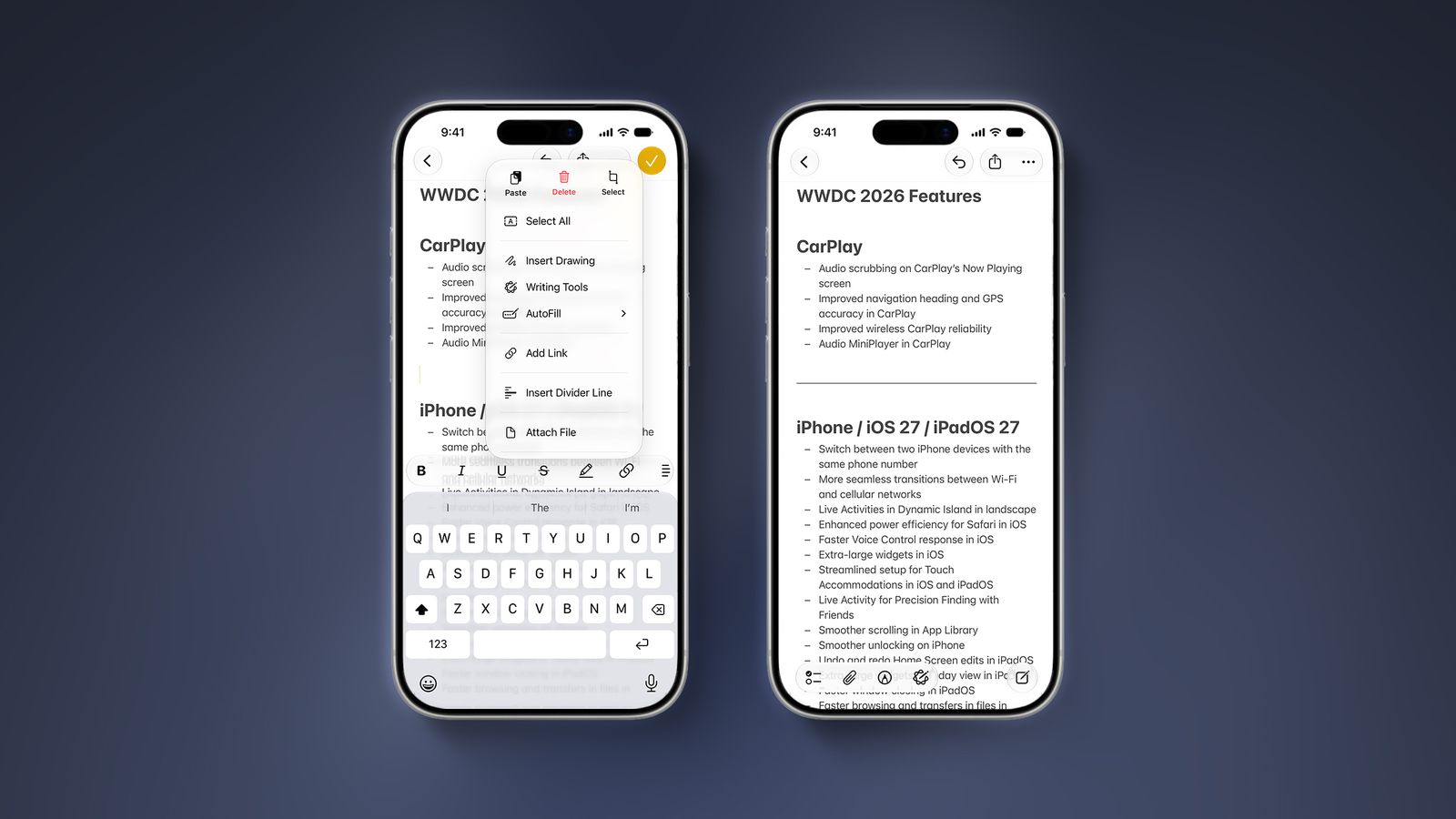
All you have to do is place the cursor in the desired spot, tap the right arrow in the quick options menu (Cut/Copy/Paste), and then select “Insert Divider Line” to split the note in an elegant visual way that makes it easier for you to return to reading its parts later without distraction.
Section Links: Instant and Smart Navigation
The fourth and final addition gives you the ability to create links that take you to specific sections within your note. Once you click on this link, the Notes app will automatically jump to that part of the text directly without the need for constant manual scrolling and tedious searching.

This feature is excellent for linking notes to each other, as you can create an entirely new note where you place links that connect to specific sections within your old notes, giving you a personal documentation system similar to a mini-Wikipedia of your own on your device to organize your life or work affairs.
Source:



Leave a Reply