With the release of the iOS 27 developer beta, everyone is racing to try out the major features and flashy interfaces that were announced. But as usual, the real fun and true intelligence lie in the small, hidden details that Apple adds to simplify our daily lives without media fanfare. In this article, we will reveal five wonderful and highly useful features in the new operating system that you may have overlooked amidst the hype of the major announcements.
Landscape Mode Invades More Core System Apps
Apple has finally decided to expand Landscape Mode support to include a large number of its core apps built into iOS 27, after it was previously limited to a few apps like Maps, Calendar, and Files. The new update brings support to vital apps such as Music, Podcasts, Fitness, Health, Reminders, Home, Shortcuts, Apple Clock, Find My, Weather, Voice Memos, and even the Apple TV remote tool.
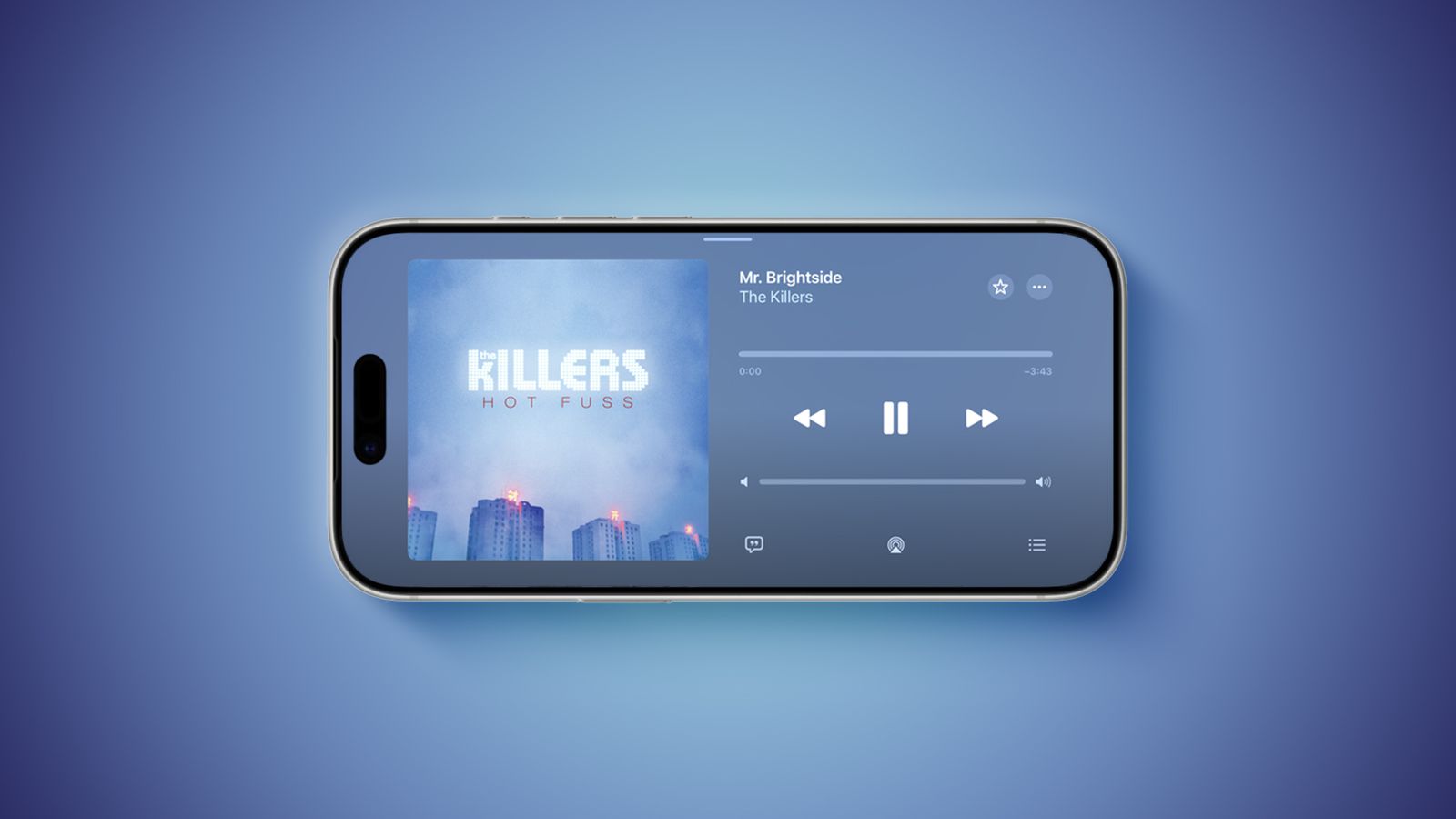
In the Music and Podcasts apps, support is currently limited to the audio player itself. Many of these apps now feature a sidebar that appears on the left when the phone is rotated for easier navigation. As for the Messages app, which already supported landscape mode, you can now collapse this sidebar to display only names and profile pictures, giving you more space for writing and reading with complete flexibility.
This move may not just be a casual improvement for user comfort; analysts believe it paves the way for the future foldable “iPhone Ultra,” where these landscape-compatible apps will be perfect for its large screen. Additionally, the update brought landscape support for Live Activities in the Dynamic Island. To activate this feature, all you need to do is unlock the screen orientation from the Control Center and rotate your iPhone sideways.
Dual Capture Arrives on FaceTime
If you own one of the new generation phones like the iPhone 17, iPhone 17 Pro, iPhone 17 Pro Max, or iPhone 17 Air, you are likely familiar with the Dual Capture feature that allows you to record video using the front and rear cameras simultaneously. The good news here is that iOS 27 brings this fantastic feature directly to the FaceTime app.
Now, while on a video call with family or friends, you won’t have to choose between showing your face or showing what you see in front of you; you will be able to display the feed from both the front and rear cameras at the same time on the call screen, making sharing live moments and your reactions to them more realistic and fun.
New Integrated Drawing Tool in the Messages App
Apple has added a brand-new option called “Drawing” inside the app drawer in the Messages app, which you can easily access by tapping the plus (+) sign in the bottom corner of the conversation.
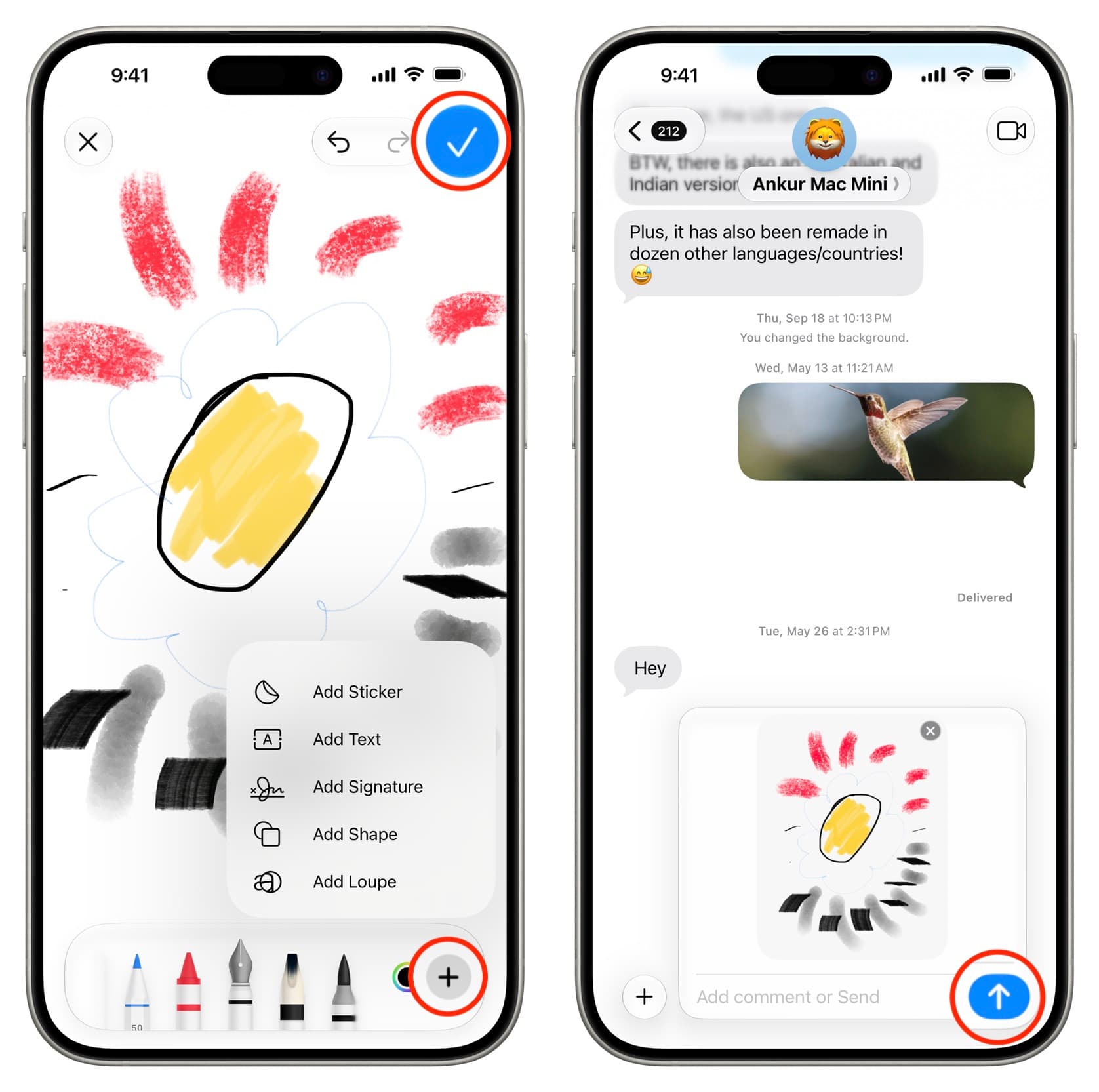
In previous versions, the Messages app had a very primitive drawing tool that only appeared when rotating the phone to landscape mode. Now, Apple has made the full, professional Markup toolset available directly within the conversation. This means you can now sketch quick drawings, write notes by hand, or decorate your messages with your artistic touches and share them immediately without needing to leave the app.
Splitting Bills with Super Intelligence via Apple Cash
In a feature currently exclusive to users in the United States, iOS 27 allows for splitting bills with extreme ease thanks to the integration of Apple Cash features and Apple Intelligence technologies. This smart feature is available in the Wallet and Messages apps, or by using the new Siri mode in the Camera app.
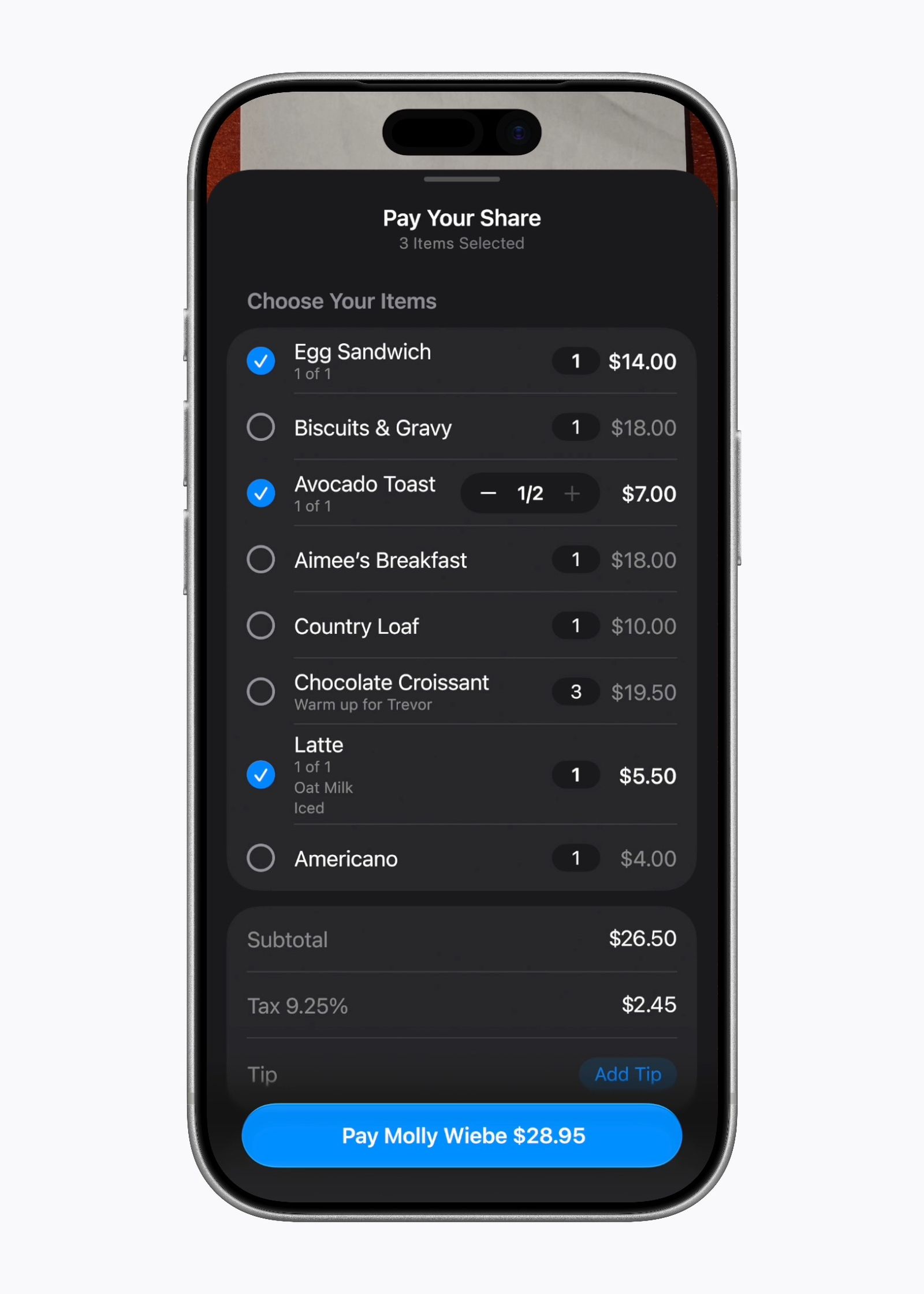
Simply put, when you point the iPhone camera at a paper bill using Siri mode, the system will automatically recognize the action and suggest splitting the bill via Apple Cash. The AI will analyze the bill and accurately identify the items recorded on it; when each person selects their own items, the system will calculate the total with extreme precision, including each individual’s share of taxes and tip, so everyone pays their fair share with the touch of a button.
Smart Improvements for Location Sharing in Find My
The Find My app has received an excellent upgrade that gives users unprecedented flexibility in sharing their locations with others. Previously, you were limited to only three time options for sharing your location: for one hour, until the end of the day, or indefinitely. Now in iOS 27, you can set a custom duration with extreme precision, such as sharing your location for four days and six hours, for example, or setting an exact date and time for the sharing to end automatically.
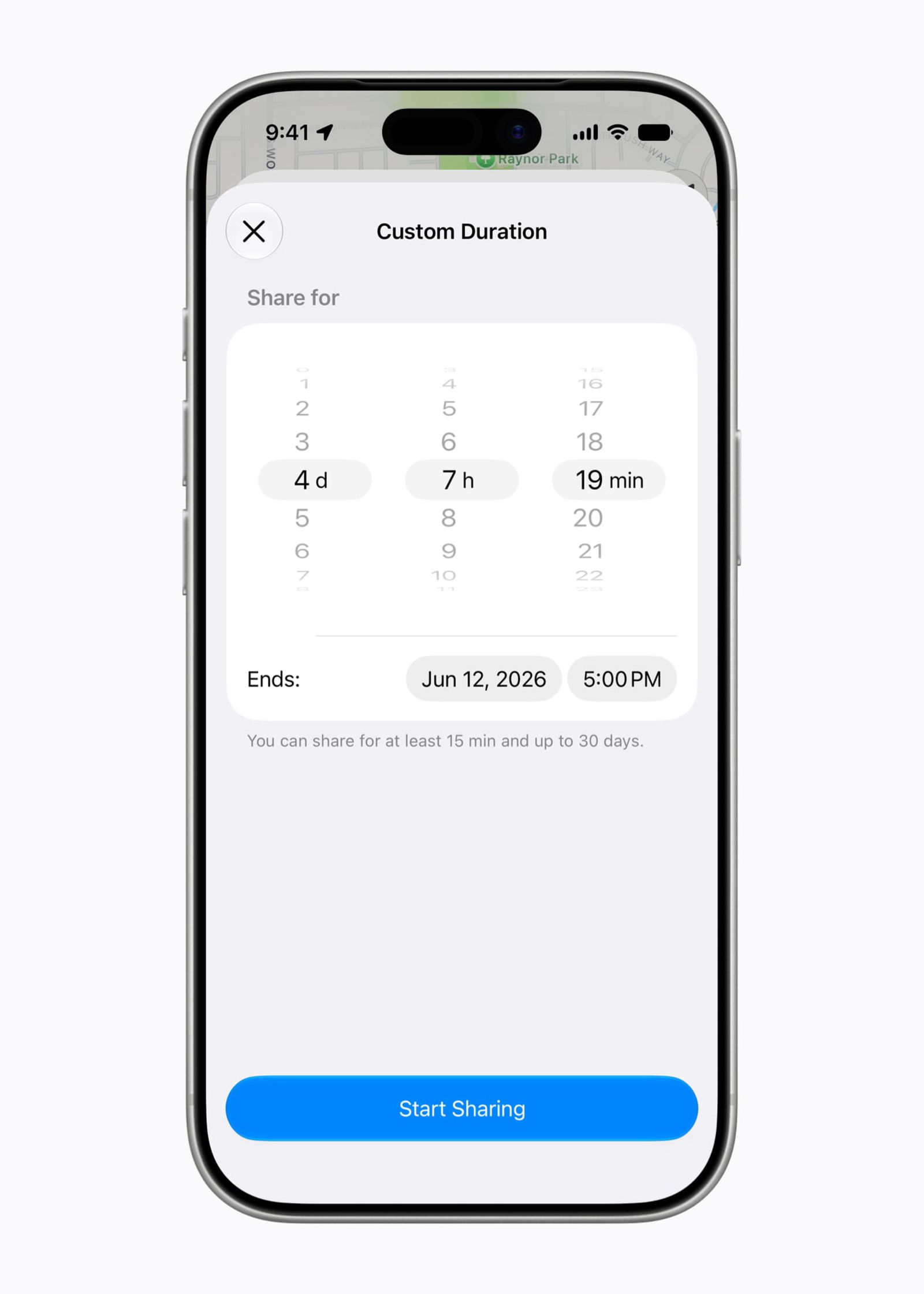
Not only that, but the update added a smart, privacy-saving feature that allows you to pause sharing your location with specific people until the end of the day, without any notification being sent to them or letting them know that you have stopped sharing, which gives you more control and comfort when you need some temporary privacy.
Source:

Leave a Reply