Did you know that your smartphone automatically saves every Wi-Fi network you have previously connected to? As you move around, your device constantly searches to reconnect to known networks. However, what many people don’t realize is that during this constant search, the phone doesn’t just look for networks; it sends precise details and identifiers about your router to massive databases managed by major companies like Apple and Google. These companies use this data to speed up and improve map and GPS services. While this technology has its benefits, it poses privacy risks, and more importantly, your home router might be part of this system without you realizing it. Fortunately, you can opt out of this system and protect your privacy immediately by adding just 6 characters to your Wi-Fi network name.
How do companies know the location of your router?
When you open a maps app, your phone doesn’t always rely on GPS alone, because satellite positioning can take some time. Therefore, the phone sometimes uses a Wi-Fi Positioning System (WPS), which helps it determine your location faster.
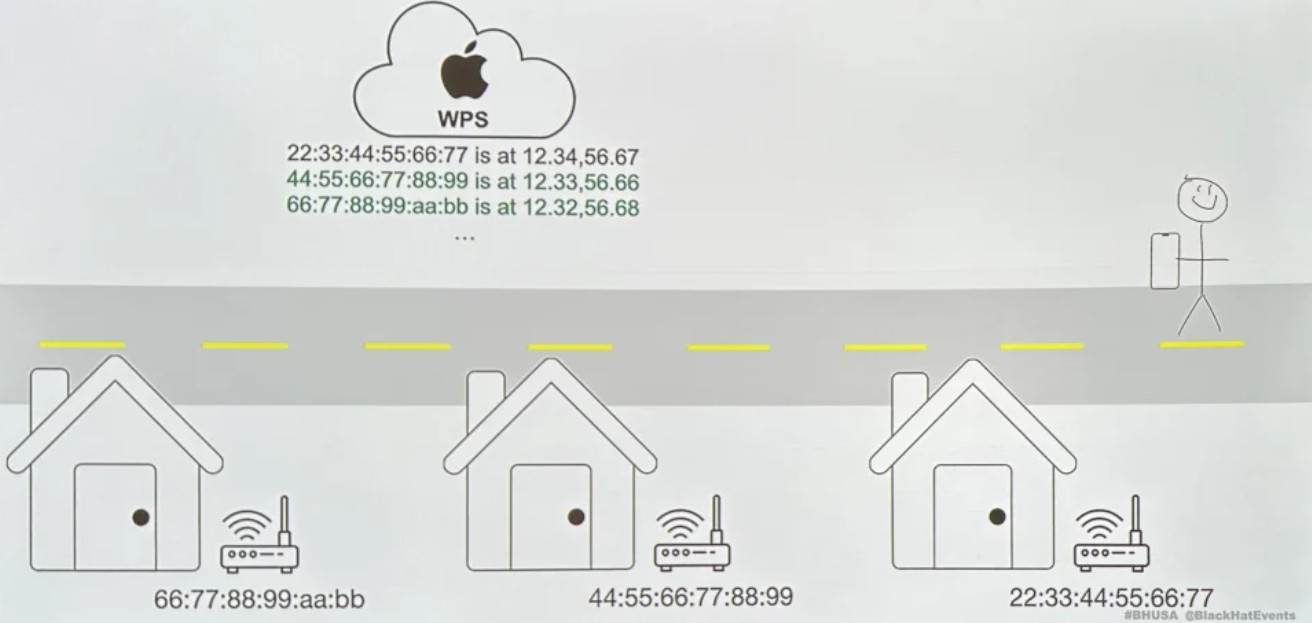
Apple and Google possess massive databases containing data from Wi-Fi access points from various devices, which they then use to improve the accuracy of location services. When your phone detects a new network, it sends the router’s identifier, known as the BSSID, along with signal strength and other data. This is where the problem lies: the BSSID is different from the network name (SSID) because it is a unique identifier linked to the router’s MAC address. By repeatedly recording the network’s location, these databases can pinpoint the router’s location with extreme accuracy.
- SSID: The visible name of the Wi-Fi network.
- BSSID: A unique identifier linked to the router’s MAC address, so it does not change.
Why is this a privacy risk?
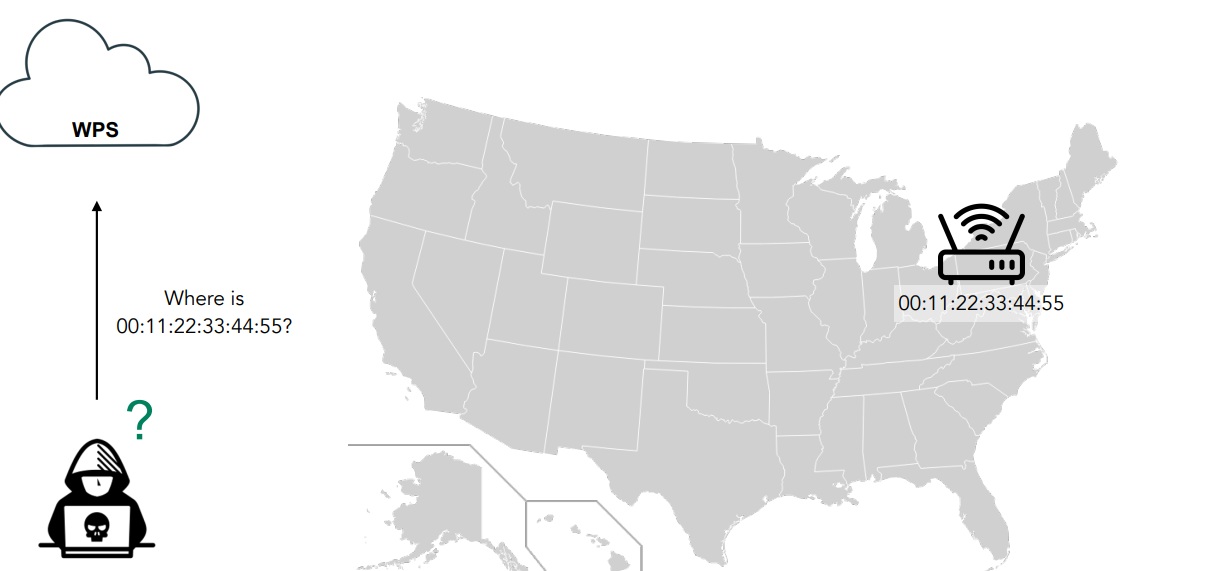
Some might think that choosing an obscure name for a Wi-Fi network is enough to protect privacy and prevent your location from being accurately identified, but that is not always true. Even if the network name is random, people with the right technical expertise can leverage positioning databases to access more precise information about the router’s location.
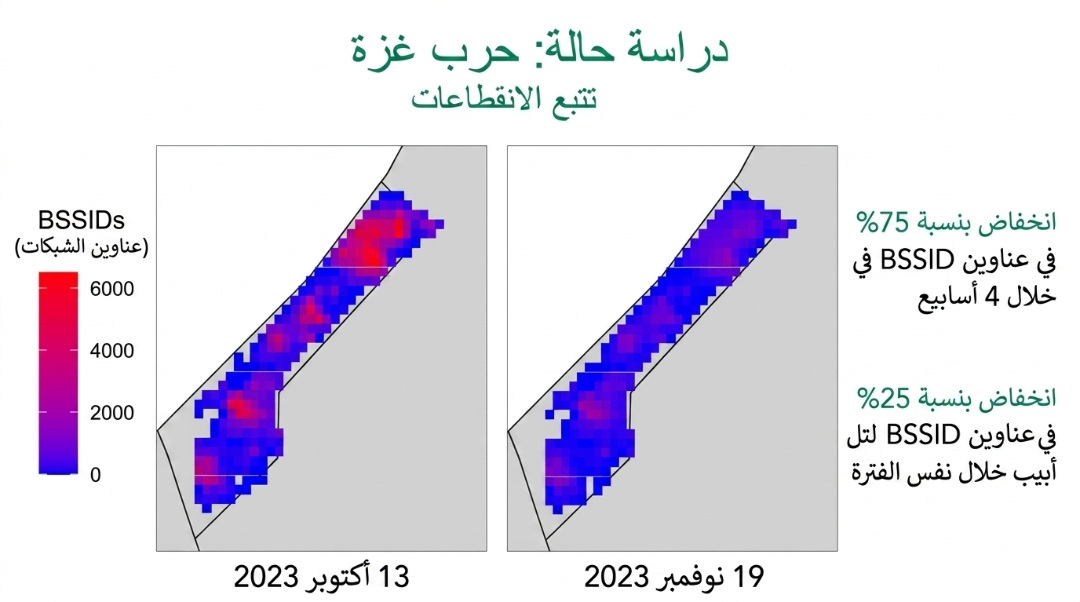
The matter becomes even more sensitive in situations such as moving to a new home due to threats from an ex-partner, or perhaps someone is stalking or trying to blackmail you. If you don’t realize the gravity of the situation yet, here is another very important piece of information: did you know that satellite internet devices like Starlink can determine location via Wi-Fi? This was proven by researchers from the University of Maryland after they were able to map the locations of routers in war zones like Ukraine and Gaza.
How to prevent your router from appearing?
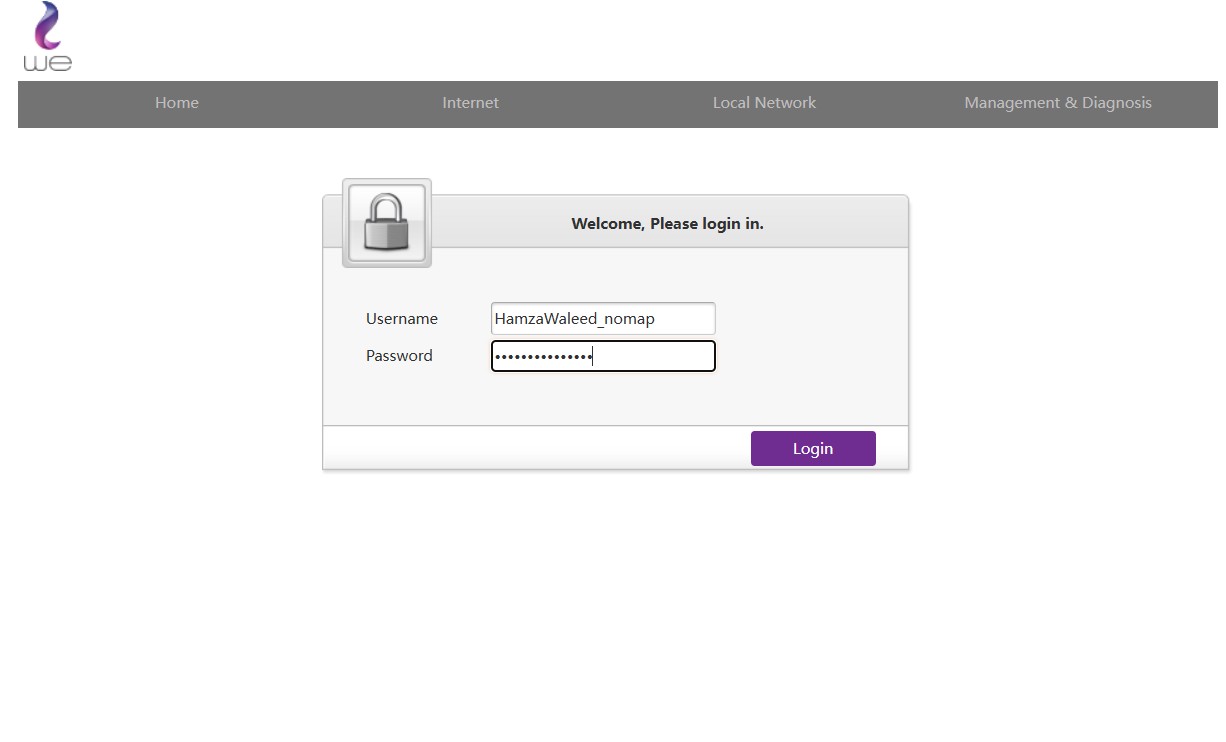
The solution is very simple. Apple and Google have agreed to ignore Wi-Fi networks that end with _nomap. Therefore, you can add these characters to your network name. For example, if your network name is HamzaWaleed, you would need to write it as HamzaWaleed_nomap.
To access your router settings, you need to follow these steps:
- Open your browser and enter the router’s IP address (usually 192.168.1.1).
- Log in using your username and password.
- If you don’t know them, check the label on the back or bottom of the router.
- Or search for the default password for your router model online.
- Or contact your service provider’s technical support.
- Look for the network name (SSID or Network Name).
- Add the six characters _nomap to the end of the network name.
- The network name should look like this: HamzaWaleed_nomap.
In the end, adding _nomap to your Wi-Fi network name may be a simple step, but it gives you an additional way to limit the sharing of your network’s location within positioning services. If you care about your privacy, it is best to regularly review your network settings, use a strong password, and take all steps that help you keep your router, data, and location away from others.
Will you change your Wi-Fi network name after learning this information? Share your experience in the comments!
Source:


Leave a Reply