Everything you don't know about iOS 26: Hidden features that make the iPhone smarter (Part 1)

With each new iOS release, we hear a lot about the standout features Apple announces, but the truth is there's always a huge and diverse array of hidden features that most users aren't aware of, which make the iPhone experience faster and more efficient. iOS 26Apple didn't just add obvious improvements; it also introduced a range of small but very useful changes, from gesture enhancements and photo management tools to enhanced security and data control. Let's explore the first part of our article, "All the Hidden Features in iOS 26 That Many iPhone Users Don't Know About."
From Phone Islam: The transparent number 26 is centered on a rounded square with an abstract blue and teal background, highlighting iOS system tips and features from the iOS 26 update.


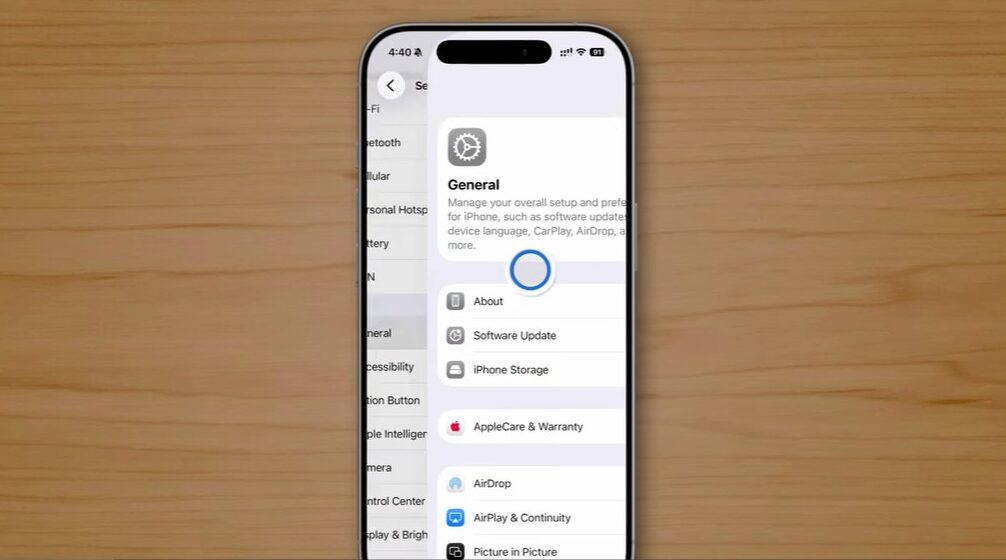
Pull back feature

From PhoneIslam: A smartphone displays the "general" settings menu on a wooden surface, with options such as About, Software Update, and Phone Storage visible on the screen - perfect for exploring hidden features in iOS 26 on the iPhone.

You can now start swiping back from the middle of the screen instead of just the edge. This small feature makes navigation faster, but it won't work in some apps like email because it conflicts with other functions.


Quick access to tabs
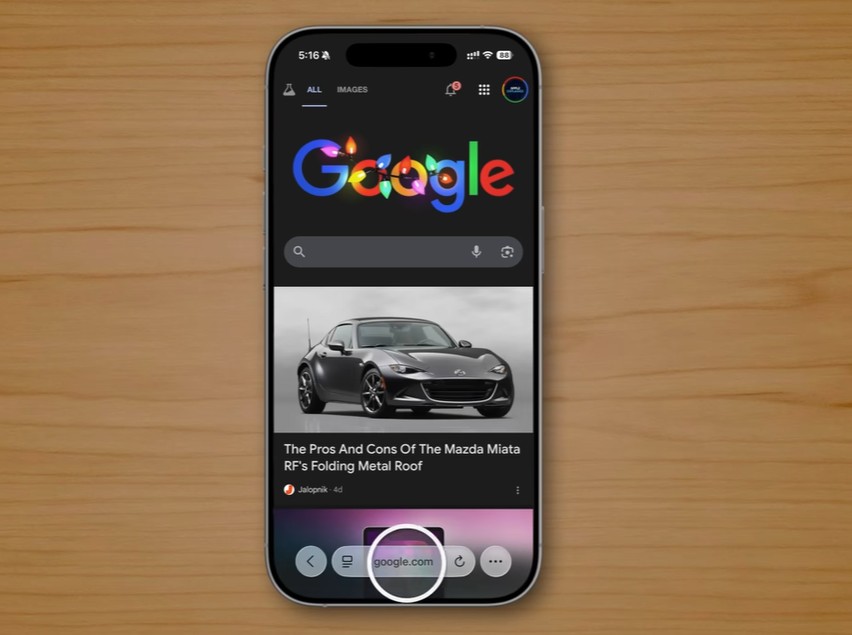
From PhoneIslam: A smartphone running iOS 26 displays the Google homepage with a search result for a Mazda Miata car, placed on a wooden surface, revealing hidden iPhone features.

You can quickly access tabs in Safari in several ways, including:

  • Pull up directly from the title bar.
  • Double-tap the three-dot button at the bottom.
  • To duplicate any tab, press and hold on it and select “Duplicate”.
  • Sort the tabs alphabetically by title or location to make browsing easier.
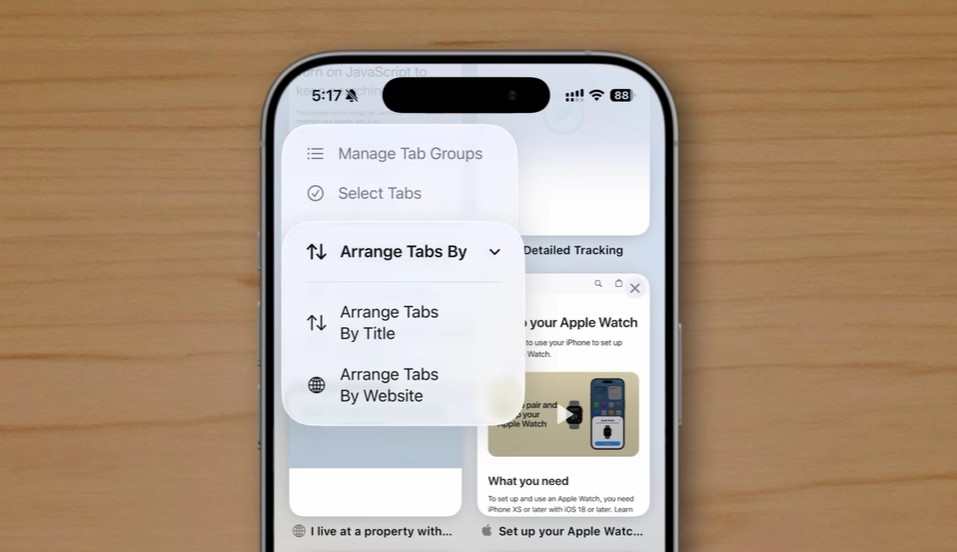
From PhoneIslam: The smartphone screen displays the browser menu on iOS 26, revealing hidden features such as options to sort tabs by title or website within the "Manage Tab Groups" section.


Quick reminder of missed calls

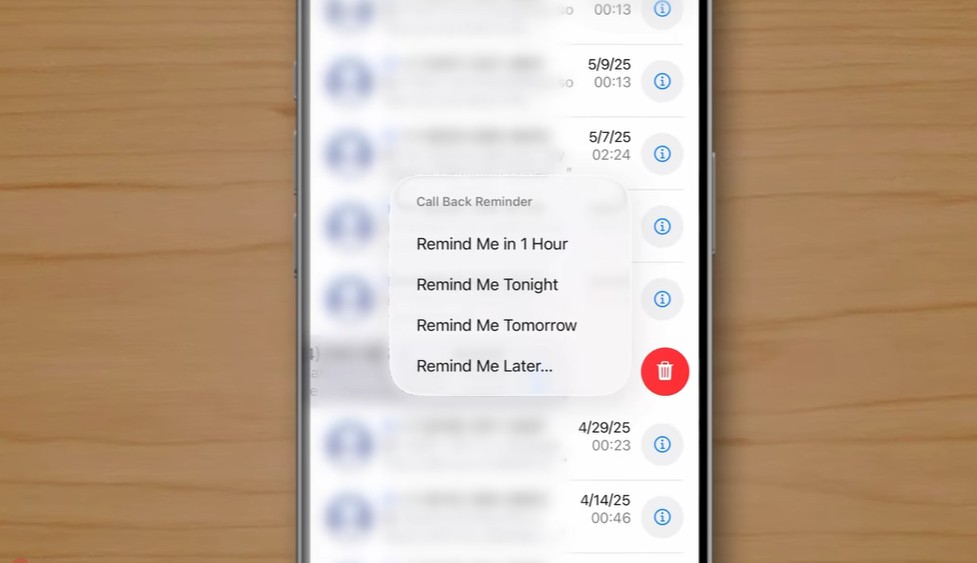
From PhoneIslam: The smartphone screen displays a call log with a pop-up menu offering redial reminder options and a visible delete button, and shows hidden features introduced in iOS 26 on the iPhone.

Swiping left on missed calls reveals a new button to set a redial reminder, which is the same way calls are reminded when they are answered.


Customize the colors of the home screen icons
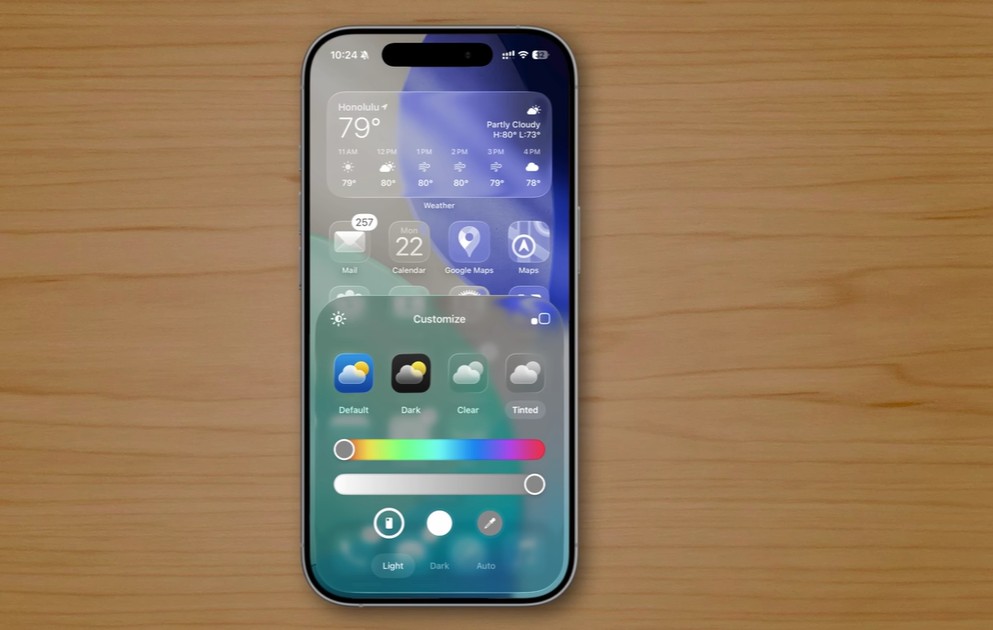
From PhoneIslam: The iOS 26 smartphone on a wooden surface displays the weather app and customization options for the widget's appearance, including color settings, light/light/dark mode, and hidden features to enhance the iPhone experience.

When choosing a color for your home screen icons, you now have two new options:

  • Match the color to the phone's color.
  • Color matching with phone case (available for Apple cases only).

Add full credit card details
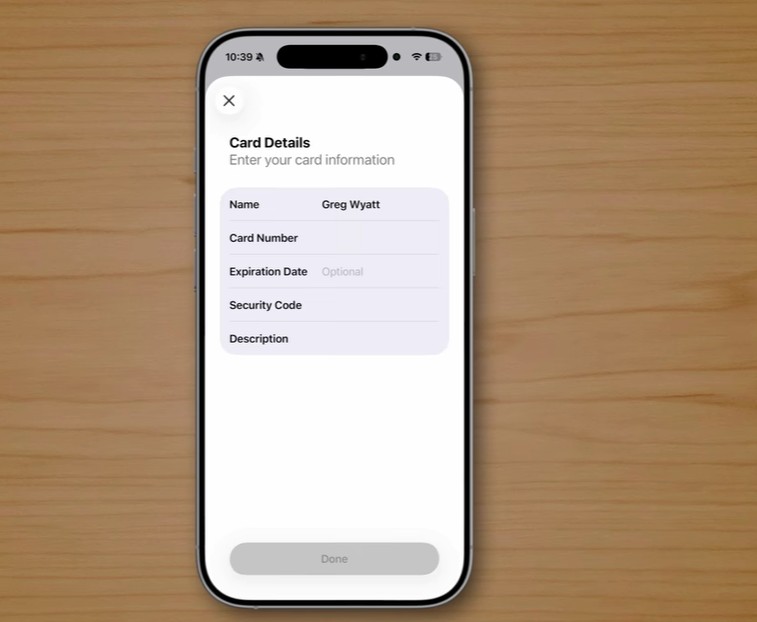
From PhoneIslam: A smartphone on a wooden surface displays a credit card details entry form, showing how it can provide hidden features to improve user security and convenience when entering card data.

You can now save all your card details within the Wallet app. This includes the full card number, expiration date, and security code. This feature makes it easier to make payments outside of Apple Pay without needing the physical card.


Amendment to the classification of financial transactions
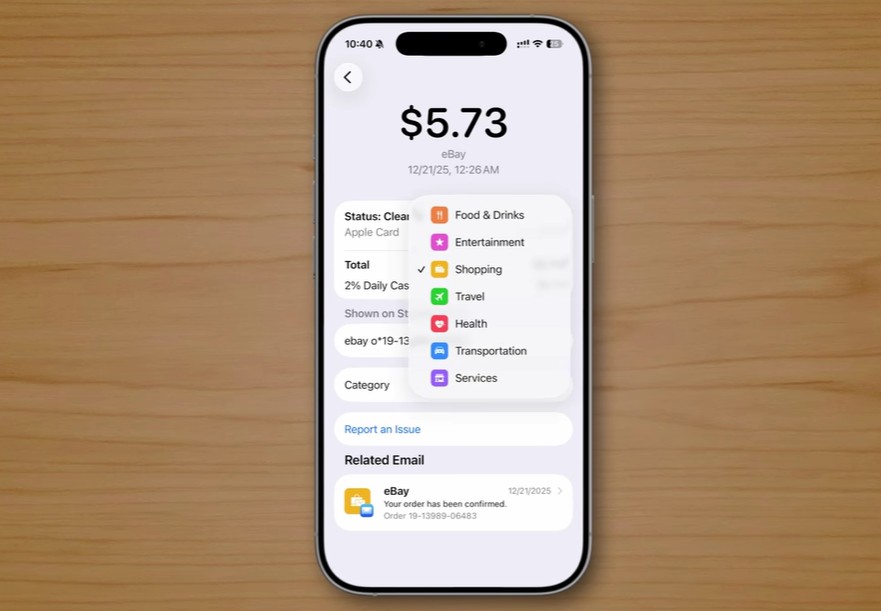
From PhoneIslam: A smartphone screen on a wooden surface displays a summary of a $5.73 eBay purchase, including details of rewards, date, time, and categorized icons - indicating that the icon has hidden features in iOS 26.

You can change the classification of any financial transaction individually or for a group of transactions from the same merchant, instead of relying on Apple's automatic classification.


Track the places you visited
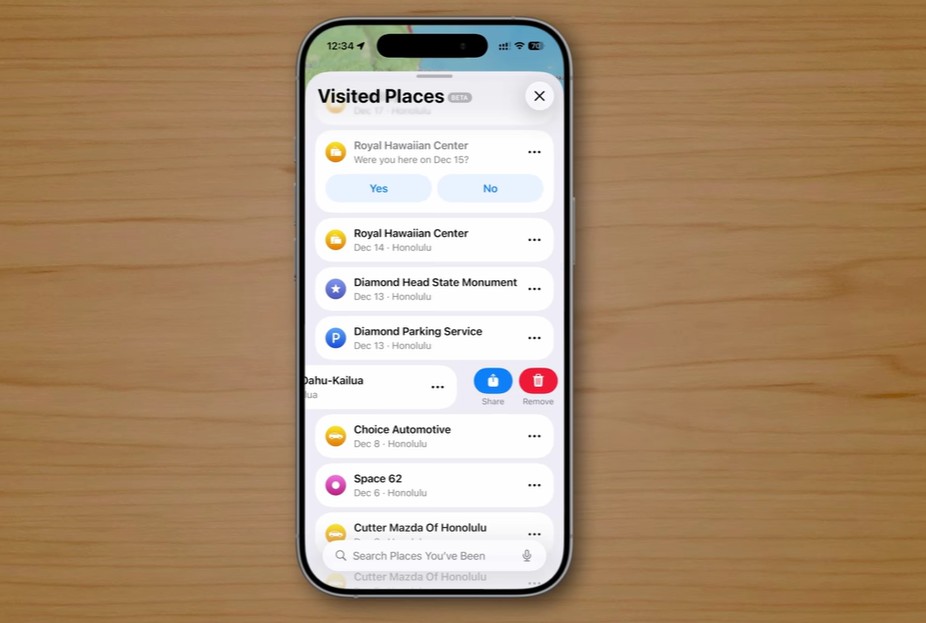
From PhoneIslam: The smartphone, running iOS 26, displays a "Places Visited" screen with a list of locations and date options to confirm visits. The iPhone rests on a wooden surface.

The “Visited Places” feature in the Maps app allows you to keep a record of all the places you have visited, with the option to delete any location individually to maintain privacy.


Enhanced protection when connecting wired accessories
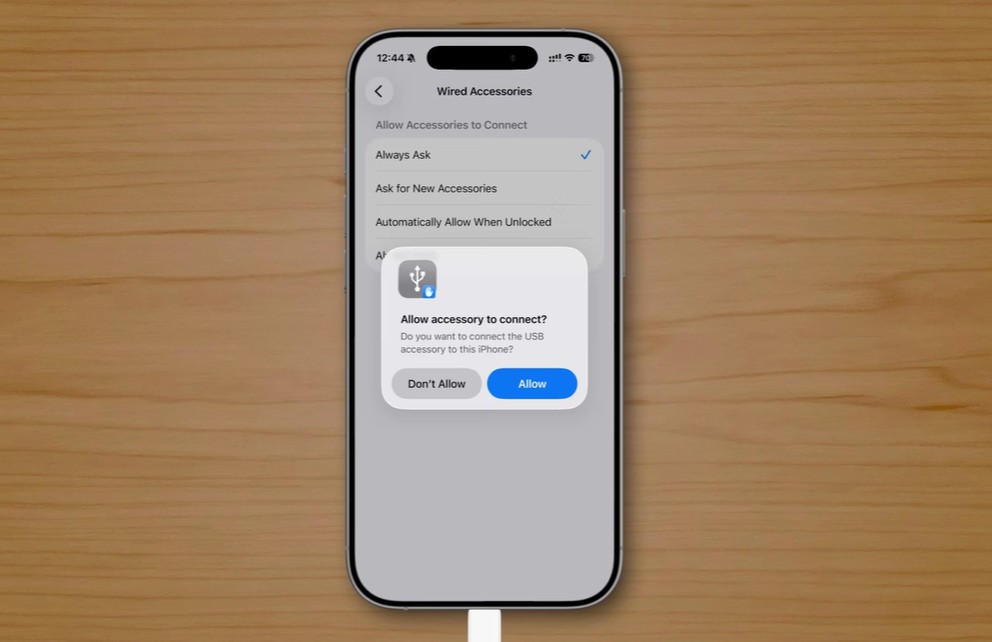
From PhoneIslam: A pop-up window asking for permission to connect a USB accessory, with "don't allow" or "allow" options, is displayed against a wooden table background - showcasing hidden features introduced in iOS 26.

A new window will appear asking if you want to connect a new wired accessory. This feature is new to the iPhone but has been available on Macs for some time. It's a security measure to prevent data theft via USB ports. Specifically, it protects you from "juice jacking," a type of attack that exploits public charging ports in airports, hotels, and cafes to steal data or install malware on a victim's device.


Customize ringtones
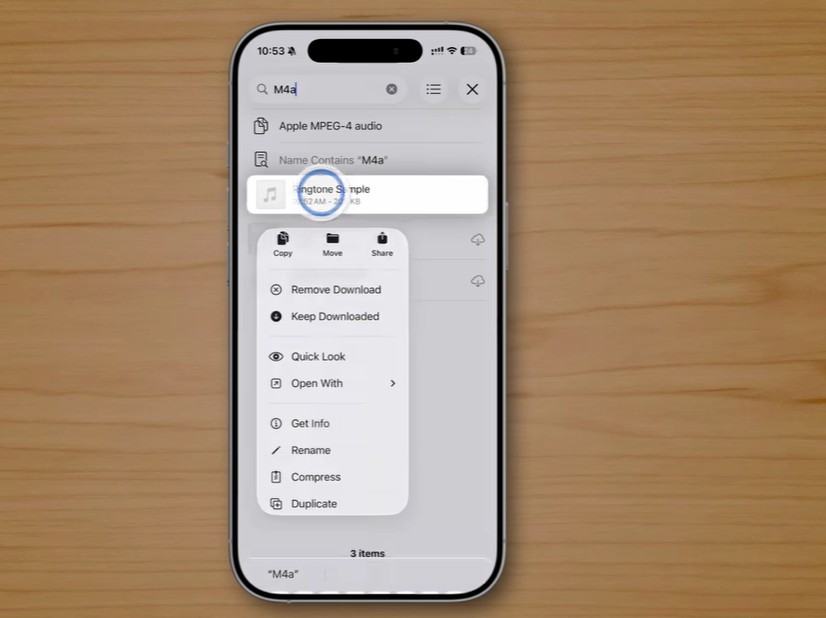
From PhoneIslam: The smartphone screen displays the iPhone file manager app with an .m4a audio file selected and a context menu that reveals hidden features such as copy, move, share, and rename.

Previously, creating a ringtone was a complex, multi-step process requiring the use of GarageBand. Now, you can simply open the Files app, long-press on an MP3 file shorter than 30 seconds, tap Share, then More, and finally select Use as Ringtone.


Easily share your IMEI number
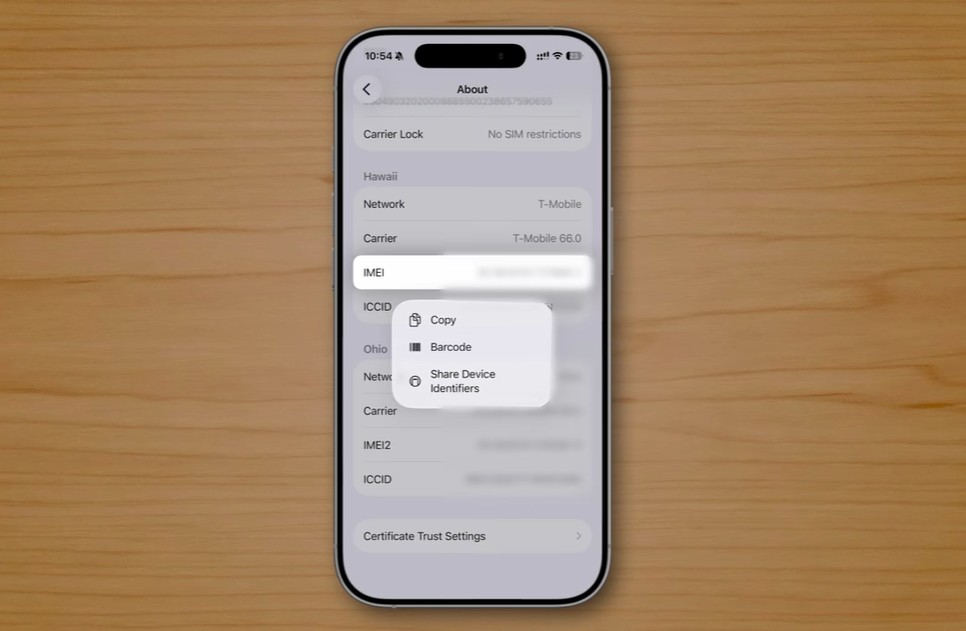
From PhoneIslam: The smartphone running iOS 26 displays an "About" screen with device information and reveals hidden features. It offers a menu of options to copy, encode, or share device IDs—perfect for any iPhone user who wants quick access and control.

You can now share your IMEI (International Mobile Equipment Identity) or EID (Embedded Identity Document) number with an Apple Store or Apple Support instead of entering it manually. Go to Settings, then General, then About, then scroll down to find your device's IMEI number. Tap and hold the number, then choose to share it via QR code or NFC.

 In conclusion to this first part, where we explored the hidden features of iOS 26, it's clear that Apple has become increasingly attentive to its users' needs, focusing heavily on subtle details that subtly and intelligently transform the daily user experience. While many of these features may seem minor and go unnoticed, over time they make a real difference in terms of smoothness, privacy, and overall system interaction. What we've revealed here is just the beginning, as iOS 26 still holds many more secrets and profound improvements worth exploring. Stay tuned for part two, coming soon, where we'll delve deeper into other hidden features that might make you see your iPhone in a completely new light.

What hidden feature in iOS 26 surprised you the most? And is there a feature you discovered yourself that we didn't mention? Let us know in the comments!

Source:
youtube

12 comment

comments user
Ali Hussein Al-Mirfadi

I wasn't aware of some of the features, especially the last one, but my advice to Phone Islam is that when they write how to access a feature, they should also explain how to access it using VoiceOver, because it's completely different from swiping.

comments user
Mofleh

Great features and a significant difference in daily use. Thank you, and may God reward you abundantly.

comments user
Abu Aamer

May God reward you, iPhone Islam team. Despite some negative comments, I find your articles useful and enjoyable, especially those explaining features and tips that help us, as users, get the most out of our devices. Some of the mentioned features may be known to some, but that doesn't mean they're known to everyone, with all due respect to all followers, of course.

3
2
    comments user
    Omar Al-Tikriti

    These are indeed negative comments; they assume everyone needs to know about these features from the moment the device is released to the market.
    Glory be to God

    2
    2
comments user
bokatrien

We really didn't notice these features... Thank you very much.

4
1
comments user
Abu Abdul Hakim

May God reward you! These are all new features I wasn't aware of... May God bless you! 🤲

5
1
comments user
Salman

Very ordinary features

1
6
comments user
Abu al-Ghadab

Clear dissatisfaction with iPhone (Islam)

My dear brother, what's going on here? We can hardly read anything anymore because of the ads.
Did your server bill increase, or is it greed, or what?

We've started avoiding the site little by little; we can't take it anymore. It's incredibly frustrating; we've had enough.
Note: We do not want a subscription due to privacy concerns.

This is a message to the administration, please forward it.

1
5
    comments user
    Blog administrator

    No, it's not just greed; our server bill has increased. Even YouTube, the giant company, now displays five ads for watching a one-minute video. It's a shared system: either ads or subscription. What are we supposed to do?

    3
    2
    comments user
    Abu Aamer

    It seems your name suits you, Abu Al-Ghadab (Father of Anger) 😉
    Why this tone of voice, as if you're paying the iPhone Islam team's salaries, or as if they work for you, or perhaps they've deprived you of your rightful inheritance? My brother, it's not right to call them greedy when their main income comes from advertising and a small portion from subscription fees. Or did you think they were a charity and you were one of the needy people deserving of their generosity?

    1
    3
comments user
Ali Muhammad Al-Qayrawani

what's new ?

1
6
comments user
Anonymously

May you live long and prosper.

2
1

Leave a response

We are not responsible for any misuse of the information mentioned above. IPhone Islam is neither affiliated nor represented by Apple. IPhone, Apple and any other product name, service names or logos referenced herein are trademarks or registered trademarks of Apple Computer.

العربية简体中文NederlandsEnglishFilipinoFrançaisDeutschΕλληνικάहिन्दीBahasa IndonesiaItaliano日本語한국어كوردی‎فارسیPolskiPortuguêsРусскийEspañolTürkçeУкраїнськаاردوTiếng Việt