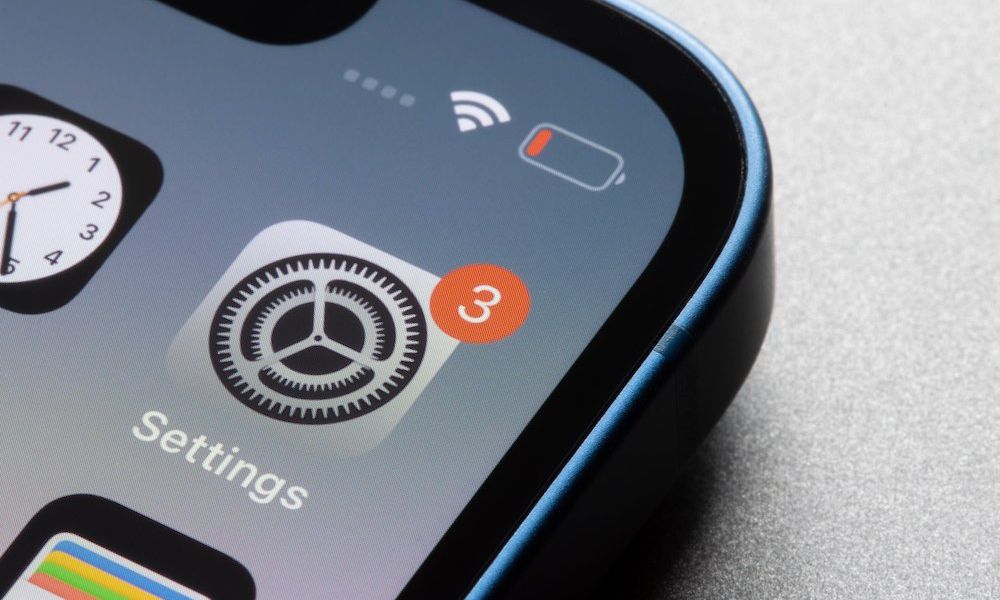
Are you one of those people who looks at that little red number on the Settings icon and sighs, saying, “Not today”? You are not alone. Skipping an update or two won’t turn your iPhone into a useless piece of junk overnight. The phone will continue to work as usual, the camera will take its beautiful photos, and your favorite apps will open without any apparent issues. This temporary stability is what makes ignoring updates so tempting and easy, whether you are worried about running out of data, concerned about unexpected bugs, or simply don’t have the time to wait for the phone to restart. However, although you don’t need to install every new version the second it is released, ignoring updates for months carries consequences that can significantly harm your experience and your device.
Security first: Your sensitive data may be at risk

The biggest and most important reason to periodically install iOS updates is digital security. Apple regularly works to patch discovered security vulnerabilities that could affect your vital apps, the WebKit web browsing engine, or the operating system kernel itself. This does not mean, of course, that every iPhone running an old system will be hacked immediately, but leaving your phone without updates makes it vulnerable to known exploits that have already been fixed in newer versions.
The most dangerous aspect here is that Apple regularly publishes security notes for each update, notes that hackers and attackers read carefully to learn about vulnerabilities they were previously unaware of. When you delay updating, you leave the door ajar for them to access your sensitive personal data such as photos, messages, banking apps, and passwords saved on your device.
Goodbye to annoying bugs and performance issues
Updates are not just about introducing new interfaces or complex features; many minor and sub-updates focus on fixing bugs and improving performance stability. If you are suffering from common and annoying issues like sudden app crashes, poor network connectivity, or rapid battery drain, the solution is often purely software-based.
When your device starts acting strangely, updating to the latest available version is the first step experts always recommend to resolve those software issues that Apple may have already addressed behind the scenes and provided an official fix for without your knowledge.
When your favorite apps refuse to work smoothly
App developers do their best to ensure their apps work on older system versions for as long as possible, but this support cannot last forever. Over time, developers update their apps using modern software tools and APIs that are only available in newer versions of iOS.
Your constant delay in updating may cause you to miss out on new features within those apps, or increase their crash rate during use. You might even find yourself completely unable to reinstall an app you accidentally deleted, as the App Store will require you to upgrade the iPhone system first to allow the download.
Depriving yourself of fun and new features
This aspect may not directly affect the safety of your phone, but it is certainly the most frustrating part for any tech enthusiast. Not installing updates deprives you of experiencing the latest software innovations provided by Apple, such as improved widgets, new Control Center options, and innovative interactive designs.
Even if your device does not support heavy software features like Apple Intelligence due to hardware and specification limitations, updates always bring improvements and tweaks to existing features that make your daily use of your phone smoother, easier, and feel like a brand-new device.
Automatic updates: Let your iPhone do all the work for you
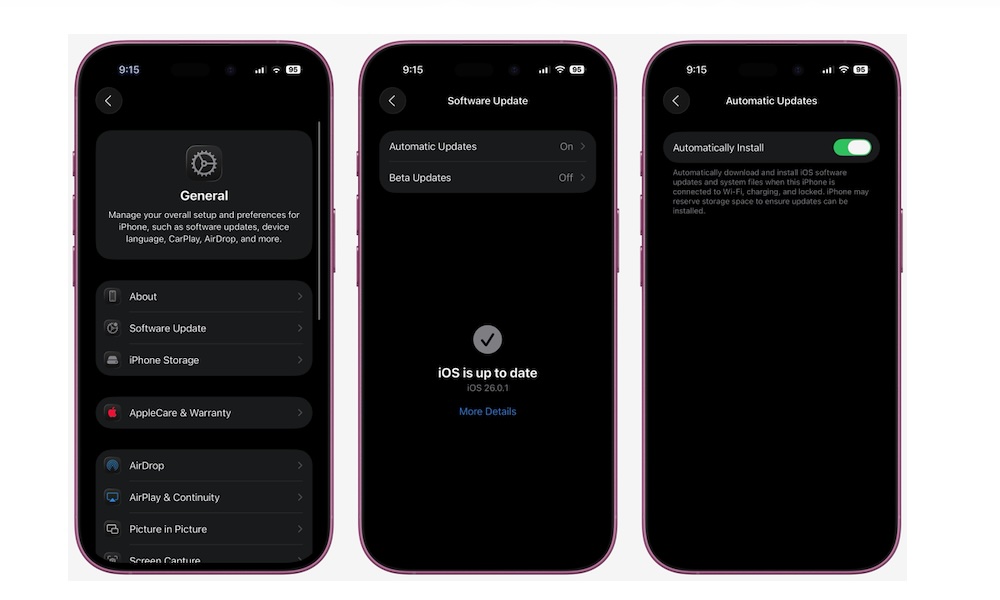
If you are one of those people who constantly forgets about updates or feels lazy about waiting for the installation process, Apple provides the perfect and convenient solution for you through the automatic updates feature. This feature allows the iPhone to download and install updates at night while you sleep, provided the phone is connected to a power source and Wi-Fi.
To enable this smart feature, follow these simple steps: Open the Settings app on your phone, go to the General section, choose Software Update, then tap on the Automatic Updates option, and enable the Install iOS Updates option. In this simple way, your phone will take care of all security and software matters without any manual intervention from you.
Source:


Leave a Reply