The Photos app in the iOS 27 update has received exceptional attention from Apple, receiving the lion’s share of comprehensive improvements that enhance performance speed and browsing fluidity, alongside a wonderful set of upgrades that make daily use more comfortable and easier. However, the real leap lies in the generative photo editing tools powered by Apple Intelligence, which take photo editing on iPhone devices to an unprecedented level of professionalism and impressiveness without the need for complex third-party software.
AI Tools: Magical Editing with a Single Touch
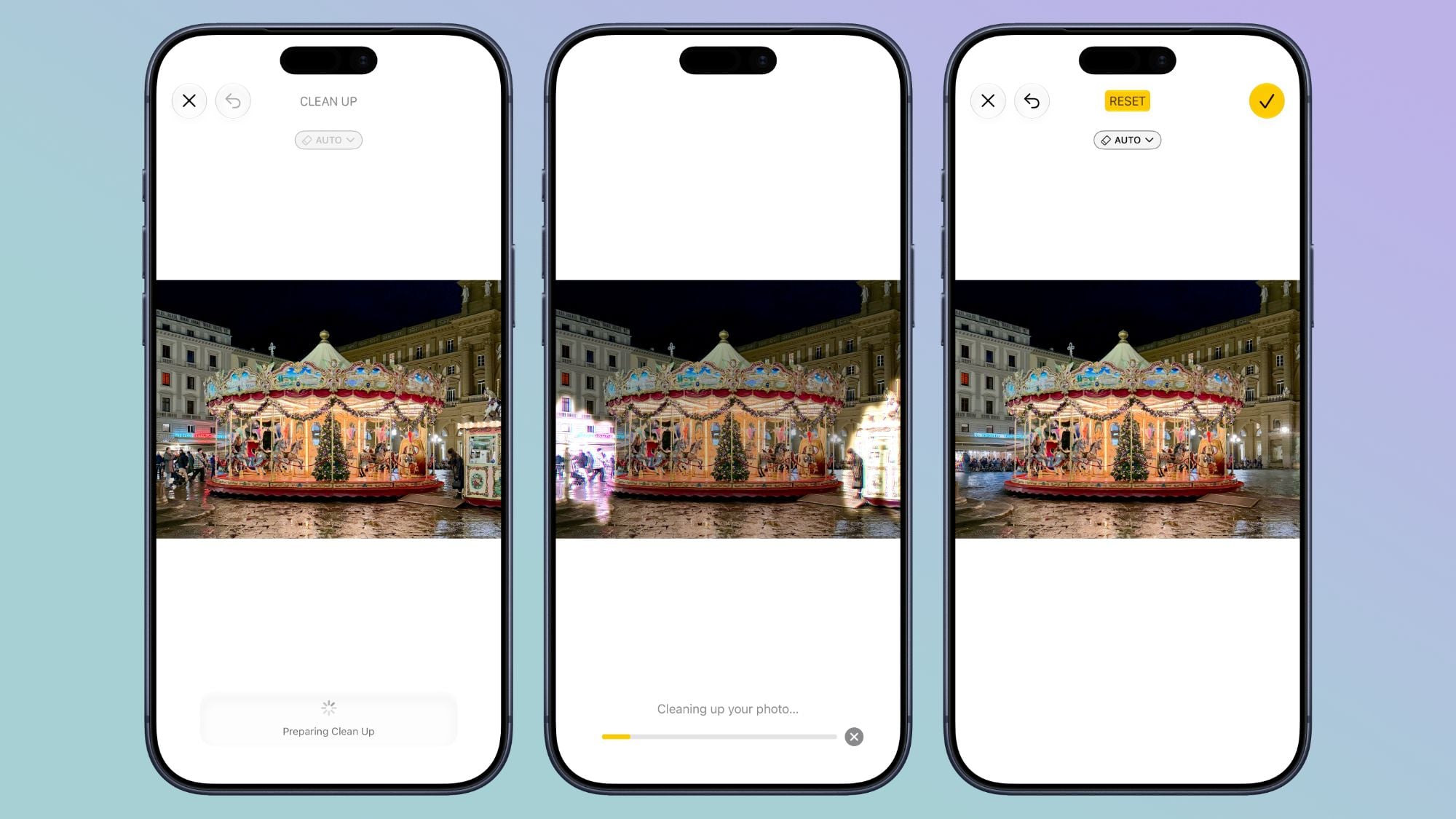
Accessing the new AI tools has become extremely simple; once you tap the three-slider icon for editing, you will find the Apple Intelligence icon labeled “Tools” to begin the experience. The first and most advanced of these tools is the Clean Up feature, which has received entirely new AI models that enable it to remove unwanted elements and reconstruct complex backgrounds using generative AI, whereas it was previously limited to processing only simple areas.
The tool now offers three practical options for removal: the Fast option for quick handling of simple touch-ups, the High Quality option for detail-rich scenes, and an Auto option that gives the system the freedom to choose the most appropriate style for each shot.
Expanding the Frame and Adjusting Perspective Angles
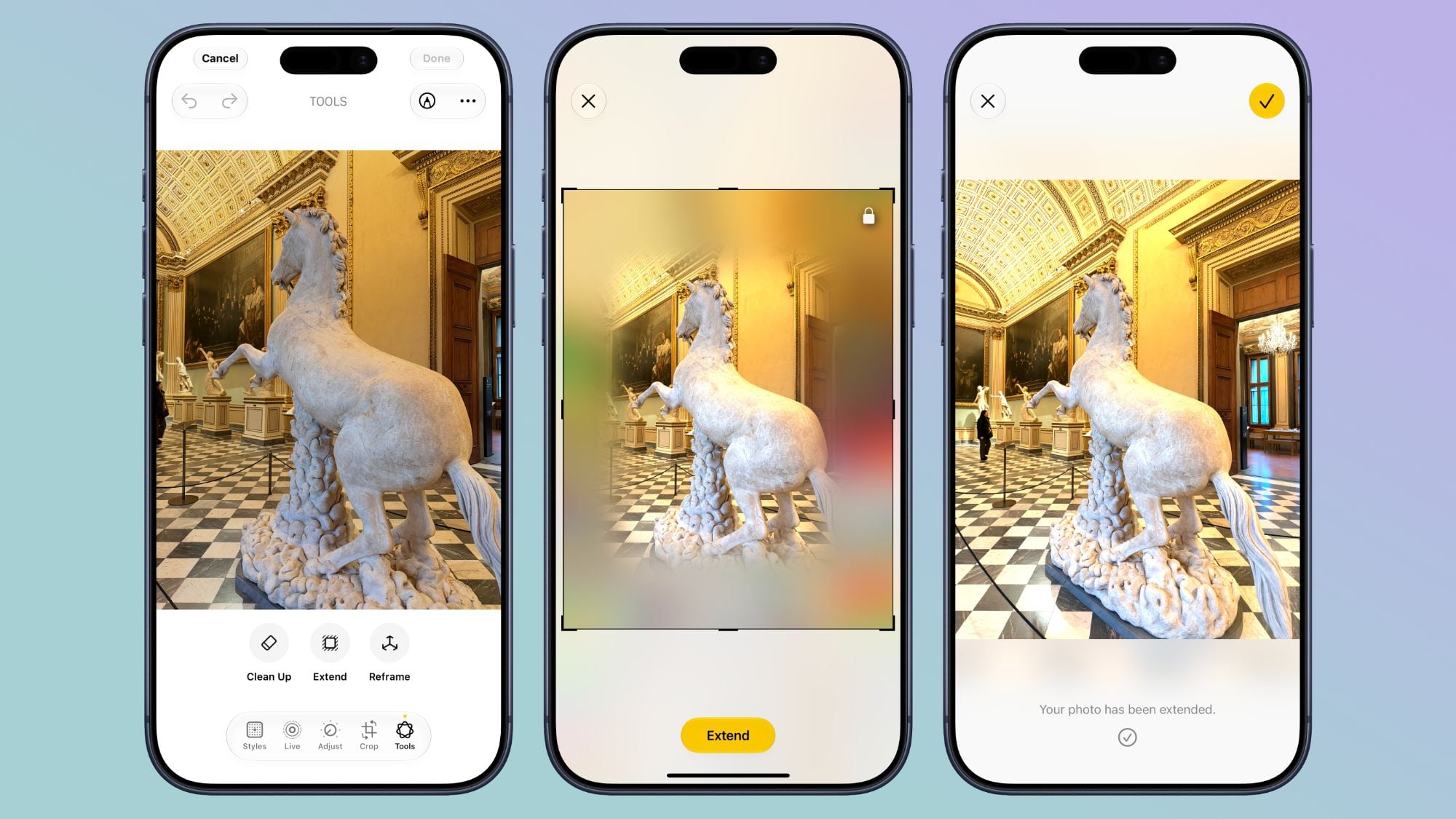
The Extend feature allows you to re-crop an image and expand its outer boundaries to zoom out slightly or adjust the artistic composition of the photo, relying on generative AI to create and fill in missing areas with precision, all with simple finger gestures. Apple uses this same technology to extend lock screen wallpapers that do not fit the dimensions of the iPhone screen perfectly.
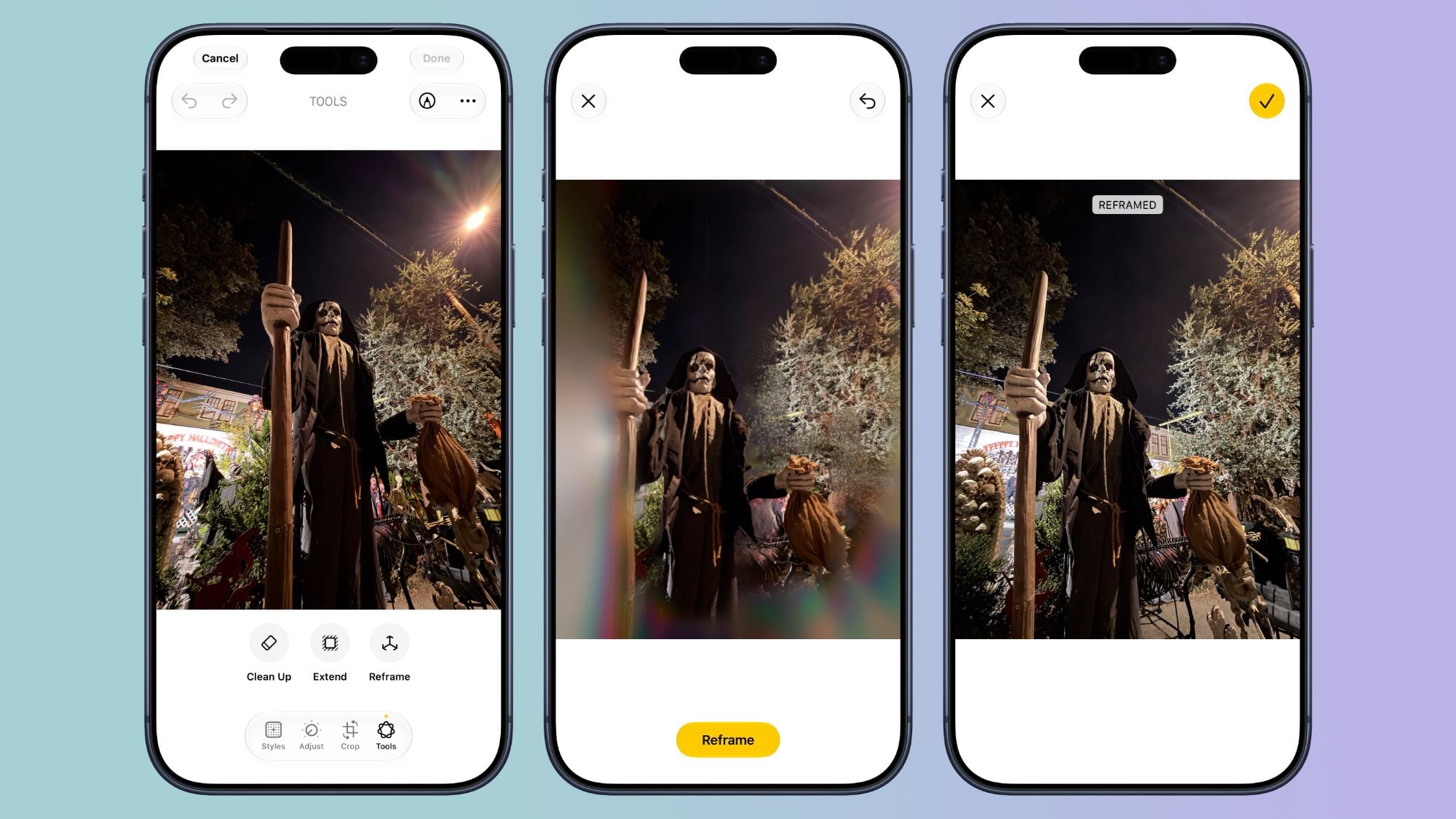
As for the Reframe feature, it is like re-shooting the scene after it has been captured; it allows you to change the angle of the person or object being photographed and adjust the camera perspective. The tool relies on Spatial Information recorded by the iPhone while taking the photo and integrates it with AI, so that the data is used to adjust the target’s angle while the AI takes care of filling in the remaining pixels, with the ability to pan, rotate, and zoom in and out with two fingers to reach the perfect result.
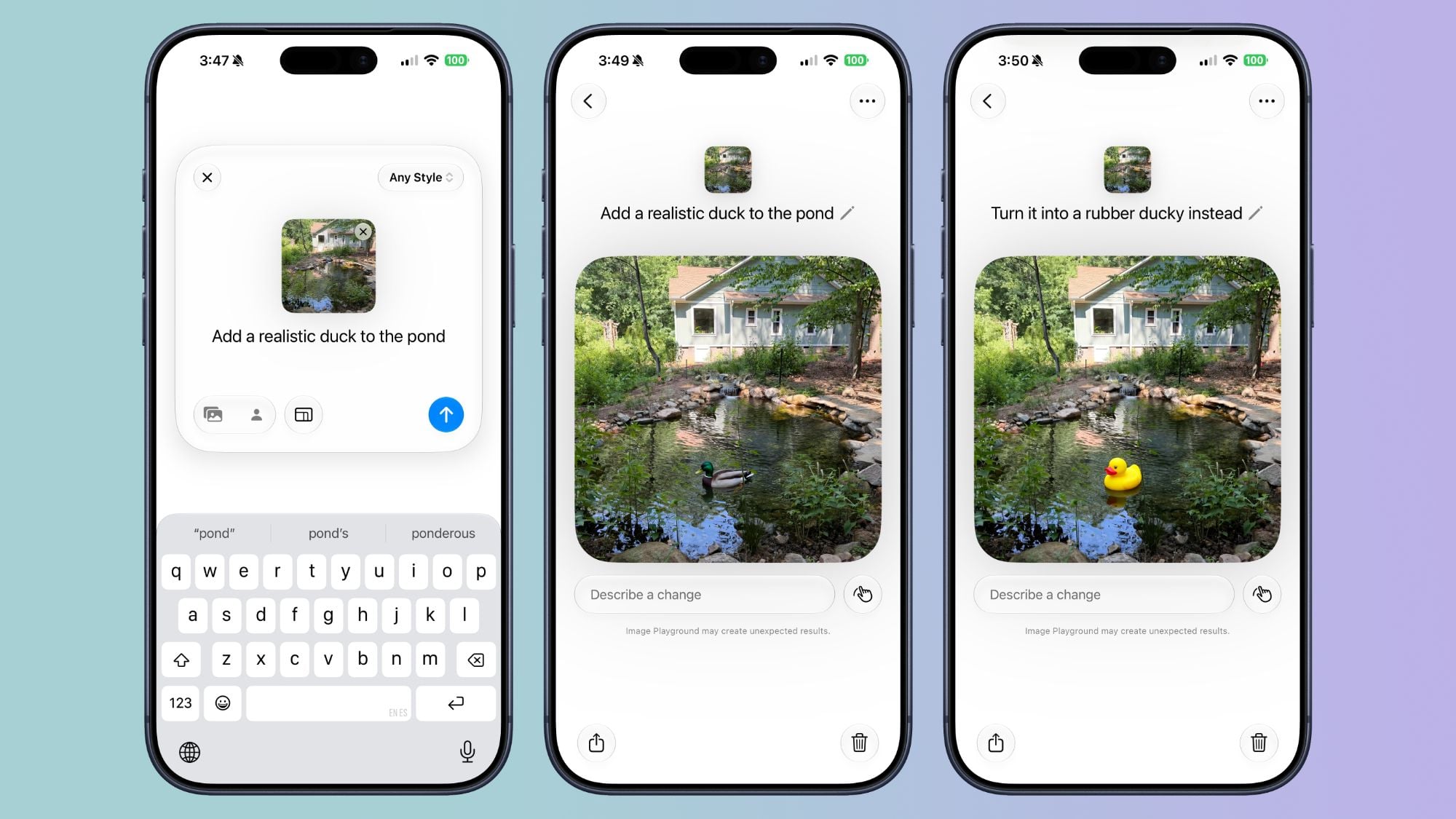
Although it is a separate app, the Image Playground app can now integrate to perform stunning realistic edits on photos; if you want to add a hat or accessory to your friend to make it look real, you can select specific areas in the photo and describe the desired edit in natural language seamlessly, with an innovative option to merge multiple photos together.
Extracting Photos from Video and Rating Content with Stars
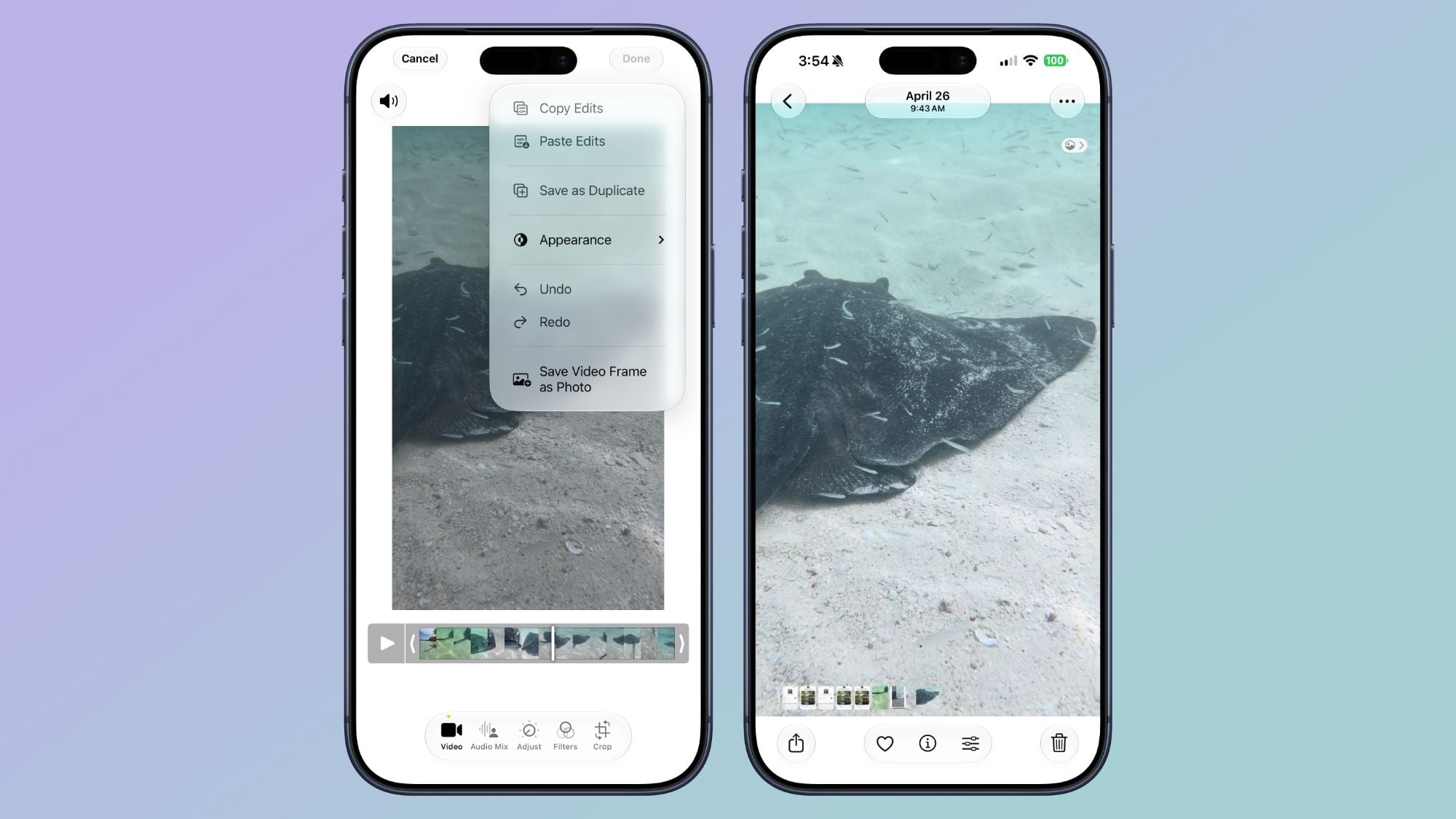
Apple has responded to one of the most requested features over the years, as you can now save any static frame from a video clip directly as a separate photo in full resolution with the press of a button, saving the hassle of taking manual screenshots and editing their dimensions later.
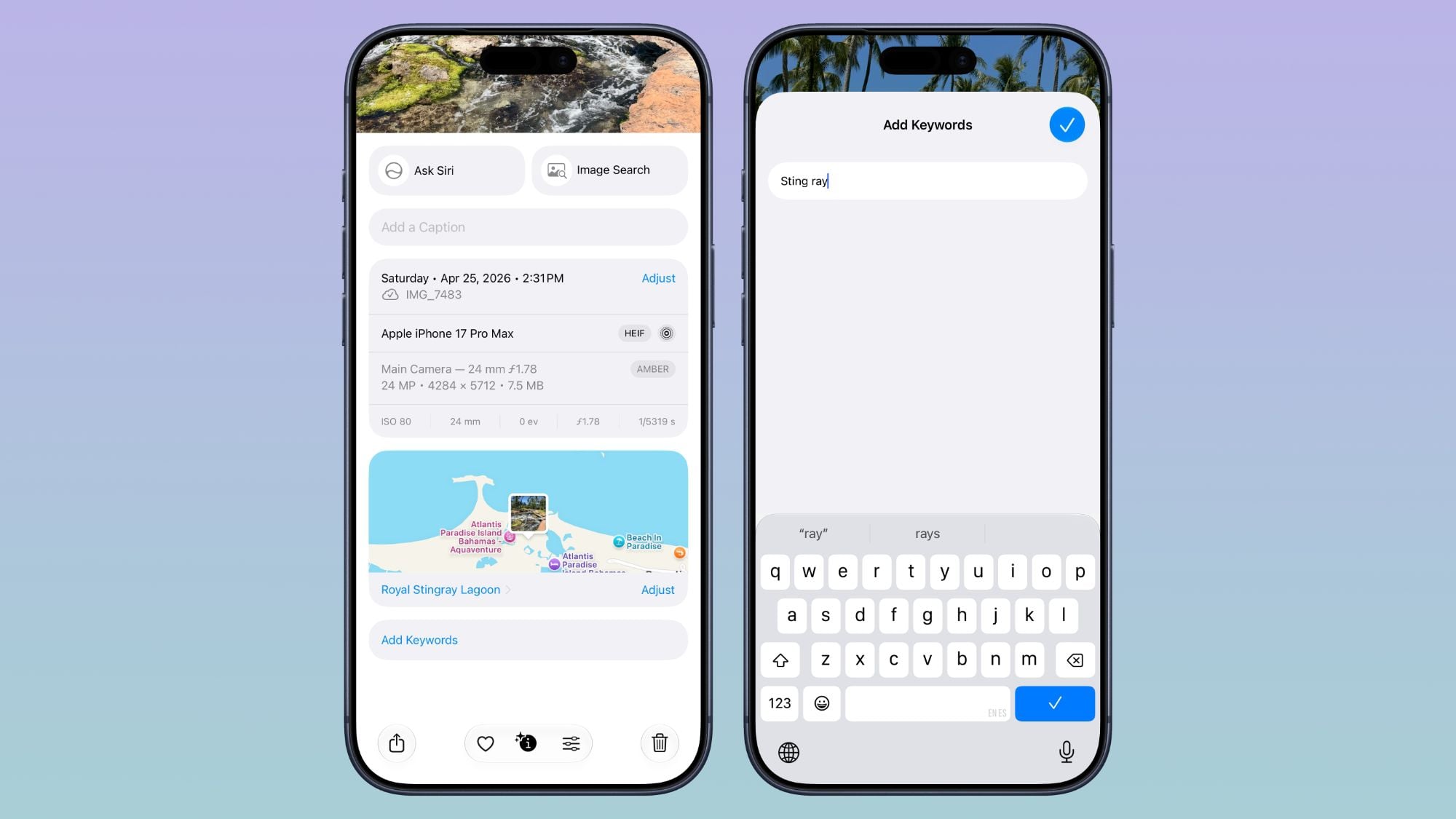
Regarding metadata organization, the app has added the ability to assign custom keywords and rate photos using a star system from one to five stars, allowing you to filter your massive library later and display only high-rated shots with ease and speed.
Comprehensive Development of Shared Albums and Slideshow Creation
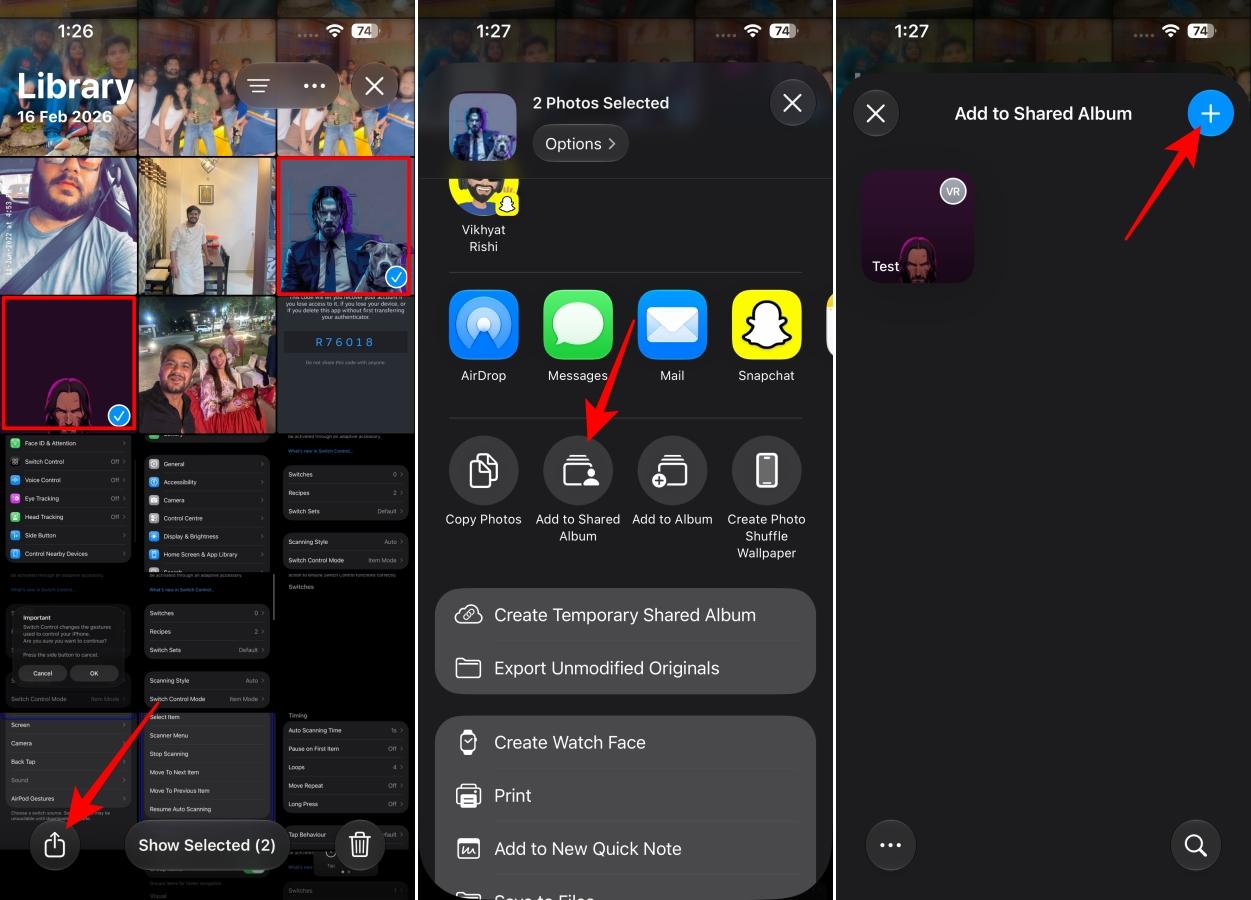
Apple has rearranged albums and given Shared Albums in iCloud a massive boost toward openness, as Android and Windows users can now participate and add photos directly to iCloud albums, in addition to a wide range of new organizational options:
- The ability to filter the contents of shared albums by photos or video clips.
- Facilitating the saving of photos and clips from shared albums directly to the personal library.
- An option to set the validity of a shared album to expire automatically after 30 days for temporary events.
- Facilitating the invitation of participants via a dedicated button to create a shared album from any list.
- Creating quick links to upload photos with new permissions that require explicit approval before joining.
- A dedicated log to track recent activities and interactions within the album.
- The ability to react to photos and video clips using any Emoji.
- Support for adding photos and video clips in full resolution and various display formats.
The upgrades didn’t stop there; you can now create an instant Slideshow from any album or collection you choose manually without being restricted to the Memories section, with control over transition styles, the duration of each slide, and background music, then export the result as a video file to share on social media platforms.
New Folders for Utilities and Instant Sync via iCloud
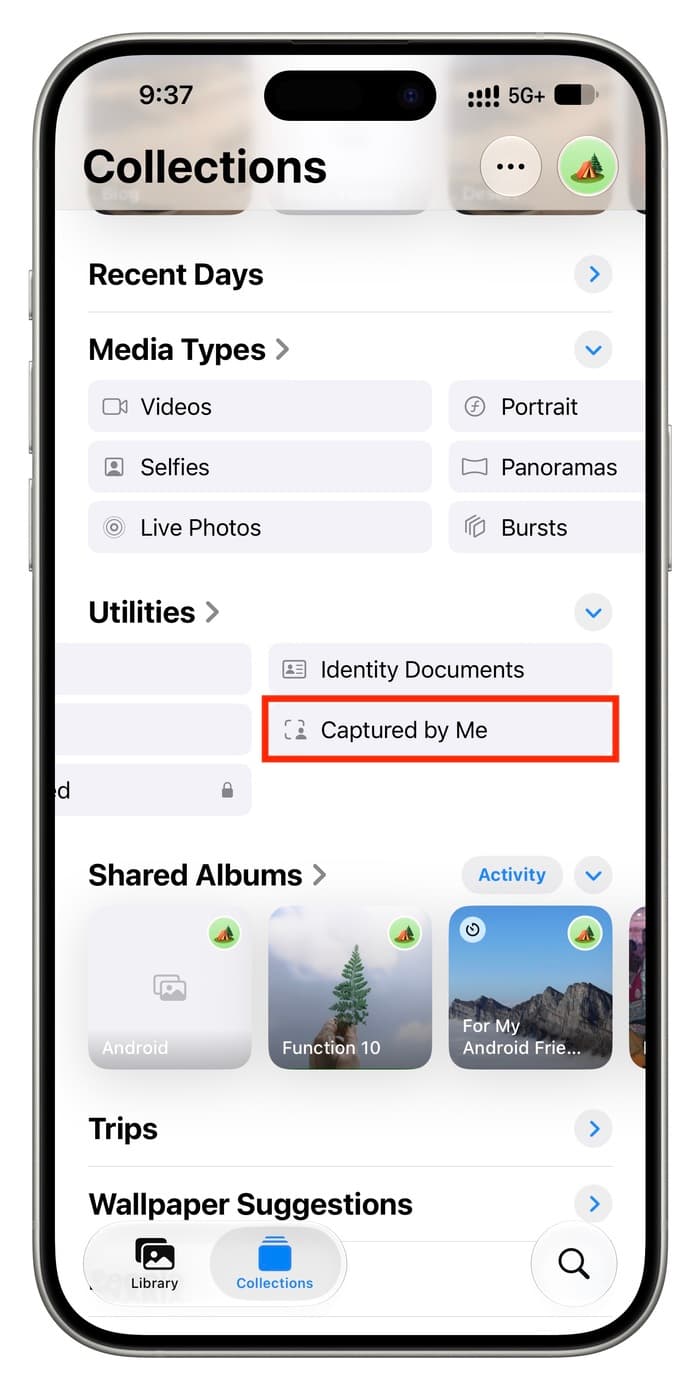
The Utilities section has received two new folders; the first is “Captured by Me,” which collects all photos and video clips actually taken via the camera of your current and previous iPhone devices, while the second folder, “Identity Documents,” is dedicated to collecting snapshots of passports, driver’s licenses, and official cards in a safe and organized place.
For those who do not want to wait, Apple has added a new option in Photos settings titled “Sync Immediately,” and when enabled, all new photos are uploaded directly to iCloud throughout the day instead of delaying the upload to save battery power.
Additional Improvements and Device Compatibility
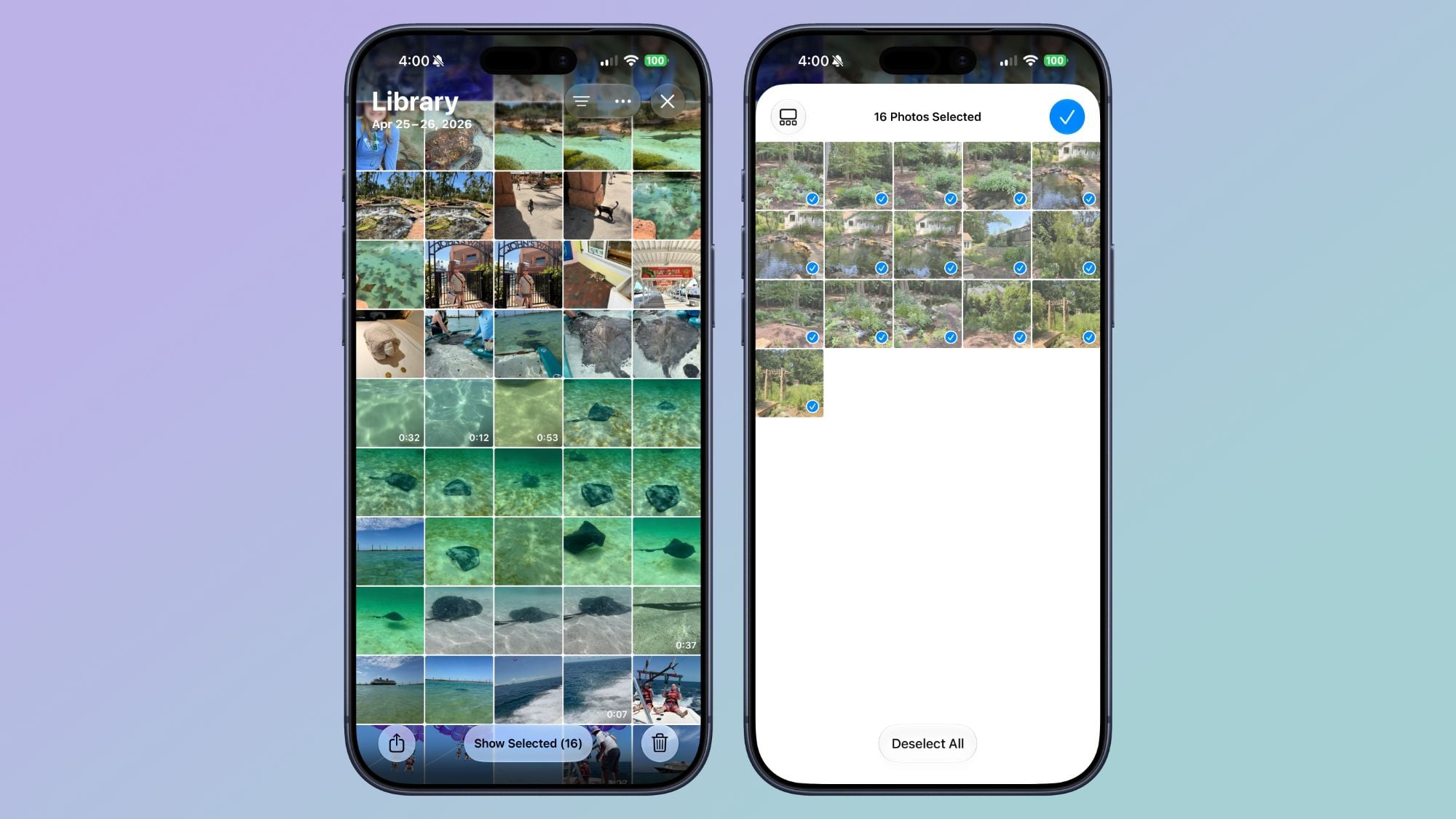
Sub-updates included the ability to select a specific pet in Photo Shuffle wallpapers and include your personal photos among them, in addition to improving search algorithms to display better results for faces and animals at the top of the results, while speeding up the display of the Collections tab and loading newly captured photos. A “Show Selected” option was also added to review and edit the data of all selected photos at once.
Regarding compatibility, the smart editing tools based on Apple Intelligence require an iPhone 15 Pro or later, while all organizational improvements, performance features, and albums are available for all devices supporting iOS 27 starting from iPhone 11 and later.
Source:

Post Comment