Apple unveiled the iOS 27 update at the Worldwide Developers Conference (WWDC), and while Siri and artificial intelligence took the lion’s share of the spotlight and attention, the Lock Screen received a bundle of improvements and smart touches that you might not have noticed at first. These changes, despite their simplicity, give you unprecedented control over the look and user experience of your iPhone.
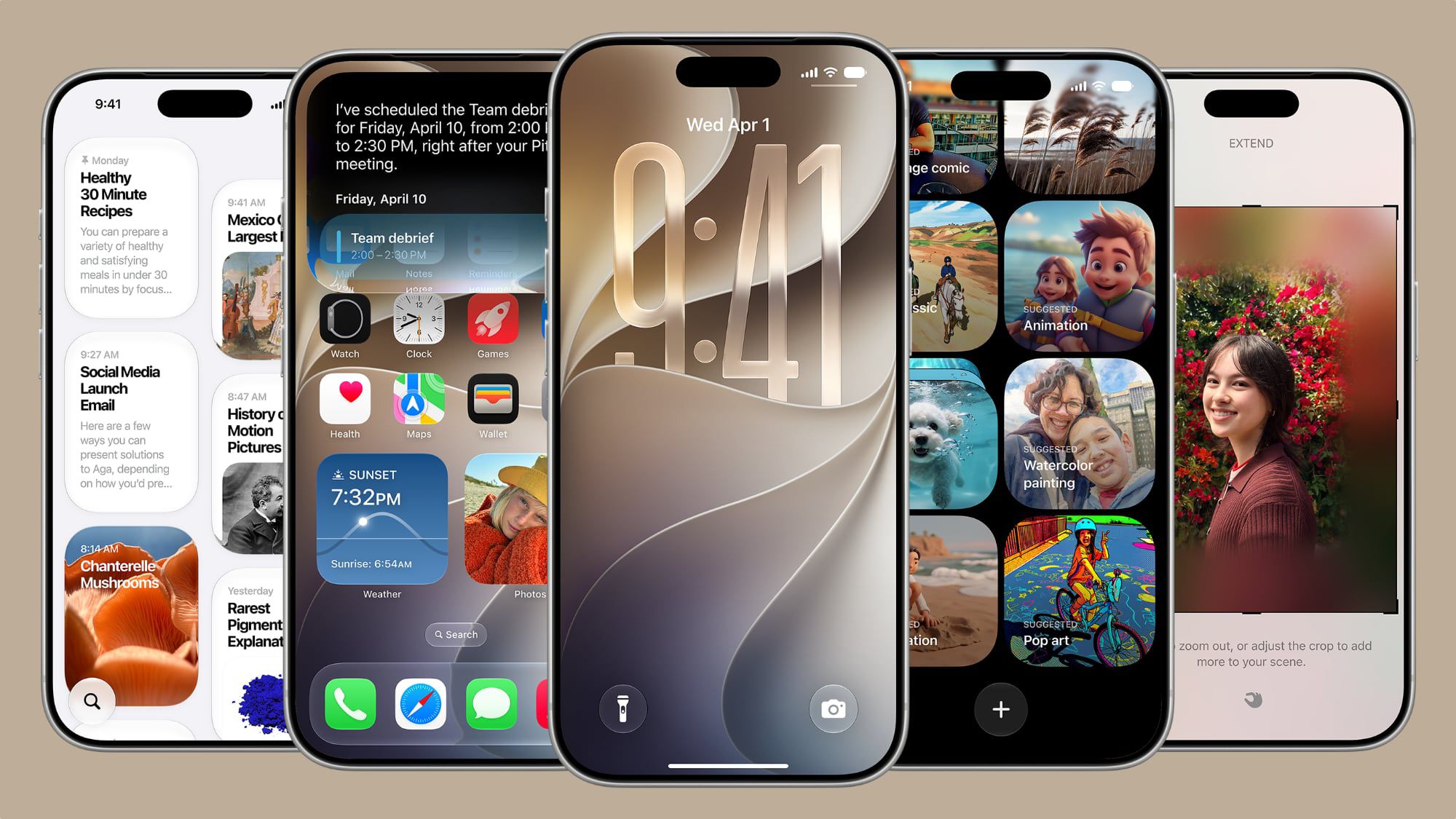
Extending Wallpapers with Super AI
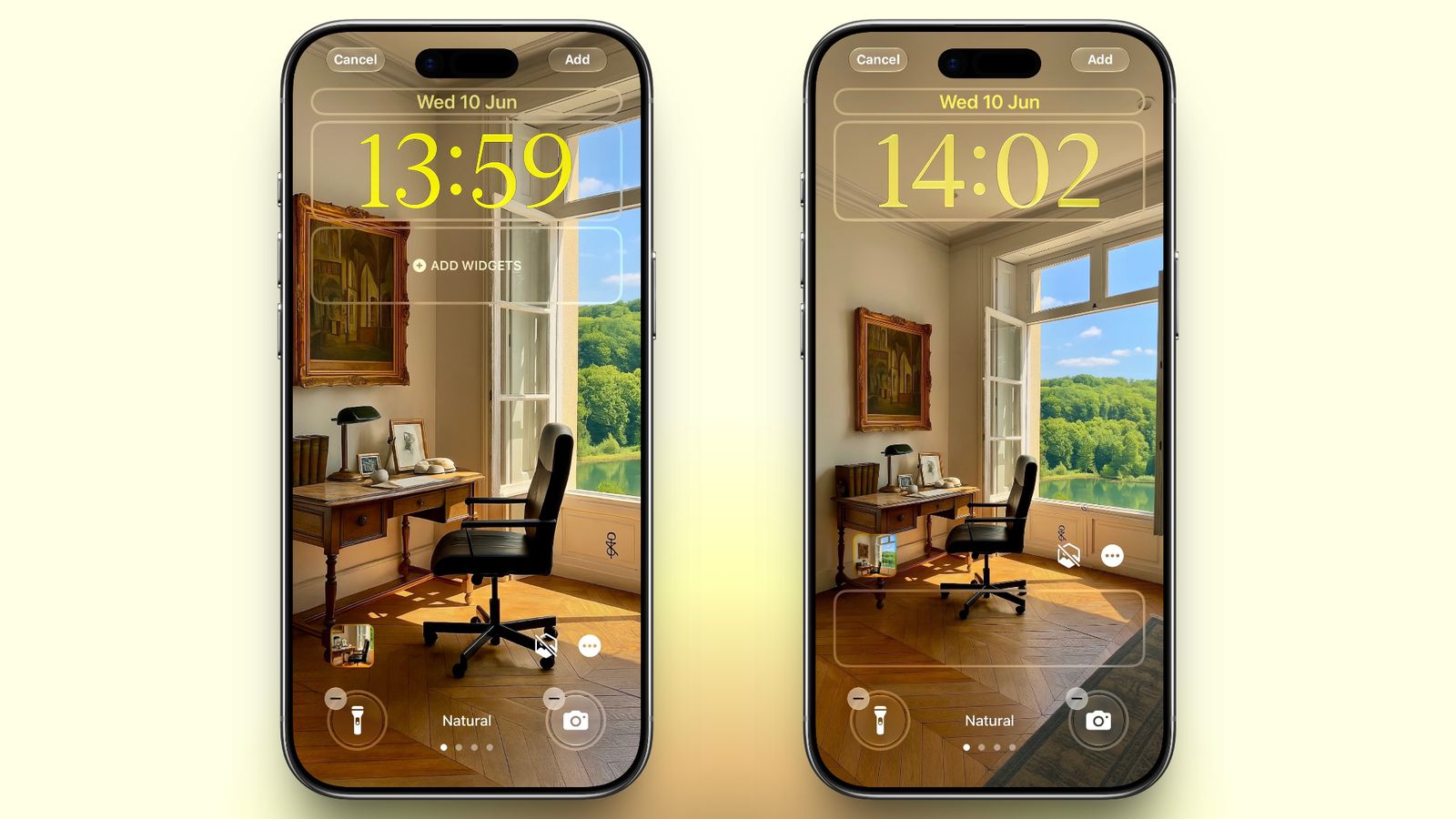
How many times have you tried to set your favorite photo as a wallpaper only to discover that its dimensions don’t fit the iPhone screen, forcing you to crop out important parts? With the new wallpaper extension feature in iOS 27, Apple solves this problem using Apple Intelligence. The system analyzes the image and generates complementary parts for the wallpaper at the edges quite naturally to fill the gaps without needing to crop your photo randomly.
The Clock is Now Small and Elegant
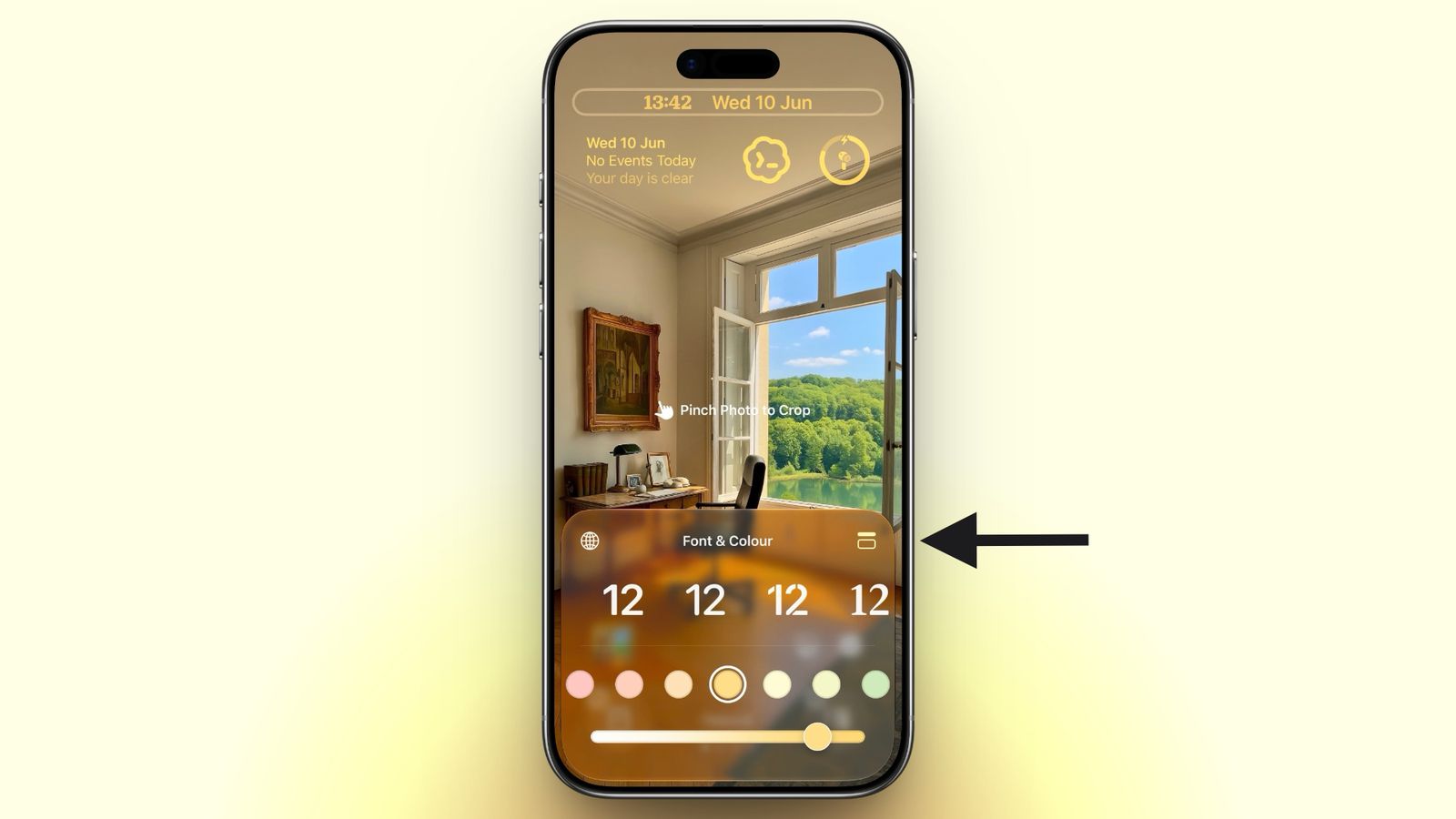
If you are a fan of simplicity and want your screen wallpaper to appear clearly, the new Compact Clock option is what you are looking for. Instead of the usual massive clock in the middle of the screen, this option allows you to significantly shrink the clock size and move it to be next to the date and widgets at the top, giving your screen a modern and eye-pleasing look, which is the exact opposite of the trend we saw in iOS 26.
Generating Wallpapers with AI
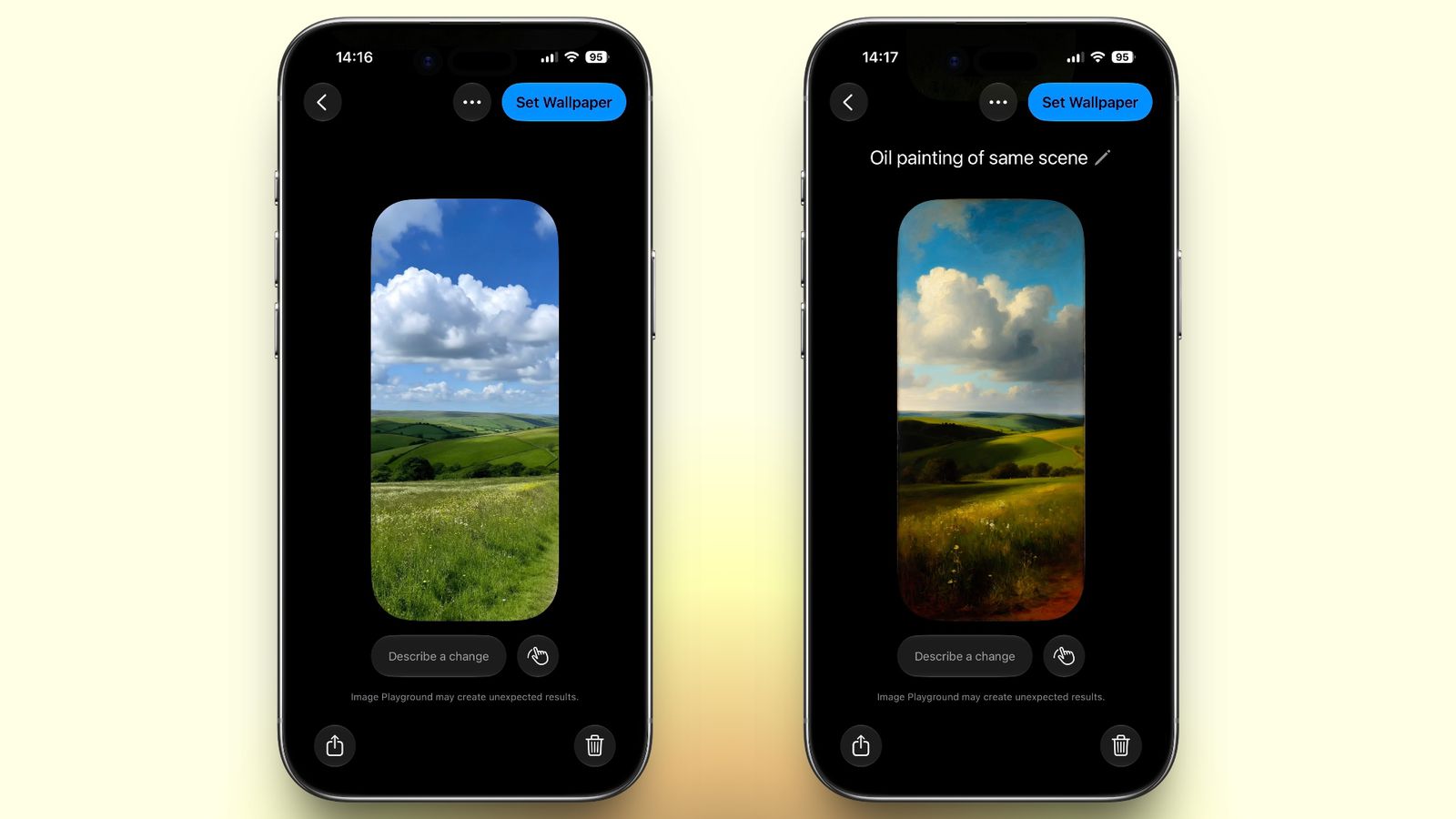
You no longer need to search the internet for a wallpaper that suits your taste. The iOS 27 update integrates the Image Playground smart image generation feature directly with the Lock Screen, allowing you to write a simple text description of what you want, and the AI will create a unique, fully customized artistic wallpaper for you in mere seconds to set as an instant background for your screen.
Full Control Over Liquid Glass Transparency
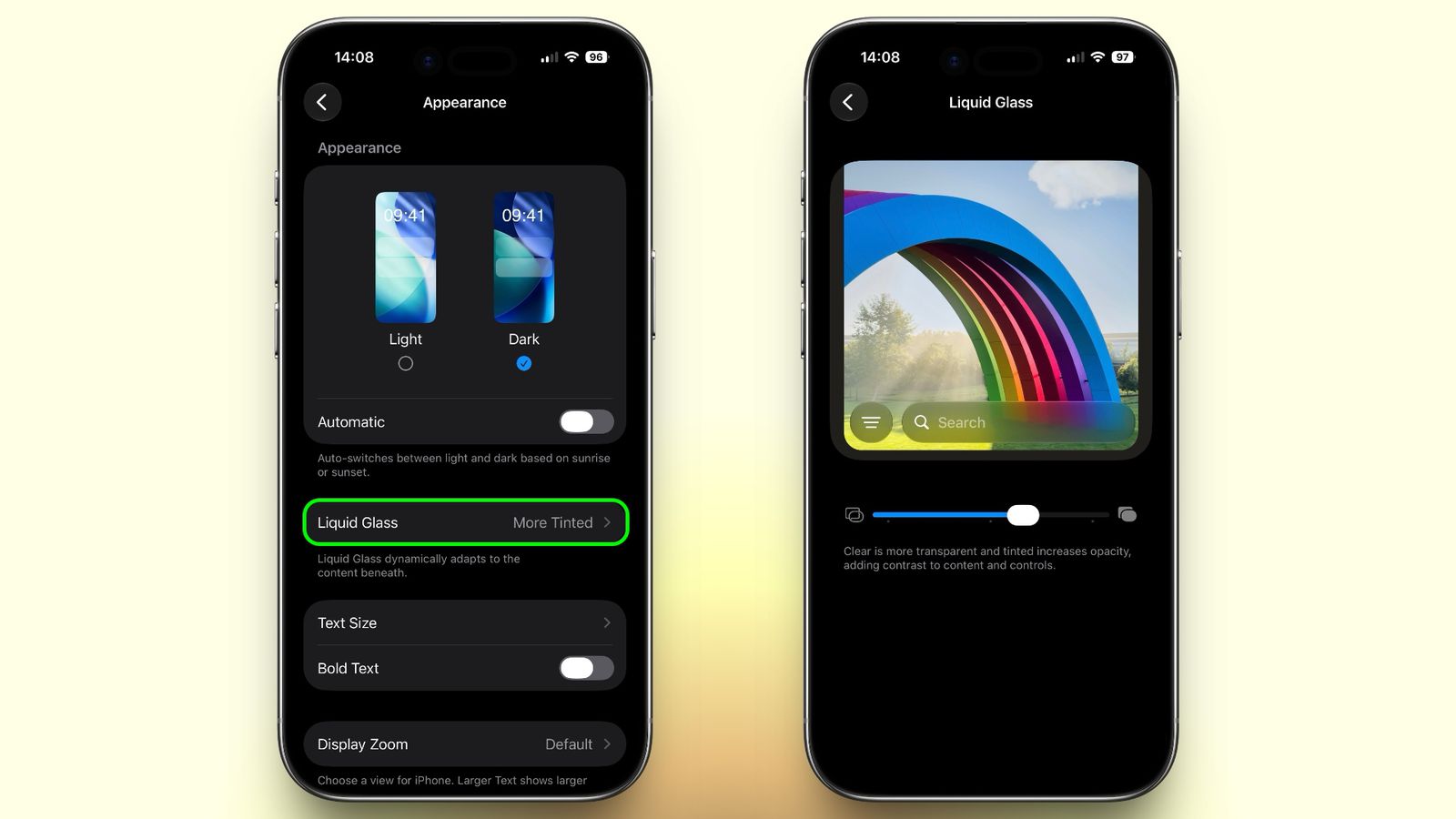
Apple has introduced a dedicated feature under appearance settings called “Liquid Glass,” which allows you, via a smooth slider, to control the transparency level of elements on the Lock Screen such as the clock, buttons, and widgets. You can make them completely transparent to show the wallpaper behind them, or opaque to increase text clarity and readability—a nice aesthetic touch that adds wonderful depth to the user interface.
The New and Smart Siri Interface
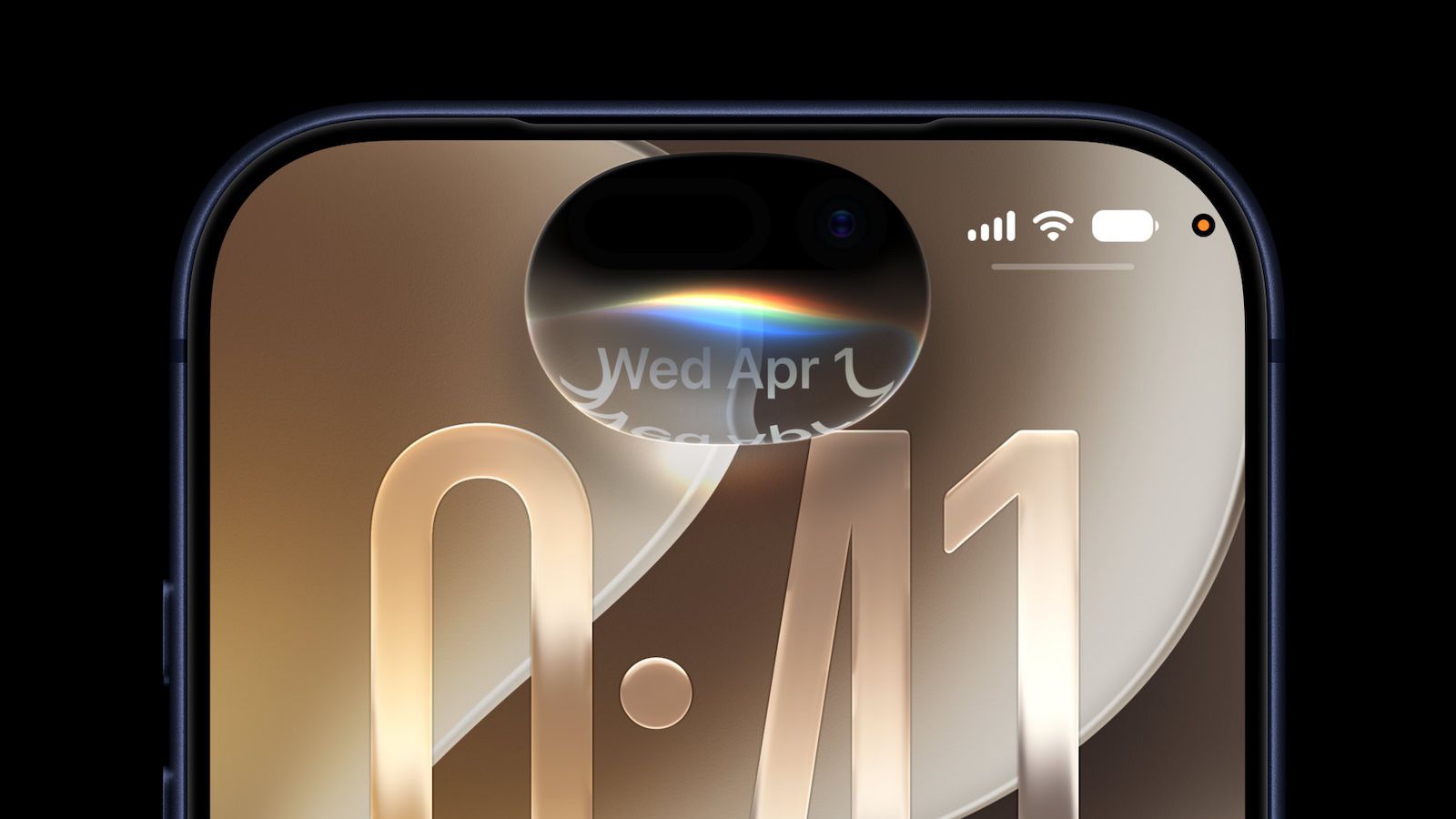
In line with the major revolution that has occurred in Apple’s voice assistant, iOS 27 comes with a completely new design for Siri on the Lock Screen. Instead of the usual glow that wraps around the entire screen edges, you will now notice the glowing and colorful Siri orb moving and interacting elegantly within the Dynamic Island. Furthermore, responses and answers will appear integrated around the island, ensuring you are not distracted or having your screen completely covered while interacting with it.
Source:
Leave a Reply