When Apple unveiled “Apple Intelligence” at its latest conference, all eyes naturally turned toward the personal assistant “Siri,” which received a historic upgrade. However, behind the scenes of this massive announcement, there are small, intelligent details that will change our daily interaction with iPhone devices. The iOS 27 operating system will not just make Siri speak more intelligently; it will infuse this intelligence into the core apps we use every hour, making traditional tasks noticeably easier and smoother.
More Than Just Siri: Apple Intelligence Permeates Your Daily Apps
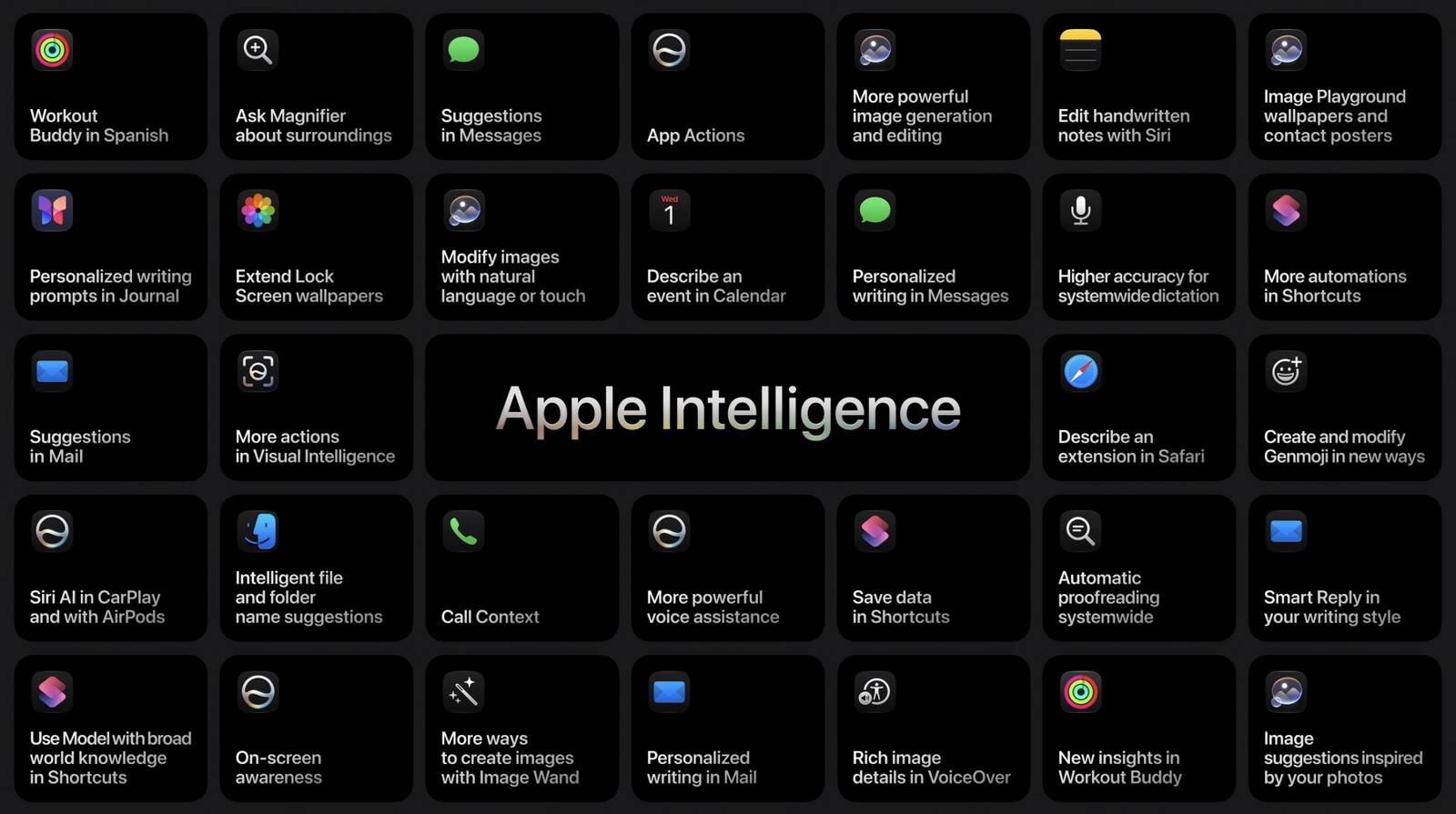
During the WWDC presentation, it wasn’t just about Siri; Beth Dakin (Apple’s Director of Safari Engineering) took the stage to reveal how the Safari browser and a range of other core apps will transform into highly intelligent tools thanks to the deep processing of Apple Intelligence. These features are not just a technical flex; they are practical quality-of-life improvements aimed at solving small daily problems like tab clutter, difficulty searching through email, or even remembering trip details during an urgent phone call.
Safari Browser: Goodbye to Tab Clutter with Smart Grouping and “Notify Me”
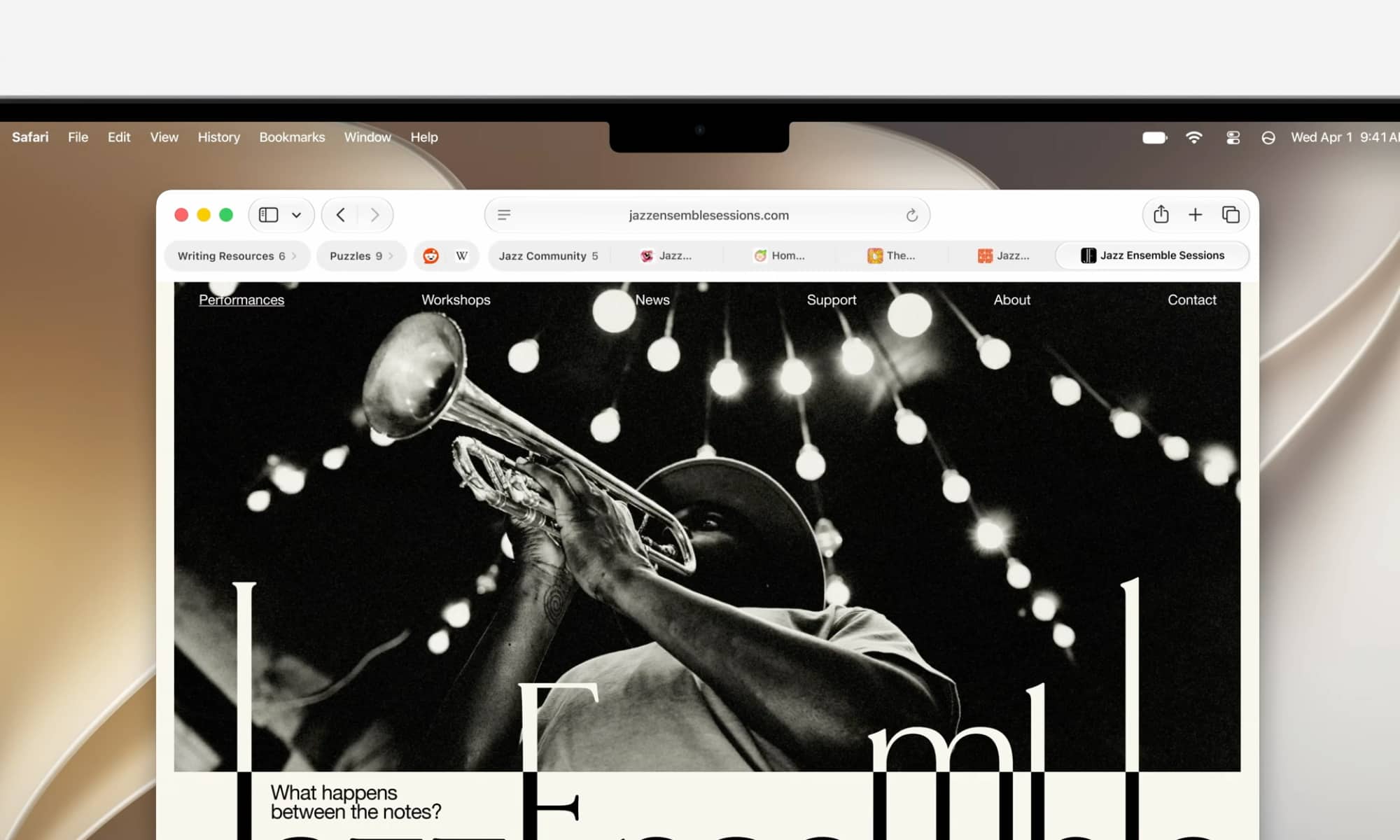
Beth Dakin began her talk with the Safari browser, introducing an automatic tab grouping feature based on topic. This feature will be available on iPhones running iOS 27, as well as iPads and Macs. This feature is completely different from the traditional “Tab Groups” that require manual creation; here, Apple Intelligence analyzes the content of the pages you open and automatically categorizes them into sub-topics within the same group. If you open a new tab that matches an existing topic, it will be automatically added to provide a clean, distraction-free browsing experience.
Additionally, Apple is taking its first step into the world of “Agentic AI” via the “Notify Me” feature. This feature allows Apple Intelligence to monitor a specific webpage on your behalf, alerting you as soon as important changes occur, such as a price drop on a product you are tracking or concert tickets going on sale. It is a quiet and secure step compared to what other companies are doing, giving the user full control without handing over the reins entirely to AI.
Calendar: Adding Appointments in Natural Language Without Complexity

In iOS 27, the Calendar app will rely on Apple Intelligence to let you add appointments very simply by writing them in everyday natural language. For example, as soon as you type “Prepare the presentation for Monday with Elena at the donut shop,” the app will recognize “Elena” as a person from your contacts, set the “donut shop” as a location, and automatically formulate an appropriate title and time.
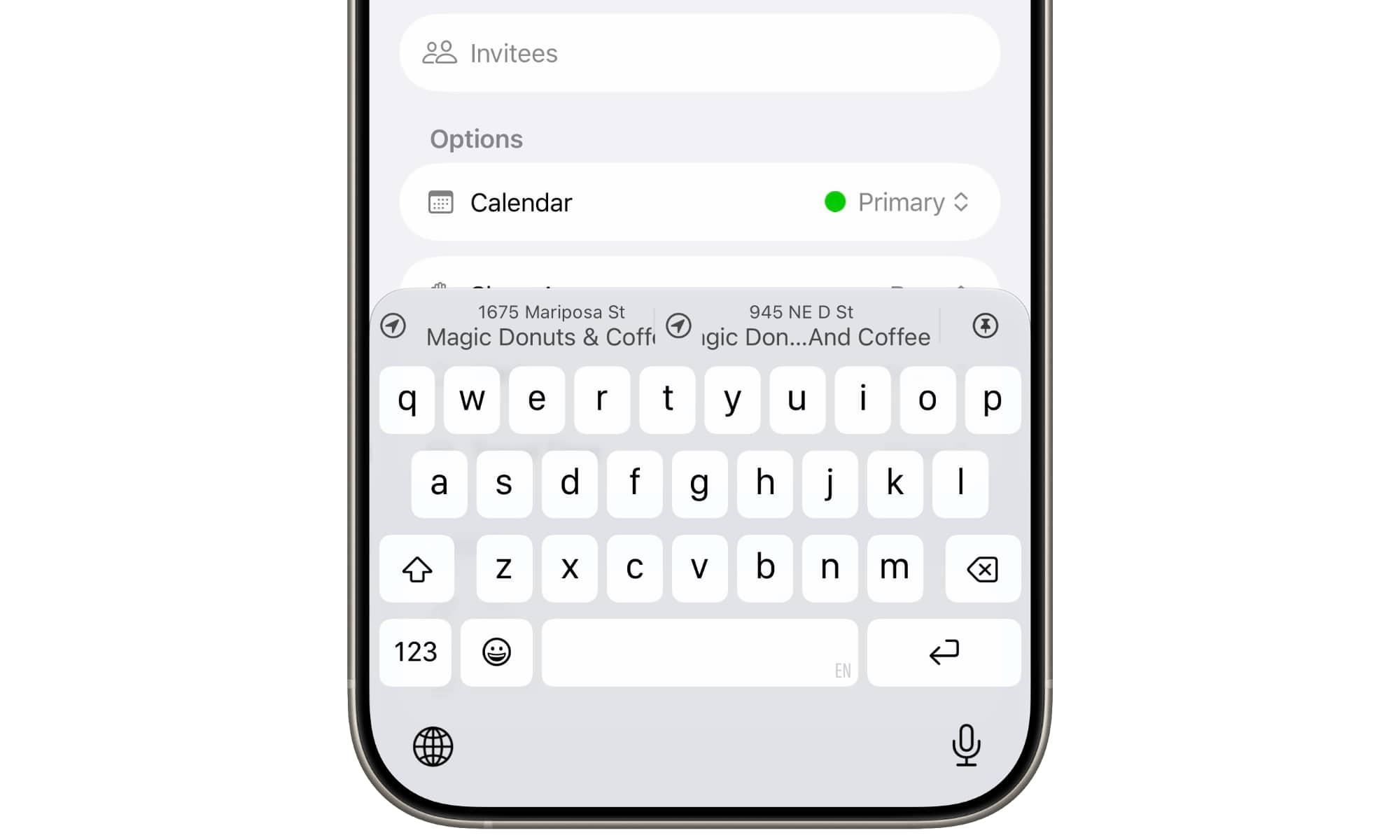
However, it is worth noting that the first developer beta shows that the feature does not work with extreme fluidity as shown in the promotional video, but rather works in a wonderful interactive style: each identified element (name, location, time) appears as a smart “suggestion” above the keyboard that requires you to tap it to confirm. This approach prevents the annoying errors that other apps like Fantastical fall into, where appointments are scheduled incorrectly just because of ambiguous words in the sentence.
Mail App: Deep Indexing and Smart Search That Finds the Needle in the Haystack
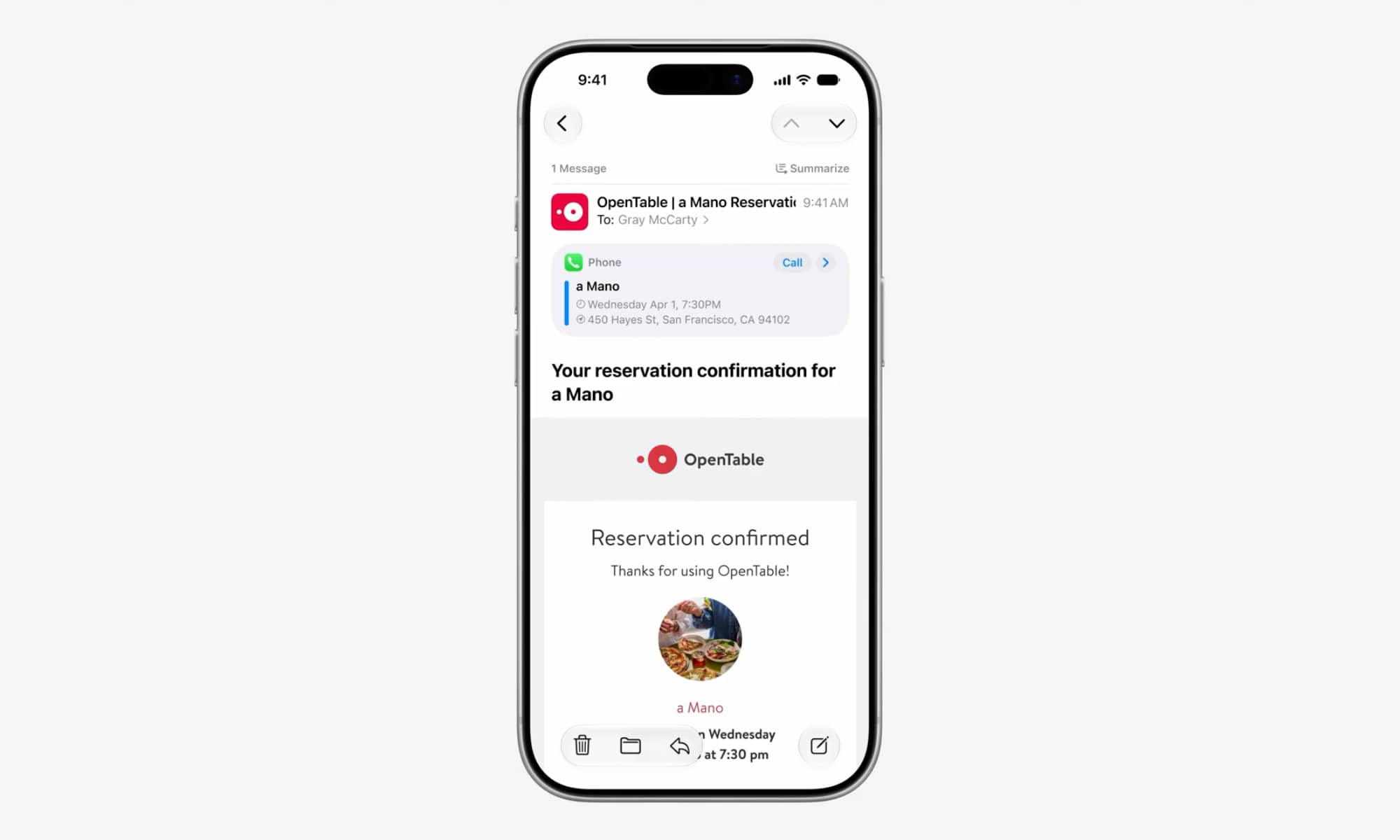
Apple is focusing heavily in iOS 27 on “Semantic Indexing,” which is the backbone of the new Apple Intelligence. According to Stacey Ford (VP of OS Program Management at Apple), engineers have completely rebuilt the indexing system to make it more efficient and stable. Although this takes time (as an iPhone 17 Pro Max sometimes takes tens of hours to complete indexing after an update), the results are impressive.
This powerful indexing will directly reflect on the Mail app; the app will use a smart ranking system based on Apple Intelligence to prioritize the messages you are actually looking for and place them at the top of the results, regardless of how deeply archived they are. Additionally, the app will provide rich and detailed suggestion cards that highlight calendar appointments, quick contact links, and required tasks at a quick, direct glance.
Messages App: Smart Contextual Suggestions with One Tap
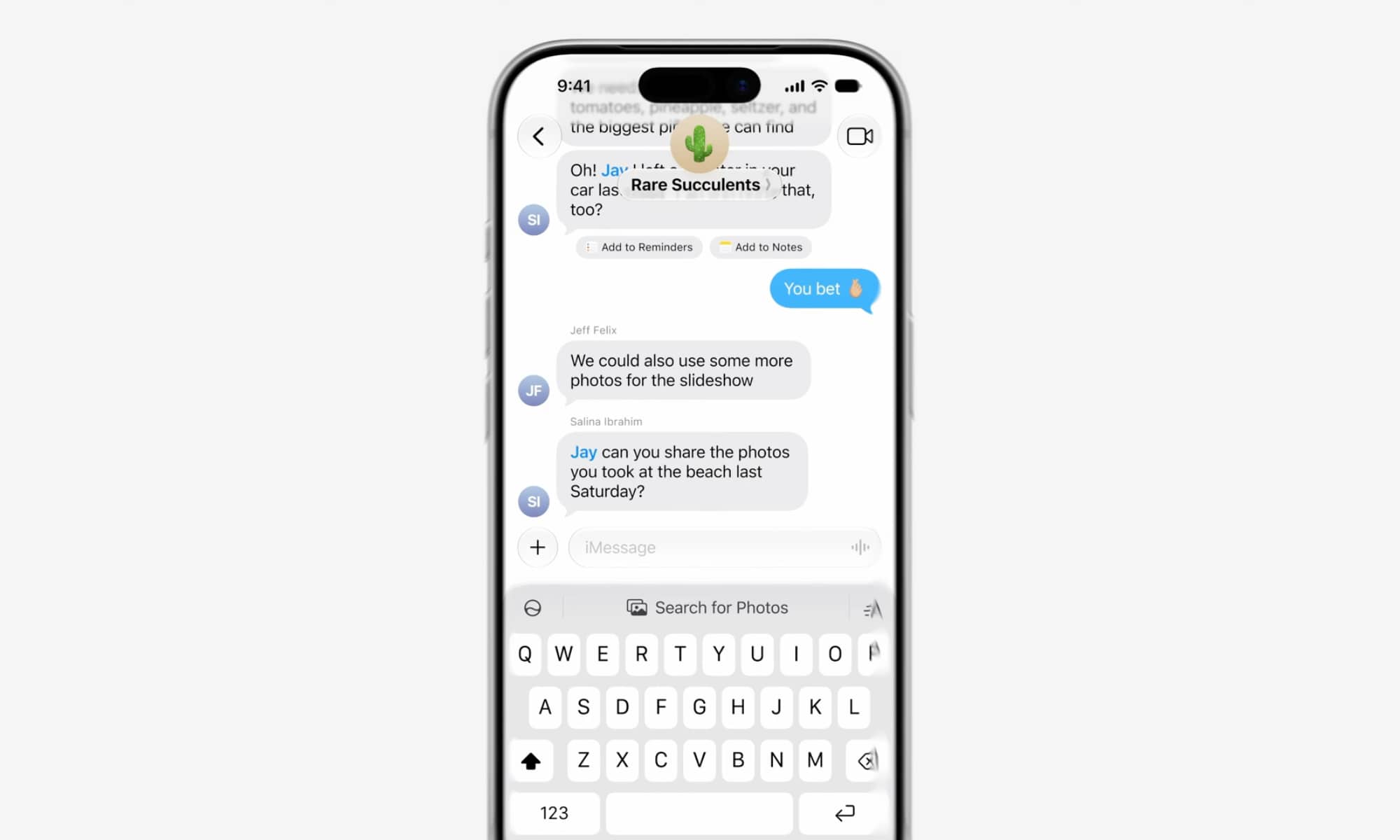
Apple Intelligence will also analyze your conversations in the Messages app to provide you with instant, one-tap suggestions based on the context of the dialogue. For example, if a friend asks you, “Can you share the photos we took at the beach last Saturday?”, the system will immediately understand the context and show you a “Search for Photos” button, which will directly display the relevant beach shots without the need to open the Photos app, type the search manually, and select the date yourself.
Phone App: Your Personal Assistant Present During Calls
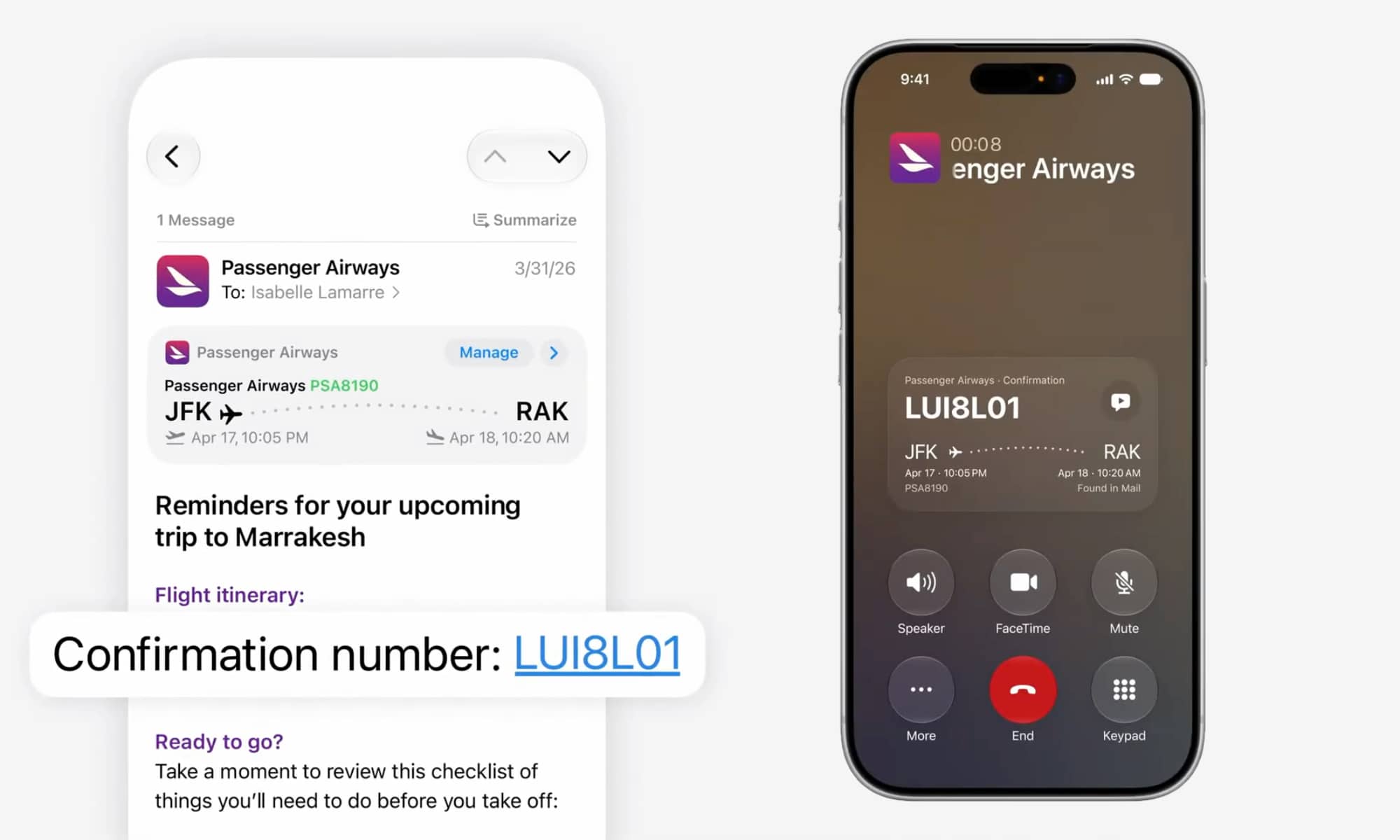
The new “Call Context” feature will change how you handle transactions. When calling companies or service providers, Apple Intelligence will automatically pull relevant information from your apps like Mail and Messages and display it directly on the call screen for easy reference.
This feature works very intelligently and is intended for companies only; if you are calling an airline to modify your flight booking, the booking confirmation code (found in your email) will automatically appear on the call screen. This feature will not be activated for calls with friends to ensure privacy and because there is no need to display old invoices during a friendly chat!
Passwords App: The Smart Agent That Protects Your Digital Life
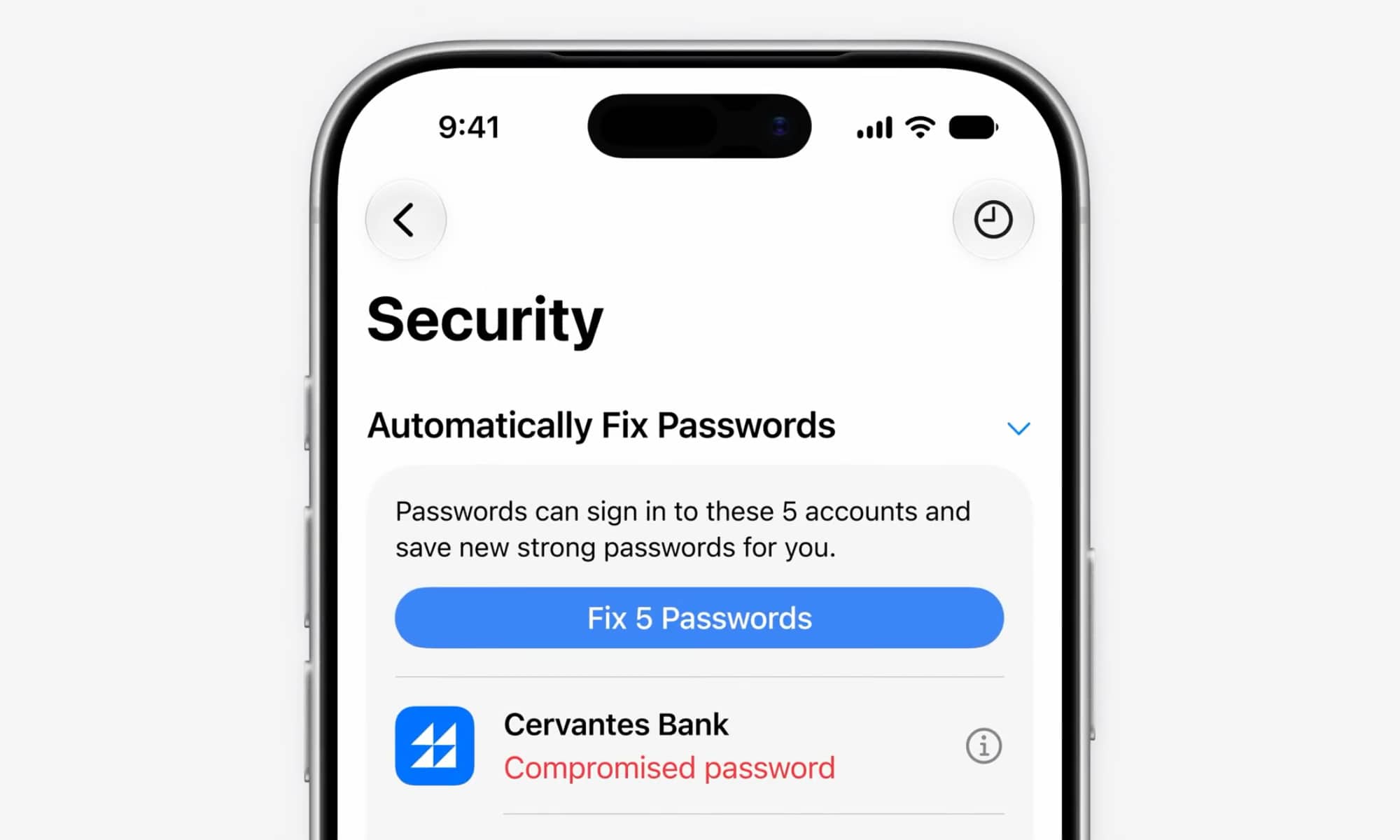
Apple’s new Passwords app leverages “Agentic AI” technologies to protect your digital accounts. The big feature here is the app’s ability to “fix” weak or leaked passwords on your behalf with the press of a button. When clicking the fix option, Apple Intelligence, in cooperation with Safari, will navigate safely within the relevant website, log in, change the password to a strong one, and save it automatically. Currently, this feature is available for “Eligible Accounts,” which indicates Apple’s use of special APIs with major service providers to ensure a completely secure change environment.
Unlike the slow start of Apple Intelligence in its early years, all these features are already working powerfully in the first developer beta of iOS 27 (though they need some time to build semantic indexes on the device). This means we will see them officially ready for use with the general release of the system next fall. The best part is that Apple will not put these features behind a “waitlist” like it does with the new Siri system; they will be available directly to everyone to enjoy a smarter and more capable phone.
Source:


Leave a Reply