While “Apple Intelligence” and the revolutionary features of the “Siri” personal assistant stole the spotlight at the recent developers conference, Apple did not overlook a crucial human and educational aspect. In a move that underscores the company’s deep commitment to the family, Apple unveiled comprehensive expansions and a complete redesign of child safety features and parental controls across its various device operating systems, such as the iPhone, iPad, and Mac. These updates were not presented by traditional software engineers, but rather by Dr. Sumbul Desai, Vice President of Health at Apple, to emphasize that maintaining our children’s digital safety is an integral part of their overall mental and physical well-being.
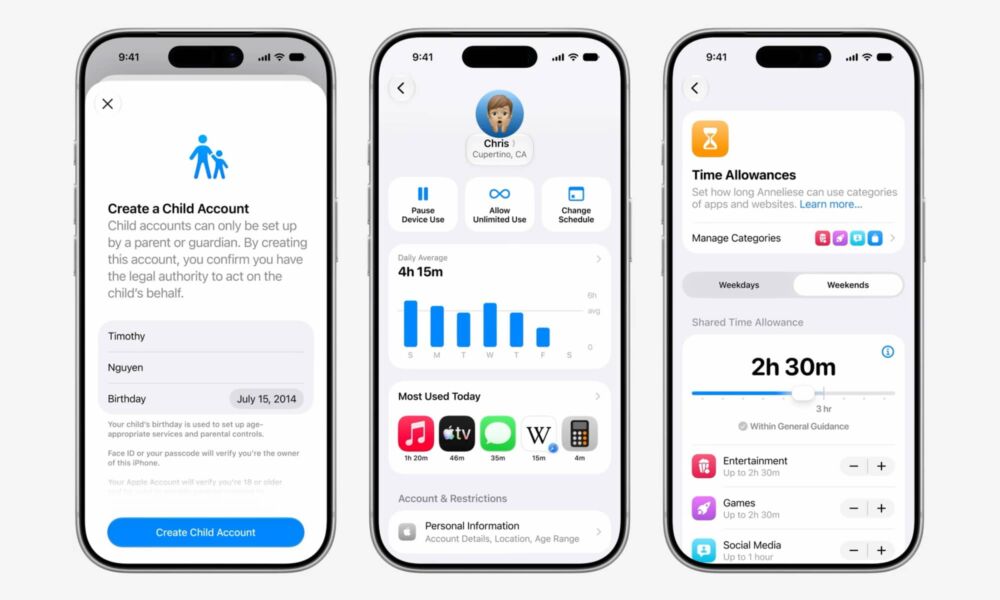
Redesigning “Screen Time” to Make it Easier for Parents
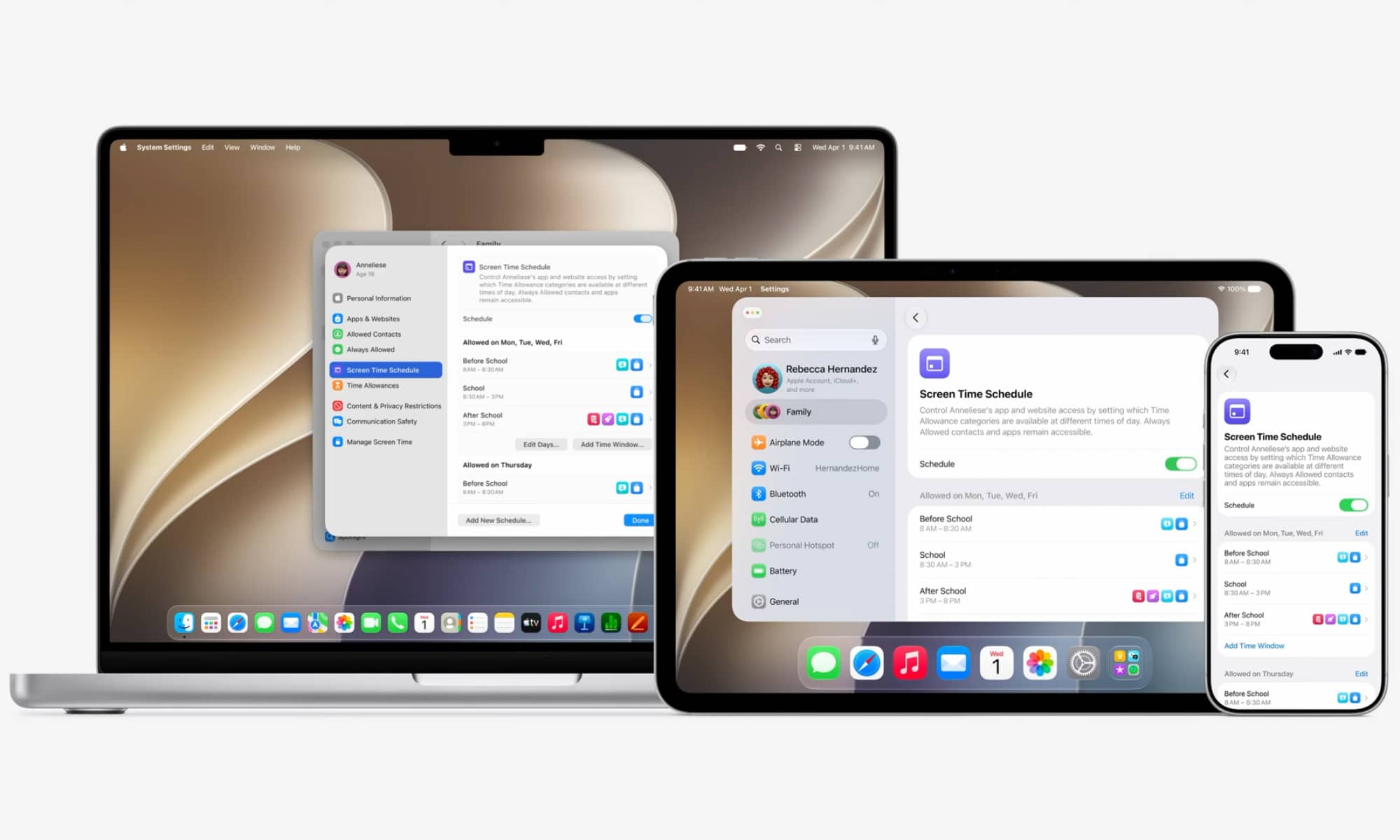
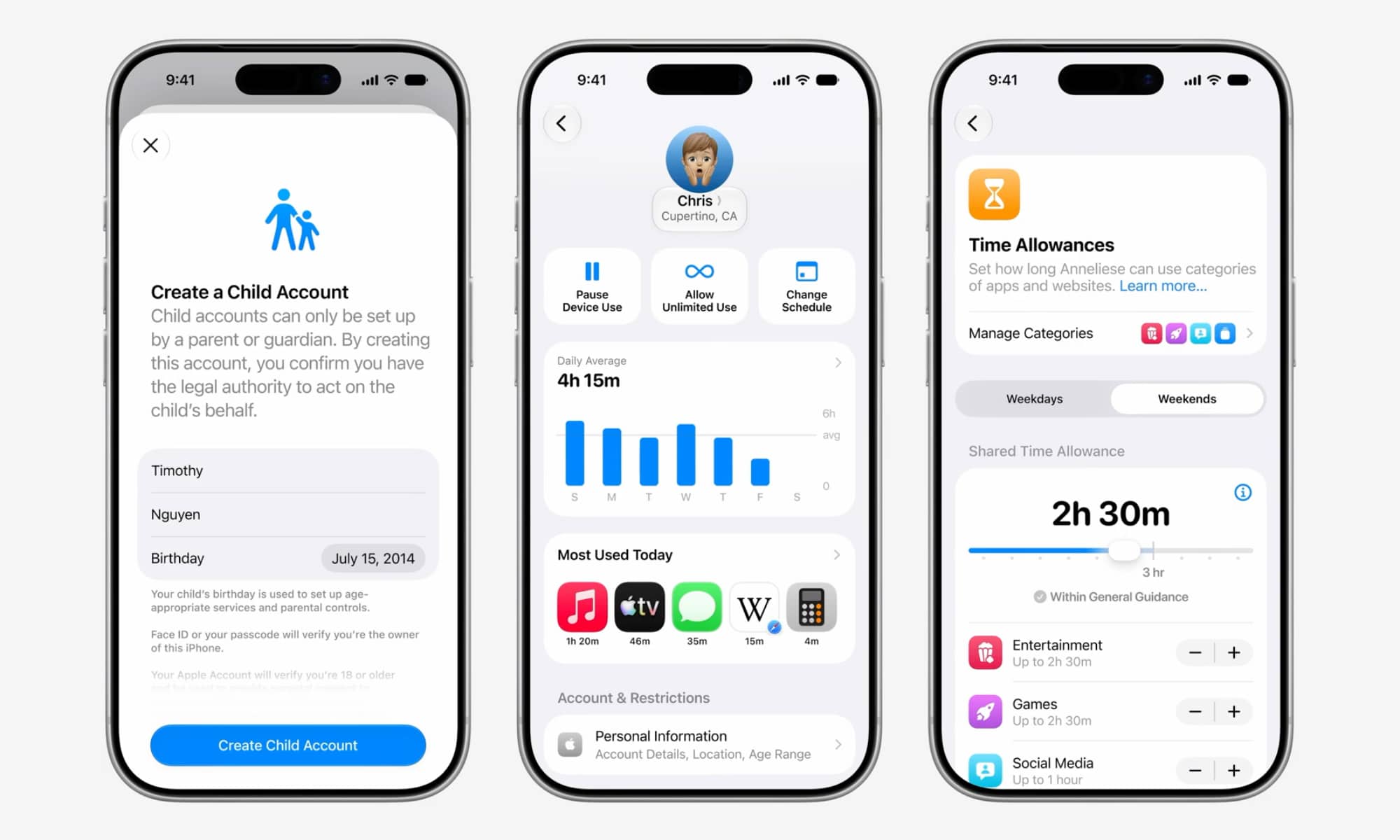
Apple has completely rebuilt the “Screen Time” interface to be clearer and easier for parents in iOS 27. Instead of complex mazes and scattered options, the new interface provides an elegant and simple design that facilitates setting digital boundaries and scheduling usage times, such as flexibly blocking access to certain apps during school hours.
The feature also introduces “Time Allowances,” which provide clear guidance for parents to control specific categories such as social media, gaming, and entertainment. The new interface includes a dashboard that summarizes how children use their devices at a quick glance without complexity, with quick buttons to pause device usage or immediately adjust schedules. For added protection, Apple revealed that parents will receive an instant notification on their devices as soon as the “Screen Time” passcode is entered on the child’s device, putting an end to the guessing and snooping attempts made by clever children!
“Ask to Browse” Feature for Web Safety
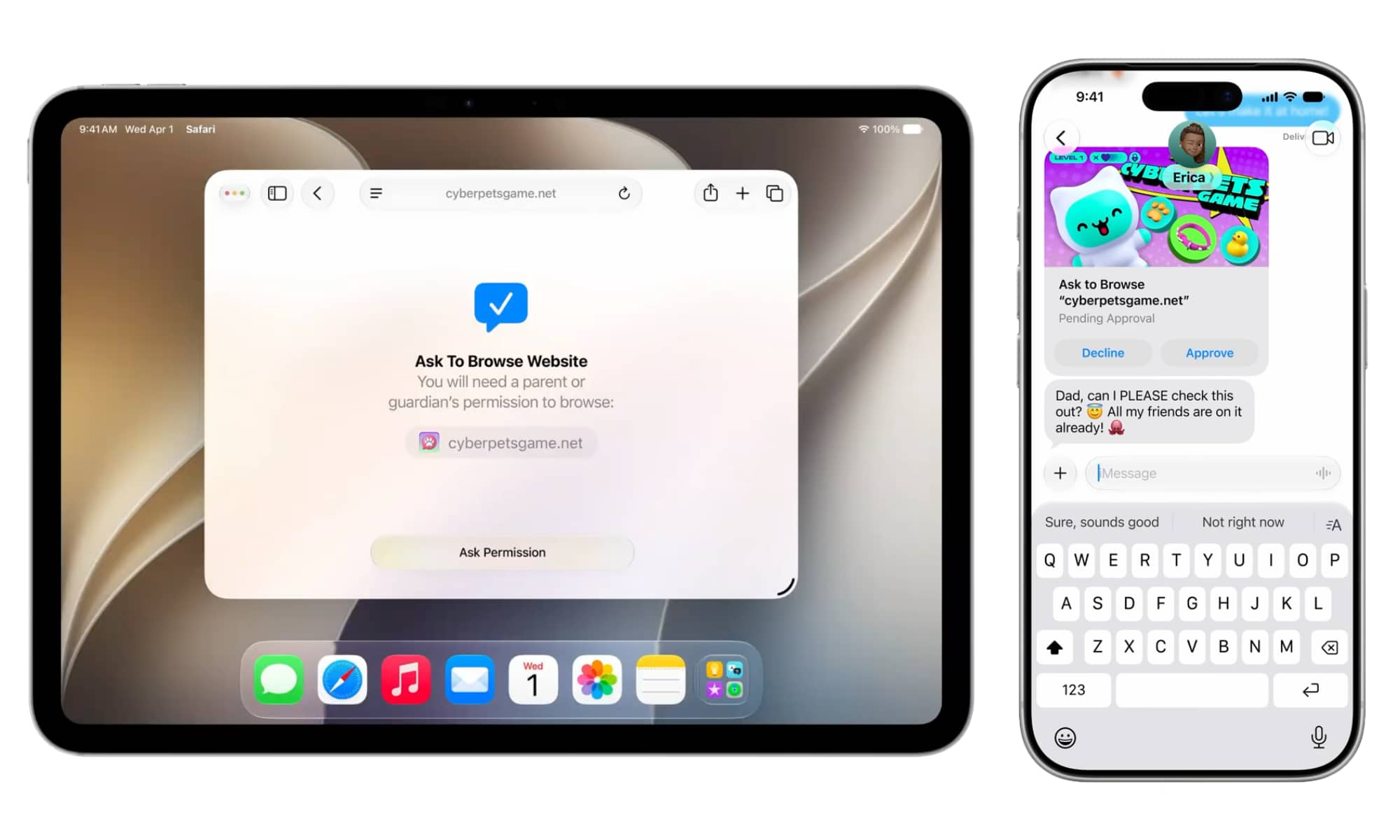
Building on the successful “Ask to Buy” feature that prevents children from downloading any app without prior permission, Apple introduces the “Ask to Browse” feature in iOS 27. Previously, manually blocking and customizing websites was a nightmare for parents due to the complexity of sub-links and tangled website redirects.
Now, this feature will work automatically and seamlessly; when a child tries to visit a new website not on the whitelist, parents will receive an instant notification on their devices allowing them to approve or reject the request with just one tap. This feature will be enabled by default for children under 13, with the option to turn it on for teenagers joined in a Family Sharing group.
Blocking and Blurring Gore and Violent Content
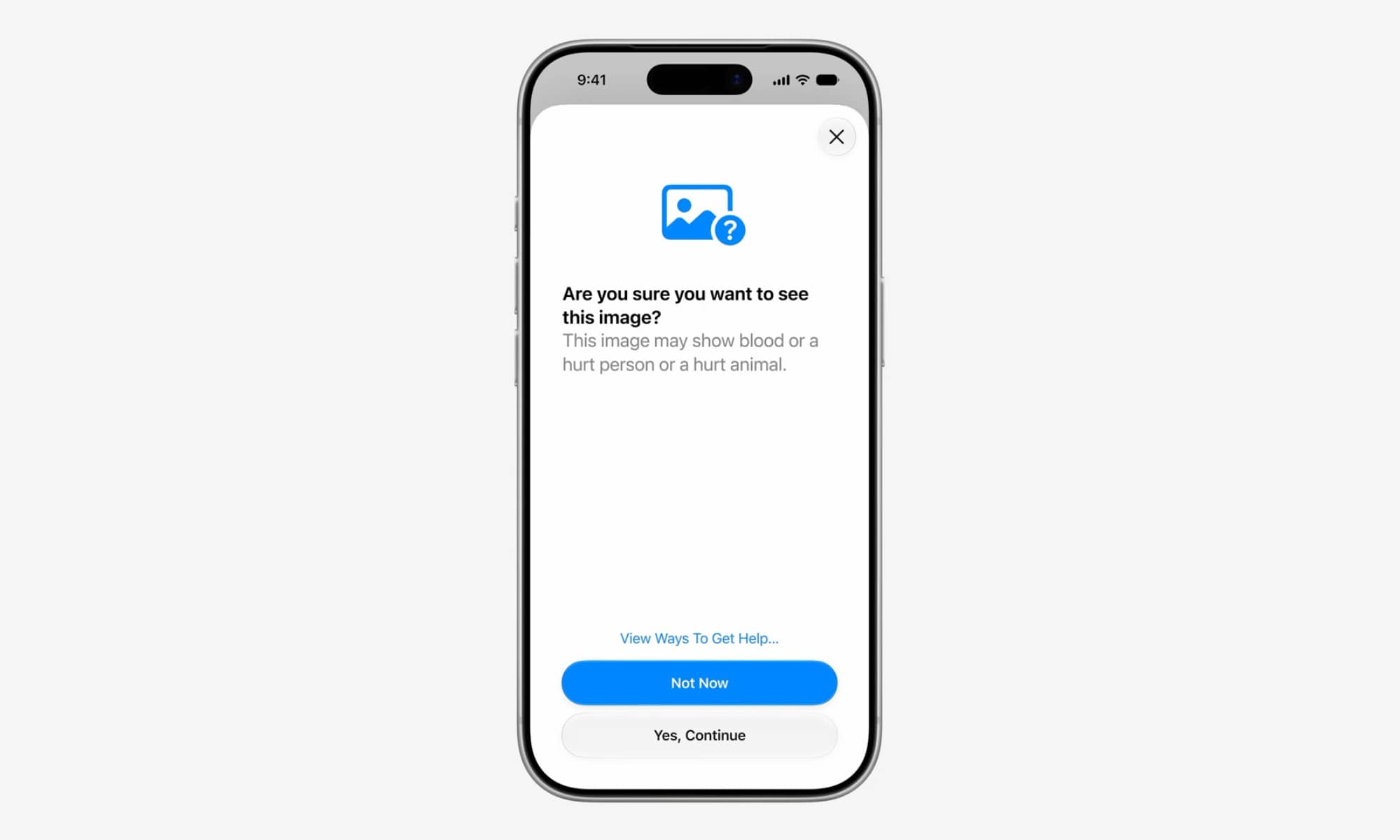
Apple continues to expand the “Communication Safety” feature launched previously to protect children from sending or receiving inappropriate images, which relies on on-device image processing to protect their privacy. In iOS 27, the feature will begin tracking a new and dangerous type of content: Gore and Violence.
When a child attempts to view an image detected as gore or containing violence and horrific injuries to humans or animals, the system will immediately blur the image and display a warning alerting the child that the image may contain blood or injured beings, while providing them with links to get support and help or to talk to a trusted adult. As per Apple’s standards, an automatic notification will not be sent to parents to avoid triggering negative reactions or putting the child at risk from ununderstanding caregivers; instead, the focus is on empowering the child and guiding them to protect their mental well-being.
Third-Party App Support and the Future of Comprehensive Safety
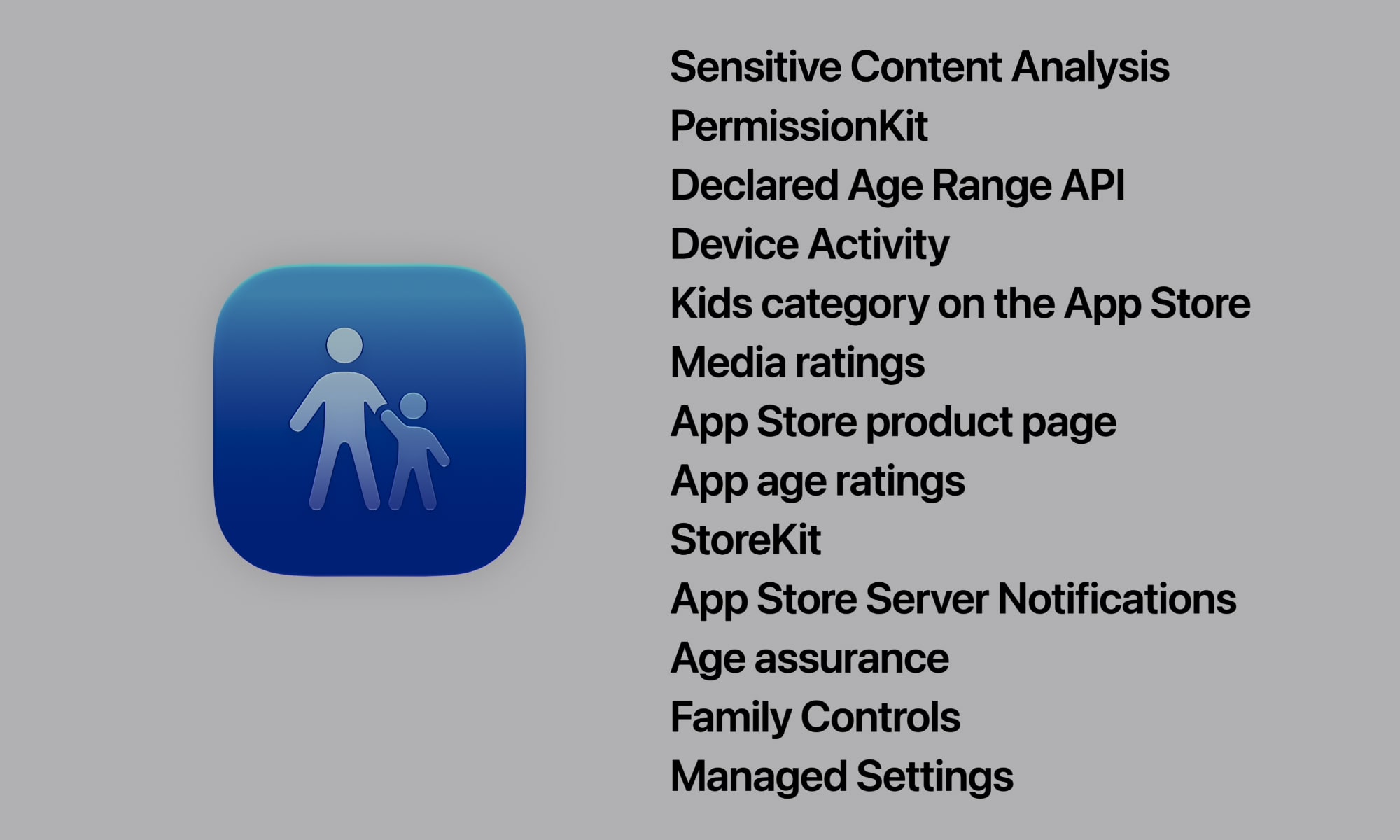
The biggest loophole in Apple’s parental controls has long been their limitation to official apps only, such as Messages and FaceTime, while apps like WhatsApp or Facebook Messenger remained outside this control. To solve this problem, Apple decided in iOS 27 to provide advanced APIs that allow third-party developers to integrate safety features directly into their apps.
For example, developers will now be able to use the “PermissionKit” package to require mandatory parental approval before a child can add a new contact or start a chat in any third-party app. The success of this move depends mainly on how quickly developers adopt these interfaces, but it represents a massive step toward eliminating the “digital wild west” and making third-party apps a safe environment worthy of our children and their peace of mind.
Apple’s Comprehensive Vision for Digital Safety
Apple’s focus on digital safety for children and the development of safety features in collaboration with prestigious medical entities like the American Academy of Pediatrics reflects its interest in providing responsible technology that balances creative learning with setting healthy boundaries for daily use. With these simple and powerful tools, parents can now manage their children’s digital lives with complete peace of mind and without complexity.
Source:



Leave a Reply