Safari has long been the faithful companion for all iPhone users, but in the upcoming iOS 27 update, it decides to shed its traditional cloak to don the full mantle of artificial intelligence! Apple hasn’t just settled for minor improvements here and there; it has integrated the “Apple Intelligence” system deep into the browser, transforming it from a simple tool for viewing websites into an intelligent personal assistant that organizes tab clutter and creates custom extensions for you from scratch. Let’s take a detailed look at the revolutionary features coming to the Safari browser in the iOS 27 update.
Goodbye to tab clutter: Automatic organization with Apple Intelligence
If you are one of those people who ends up with hundreds of tabs open until they get lost in the sea of pages, Apple has found the magic solution for you. Using the advanced “Apple Intelligence” system, Safari will automatically organize open tabs and group them into smart, interconnected topics to make browsing and accessing them easier.
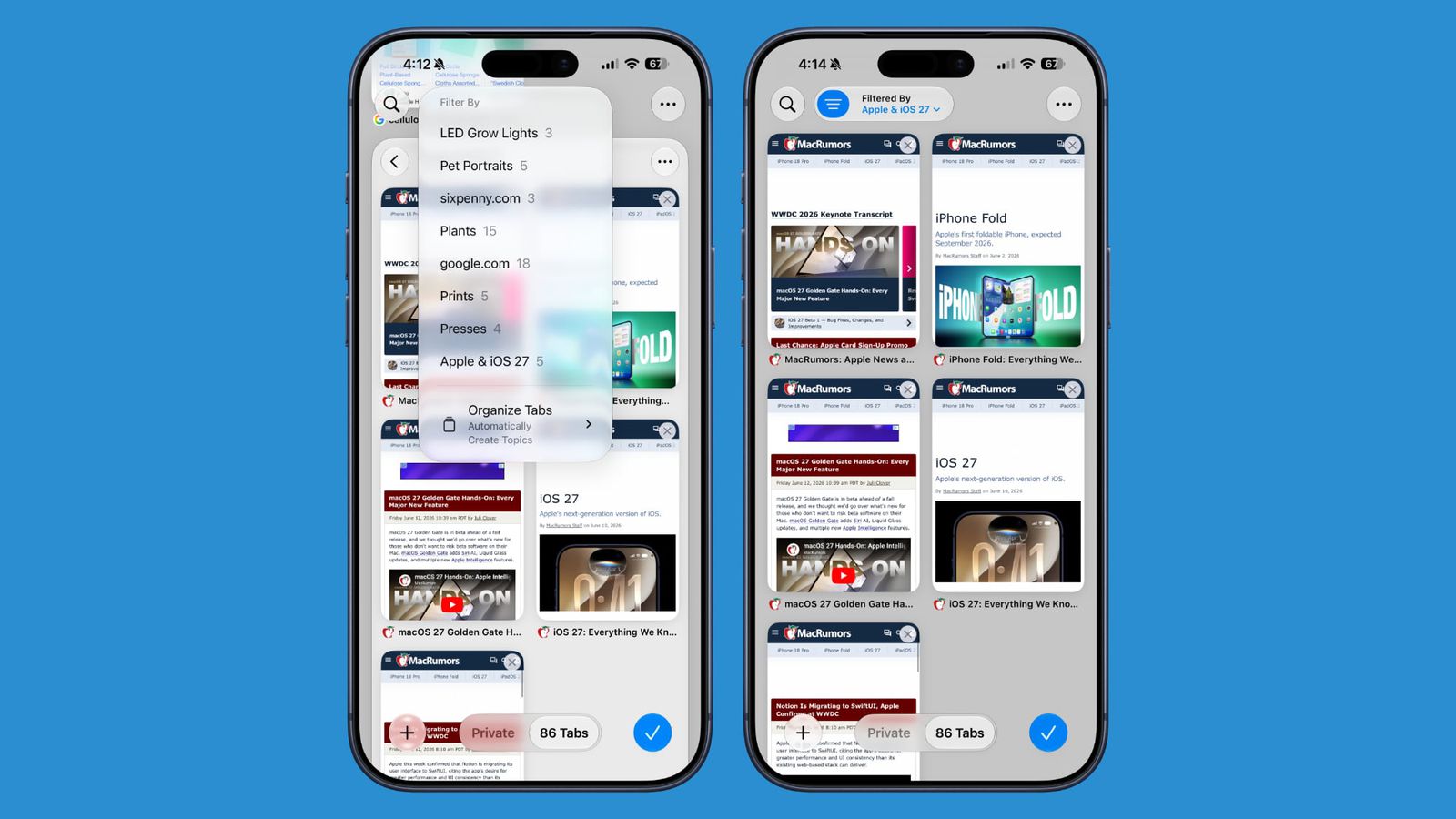
For example, if you are looking for a new sofa for your living room while simultaneously planning a weekend trip, the browser will automatically separate furniture websites from travel websites and group each accordingly. To enable this feature, all you have to do is tap the three-line icon in the top corner while viewing tabs and enable the “Automatically Create Topics” option.
Apple didn’t stop there; it added a new section on the start page called “Resume Browsing,” which allows you to quickly return to topics you recently closed or those open on your other devices, in addition to the ability to automatically group bookmarks and reading lists by topic.
Create your own AI extension in a blink!
This feature might be the most fun and revolutionary in the new Safari! You no longer need to wait for developers to create the extensions you need to facilitate your work, as the iOS 27 update allows you to create fully custom extensions using artificial intelligence via the “Create an Extension” option.
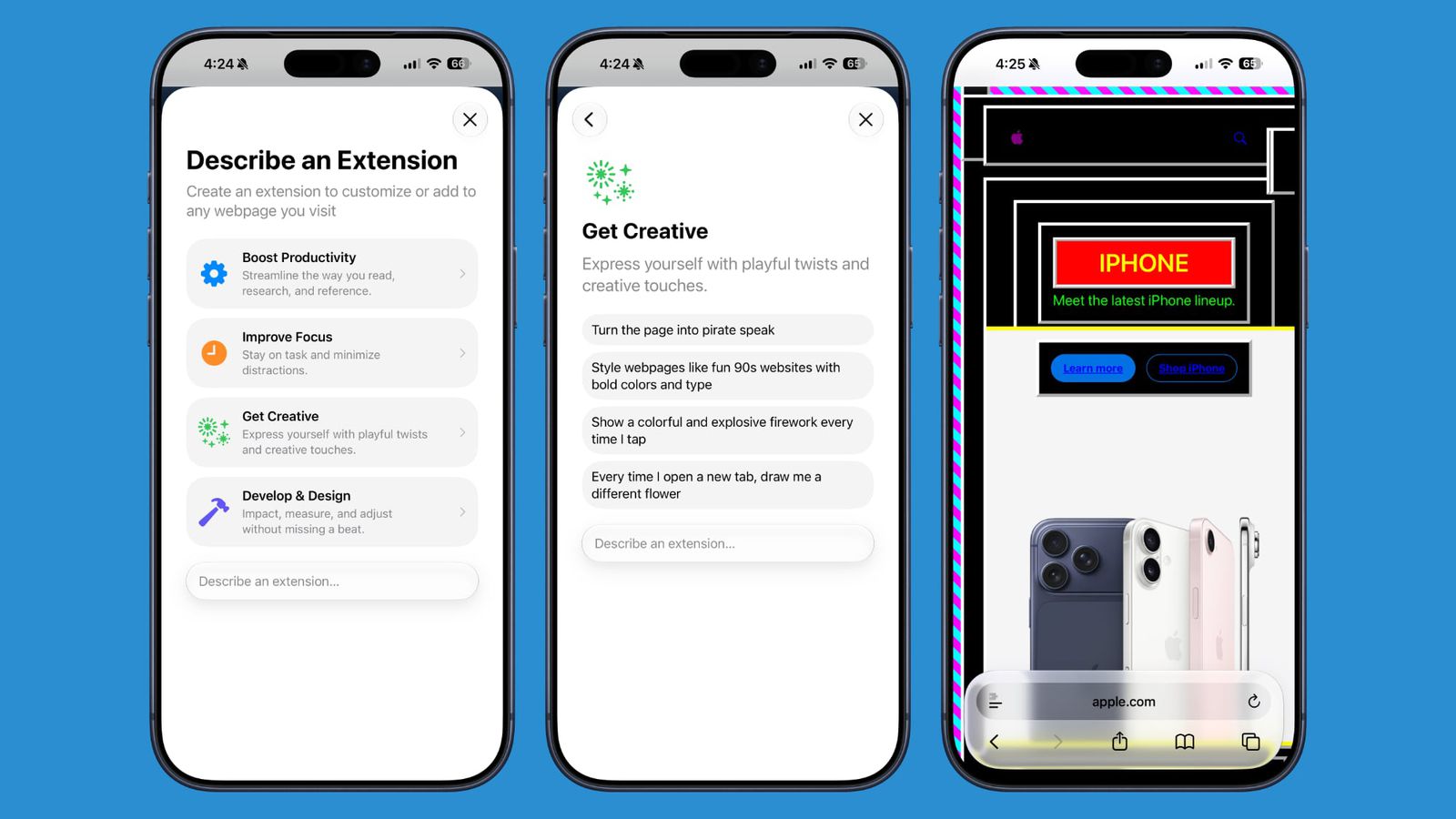
Simply go to the settings interface and type what you want the extension to do in natural language, and the system will program and activate it for you immediately. Apple also offers some ready-made and inspiring ideas in various categories such as increasing productivity and improving focus, including: creating documentation for the current site and copying it to the clipboard with a button press, setting a 3-minute focus timer for the current site, or even changing the site’s language to humorous pirate speak, and changing the design of websites to look like they were designed in the nineties with bright colors and bold fonts!
“Notify Me” feature to monitor website updates
Are you waiting impatiently for concert tickets to become available? Or monitoring when your favorite out-of-stock product will be back? Safari will now handle this tedious task on your behalf. Through the new “Notify Me” feature, the browser can monitor any website and send you an alert as soon as it detects any change in its content.
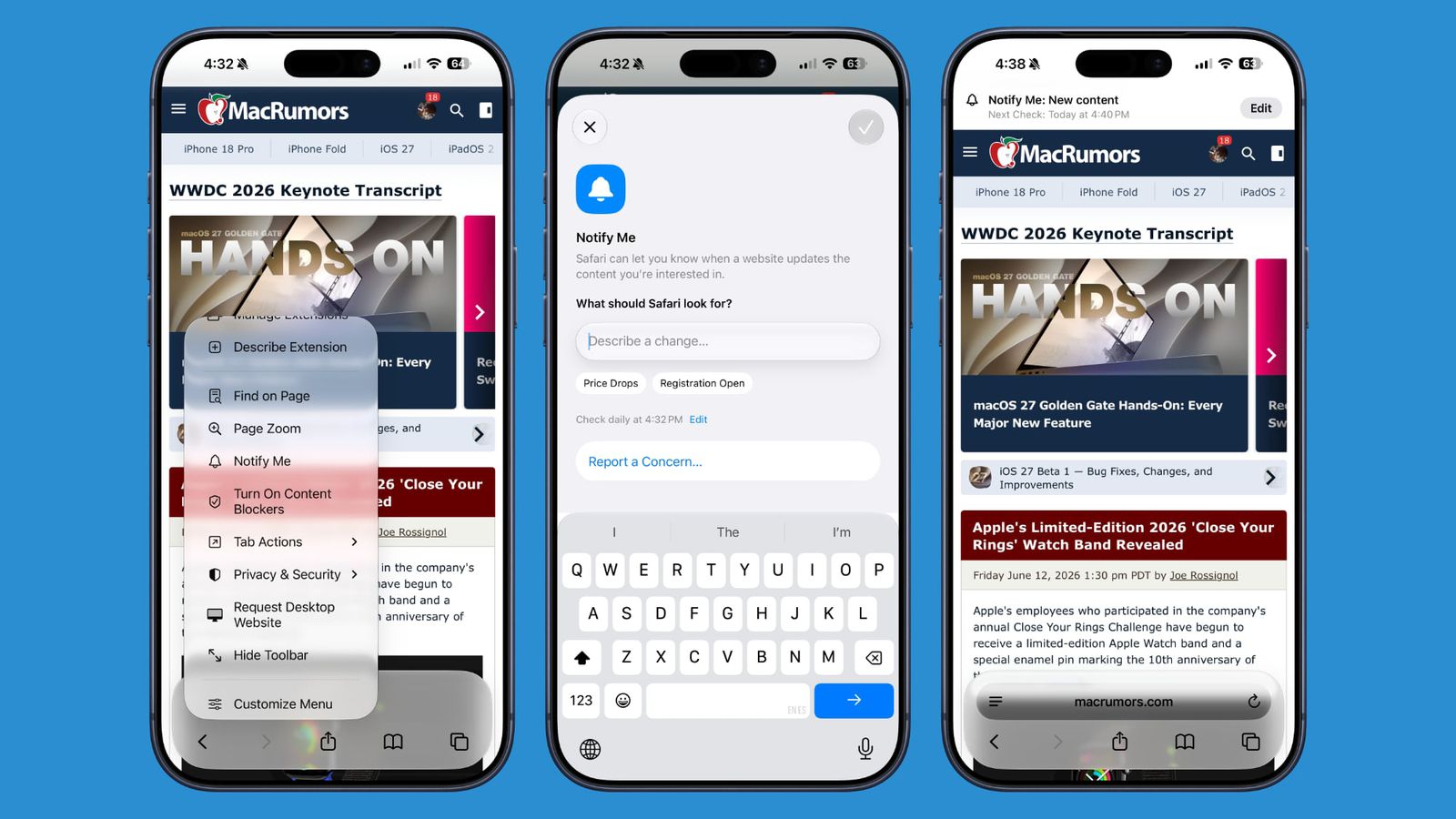
To enable it, go to the settings menu next to the address bar and select the “Notify Me” option, then type what you want Safari to monitor and set the check frequency (daily at most, weekly, or monthly), and the browser will check in the background and notify you of any updates without the need to manually refresh the page every hour.
Automatic password changes and integrated family security
Safari in the iOS 27 update integrates amazingly with the new Passwords app. When the system detects a weak or leaked password, you can use the Apple Intelligence-powered auto-fix feature to have the browser automatically navigate to the relevant site, log in, and update the password to a strong and complex one with a single click and without any intervention from you.
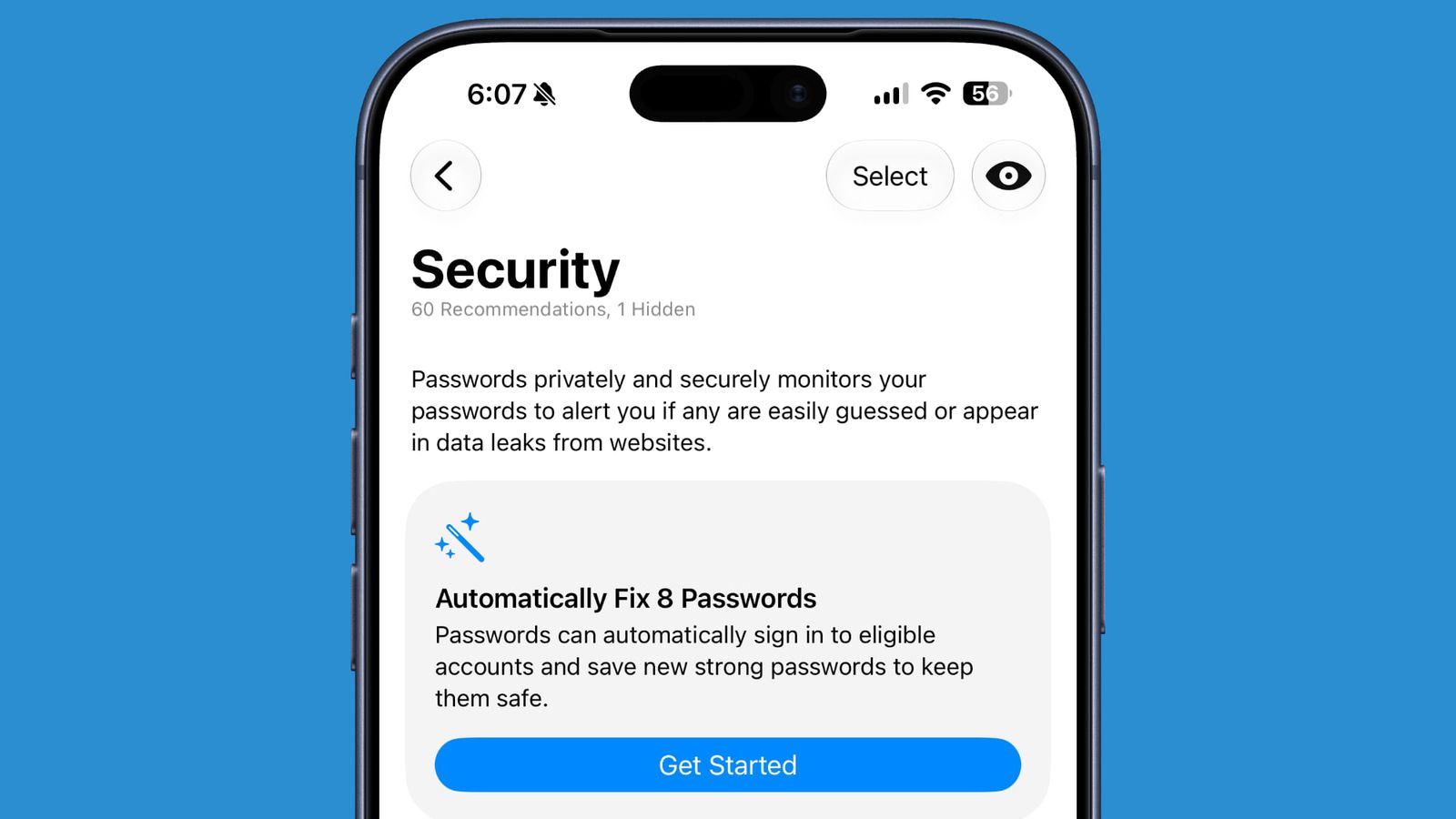
To protect children, Apple has added a new parental control feature called “Ask to Browse,” which prevents children from visiting any new website before sending a request and obtaining direct approval from their parents via their personal devices.
Performance improvements, compatibility, and release date
Beyond intelligence and innovative features, Safari has received under-the-hood upgrades that make it more energy-efficient, meaning longer iPhone battery life. Web apps and the start page now open much faster, with faster JavaScript processing and smoother animations and visual effects.

Please note that features based on “Apple Intelligence” (such as automatic grouping and custom extensions) require a powerful processor and are only available on iPhone 15 Pro and later models. iOS 27 is currently available as a developer beta, and it is scheduled to be officially released to everyone in the fall of 2026 with the new iPhone family.
Source:


Leave a Reply