The idea of artificial intelligence taking over the world has been a staple of science fiction movies for decades. Fortunately, it doesn’t seem like any current AI system possesses that kind of power or capability for global domination just yet. However, if we are talking about your Android phone, Google is actually planning to enable its Gemini AI to take full control and manage the core functions of the operating system very soon.
Welcome to the era of the “Intelligence System,” not the operating system
In a special episode of “The Android Show” aired in early May 2026, Google unveiled the “Gemini Intelligence” feature integrated directly into the Android 17 operating system. What is interesting here is not just the new features, but the way Google has started marketing its system; the company now insists on calling Android an “Intelligence System” rather than the traditional “operating system” label.
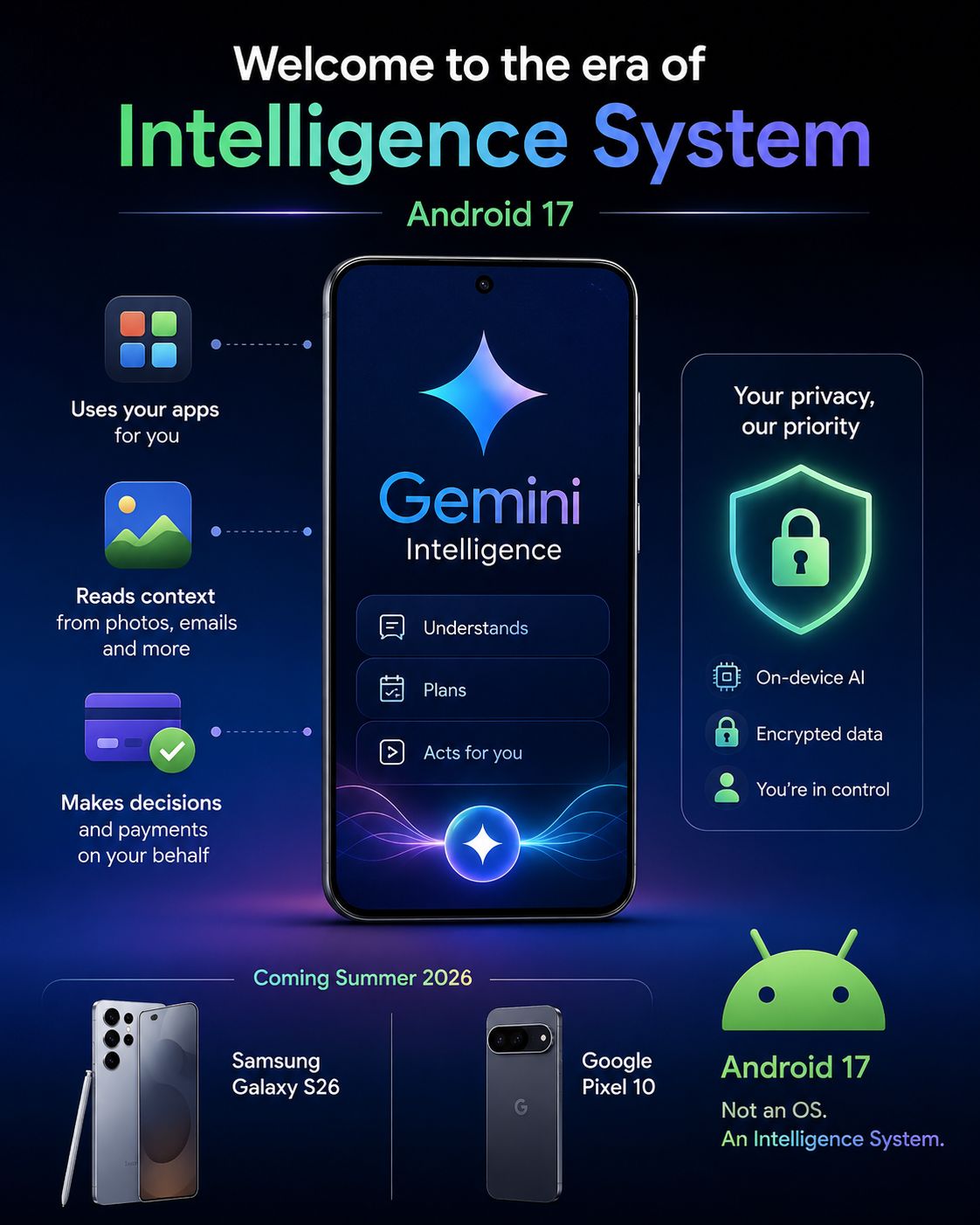
This shift means that the advanced Gemini will be able to work completely independently within your phone; it can use your apps on your behalf, read contextual data from your photos and email history, and even make financial decisions and process payments for you! While these features sound amazing and incredibly convenient, they naturally raise many security concerns regarding privacy, especially since Gemini will have unprecedented access to highly sensitive data such as identity documents and banking information.
These revolutionary updates are coming as part of the Android 17 system and will start appearing first on the Samsung Galaxy S26 and Google Pixel 10 phones in the summer of 2026, with expectations for them to arrive later on other devices eligible for the update.
What can Gemini AI do on your phone?
The core idea behind so-called Agentic AI is to enable Gemini to perform multiple, complex, and tedious tasks for you automatically. For example, Google demonstrated how you can simply instruct Gemini to look at a list of textbooks you need, and it will search for them and add them directly to your shopping cart without any intervention from you.
Imagine asking it to book tickets for a concert, search for details of a vacation trip, or even order food and track the delivery route. What is amazing about Gemini is that it now works across different apps; it can look at a photo of your class schedule in the gallery, check your email to confirm notes, and then open the Amazon or eBay app to add the required books to your cart! This feature will also work seamlessly within the Google Chrome browser on smartphones.
Among other practical features introduced by Google is the improved “Autofill” tool, which will be able to fill out forms and complex personal data based on the context of information stored in your photos and messages, rather than being limited to traditional pre-saved fields. Additionally, there is the amazing “Rambler” feature, an AI-powered speech-to-text engine that intelligently understands context and removes repetitive or unclear words to make your written messages appear more professional and clear.
Can you opt out or turn off Gemini on Android?

Since “Gemini Intelligence” features have not yet been officially released for users to test, it is difficult to determine how easy it will be to turn them off completely. Since these features are integrated into the kernel of the operating system, getting rid of them might not be as simple as deleting an app or revoking some permissions from the settings.
However, Google has sought to reassure users that most of these advanced features will be “opt-in”; meaning that the smart autofill feature that reads from your gallery and email, for example, will require your explicit and direct permission before it can access that sensitive data.
Furthermore, we have seen a similar approach from Samsung with the One UI 8.5 interface and the Galaxy AI features in the S26 series, where it allows users full control to enable or disable features like Call Screening or “Now Nudge” notifications directly from the settings. Therefore, it is expected that Google will follow the same flexible approach to privacy control to calm user concerns.
Source:

Leave a Reply