In the Apple ecosystem, the cloud is no longer just a space for storing backups and vacation photos; in iOS 27, it has transformed into the mastermind driving many intelligent features. With the release of the beta versions of the upcoming system, Apple has unveiled a wide range of improvements to iCloud, deeply integrating Apple Intelligence technologies into daily services, from home monitoring to photo management and passwords.
AI for home security cameras via iCloud+
The Apple Home app and HomeKit Secure Video feature have received a major AI-powered upgrade for iCloud+ subscribers. Instead of receiving generic notifications about motion in front of the camera, the system will now analyze the scene and send precise, direct text summaries within the notifications, such as detecting a person walking by or spotting a pet.
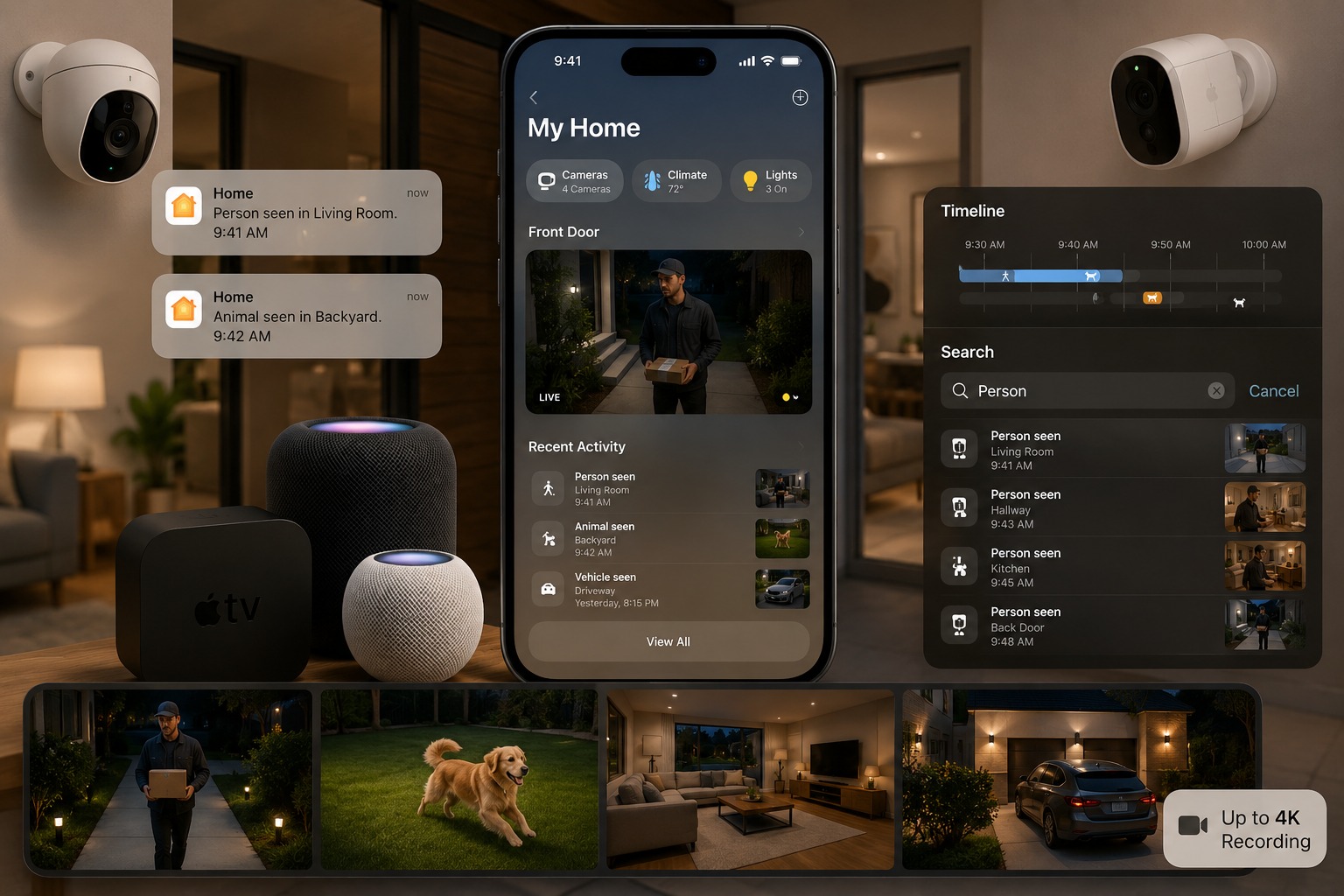
Apple didn’t stop there; it added these text descriptions directly to the video recording timeline, allowing you to easily search for specific events. Even better is the feature that links events between different cameras; if a person moves from the living room to the hallway, the system will combine clips from both cameras to provide a comprehensive view of the movement inside the home. These smart features require a 2TB iCloud+ subscription, a home hub like a HomePod or Apple TV 4K, and an iPhone that supports Apple Intelligence, such as the iPhone 15 Pro or later. Cameras now also support 4K video recording for the first time.
Lifting AI usage restrictions for iCloud+ subscribers
During the developer conference, Apple explained that some generative AI features, such as image creation via the Image Playground app, will be subject to daily usage limits to avoid server strain. This is where the paid subscription comes in; iCloud+ subscribers get these daily limits lifted, allowing them to generate more images and use AI tools intensively without hitting the free cap set for everyone else.
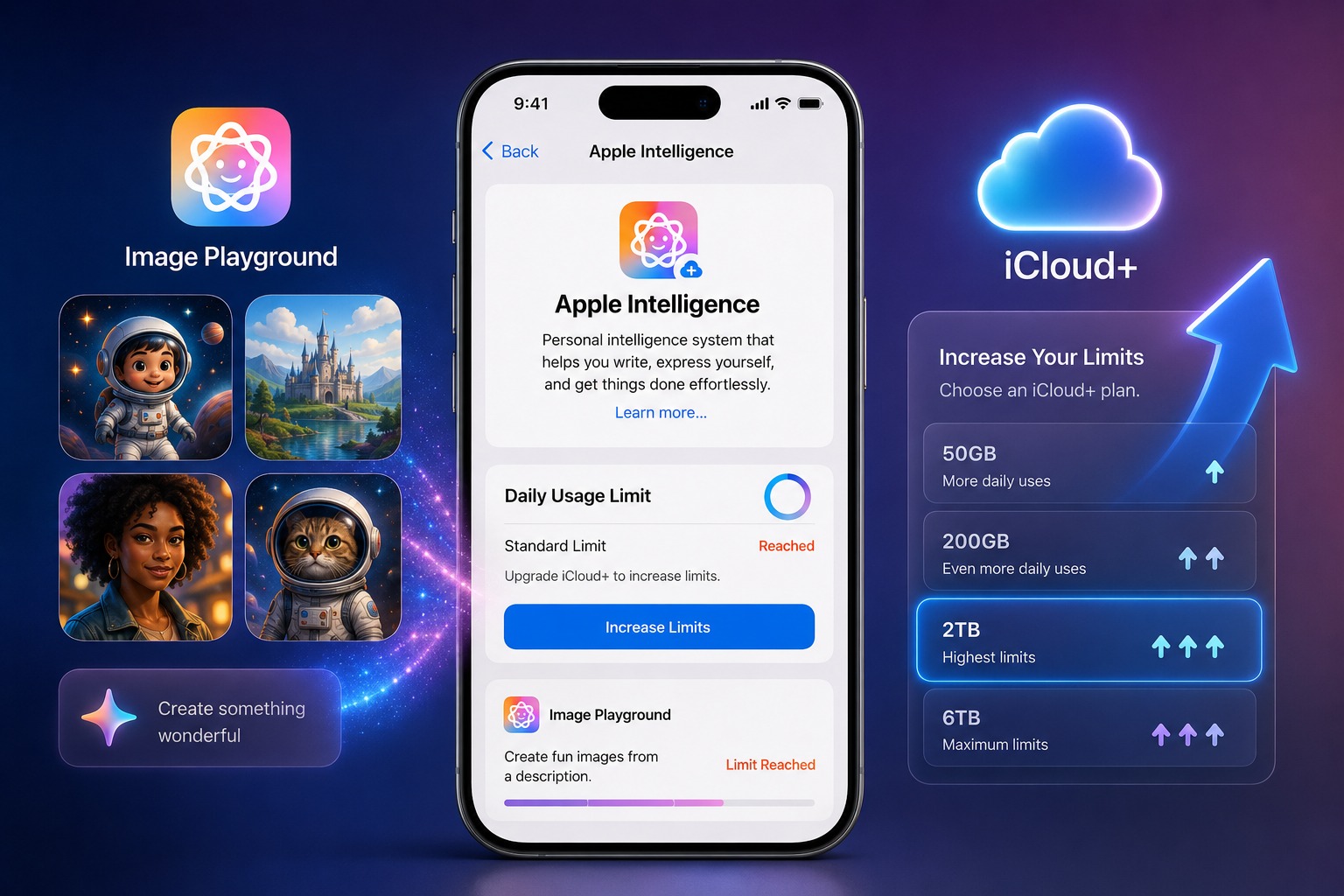
This move is a clear signal of Apple’s intention to link cloud computing power to the value of paid subscriptions, with available limits varying based on your iCloud+ subscription tier.
Siri conversation syncing and major upgrades to the Photos app
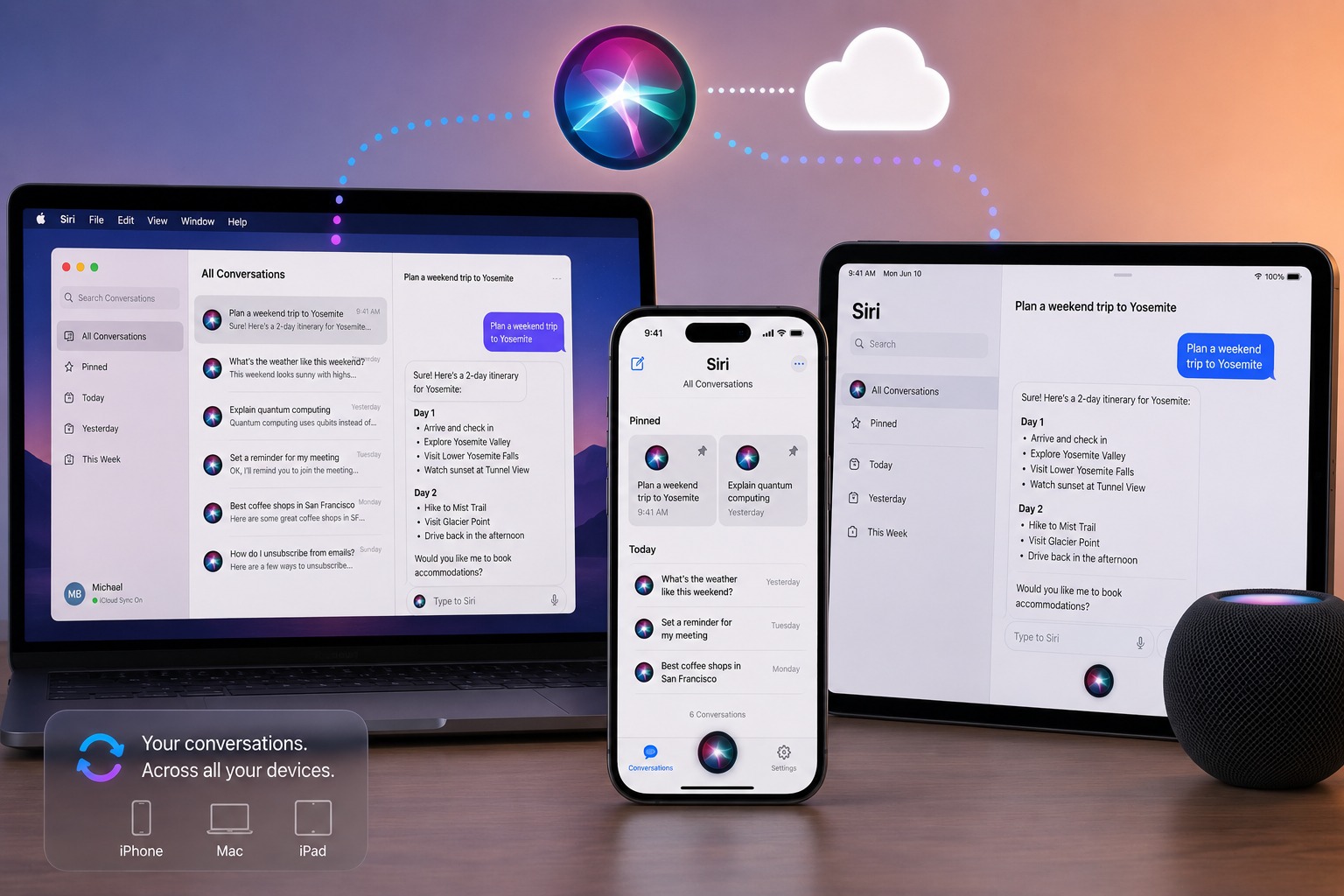
Siri now relies entirely on iCloud to sync the full history of conversations across different Apple devices. You can now start a dialogue with Siri on an iPhone and then continue the same conversation on an iPad or Mac, with the ability to pin important conversations and refer back to them at any time.
In the Photos app, Apple has introduced a “Prioritize Syncing” option that forces the device to upload all photos immediately to iCloud regardless of battery level for 24 hours. Additionally, initial upload speeds have been noticeably improved, and Android and Windows users can now upload photos directly to shared albums while maintaining full file resolution without compression.
Improvements to sharing, passwords, and the Journal app
Updates also included collaborative sharing links via iCloud, which now appear with richer, more detailed previews to clarify content before opening, along with a system for sending access requests for shared files and faster data loading via iCloud.com.
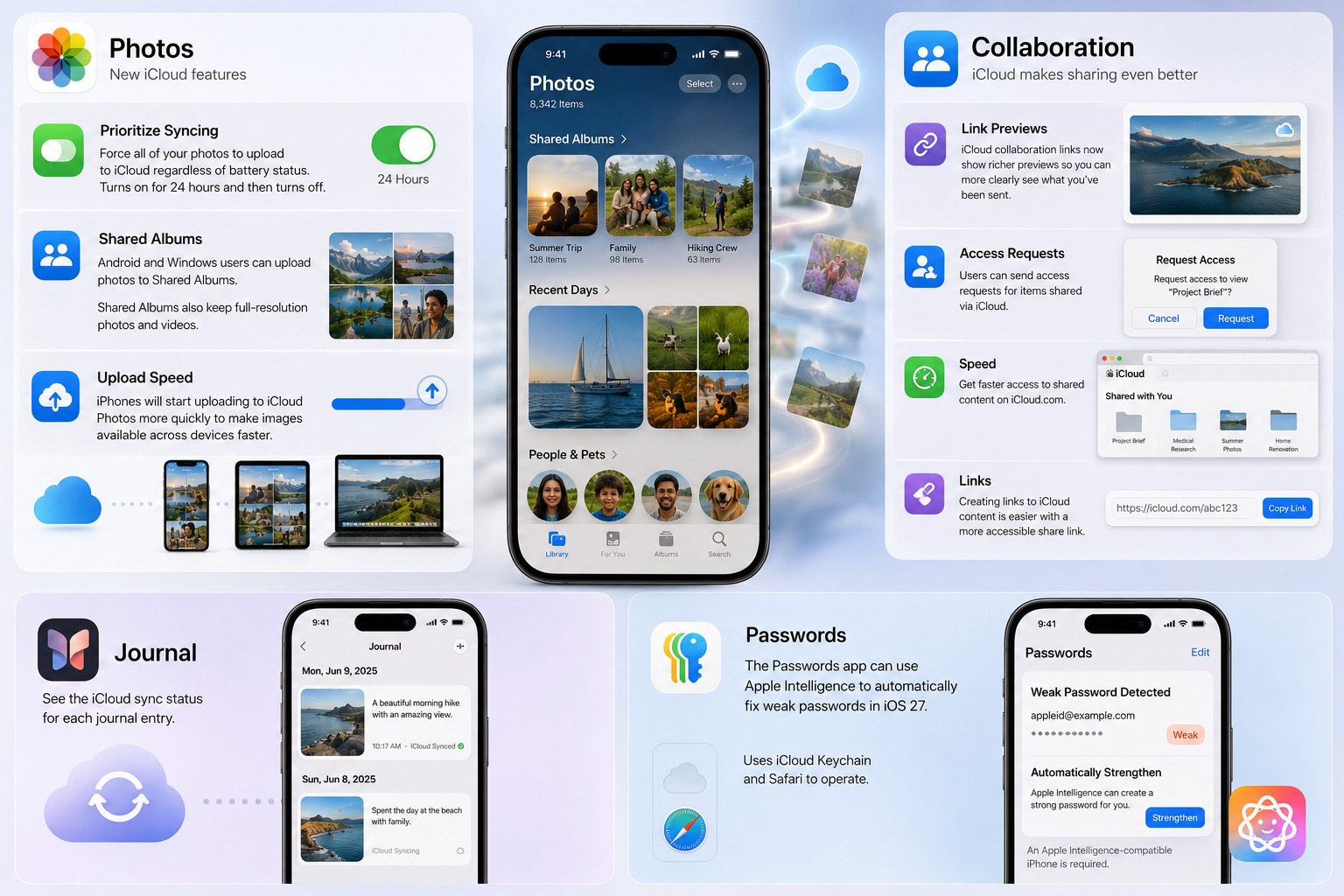
In the Passwords app, the iCloud Keychain feature now works in tandem with AI and the Safari browser to automatically fix weak passwords and replace them with strong, secure ones. Finally, the Journal app has added a clear indicator showing the sync status of each entry with the cloud to ensure your thoughts are saved securely.
Source:


Post Comment