The release of major operating system versions is always accompanied by great excitement among tech enthusiasts; storage space is ready, backups are complete, and fingers are poised to press the upgrade button to the latest Apple systems. However, with the release of iOS 27, a number of iPhone users faced a strange and confusing situation: when attempting to upgrade to the new system, a download card appeared showing iOS 26.7 instead of iOS 27.
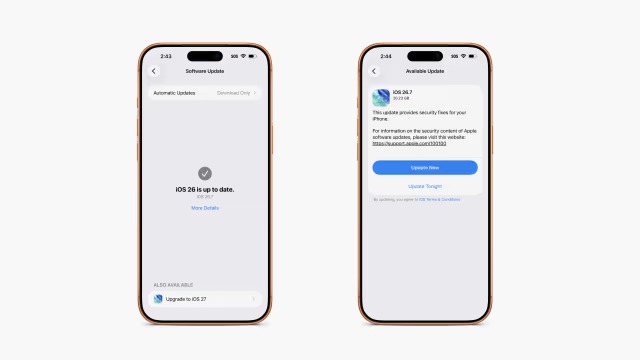
At first glance, it seems as if Apple has taken users years back, but the truth is more complex. The iOS 26.7 update is not a fake version or a pointless error; it is a real update that Apple released at roughly the same time as iOS 27, focusing on fixing a large number of security vulnerabilities. The strange problem lies in the way this update card appeared to some users while they were trying to upgrade to the new system.
Why does iOS 26.7 appear when I try to install iOS 27?
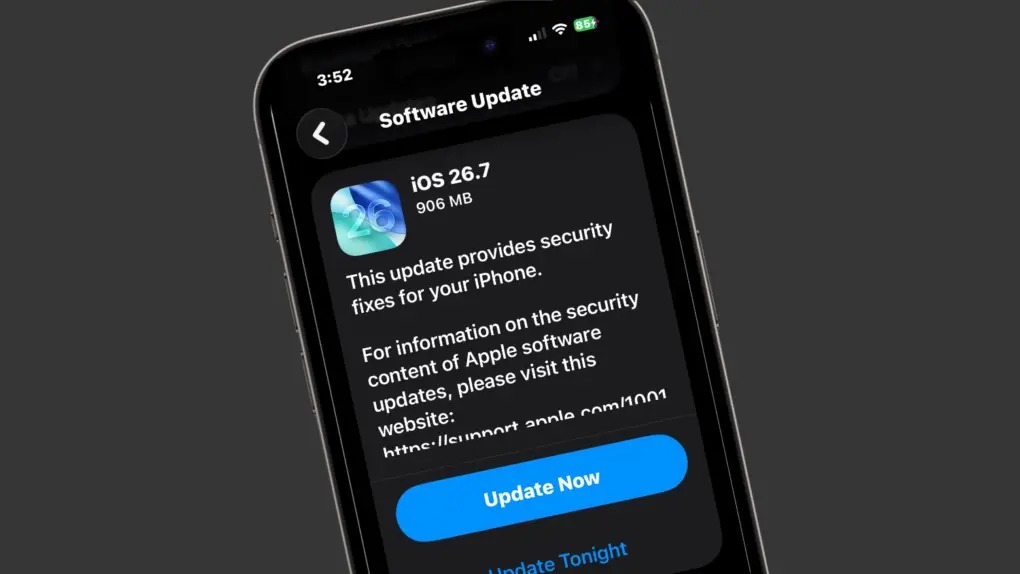
The problem began when users went to the “Software Update” section in iPhone settings after the release of iOS 27. In the interface, the new system clearly appears as an upgrade option, but when clicked, the update card opens and displays the name iOS 26.7 instead of iOS 27.
The matter became even stranger when some users tried to install iOS 26.7 first, hoping that it would solve the problem. After restarting the device, a message appeared stating that the iPhone was already up to date, while the option to upgrade to iOS 27 remained. When clicked again, the iOS 26.7 card appeared once more, with a massive download file size of about 20.23 GB.
This behavior caused confusion, especially since the user sees a version name completely different from the system they are trying to install.
Is iOS 26.7 actually being downloaded, or is the name just wrong?
Here is the most interesting point. There are indications that the problem may be related to how the software update interface displays package information, and not necessarily that the phone is actually downloading the wrong version.
Some users have indicated that they continued the process despite the appearance of the name iOS 26.7, and in some cases, the process ended with the actual installation of iOS 27 on their devices.
However, the continued appearance of a completely different version name, along with the large download size, makes it difficult for the average user to know what is actually being downloaded. For this reason, waiting or using one of the alternative update methods may be the most obvious choice for those who do not want to risk an unclear process.
But wait a minute… what is the story of iOS 26.7 anyway?
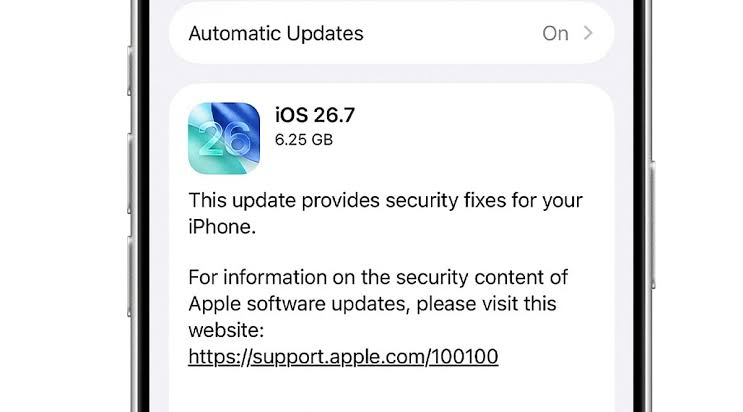
To avoid confusion, iOS 26.7 is a real and independent update that Apple released in conjunction with iOS 27. Its primary goal is not to add new features or change the system design, but to provide an important security update for users who prefer to stay on the previous version and not move directly to a new major version.
This is a logical step from Apple; not all users want to install a new major version as soon as it is released. Some prefer to wait until the experience stabilizes and early issues are identified and fixed. Therefore, Apple provides another path that gives the user important security updates without forcing them to move to iOS 27.
Practically, if you want to experience the new features and changes that iOS 27 offers, you should choose the new version. But if you want to continue on the current system while receiving the latest security fixes, iOS 26.7 is the path designed for that.
More than 80 security vulnerabilities in iOS 26.7
Although iOS 26.7 does not come with major new features for the average user, it is not an update that can be ignored. According to official security documents published by Apple, the version includes fixes for more than 80 various security vulnerabilities.
The importance of these fixes increases because the public disclosure and documentation of vulnerabilities may make them more susceptible to targeting in the future. Apple confirmed in its documents that there are no indications that these vulnerabilities were exploited in actual attacks at the time the fixes were released, but updating the system remains important because the technical details revealed help researchers, as well as potential attackers, understand the nature of the vulnerabilities that have been fixed.
What kind of vulnerabilities did Apple fix?
The fixes included a number of sensitive components within the system, including the Kernel, which is one of the most important parts responsible for managing device resources and permissions.
The updates also included addressing issues related to Bluetooth, some of which could lead to unexpected app crashes or the execution of code under certain conditions.
Apple also fixed vulnerabilities that could have allowed malicious apps to bypass certain restrictions of the secure isolation environment, or what is known as the Sandbox, which is an important layer that prevents apps from freely accessing the data or resources of other apps.
The fixes also included components related to video processing and the file system, while addressing vulnerabilities that could, in some scenarios, lead to obtaining elevated privileges within the system.
For this reason, iOS 26.7 is not just an “old version,” but a security update that has real importance even for those who do not want to install iOS 27 at the moment.
If you want to install iOS 27 now, this is the safest way
If iOS 26.7 appears instead of iOS 27 when you try to upgrade, there are several ways to bypass the problem.
Updating via Finder on a Mac
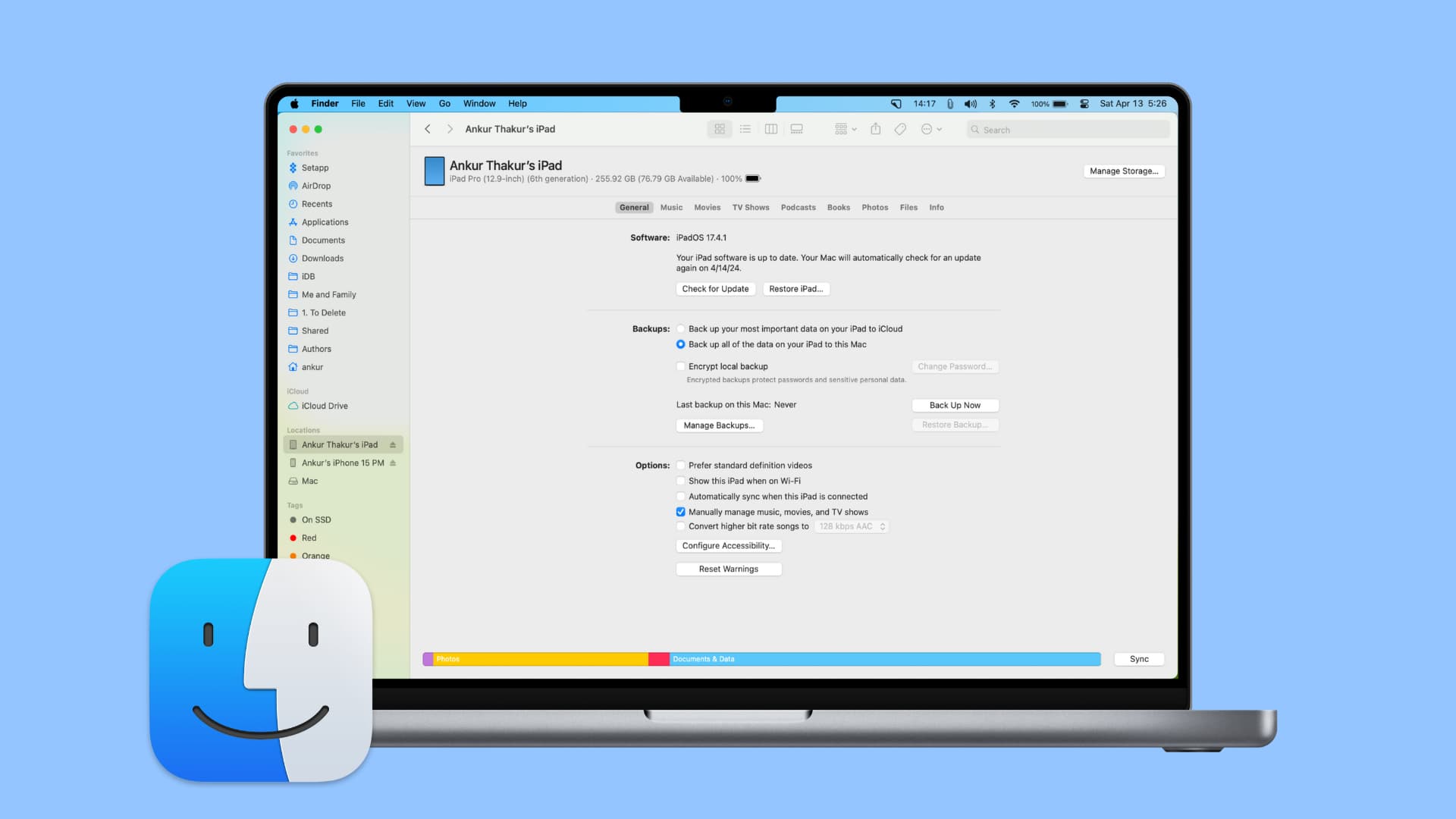
Using Finder on a Mac is one of the simplest alternative methods in this case. Before starting, make sure your device is supported by the iOS 27 version and that you have a recent backup of your data.
After that, connect the iPhone to the Mac and open Finder, then select your device from the sidebar. From the “General” tab, click on “Check for Update.” In many cases, Finder can identify the correct iOS 27 package and download it directly, bypassing the strange update display problem within the iPhone settings.
Manual installation using an IPSW file

If Finder does not recognize the new update correctly, you can resort to the official IPSW file designated for your iPhone model, provided that the version is still signed by Apple.
After downloading the file to your Mac, open Finder and select the iPhone, then press and hold the Option key while clicking on “Check for Update,” and then choose the IPSW file you downloaded.
Here you must pay close attention: use the “Check for Update” option and not “Restore iPhone.” The update preserves your data and settings, while restoring erases the device’s contents.
You can use iTunes on Windows, perform a direct update for the iPhone from there, or download the IPSW file from trusted sites like the IPSW website – link, and perform a restore.
What to do if you are not in a hurry for iOS 27?
There is another simpler option: do nothing for now.
If you are not excited about moving to iOS 27 on launch day, you can install iOS 26.7 normally and benefit from the security fixes it offers, then move to iOS 27 later when things become clearer.
As for if your device displays iOS 26.7 in a confusing way while trying to access iOS 27, it is reasonable to wait for a few hours or even until the next day and re-check for software updates, because some problems with new version releases may be related to servers or update interface data, and can be corrected by Apple without you needing to take any complex steps.
Source:
Leave a Reply