The camera on iPhones is no longer just a lens for documenting moments and memories; with the iOS 27 update, it has transformed into a smart eye that sees and understands the world in detail. Apple has launched fundamental changes to the native Camera app, capped off by the addition of the all-new “Siri mode,” which leverages advanced Visual Intelligence capabilities to provide users with an interactive experience that combines vision, search, and artificial intelligence on a single screen without the need to switch between apps.
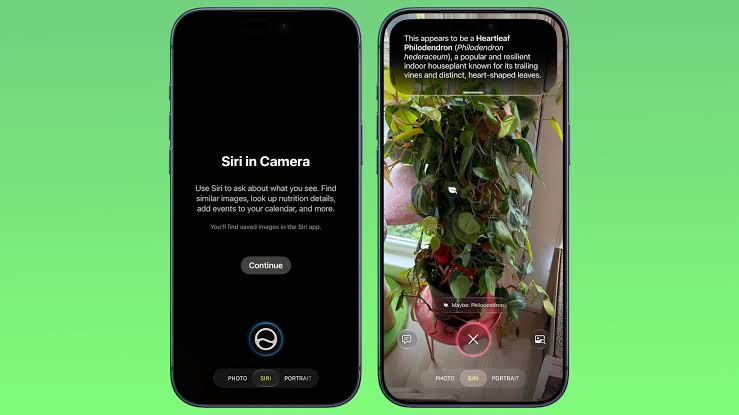
The new Siri mode: How to access it in the Camera app?
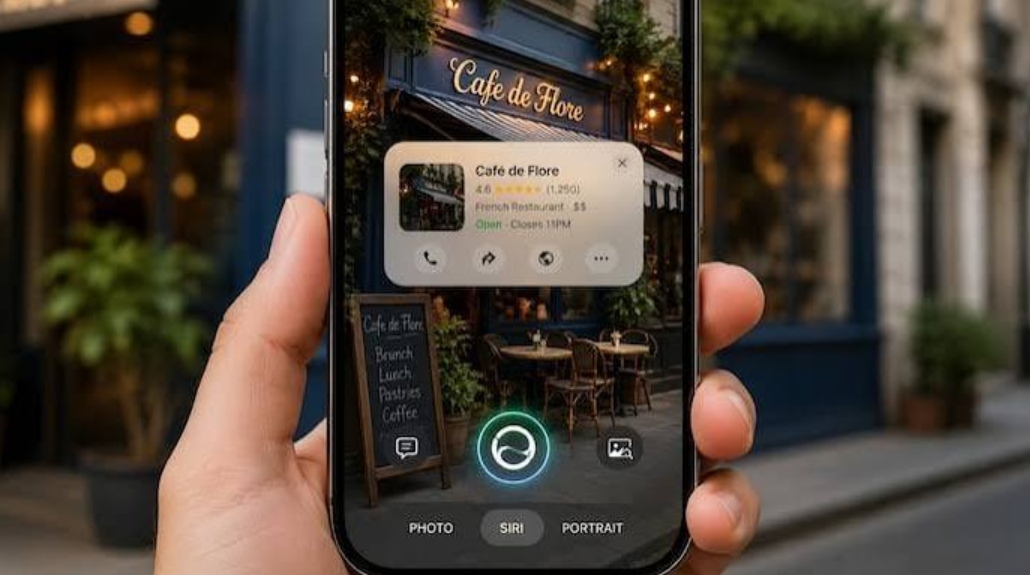
Accessing Siri has become faster than ever; Apple has included “Siri mode” as a primary option within the rotating mode bar at the bottom of the camera interface. Simply swipe your finger across the usual bar next to the photo and video capture options to find the new mode waiting for you, without the need to activate any external shortcuts or launch complex tools.
Once you switch to this mode and point your iPhone lens at any object in front of you, Visual Intelligence algorithms begin analyzing the scene in real-time to recognize the contents of the frame and suggest the most relevant smart actions and information for what you are looking at.
Visual Intelligence capabilities: From calorie counting to schedule management
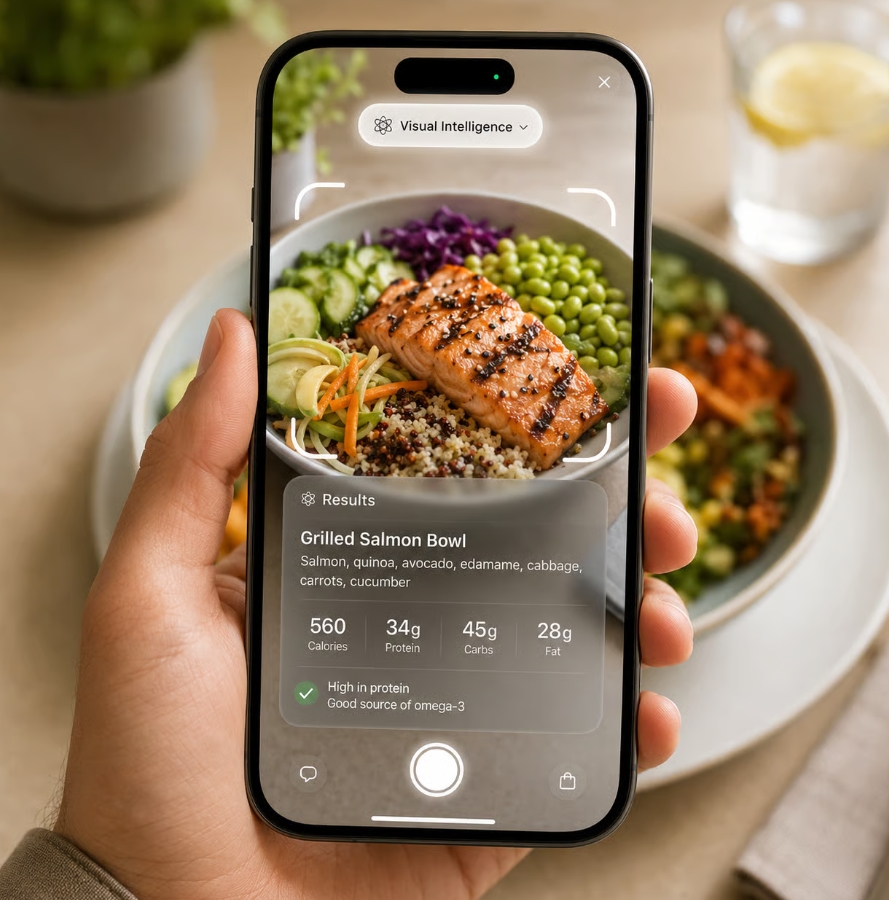
Visual Intelligence capabilities go beyond superficial scene classification; it can now accurately recognize animal species, plant types, and various foods. If you point the camera at your plate, it won’t just identify the meal; it will also display an estimate of the calories it contains, making tracking your diet a seamless process that requires only a quick glance.
The benefits aren’t limited to food; they extend to daily productivity tasks. If you see a promotional poster for an event or conference on the street, you can point the camera at it, and the system will read the event dates and suggest adding them automatically to the Calendar app. Additionally, it has the ability to translate text instantly and help you split bills among friends with the press of a button.
Interactive buttons: Reverse search and asking specific questions
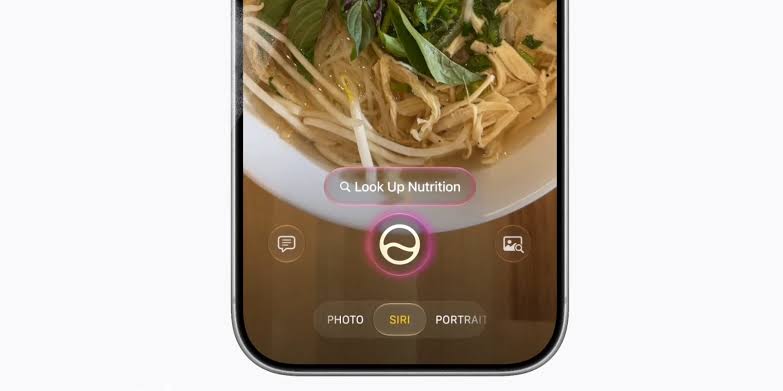
When Siri mode is activated, you will notice two functional buttons on the sides of the camera screen to give you more flexibility. The button on the right side allows you to perform an instant search using Google Images to find additional context or matching products online at lightning speed.
Camera design changes and tool reorganization
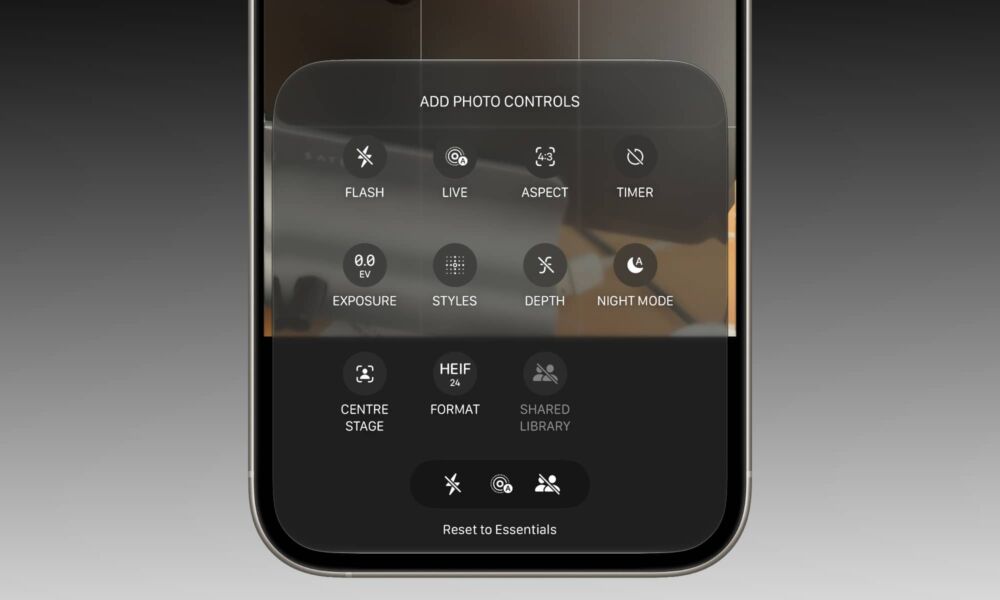
In addition to integrating Visual Intelligence, the Camera app interface in the iOS 27 update has received improvements that enhance ergonomics and ease of control. Quick-access tools—such as flash, Live Photo, and Night mode—have been moved to the center of the top of the screen, providing a balanced look that is less distracting to the scene.
The button to access the expanded tool pack has also been moved from the top-right corner to the bottom-right corner, a welcome adjustment that makes it easier to reach all options with one hand while shooting. Furthermore, Apple has provided the ability to customize the controls displayed at the top to suit each user’s preferences and preferred shooting style.
It is worth noting that this update has reached all eligible iPhone models starting from the iPhone 11 and later, coinciding with the unveiling of the new iPhone 18 Pro phones, to provide a smart photography experience that relies entirely on understanding the surroundings rather than just recording them.
Source:


Post Comment