Apple’s Notes app has come a long way since its early days as a yellow notepad with ruled lines and a leather-like appearance, evolving over the years into one of the most powerful and reliable productivity tools for millions. With the release of the iOS 27 update, Apple continues to upgrade this app to prove its worth against specialized and paid alternatives. The new update intelligently combines bridging simple formatting gaps that users have waited years for, with the introduction of deep generative AI capabilities to facilitate the management of daily ideas and documents.
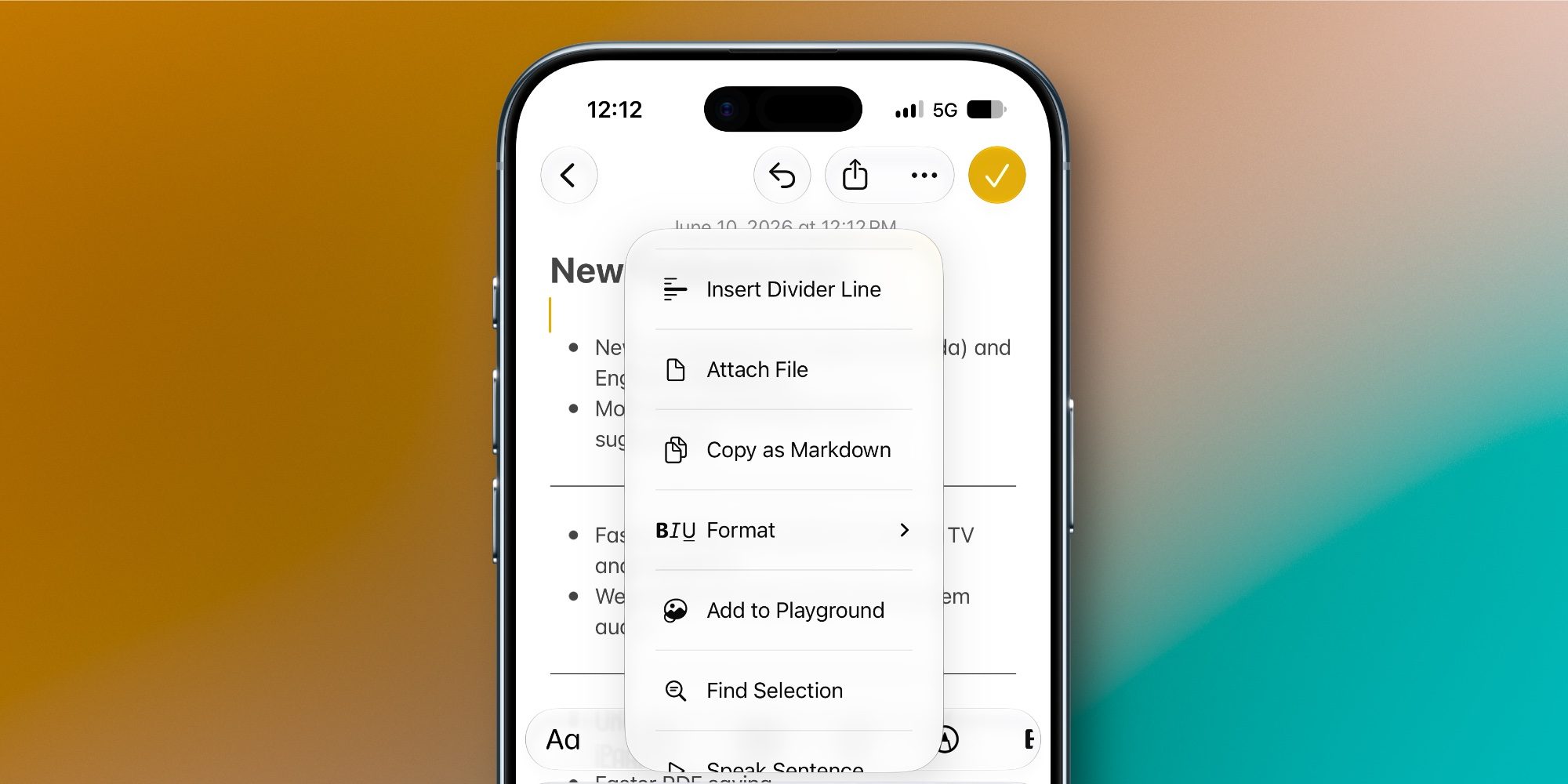
Perhaps the most prominent and highly requested formatting addition is the ability to add a Divider Line to organize thoughts and visually separate sections within a single note. Instead of resorting to old manual workarounds like typing a long string of dashes, you can now simply tap the desired spot within the text, open the editing menu, and select “Insert Divider Line” to separate your topics with one elegant touch.
Section Links: Building a smart index and navigating long notes
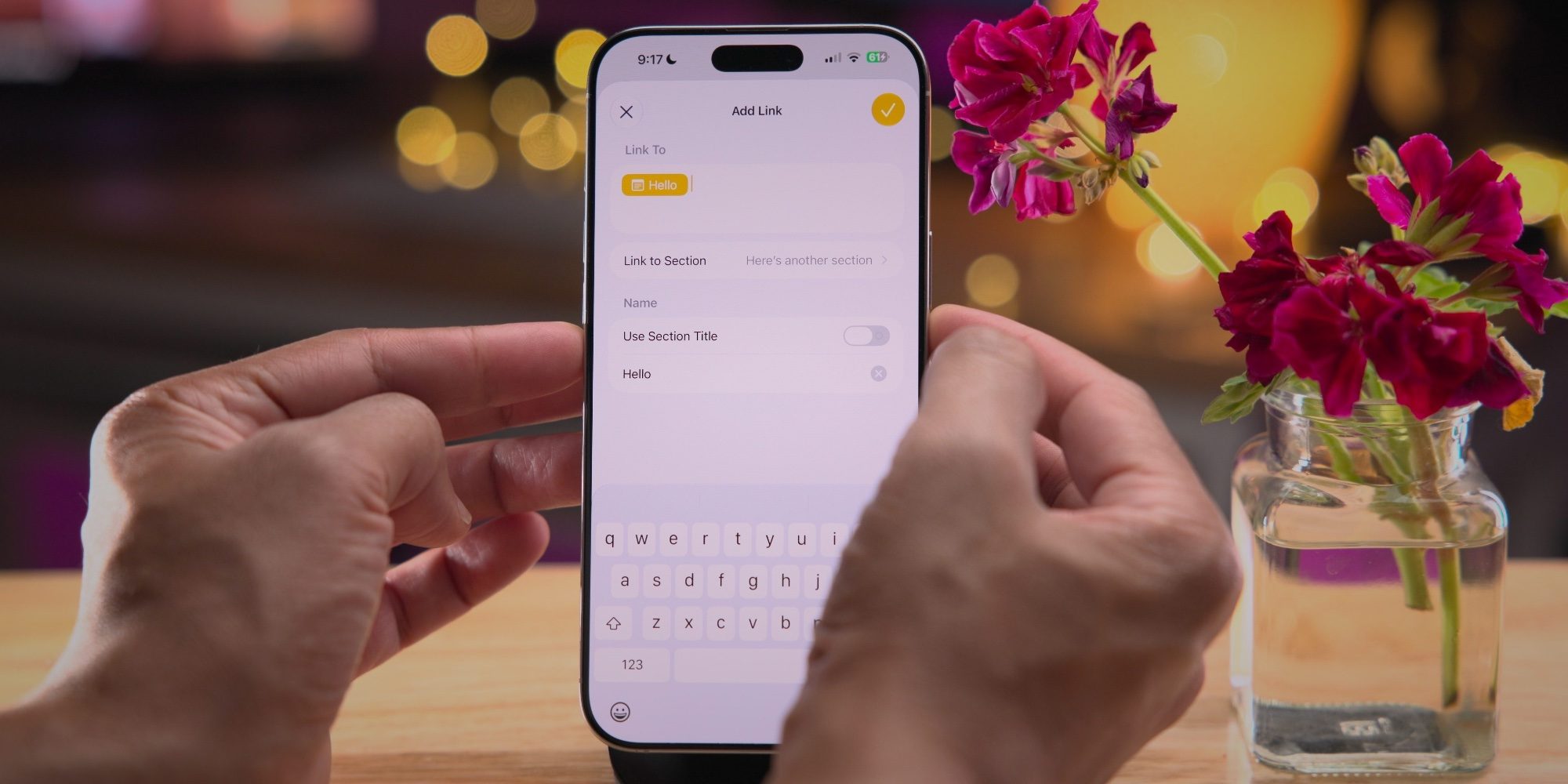
If you write long documents or research notes and complex meeting minutes, iOS 27 introduces a long-awaited professional feature: Section Links. This feature allows you to build a comprehensive table of contents for instant navigation throughout a single note without the need for endless scrolling and tedious searching for headings.
To take advantage of this feature, simply highlight the text you want and open the editing menu, then select “Add Link” to find a new option titled “Link to Section.” A list will appear containing all the main headings and subheadings within the note. Once you select one, the highlighted text becomes a hyperlink that leads you directly to that specific section with a single tap.
Siri AI: Creating and editing notes with voice commands
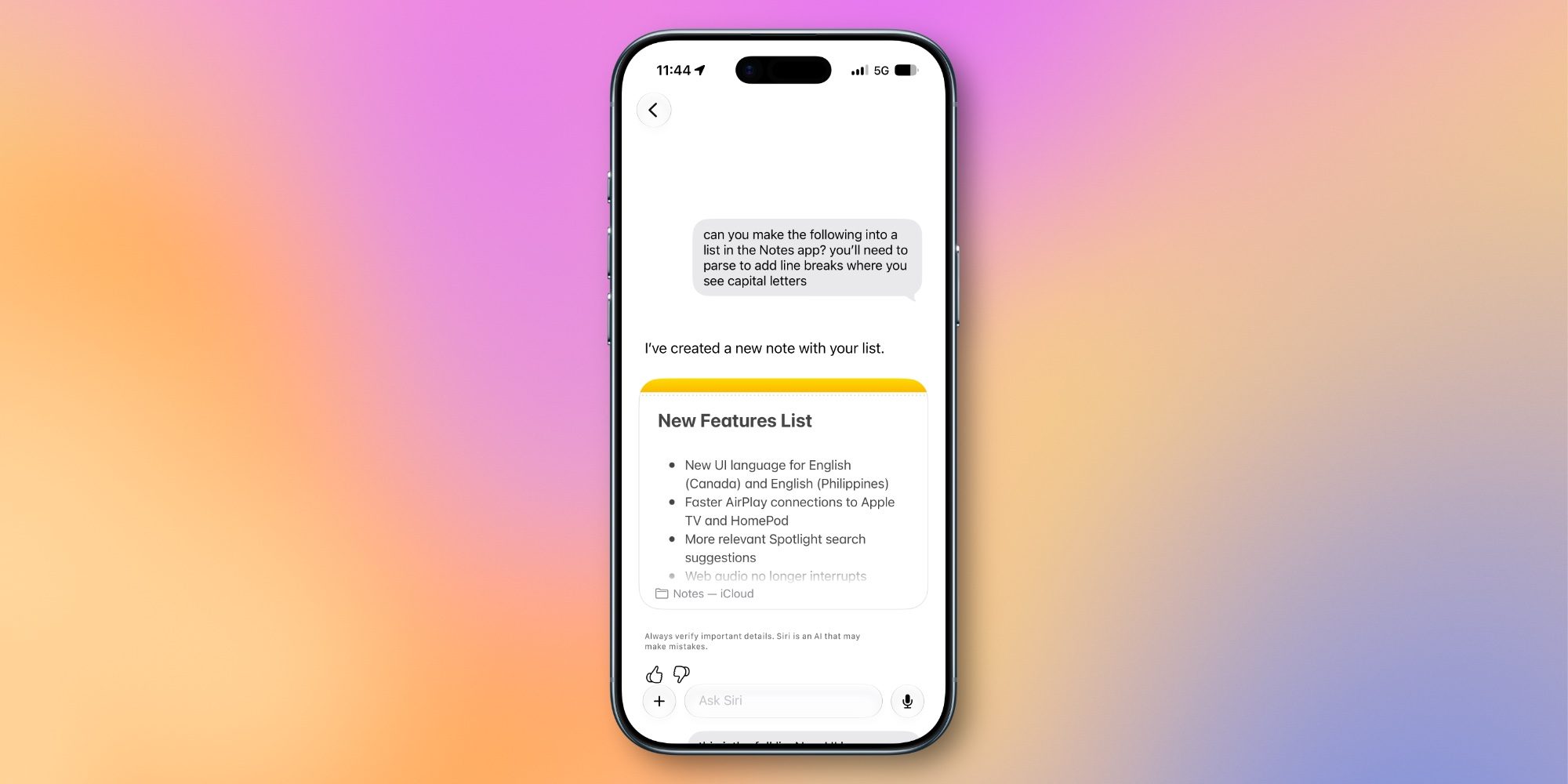
Siri powered by AI (Siri AI) in iOS 27 represents the most exciting upgrade to the Notes app. Previously, Siri’s functions were relatively limited, but now it allows for adding and organizing information—whether in a brand-new note or an existing one—with unprecedented fluidity.
You can, for example, take any answer provided by Siri within its dedicated app and save it directly into Notes. You can also give it a scattered or unformatted list and ask it to rearrange and organize it before placing it into a new note. This feature also works with existing notes; you can simply ask Siri to add an idea or a specific item to a note by name, and it will handle the task with high precision.
Advanced Markdown support: Instant copy and paste with rich text
After Apple added Markdown import and export features in iOS 26, the Notes app in iOS 27 expands to become more flexible and friendly to this format beloved by writers and developers. Markdown is a simple text formatting language that allows for writing and defining headings, links, and lists using plain text symbols, making web publishing easier.
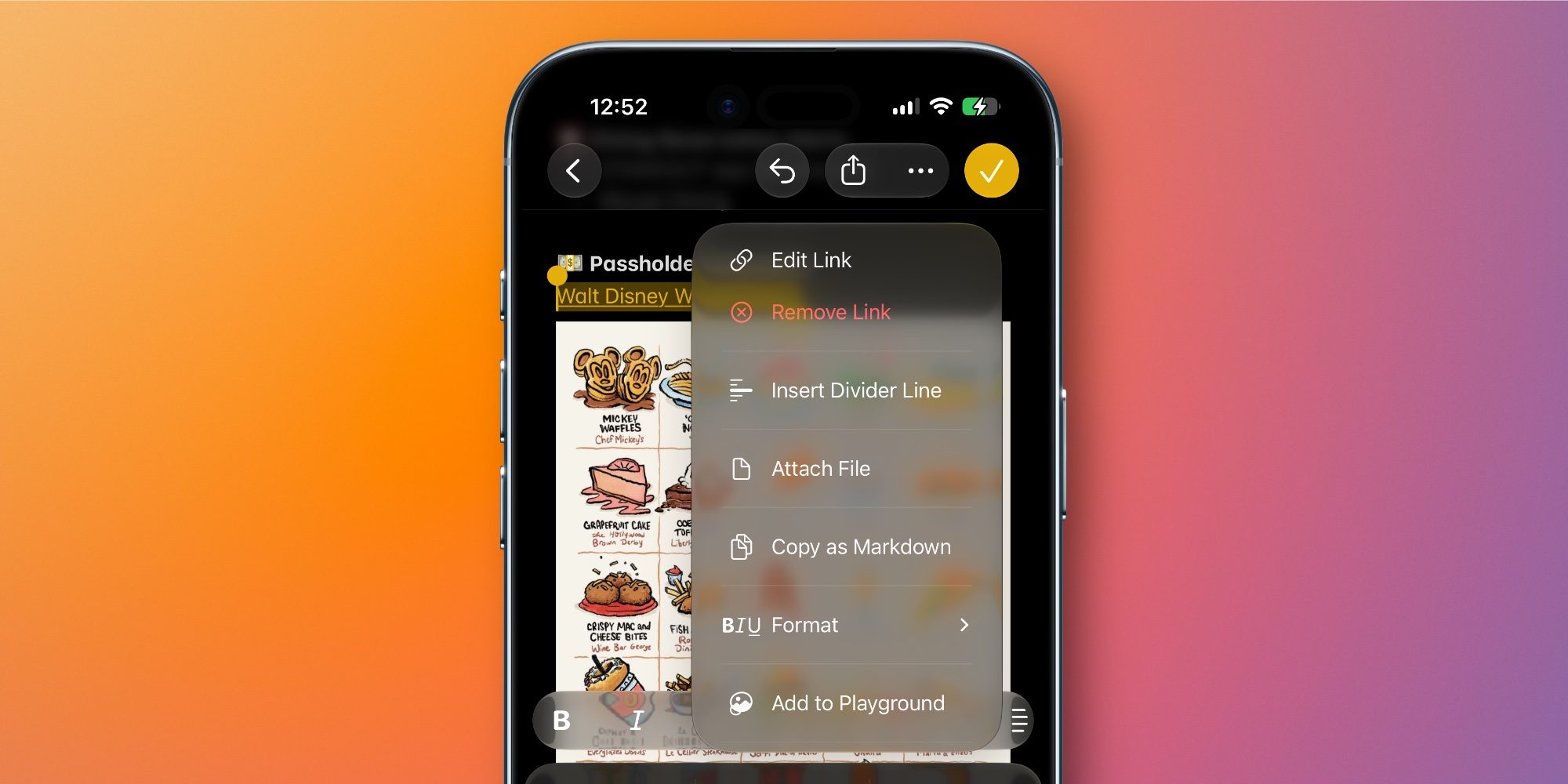
What’s new in iOS 27 is that as soon as you paste any text written in Markdown format into a note, it is instantly and automatically converted into fully formatted rich text without any extra steps. Apple has also provided a new option in the editing menu called “Copy as Markdown,” allowing you to copy any formatted text from your note in a Markdown format ready to be transferred to your favorite editors.
Image Playground upgrades: Generating realistic images within notes
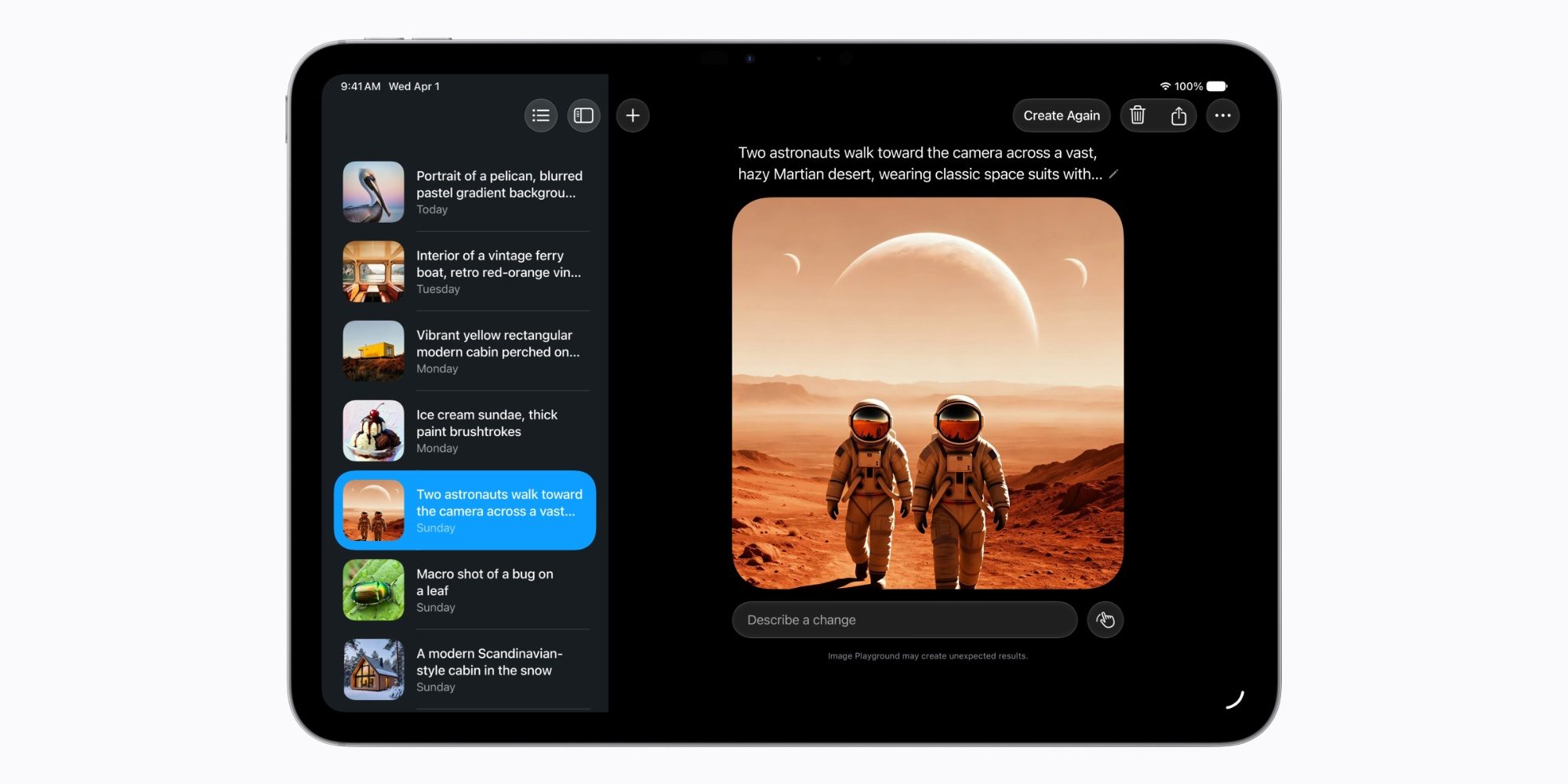
The Image Playground tool and its generative AI models have seen a qualitative leap in iOS 27. As a tool integrated into the Notes app on iPhone and iPad, visual note-taking has directly benefited from these improvements to create drawings and inspiring ideas alongside text.
Users can now create high-quality images in multiple styles, with the addition of a “Photorealistic” style, thanks to an advanced generative model that operates via Private Cloud Compute infrastructure. Apple also ensures the authenticity of these creations; all generated images include a hidden digital watermark using SynthID technology to distinguish them as AI-designed without affecting their visual quality.
Aesthetic touches and interface updates
The updates were not limited to functional aspects; they also included several nice tweaks to the user interface that make the navigation experience more modern and agile, including:
- New app icon: A modern and fresh look for the Notes icon on the home screen.
- Liquid Glass design: Elegant visual updates that add a liquid glass touch to buttons and menus in the app.
- New icon for shared folders: Distinguishing shared folders at the top of the folder list with a refreshed visual symbol.
- Updated shared note icons: Updating icons for folders and independent shared notes to make them easier to manage and identify at a glance.
These successive upgrades prove that Apple listens to the demands of its loyal users, gradually transforming the Notes app into an all-in-one digital workspace that replaces many external note-taking tools.
Source:
Leave a Reply