Perhaps the problem of the microphone stops working in the iPhone is a problem that does not go unnoticed, but sometimes causes the phone to be just a piece of iron! This is because you simply will not be able to make calls or even send voice messages through communication applications, in addition to that, the problem may be less and is that the sound quality is poor or that some applications cannot correctly capture the sound! Therefore, we share with you in this article all the methods that contribute effectively to solving this problem, and it is an article that will benefit you whether you suffer from the problem or even want to learn these methods in case of any emergency!
First: Test the iPhone's microphone properly
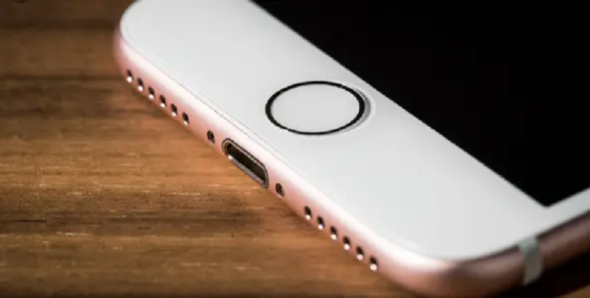
The first step in solving the problem of the iPhone's microphone stops working is to test it correctly and accurately, until the origin of the problem is determined, and here we note that modern phones such as the iPhone 11, 11 Pro, 11 Pro Max as well as the X, XS and XR up to IPhone 8 comes with Three microphones These microphones are divided into one microphone at the top, one on the back and the last being at the bottom of the phone.
To test each microphone separately, you will need the following:
◉ Front camera quick video recording to test the front microphone.
◉ The back microphone, the process will be similar, just record a video with the back camera, and it is preferable that the sound source is in front of the camera and not behind it - meaning not you -.
The lower microphone, you have to test it by creating a Voice Memo or even by sending a voice message via WhatsApp with your mouth close to the microphone.
This step will help us determine which microphone suffers from the problem or even determine whether all the microphones in the phone have a problem or not, and the test result will be either that the sound is pure and sound and here there is no problem, or the sound is distorted and intermittent and here inevitably there is a problem, and the last scenario Is not picking up a sound in the first place! And this is the biggest problem.
How do you solve the problem of the microphone stops working in the iPhone?
Here we have more than one way to solve this problem, and in the event that you have a problem with the microphone, whether in the iPhone that you are using now or in an old iPhone, you must follow all the methods until you reach a solution.
1- Clean the microphone with a toothbrush
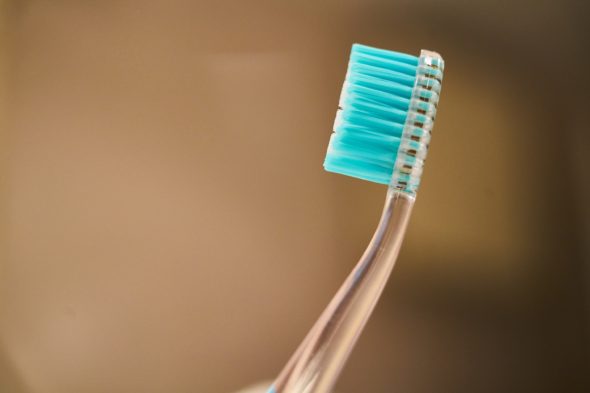
The first thing that you can try is to clean the microphone with a toothbrush, and this is because some dust and fine particles usually reside in these places as well. You can also use an air compressor, but be careful of the air path, and the toothbrush remains the best tool and the least danger to not destroy everything In your hand!
As you complete this step, nothing will hurt to do so Clean iPhone completely You are ready for that, and in the previous days and weeks we have shared with you various articles on this matter due to the Corona virus, may God bless you.
2- Do not forget to disconnect your phone from the headphones
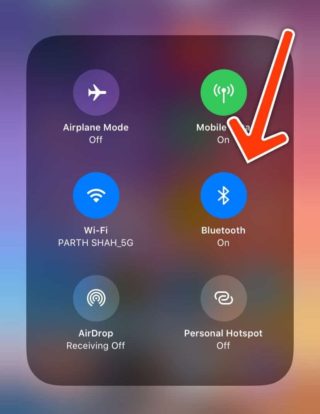
Perhaps this has happened to you before! Sometimes we forget our phones are connected to our bluetooth headphones, whether it is AirPods or others, and this in turn causes the microphone to stop working because the phone in this case depends on the speaker microphone! And as you know, you can always make sure of this through the connection settings as well, so do not forget to put the headset in its box and close it at the end of use in order to avoid this problem at all.
3- Make sure nothing is covering the microphone
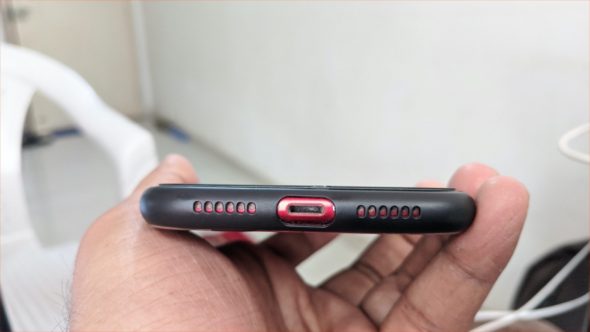
Most of us use external protective covers - or covers - for our phones because they are less expensive, but these covers may suffer from poor workmanship and closure, which may result in covering the same protective cover for the microphone.
Here, you must make sure that the protective cover for the phone does not cover the microphone, as well as any other object.
Turn off the NC noise canceling feature
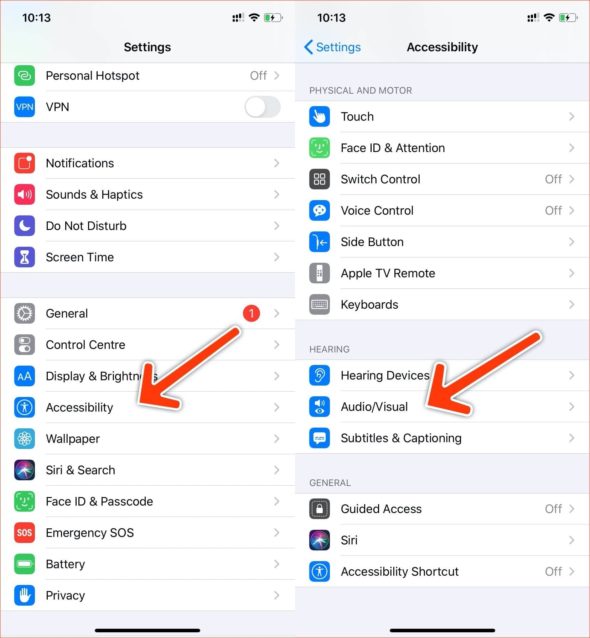
The iOS system includes a great feature, which is the Noise Cancellation feature, and this feature is activated automatically to block the noise while using the phone in calls, but this feature sometimes spoils the microphone sound quality in some scenarios -That is, this method is not a complete solution to the microphone failure- In order to deactivate this feature to make sure whether it is the cause or not, follow the following:
1- Go to Settings
2- Then go to the Accessibility settings
3- Including guidance for audio / visual settings or as picture:
Then turn off the feature
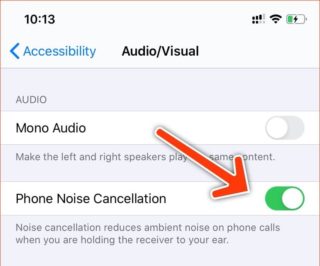
Now try to make a call to make sure whether the problem is solved or not, if it was solved then it was. If this step did not solve the problem then restart the noise canceling mode again and move with us to the next method.
4- Make sure to enable microphone access for external applications
Perhaps in some cases, you suffer from a problem that stops the microphone from working in certain applications while you find it works normally in other applications and during calls! And here the problem is in the access permissions to use the microphone for external applications such as WhatsApp, Skype, or the like, and here follow the following.
1- Go to Settings
2- Go to the Privacy settings
3- Go to the microphone settings
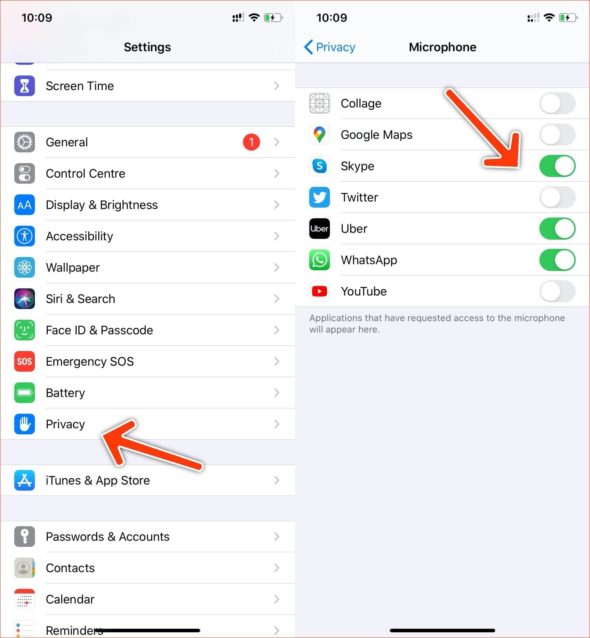
Here you have to activate access to applications as in the previous picture, and most likely this will solve the problem completely, especially if the microphone is already working in other applications.
5- Make sure the phone is updated or perform a factory reset for it
In the event that the previous solutions did not work for you in any way, then you will first have to make sure that you have updated your phone to the latest available update, by going to the settings and then updating the system as usual, and in the event that the update that you have is the last or that you have updated the system and it did not solve This problem, your last step will be to perform a complete factory reset of the phone, by going to Settings, then General Settings, and finally Reset, or as shown in the picture.
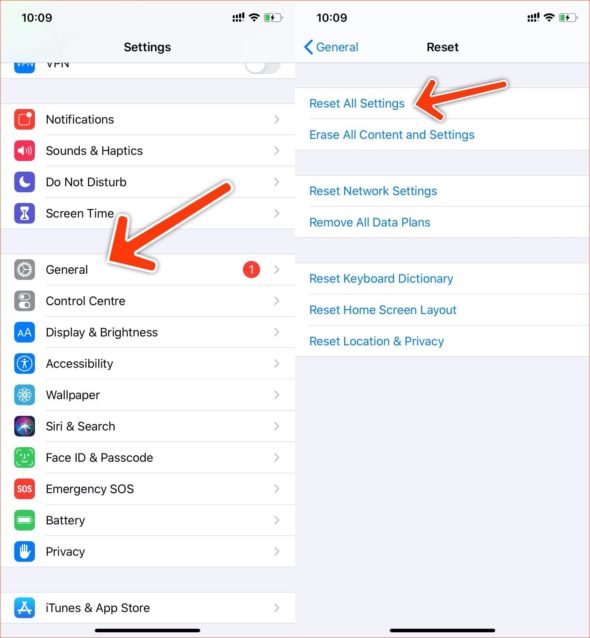
Unfortunately, in the event that all of the previous methods did not result in you, you should go to a service center to solve the problem of the microphone stopping work or its poor quality, because in this case the problem will be a hardware problem, which is something that you most likely cannot deal with yourself.
Source:


16 comment