It remains for the radio and its stations, which we used to become with daily and touch it on the eve of a special flavor that the length of time has not been able to cancel, and modern technical developments could not bypass it, so what came after it in terms of televisions, satellite channels, internet etc., the radio did not cancel the radio, so the most famous radio stations are still continuing until now and it Its broad audience, but more radio stations are opening permanently and attracting audiences.
Do not neglect the role of the active radio in all parts of the world in cars and highway and long road pedestrians, for it is still an effective means in the delivery of information, education and advocacy.
Rather, we are always faced with a question from newcomers to the iPhone or iPad asking that we recommend an excellent radio app for them that turns their device into an integrated radio station (of course via the Internet because Apple devices are not equipped with the future of radio frequencies). So technology has not canceled the radio, but rather developed it, benefited from it and benefited from it and benefited from it, and finally we see an Islamic radio application that calls to pride presented by iPhone Islam, which returns you not only to the initiative to fill these gaps and to provide the useful and useful, but also to excellence in presenting this new
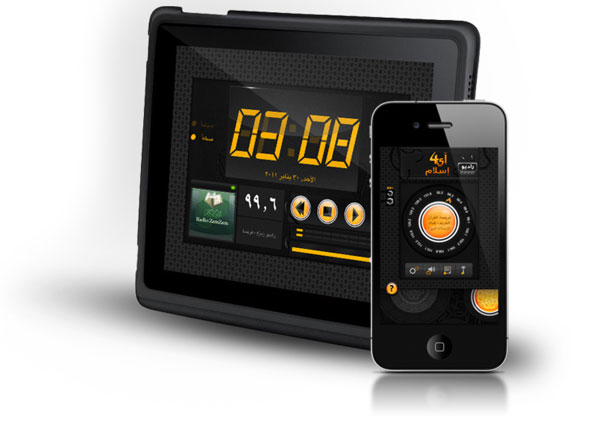
And here we are reviewing with you the new update of the application i4islamradio Which was launched in the program store under the slogan "Reinventing Islamic Radio" to offer us a new experience in using Internet radio via the iPhone, iPad and iPod with a distinct and useful package of various radio stations that are always renewed.
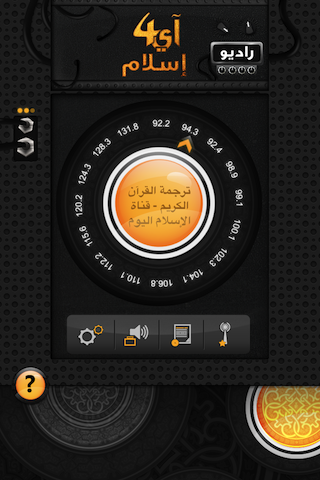
The application faces us through its main screen with a wonderful simulation of the rotating station select button, where by touching this button and rotating it at an angle of 360 degrees, you can switch between the various radio stations available in the application where its name appears in the center of this button and its waveform frequency indicated by the arrow around the circle This list of stations is characterized by its ability to be increased without updating the application from the software store, directly over the air or the so-called OTA.
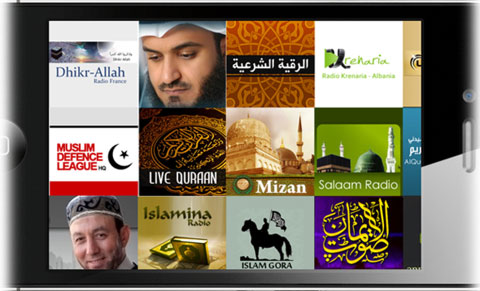
Also, if you do not prefer to choose the channels through the rotating station selection button or you find it difficult to do so, you can always use the landscape mode to get a full screen with all available channels in an attractive and wonderful way.
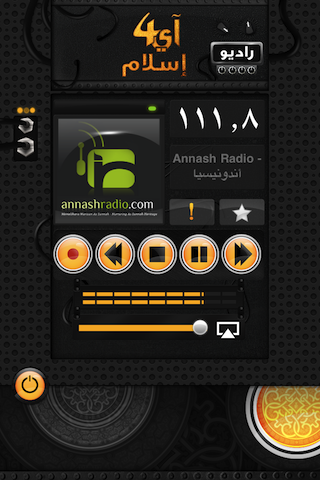
Once you have settled on a specific radio station, the internal screen will be changed to move to the screen of this radio, which will start to hear its broadcast within moments, and you will see its name, logo and wave frequency clearly, and you can control the volume level through this screen as well as pause or complete the station broadcast, add the station to favorites Or watching the favorites list through the two buttons under the station name.
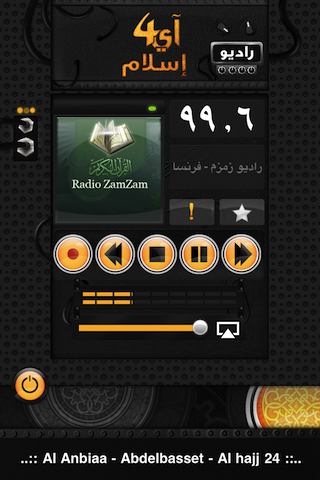
You can find information about the radio or station you are currently listening to, such as its name and the name of the program being broadcast by pressing the exclamation mark button.
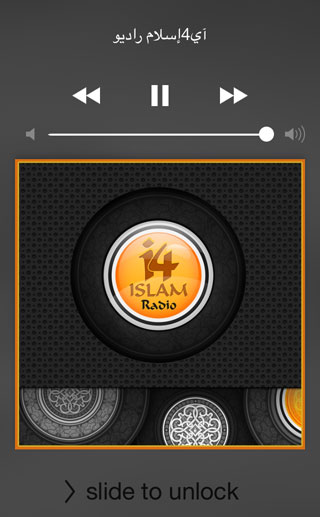
We do not need to say here that this application works in the background and you can control the volume and its volume or stop it through the iTunes buttons on the lock screen or in the control panel.
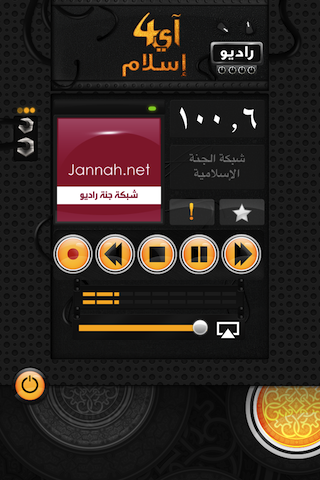
The great feature here and useful is the ability to record your audio for the broadcast through the red record button, where you can record to a file as long as you want, store that recording in your device and return to it later (even without the Internet), and you can also transfer it to your computer via the iTunes program.
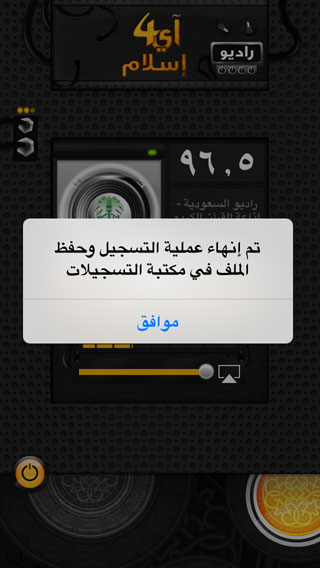
Once the recording is stopped, a message will appear informing you that the recording has ended and to save the file in the records library.
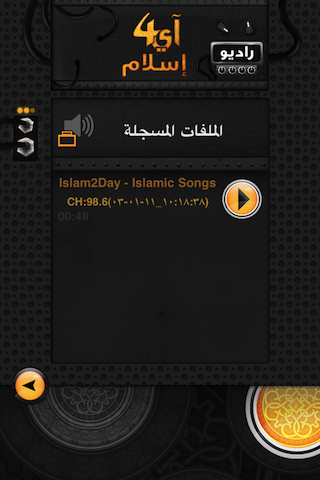
In the recordings library that can be accessed from the main screen of the application, you will see all the files and clips that you have recorded, as they are saved here with the name of the station and the date and time of the recording, and by clicking on it you can listen to it directly. You can also share it with your friends, email it, or even rename it.

We can save these recordings from the iPhone or iPad to the computer easily through iTunes. After connecting the iPhone to the computer, we open iTunes and go to the Apps tab located under the iPhone device tab in iTunes.
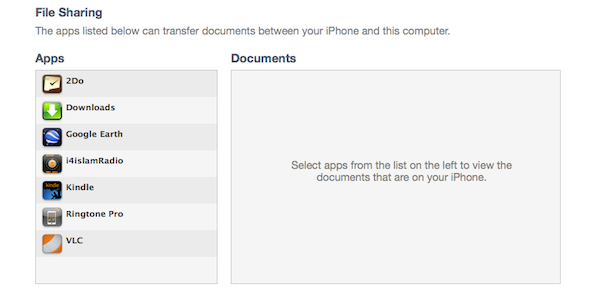
Going down to the bottom of this page, we will find a special section called File Sharing that reviews files shared by other applications on the iPhone and allows us to display them here, where we will find the name of the application i4IslamRadio
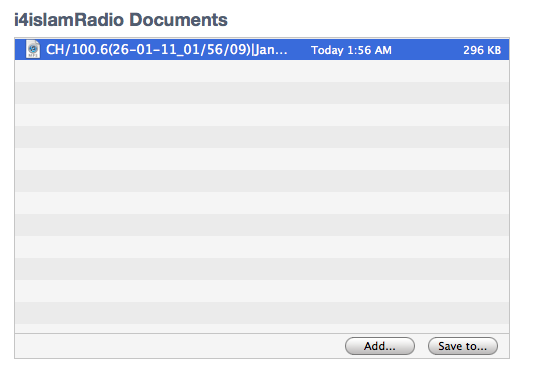
After choosing the name of the application, we will find the files that we have recorded from various radio stations displayed in this list through which we can exchange and share files to and from the application.
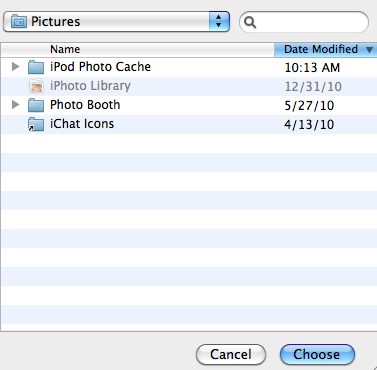
By selecting the file and choosing the Save as button, we can save this file to anywhere in our device through this window and listen to it later.
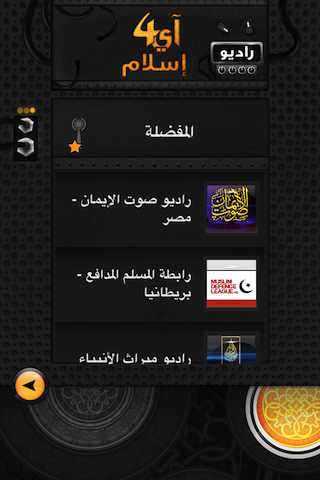
Returning to the application, we see that we can add any radio station we want to a special section of the favorites, as we said a little while ago, and here we can go to the favorites list from the main page to see all the radio stations that we have added previously.
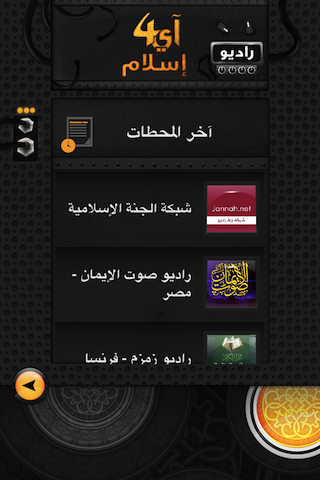
Another major section that we can access from the home page is a list of the last radio stations that we have listened to, and here is an excellent leader in usability that enables us to easily reach any radio station we want in different ways, especially if the stations increased and the stations became more and more difficult and navigating and searching them in the traditional way became difficult.
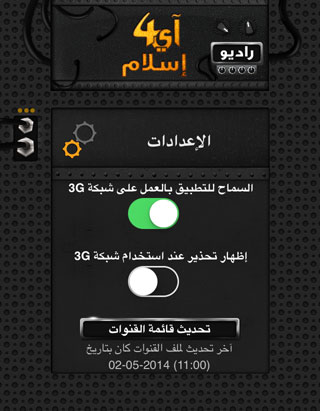
The application has a special settings section that gives us flexibility in customizing the program, as we can initially disable or do the feature of listening to the radio in the case of a 3G network only, and we can also show a warning when using this network to avoid downloading and paying additional costs.
We can also update the list of channels or radio stations in the event that there are new stations added, and here is what we meant by updating over the air to this list of OTA stations.
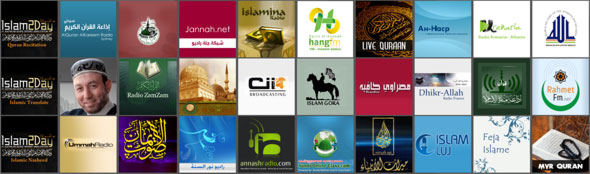
The wonderful thing here is to change the way all available radio stations are displayed when changing the position of the iPhone from vertical to horizontal, so we can see a new screen in which the stations are formed with their pictures in the form of squares that we can move around and press each square to run this station.
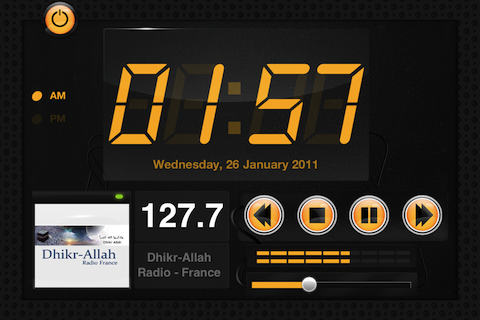
Once the radio is turned on in landscape mode, we will see a new and distinctive display that will add the time, digital clock and date of the day, in addition to the station information and its frequency.
Application features:
- Universal program supports all devices
- Distinctive design and high-quality graphics that support the Retina and iPhone 5 screens
- Using the latest iOS system technologies in developing the program
- The program works in Arabic or English according to your device's settings
- The possibility of running the program in horizontal or vertical mode
- Night watch when using in the landscape mode showing the time and date
- Various Islamic channels and in multiple languages
- A large number of Islamic channels that are always renewed
- Automatic renewal of channels over the Internet
- The multitasking and broadcast feature works even after closing the program
- You can control the program without entering it via the iPod buttons
- The broadcast can be heard on devices that support AirPlay, such as Apple TV
- A list of your favorite channels
- A list of the last operating channels
- Record paragraphs and listen to them later without internet connection
- Transfer the recorded audio files to your computer, then add them to the iPod library
- Send the recorded clips via e-mail to share with your friends
- It works on Wi-Fi or SIM data service such as LG
- Show a warning message when using the XNUMXG network so that the SIM data will not be consumed

No matter how advanced technology has developed and new means have emerged, the radio will have that special feature and that distinctive relationship that connects you with it, its listening and its programs, and the iPhone Islam presented to you today in a new way, taking advantage of the latest technical developments that served it and never removed it, so do not deprive your iPhone of the existence of similar stations and such stations. Outstanding in it.
Notes and thoughts:
- If you have a link to an Internet channel that is compliant with Islamic Sharia, send it to us to be added.
- The channels are the responsibility of those who broadcast them, and any violation of them is the responsibility of their owners, although we have been careful in choosing the channels.
- Some channels, if pressed too much, may become unavailable. Just try again.
- Why not think of making a professional Islamic radio station (this Location Gives you space on the Internet for a small amount per month)

And don't forget to rate the program in the software store





163 comment