After waiting for several months, here we are with the final version of iOS 11, and we can explore the features without worrying about removing them in the future, as is the case with the beta copy of the system, so after exploring here are some tricks for iOS 11.

View live photos
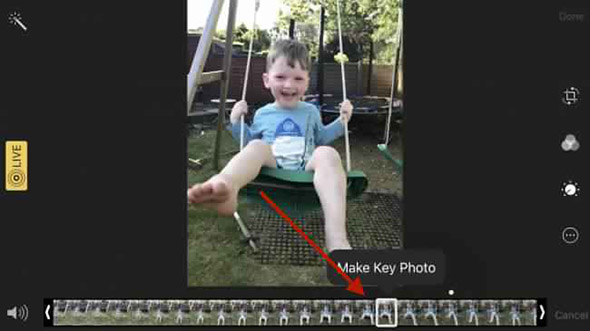
The Live Photos feature is great in many cases, and it may remind you of beautiful events in a way similar to Harry Potter newspapers, but what happens if the image of the interface for these occasions is bad? So, it must be modified, and fortunately Apple has allowed in iOS 11 to choose the appropriate "image" for the Live Photos interface. To do this, you must open the image -> Choose Edit or then move the cursor and place it on any image in the row to choose it as the interface.
Map approximation
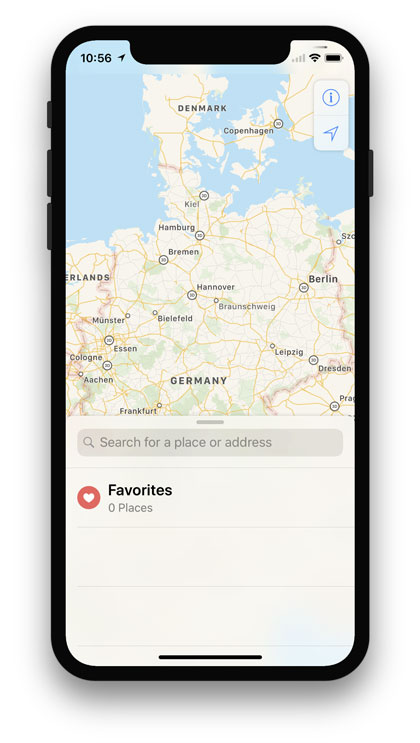
Now there is a new way to zoom in and out in the map, which is to double click on the map while keeping the finger touching the screen the second time, then move the finger up for zooming and down for distance. This feature is useful when you want to control with one hand, especially while driving.
Editing of screen shots
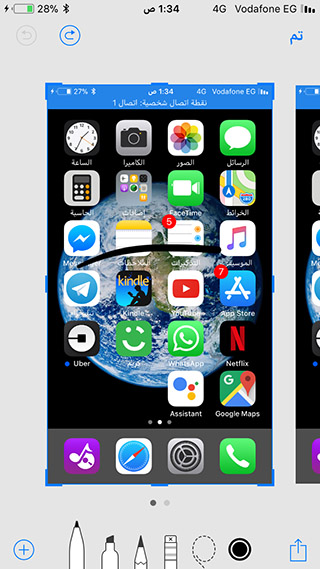
Now when you take a picture of the screen, it appears in a miniature at the bottom of the device, and you can click on it to make adjustments such as cutting and drawing on it and also sending it through any communication program.
(You can also scan the image directly if you find it is not suitable)
Turn off playback from settings
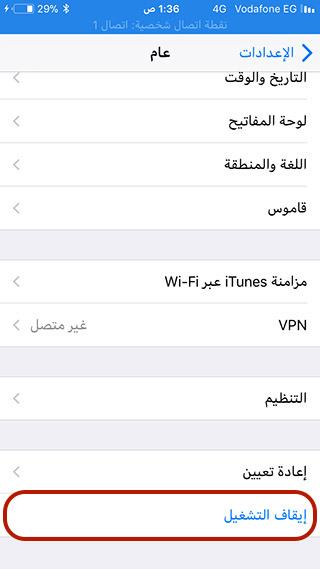
Are you having trouble with the power button or just want to lock your phone without using it for whatever reason? You can do that by going to Settings -> General, then scrolling down to the bottom of the list. You'll find the blue "Power Off" button. And guess what it does? 🙂
Share Wi-Fi
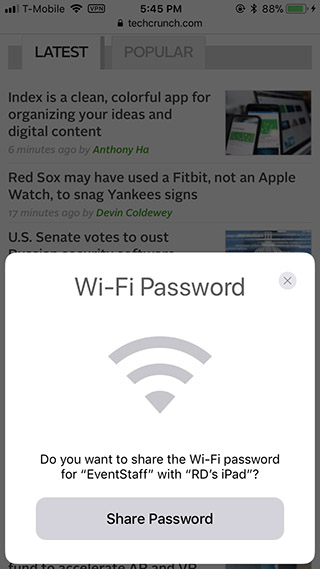
We often create complex passwords for our Wi-Fi networks to prevent theft, but as soon as a friend comes and wants to share the network until the matter begins to get complicated, he must transmit that difficult word. Well, now that your friend (who has an iOS device) tries to connect to a network that your iPhone is connected to, until you receive a notification to allow sharing the Wi-Fi with this friend, and it is all done with one click of a button without the need to enter the password.
GIF images

I see Androids out there on the horizon talking about how lagging iOS is in supporting features and Android devices have been playing GIF files without external software since ancient times, and iOS has supported them with iOS 11. Well that's right, and the Photos app in iOS 11 can now display animated GIFs.
Customize the iPod buttons
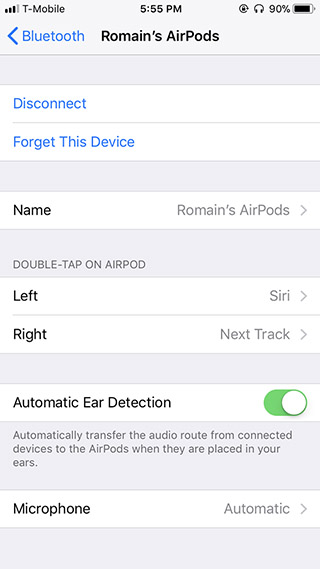
buttons? I mean the touch gestures on the AirPod, you can now from the Bluetooth settings choose the Airpod you own and then customize the commands that double-clicking on the right speaker does and what the same gesture does on the left speaker. This feature is a big plus for Airpod owners, so don't be underestimated.
Remove unused apps

An advantage for those who have high internet speeds at all times and it removes those applications that you do not use from the device to save space while preserving all data and the application icon, and when you press them, the system downloads the application immediately and returns all data as it was. If you are looking to save some space in your device, we recommend this feature.
IPad keyboard

Do you see those gray marks above the letters on the iPad keyboard? You can swipe down on the button to quickly enter it.
Notes application

Now you can add tables in the Notes app as well as scan documents. The application also archives texts that you wrote in your handwriting on the iPad, so you can search in the search bar for handwritten text.



74 comment