We mentioned in a previous article that Free Google Photos Storage Expires TomorrowAnd we provided a guide for how to transfer your photos to iCloud. Next, Google added a new option or button called “Save to Photos” to Gmail that, when pressed, automatically saves email attachments to Google Photos.
The new feature means that Gmail users will no longer have to download photo attachments from messages in order to manually back them up to Google Photos.
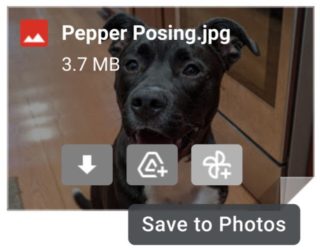
The Save to Photos option will appear along with the Add to Drive button that appears when viewing an email attachment in your browser. Note that the new feature will only be available for JPEG images. And to do so:
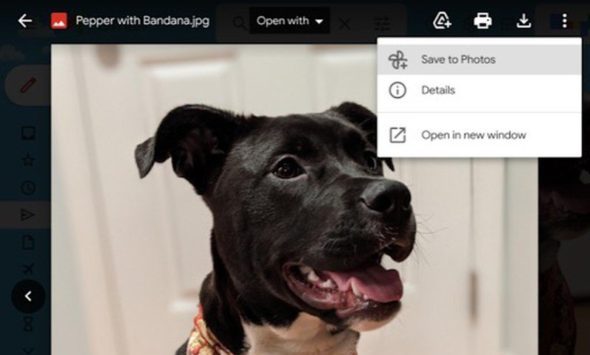
◉ Go to your Gmail.
◉ Open the message with pictures attached.
◉ At the top, press the three dots or the save sign, then choose Save to Photos.
Google says the change will be rolled out over the next two weeks to all users with a personal Gmail account, as well as users of Google Workspace, G Suite Basic, and G Suite Business.
The feature comes before the deadline when Google Photos stops offering unlimited free storage for uploaded photos.
Google Photos always offers unlimited free storage to upload photos in low quality but good enough for most users. As of June 1, all photos and videos uploaded to Google accounts from users' cloud storage will be counted.
Source:


8 comment