Apple has released a new update for iOS, and this update came to fix some defects in the previous versions, including the 5.1.1 update for the iPhone 4 and 4S, the iPhone 3GS, the iPod touch 4G, the iPod touch 3G, the iPad 1, the iPad 2

New Update 5.1.1 contains improvements and bug fixes, including:
- The reliability of using the HDR option has improved for photos captured with the lock screen icon
- Addresses bugs that could prevent the new iPad from switching between 2G and 3G networks
- Fixes bugs that affected AirPlay video playback in some circumstances
- Reliability improved for syncing Safari bookmarks and Reading List
- Fixed an issue when the “Cannot buy” alert is displayed after a successful purchase
Of course, there are other improvements and fixes to problems that Apple did not mention, God willing, we will write a full article about the new update and its features.
For current iOS 5 users, they can update very easily using Apple's new feature of the fifth system, which is the upgrade without a computer, which is easier and better than updating in the traditional way through iTunes, as the new method is much smaller in size and also updates system files only without deleting programs or settings on the device for that. We recommend that you update through the new method, and here is the method in detail:
1Go to Settings

2Go to Software Update and when you click on it, it will search for if there is an update available or not.

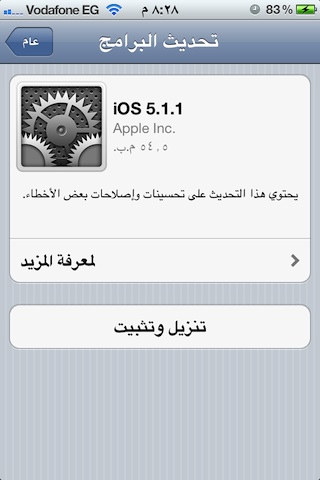
You will find the update available and it will show you the advantages of the new update as well as its size, and as you can see, a device must be connected to the Internet via Wi-Fi so that we can download the update.
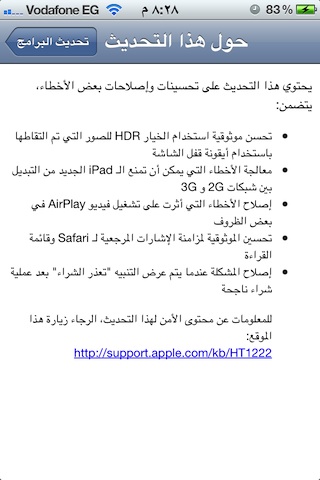
3Connect your device to Wi-Fi, press Download and Install, and wait for the device to do the rest.

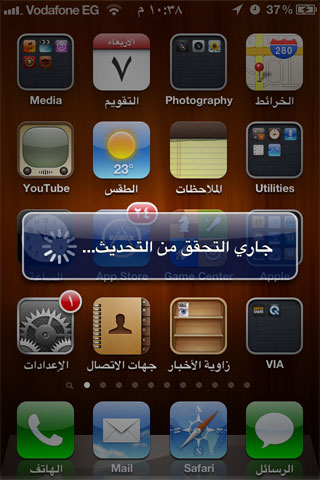
If you are an owner of iOS 5 and you wait and do not update, you will see a red icon with the number one above the settings icon, and if you click on it, you will immediately go to the updates.
For users who have not previously updated to the new iOS 5 system, they will not find the update option in the settings and they must follow the steps that were previously explained in The Ultimate Guide to Upgrading to iOS 5 But this time, they will download the new version 5.1.1 andYou will find it here.
WarningOf course, if you are using the jailbreak to unlock the network or want to keep the jailbreak for any reason, do not upgrade. Upgrading is only for those who have been jailbroken and follow Apple's latest news.


431 comment