Yesterday Dev Team gave up on their stubbornness and developed the RedSn0w tool We talked about it before Which jailbreak the iPhone of the first generation and the iPhone 0G and the iPod touch the first and second generation, and now the program RedSn0w is doing a jailbreak for the iPhone 3.1GS. UltraSnXNUMXw was developed to unlock all networks in iPhone XNUMXG and iPhone XNUMXGS phones. The team justified its position on this development after it had previously announced that it would not develop these tools until after the firmware XNUMX that there was no point in angering users, and Hotz had developed a tool purplera1n Which uses the same vulnerability.
Now it does not matter if your phone is an iPhone, iPhone 3G, iPhone 3GS, even iPod Touch or iPod Touch 2ndG, the RedSn0w tool will jailbreak your device that contains the firmware 3 and here are the steps
Jailbreaking action lines
- Don't forget to download the latest version of ITunes Then the appropriate firmware for your phone, the first generation of Here And 3G from Here And the 3GS from Here
- If you did not upgrade your phone to the firmware 3.0, you must upgrade first, and if your phone contains the firmware 3, just download the RedSn0w program
- Launch iTunes and after connecting your phone to the computer, go to the iPhone section and press SHIFT + UPDATE.
- The program will ask you about the location of the firmware 3.0, then direct it to the location of the firmware that you just downloaded.
- After completing the upgrade, the jailbreak came, download the RedSn0w program from Here And for Mac owners from Here
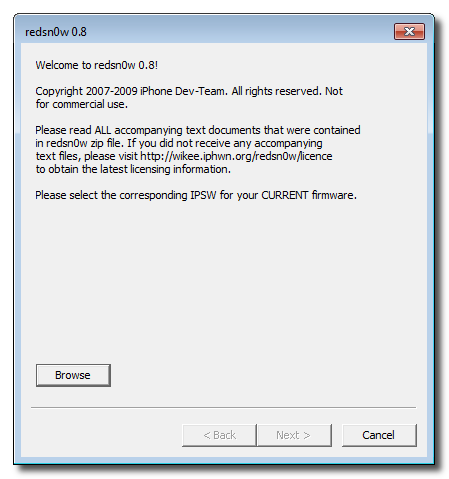
- Then follow the steps of the jailbreak in the program. Here is an explanation with pictures.
Opening work lines for all networks
- First, make sure that your phone is closed to networks and works with only one network
- Open Cydia and make all updates, then close the phone and reopen it
- Reopen Cydia and if it asks you to update again, repeat the previous two steps
- Add a new Source to Cydia by Manage-> Sources-> Edit-> Add
- Enter the source address which is http://repo666.ultrasn0w.com
- Search for ultrasn0w and install it
- You must configure the network settings via Settings-> General-> Reset-> Reset Network Settings
- For a detailed explanation with pictures Here





94 comment