Almost a daily complaint from our followers is that they can no longer transfer applications from their iOS 9 devices to the computer. Everyone states that they tried other devices with old devices such as iOS 8 on the same iTunes and computer, and indeed, applications were transferred. So what happened in iOS 9, and why was the ability to move apps canceled?
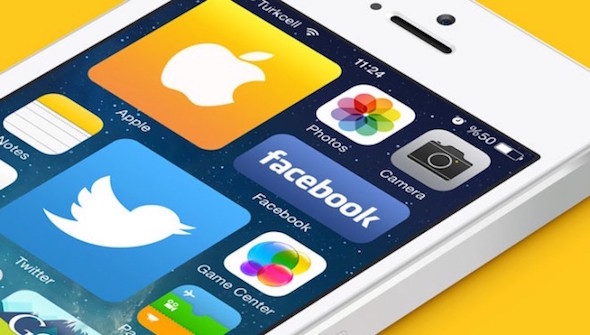
The feature of transferring applications to iTunes is one of the great points, as there may be applications on your device that are 30 GB, for example, and you want to create a restore for your device. The solution was to connect it to iTunes, and after taking a backup copy, press "Transfer Purchases", thus transferring all the purchased applications to the computer, and after creating a Restore and wiping the contents of the device, you can return the applications again in minutes from the computer to the device. But this is in the former. Now this is over.
Among the hidden features of iOS 9 is what is known as App Thinning, which are application-specific features that make them work better, faster, and have less size. The last point of "lower volume" is due to a feature called Slicing, in which the software store downloads the application that suits your device. In the past, the developer puts all the pictures, videos and icons for different devices, and the system tells that if the device is an iPhone 6, then display the pictures such-and-such and if it is 5 then these are its resources and if it is an iPad and so on. In other words, the application is actually loaded on your device and with it all the images and files prepared for all other devices and it is used only that is appropriate for you. So Apple decided in iOS 9 to provide an advantage to developers, which is that the application carries only the part that is appropriate for you, which makes the applications slimmer.
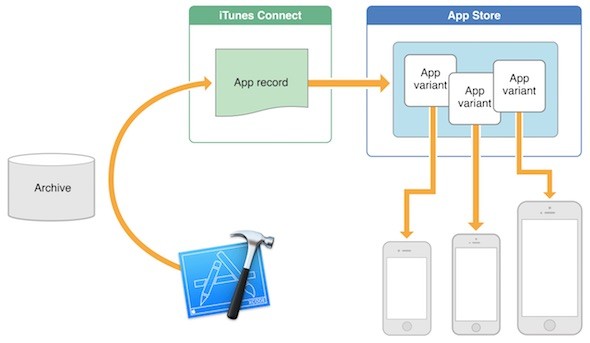
In the previous image, which is the official published by Apple, the application carried on the iPhone differs from the iPad. Rather, the downloader on the iPad 2 differs from the one loaded on the iPad Air. This is an application and this is another application with a different size and different files. A great feature, but its flaw is that it forced Apple to cancel the ability to transfer applications to iTunes because they are actually not complete applications. If we assume that the applications are transferred from the iPhone 5s and the application found Twitter and transferred. Then I connected the iPad, and here also there is Twitter, but this Twitter is not Twitter, which was in the 5s and different in size. If you transfer it to iTunes and delete Twitter 5s, then you want to restore the iPhone, the application that is "in iTunes" will not be installed on the phone because it is an "iPad" version of Twitter.
Some might argue that the solution was to make Apple iTunes accept more than one copy. However, this solution is difficult in practice, because it will be as follows "an illustrative example."
- Twitter version for devices 3.5-inch Retina "iPhone 4s"
- Twitter version for devices 4-inch Retina "iPhone 5 / 5s / 5c"
- Twitter version for 4.7-inch "iPhone 6 / 6s" Retina devices
- Twitter version for 5.5-inch "iPhone 6 + / 6s +" Retina devices
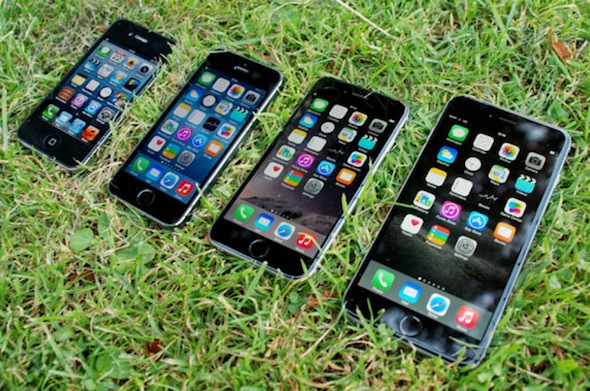
The previous example is to clarify the differences for copying the iPhone only, and this is assuming that the differences are in the images used only, but there are software differences in the processor that is, there is a change in the functions according to the processors. That is, there should be a copy of "Twitter" for each phone separately. If you have an iPhone and iPad, as well as your wife and children, you will have 5-6 copies of iTunes for each app. And you'd be surprised that there are 100 gigabytes, for example, for iTunes only. So, unfortunately, Apple canceled the feature.
In the West, there are high internet speeds, and accordingly they do not care if the device loads 10 GB, for example, because it will take a few hours. But this number in Internet speeds in most of the Arab world means that you leave your device to reload applications for days. Therefore, we hope that Apple will find a solution to this matter soon
One last point
ITunes still has applications, as is evident in the picture at the top that the developer uploads one comprehensive application to Apple, which divides the applications. If you open iTunes and download any application, it will download the comprehensive version, which is suitable for download on any device. Meaning, you can download apps from iTunes and then sync with your various devices to update them on them.
In the end, it seems that the dependence on iTunes will become less, and the problem is deep for jailbreakers because they need to do a restore from time to time, while the user who does not jailbreak will face the problem of moving the application only when he buys a new device.
Were you relying on transferring applications to iTunes? How can Apple solve this problem?
Source:


159 comment