Apple recently released the iOS 9.3.2 update for its system. The update comes to treat the many problems and errors faced by version 9.3 as well as iOS 9.3.1, especially with the iPhone SE.
IOS 9.3.2 update fixes bugs and improves security for iPhone or iPad; Where it does the following:
- Fixes an issue where some Bluetooth accessories could have audio quality issues when paired with the iPhone SE
- Fixes an issue where the dictionary search might fail
- Addresses an issue that prevented typing email addresses when using the Japanese Kana keyboard in the Mail and Messages applications
- Fixed an issue with VoiceOver users using Alex voice, where the device would switch to a different voice to say punctuation marks or spaces
- Fixes an issue that prevented MDM servers from installing B2B applications
To update your device, take the following steps
1
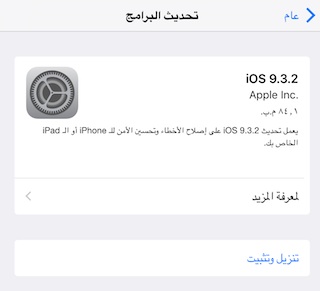
Go to Settings -> General -> Software Update, it will show you that there is an available update and its size.
2
You can click on Learn more to view the update details.
3
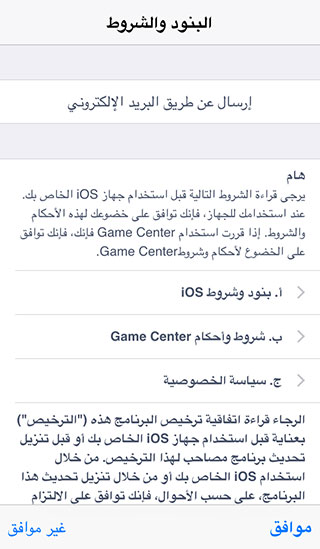
To download the update, you must connect to the Wi-Fi, and it is preferable to connect your device to the charger, then press the "Download and Install" button, and the terms and conditions will appear to you, then agree to them.
4
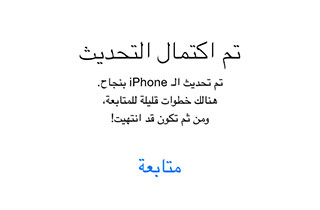
After the update is completed, the device will restart. After several steps, the update will be completed.


139 comment