Hours later, Apple releases the final version of iOS 11 that everyone has been waiting for since it was revealed at a conference WWDC 17The system comes with many advantages that we have talked about in many Previous articles And we will talk about it in the coming days. And before the update is issued, you must be prepared for it so that no problems occur, so you lose your data or other problems that recur every year during the update. So we decided to provide a guide to the user how to prepare to update their device.

Important notes before updating
⏳ When the system is released, Apple's servers may suffer from severe pressure and the download speed may be very slow, so it is better to wait if you encounter problems.
We recommend that you wait for a few days to see the effect of this update on whoever did it and make sure of the problems and side effects of it, and this is an optional step, as the current version is already tested and works well with us.
If you are using jailbreak and do not want to lose it and lose its features and applications, do not update.
👀 The owners of the jailbreak will not be able to "update", but they must restore the system using iTunes, and when the system is released It will not appear In the settings there is an update if it is jailbroken.
🎖 Users who have installed the beta or GM version of iOS 11 will Be able From update normally.
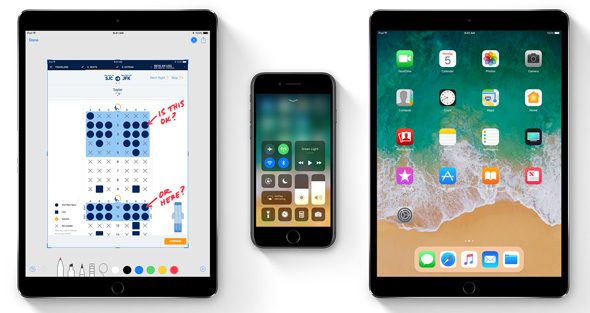
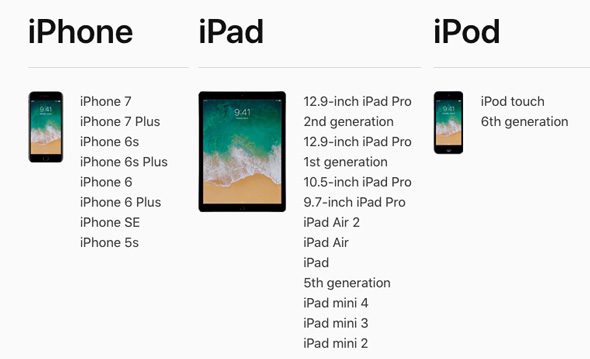
Any devices support iOS 11
Methods of modernization
You can update to iOS 11 in two ways:
OTE: It is the update from within the device itself through the settings and this update does not result in the loss of any data, and this method requires that there is no jailbreak in the device and also an empty space of up to 2 GB, and Wi-Fi is available for the update.
iTunes: It works on the personal computer and you must make sure that you have it Latest versionIt offers you two options, Restore and Update:
- Update: It is the process of updating the device automatically without your interference, as iTunes downloads the update file from the Apple website and updates your device and does not result in losing any data (it is assumed that, but a backup copy must be taken as previously mentioned to ensure that no accidental problems occur)
- Restore: It is to download a completely new version as if you bought the phone again, and some prefer it when updating, which is mandatory if you have a jailbreak and want to update.
Preparing to upgrade:
1
A lot of software store apps have made an update to support iOS 11, and these updates will continue, so make sure that all of your apps are up-to-date so that you don't encounter problems after the upgrade.
2
Make sure you download the latest version of iTunes, which is version 12.7. You can visit the Apple website and download the latest version through this link.
3
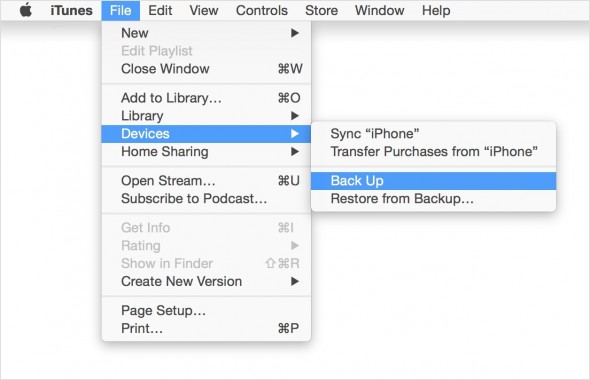
Take a backup copy of the system, whether you will update or restore, so that you do not lose any data. It is preferable to use iTunes as a way to take the backup copy and not the cloud, because for some users, the space is several GB and it takes hours to download it to the Internet.
4
Make sure that you have enough storage space in your device, as Apple usually requires a space of up to 2 GB or more.
5
If you do not prefer iTunes, you can back up via iCloud, but remember that this takes time depending on your internet speed.
What are the most important features of iOS 11
This video from Omar Deezer channel gives you the most important features of iOS 11, and we will definitely review with you in upcoming articles the features in order to make sure that you master the arts of iOS 11
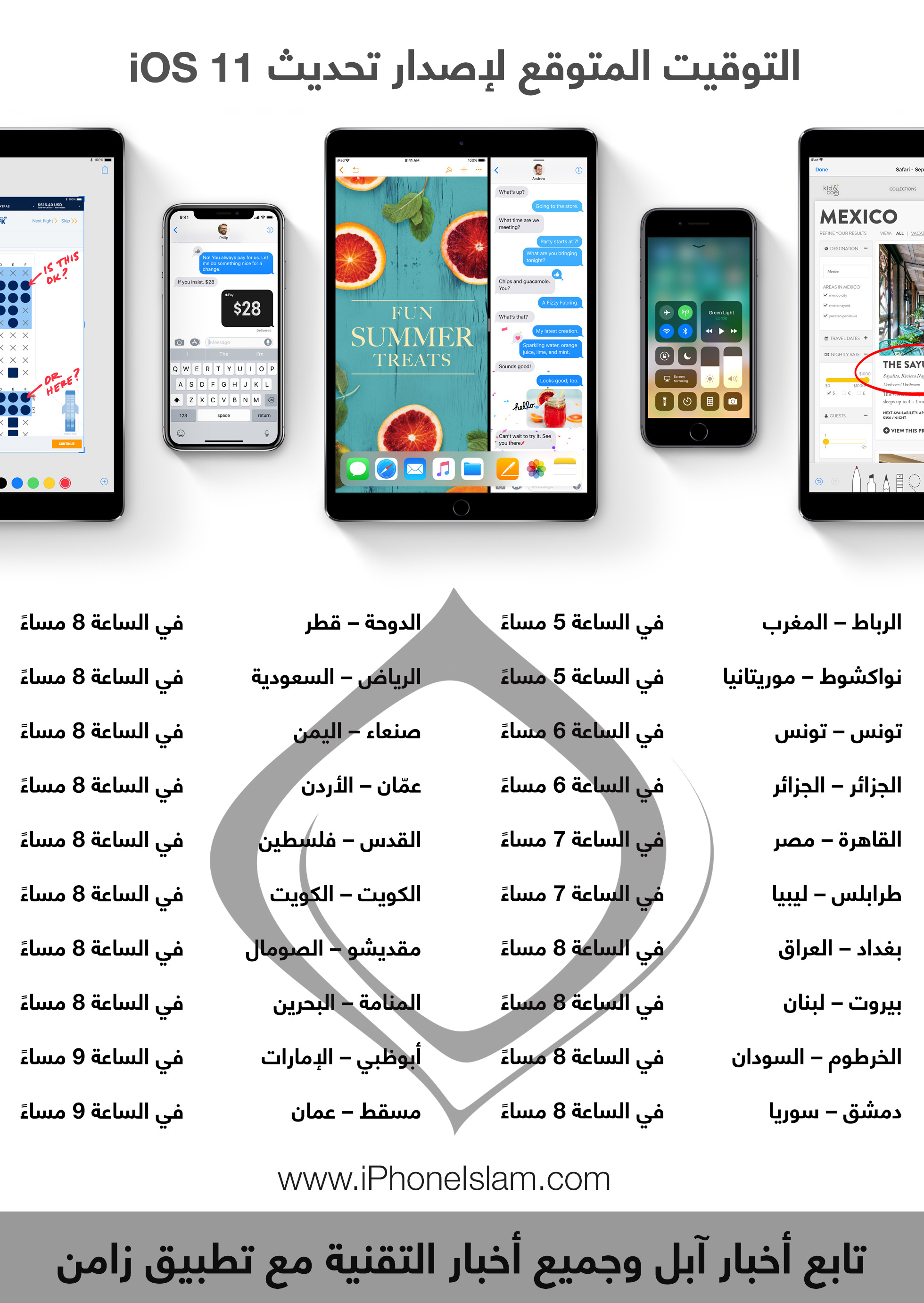
The update is expected to be released this evening on these dates


79 comment