The iOS 7 system that Apple will unveil on June 10 will be different, and we have offered a number of features that we wish in the system in part One, And thepart two From the article; The visitors surprised us with a large number of advantages that did not occur to us while writing the two parts, so we present the third part of the article, which includes the advantages that Apple users wished to dispense with the jailbreak and any other system, which were not mentioned in the previous parts.
FaceTime development
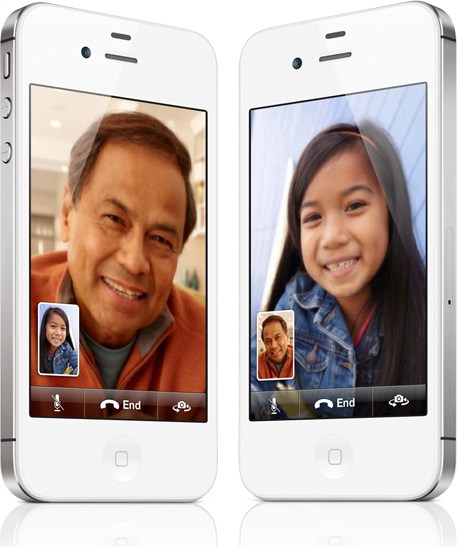
Apple was interested in FaceTime, so it was one of the selling points of the iPhone 4, and then it added the ability to connect via 3G networks in iOS 6, but the FaceTime service needs more integration into the system, especially with iMassage, so that you can write to the person you talk to, such as Skype, as well. Apple should allow audio communication only, not video, as the FaceTime experience confirms that its quality is high and competes or surpasses the competing video calling services, but you have to resort to competing services if you want audio calling only, and a final point which is present in BlackBerry 10 is the ability to share the screen with Who are you talking to?
Survey and mass transfer:
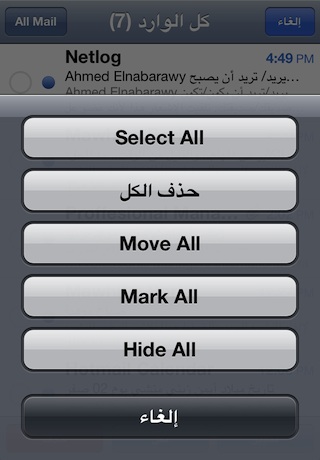
Apple's system needs to add the ability to scan / mass transfer for a specific category, as the system enables you to delete a message message individually, or one audio file, one name from the contacts list and so on, and there may be tricks to delete all messages at once as we mentioned before Or all the names, but the system must provide this command because sometimes we want to delete a large number of messages, names or audios at once, but the Apple system forces us to scan individually. The same goes for deleting apps by choosing a number of apps to delete them in one go.
Less inconvenience
- Apple is adding some minor changes that cause less inconvenience, such as:
- The ability to stop the alerts sound while speaking on the call.
- A blacklist for annoying numbers in iMessage, and the ability to activate "read" for specific people.
- The ability to leave message groups in the iMessage that others add to you.
- Merging conversations for the same person in the iMessage, which activates the service on more than one email, as more than one conversation is currently shown for the same person.
- The possibility of navigation without internet, which saves data and also stops navigation due to bad internet.
- If you are not logged in to Facebook or Twitter, it will not appear in the share list.
More options:
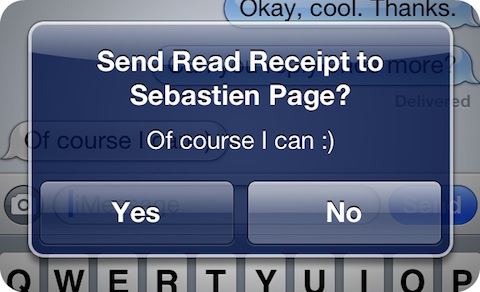
There are simple changes that Apple added to make it easier for the user to deal with his device, such as:
- Bluetooth printing: Currently the iPhone supports wireless printing, it is recommended that Apple add printing via Bluetooth.
- Messages: Sometimes you want to send a message to your friend who does the iMassage service, and you are afraid that in the location of the network is not available, Apple must put the option to send by SMS or iMassage by long pressing Send, for example.
- Siri voice: Some prefer the American Siri voice, but believe that Siri is British, so it is preferable for Apple to put an option for the user to choose the database that distinguishes his voice and accent, but listen to the responses with the voice he prefers.
- Picture arrangement: Apple enables you to arrange the images on your device, whether by name "put the naming option first", time of capture, size, or anything else, in addition to placing the date on the images.
Alerts Development:
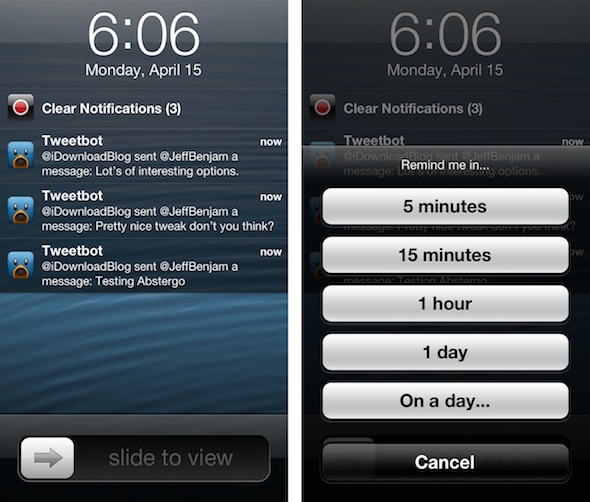
We set alerts before and talked about assigning a tone to each alert, but we surprised our readers with multiple suggestions about alerts such as:
- Hide alerts: Like in the Android system, where there is a button in the notification center that hides all of the information for you.
- Hide the alert seen: Currently, if you click on a notification in the center, it leads you to the application, but the notification remains in the center, so it is preferable for Apple to hide the notifications that have been seen.
- Times for notifications: You can stop notifications at specific times for each application.
- Notices for the system: It is that you choose daily at a date that the device will inform you of the temperature, be it before leaving your house daily, or the price of a specific share, reading the calendar and task schedule in the morning every day, and so on.
- Notices later: As you get a call and choose to be reminded of it later, Apple must put in place the ability to be reminded of notifications later. Whether in app or system alerts, such as remind me to reply to this email after 3 hours, and so on.
Miscellaneous advantages

- The possibility of alerting the price of a specific application in the store.
- The ability to view the password for registered Wi-Fi networks.
- Know the name of the next audio file, such as iTunes 11.
- Add a Swype keyboard like the rest of the operating systems.
- Ability to cancel sending the message after pressing Send.
- Ability to use directed access to some folders, not just applications.
- Improved notification center for iPad and utilization of all screen space.
- The possibility of tagging people "Tag" on Facebook from the notification center.
- The ability to transfer more than one application in one go.
- Add more than one page of applications per folder.




183 comment