About a month ago, iOS 10 was released and we started talking about it in a series of articles, which prompted many to ask, "Are we downloading the trial version of the system?" The answer is no, and you have to wait for the public beta version to be released because it has less problems. Finally Apple released this version. If you want to download iOS 10 now, here's how.
⚠️ Warning: The iOS 10 system is not stable yet and most of the applications you know such as Facebook WhatsApp and even Sync are not compatible with iOS 10 and you may find system problems that prevent you from using your device normally, so it is preferable to install iOS 10 on a device that you do not use all the time .
Very important ❗
• This is a trial version, you must know this before trying it. This means that the trial version has problems and advantages that may be incomplete and sometimes cause crashes.
• It is necessary to take a backup copy of your important files before upgrading, as any problems may occur.
• Do not upgrade if this is your only device and you depend on it for your work. A problem may arise once in an important need for it.
• If you encounter any problems with the version, contact Apple, we do not provide technical support for it. It should be noted that the update has problems, so Apple has put the Feedback application so that you can message it. We will not, we will not, we will not (deliberately repeat) answer any question that says "I upgraded to iOS 10 beta and I am facing such-and-such problem."
• Do not expect to see all the features mentioned in the conference because many of the advantages depend on the developers and you have to wait for them to release an update for their applications to support them.
Supported devices in iOS 10 are iPhone (5-5s-5c-6-6s-SE and Plus versions), iPad (4-Air-Air2-Pro), iPad mini (2-3-4), iPad Pro 12.9 and iPad IPod Touch 6. If your device is not supported by these devices, then it is not supported.
Upgrade to iOS 10
Of course, if you access the system update from your device, you will not find the update, so the way is to go to the Apple website and download a file and this file will make the trial version appear in the settings. The method is as follows:
1
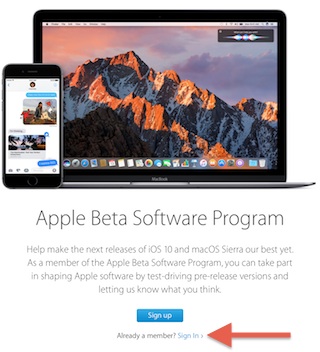
From the device you want to upgrade open the website Beta.apple.com It is a site dedicated to beta versions, whether iOS or macOS. Then click on Sign IN if you have an account with Apple or Sign Up if you do not have an account.
2
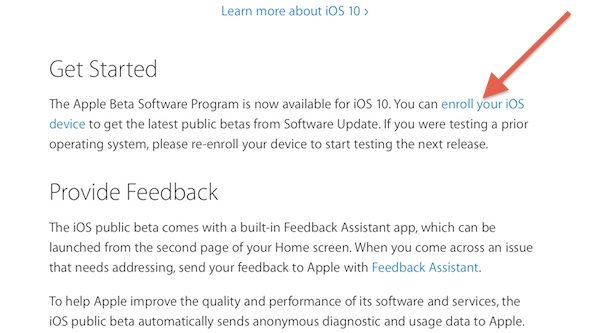
After logging in, you will move to a new page, search for it on Enroll Your iOS Drvice, as it appears in the following image:
3
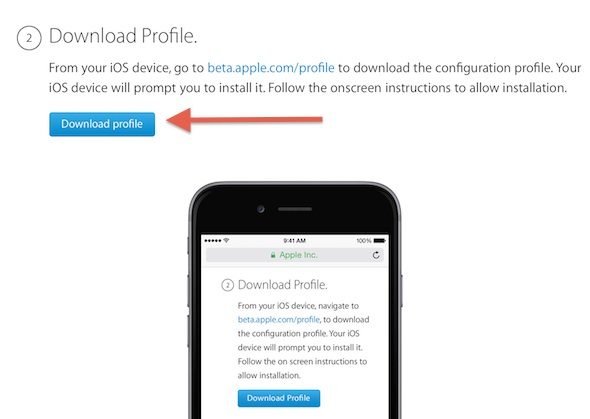
From the new page, click on Download Profile, and it will download the file that will show you the update as we explained above.
4
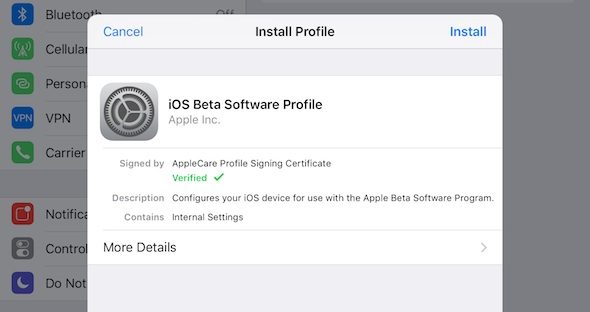
You will go to the settings and a confirmation message appears that you want to install the profile. Click on install.
5
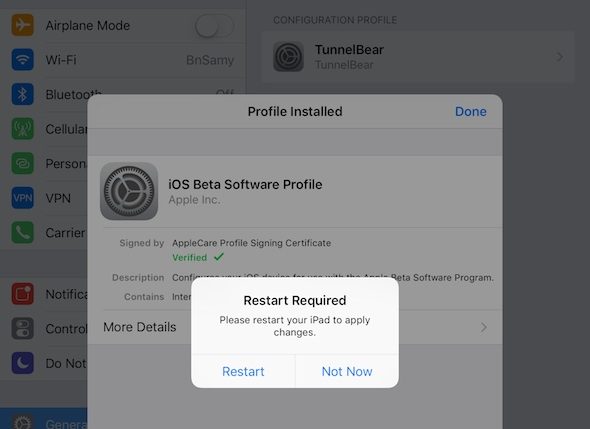
After the installation is completed, "This is done in seconds" a message will appear asking you to restart your device, so agree to it.
6
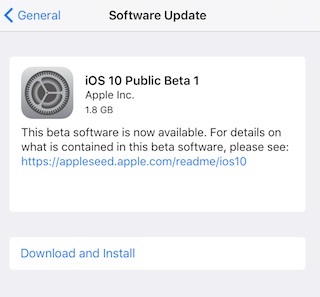
After the completion of the "Restart", open the settings, then General, then update the system as you always do, and you will find the update appears as follows:
7
The steps are over and all you have to do now is wait for the download and installation to finish and the iOS 10 will be on your device


130 comment