A trick to improve sound quality when using a single earphone

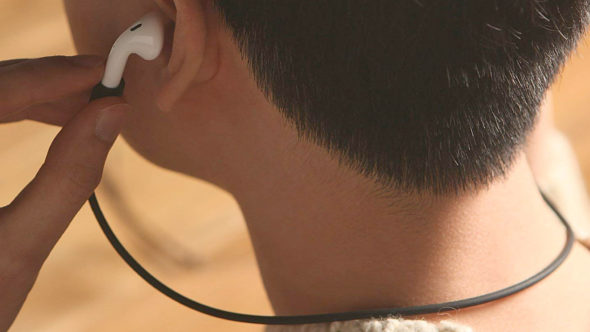
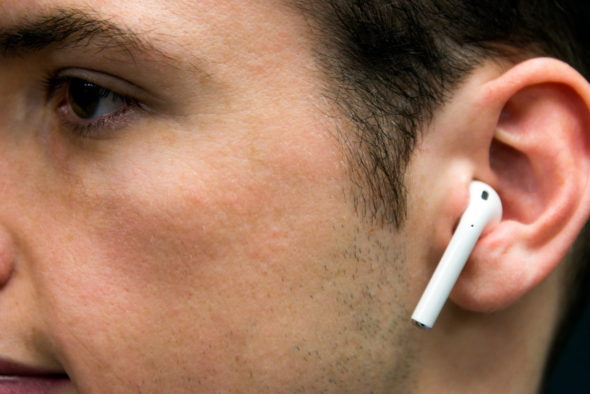
 Earphones have become a very important accessory whether we use them to make phone calls or to listen to our favorite podcasts; But some people prefer to use one earphone and do not use both ears because they want to know what is happening around them so that what they listen to does not separate them from the world; But this is a drawback that when using one ear the user does not get an enjoyable experience as when using both ears. In this article, we will learn about a great way to improve your sound when using a single speaker.
A trick to improve sound quality when using a single earphone

Most smartphones, including iPhones, include a setting specifically designed to improve sound quality when you want to listen through a single earphone, and this setting is known as "mono audio" or mono sound and is very useful for ordinary people and even for people with hearing problems that affect one of the Their ears.


How to play mono audio on iPhone
monkey audio

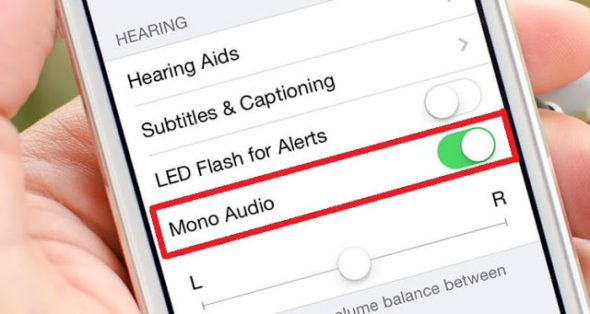
It's very simple, all you have to do is go to Settings> General> Accessibility.
monkey audio

From there you will see the mono audio setting, enable it and choose which two "left or right" speakers you will use and so you will be done with ease.


How to play mono audio on Android
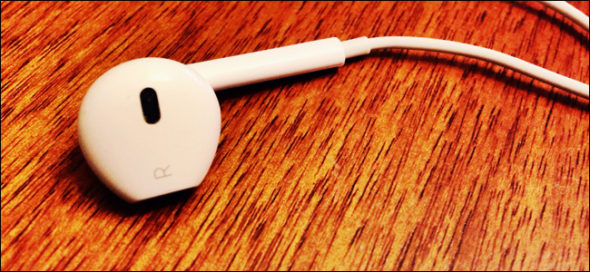
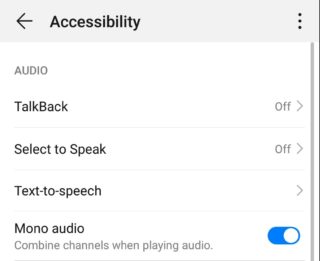
The matter may be a little different with Android, because most manufacturers customize the operating system and modify it, so how to play mono audio varies with different phones. However, you don't need to worry as most brands keep this setting in their Accessibility menu; Just go there on your phone and you will find it and activate it.
monkey audio

For example, the Huawei P30 Pro you find its access menu hidden inside the smart tab in the settings and from there you will find the mono sound setting.

As for the new Samsung One UI, you will find a dedicated Accessibility menu in Settings, and when you go there, you will find the mono sound setting in the Hearing tab.

 Would you like to use single earphone, if so try the mono sound and tell us in the comments if it was any different.

Source:
thenextweb

11 comment

comments user
Mohammed Kadhim

Long live hands on offering this feature

comments user
ipower_man

Thank you .. Unfortunately, I do not use headphones

comments user
Hamza Al-Abed

Thank you
Hi, the feature is in Settings, scroll down under the facilities to use, and scroll down to the setting of its audio / visual name. This is with the iOS 13 version. The methods found in the article on iOS 12

    comments user
    Shabo

    Right

comments user
mustapha phone

The use of one earphone for one ear for a long time will actually affect the hearing, unlike the use of two headphones parallel to the sound.
But avoid raising the volume to the maximum and limit the use of the headphones for a long time, which may affect the inner mesh of the ear.

Oh God, please enjoy our hearing, our sights and our forces ...

comments user
Mahmoud Dekom

I searched for her and did not find her

comments user
Sniper

Accessibility has come under the setting not within the general 😜
Its appearance, the author, is not up to date, or is not dirty, an old article 😁

    comments user
    sattam-abdullah

    Yes, splash an article

    comments user
    Abu Murthad

    And

comments user
Abu Muhammad

Ok, so whoever uses the right earphone only for the left and right ear is normal, otherwise what is it tuned to?

comments user
Amjad

There is no longer a label “Accessibility” after ios13 last update
Replaced with "facilities of use"

Leave a response

We are not responsible for any misuse of the information mentioned above. IPhone Islam is neither affiliated nor represented by Apple. IPhone, Apple and any other product name, service names or logos referenced herein are trademarks or registered trademarks of Apple Computer.

العربية简体中文NederlandsEnglishFilipinoFrançaisDeutschΕλληνικάहिन्दीBahasa IndonesiaItaliano日本語한국어كوردی‎فارسیPolskiPortuguêsРусскийEspañolTürkçeУкраїнськаاردوTiếng Việt